FLUX 3 Image by Black Forest Labs: describe the layout, quote the text, choose 1k, 2k or 4k, or edit with up to 10 reference images.
Generator examples

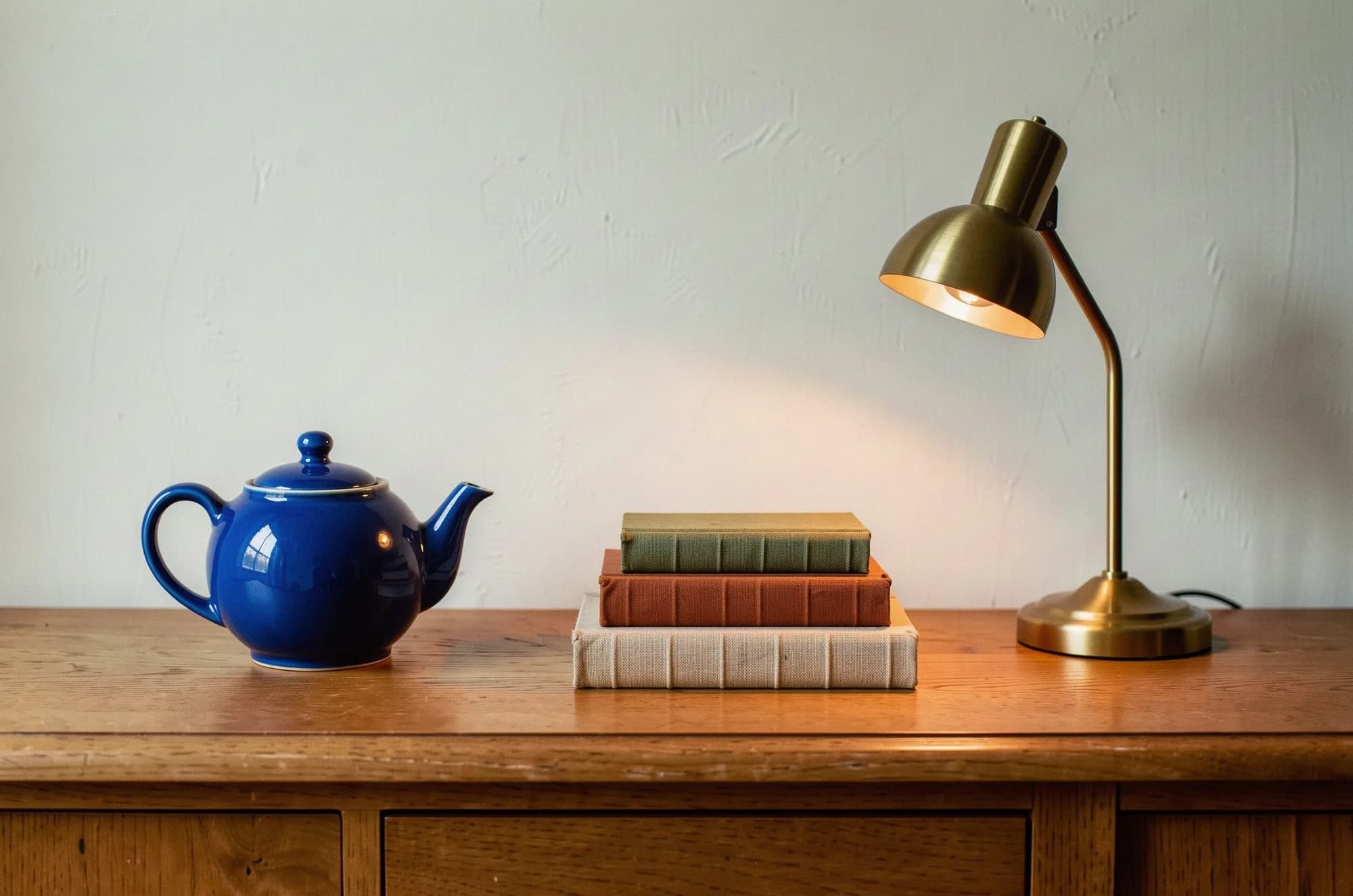
Real FLUX 3 Image output · 2k · 3:2
FLUX 3 Image puts things where the prompt says
Black Forest Labs built FLUX 3 Image to follow layout language. We asked for three objects in three thirds, one hex color and one light source, then checked each clause. Toggle the overlay to see the brief on top.
- Left thirdRound ceramic teapot glazed #0047AB
Left third. The lit glaze samples at #0C3B8E, the same cobalt family.
- CenterThree linen-bound books in sand, rust and olive
Sand, rust and olive, bottom to top, centered.
- Right thirdBrass desk lamp, switched on
Lit, with a warm pool on wall and oak.
- Whole frameWindow light from the left, 50mm, shallow depth of field
Teapot reflections face a left window.
- Color checkAsked #0047ABSampled #0C3B8E
Read the exact FLUX 3 Image prompt
Editorial still-life photograph on a long oak sideboard against a pale lime-plaster wall. Left third: a round ceramic teapot glazed #0047AB (cobalt blue). Center: a stack of three linen-bound books in sand, rust and olive. Right third: a brass desk lamp, switched on, casting a warm pool of light on the wood. Soft window light from the left, 50mm lens at eye level, shallow depth of field, fine film grain.
Launch checks
Our FLUX 3 Image launch checks, scored
Before launch, this page promised four checks. The verdicts come from the seven FLUX 3 Image runs below.
- Prompt fidelityOne miss
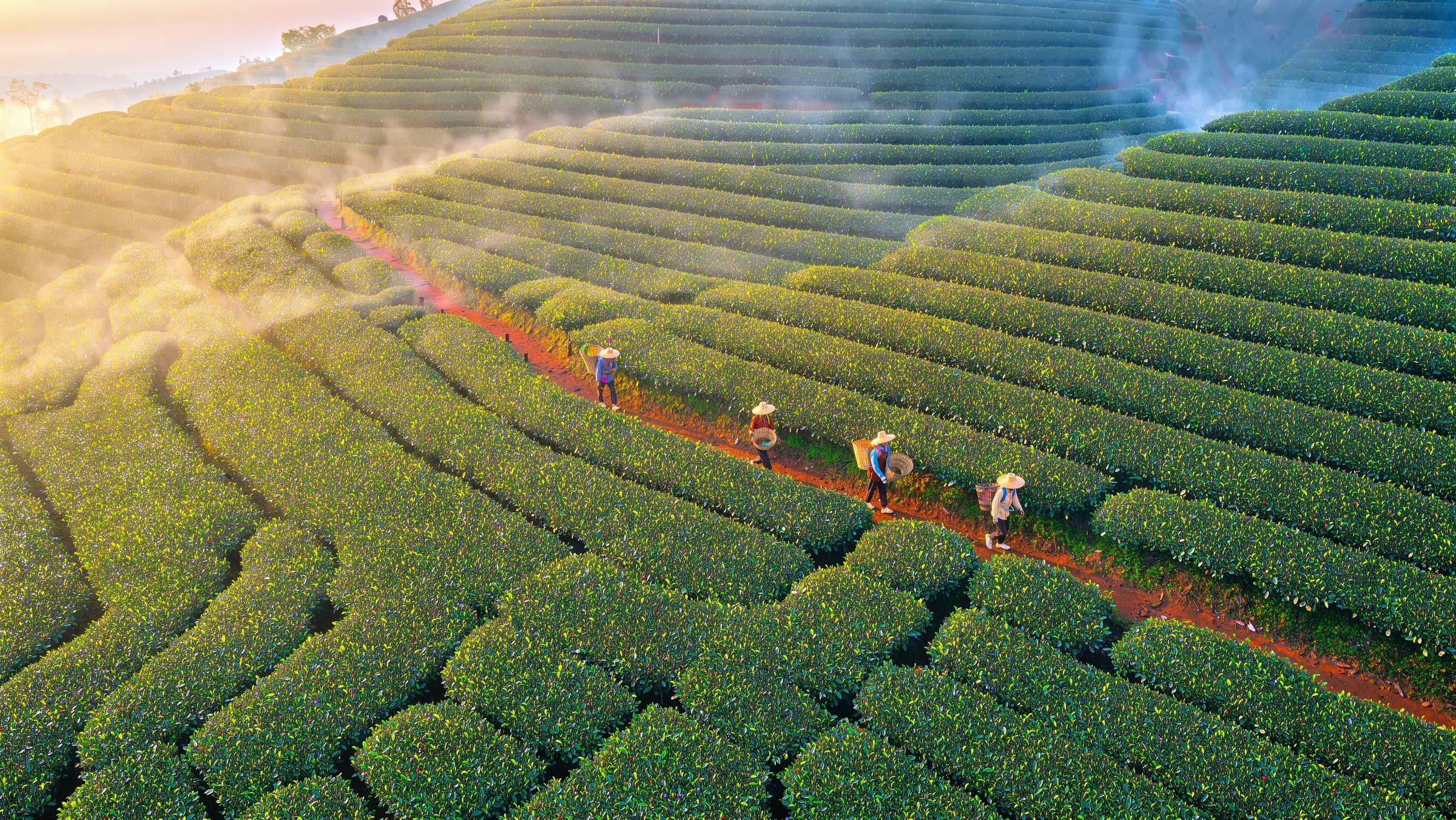
Placement and color held. The 4k terrace asked for three pickers and shows four.
See the run - Edit isolationHeld
Door, windows, bicycle and camera stayed; sign, shelves and street changed.
See the run - TypographyHeld
Both quoted poster lines are exact, middle dot included.
See the run - Delivery sizeHeld, with a note
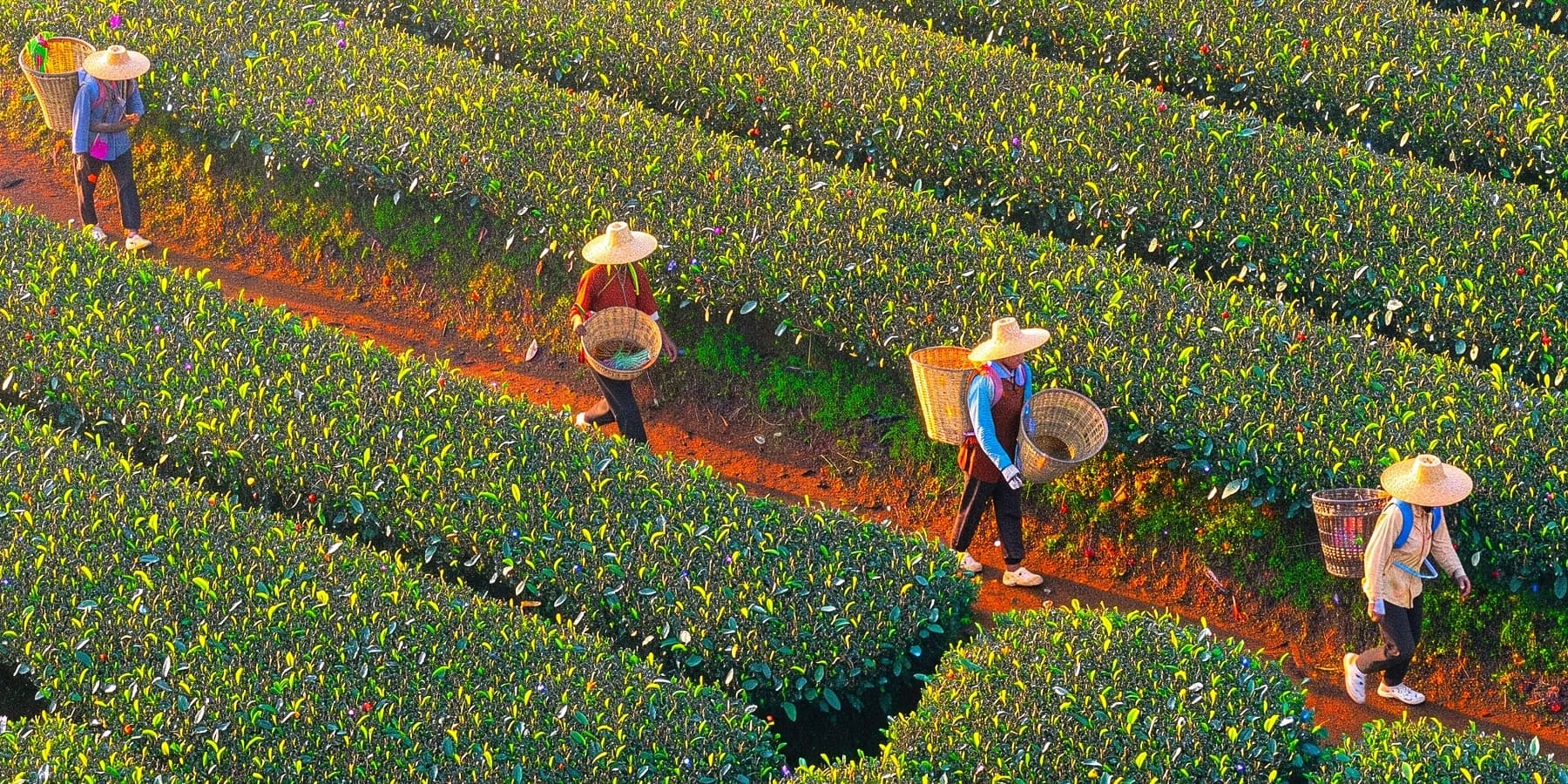
5456 × 3072 pixels; leaves stay separate at 100%, with some over-sharpening.
See the run
Typography proofread
FLUX 3 Image text: quote it, place it, proofread it
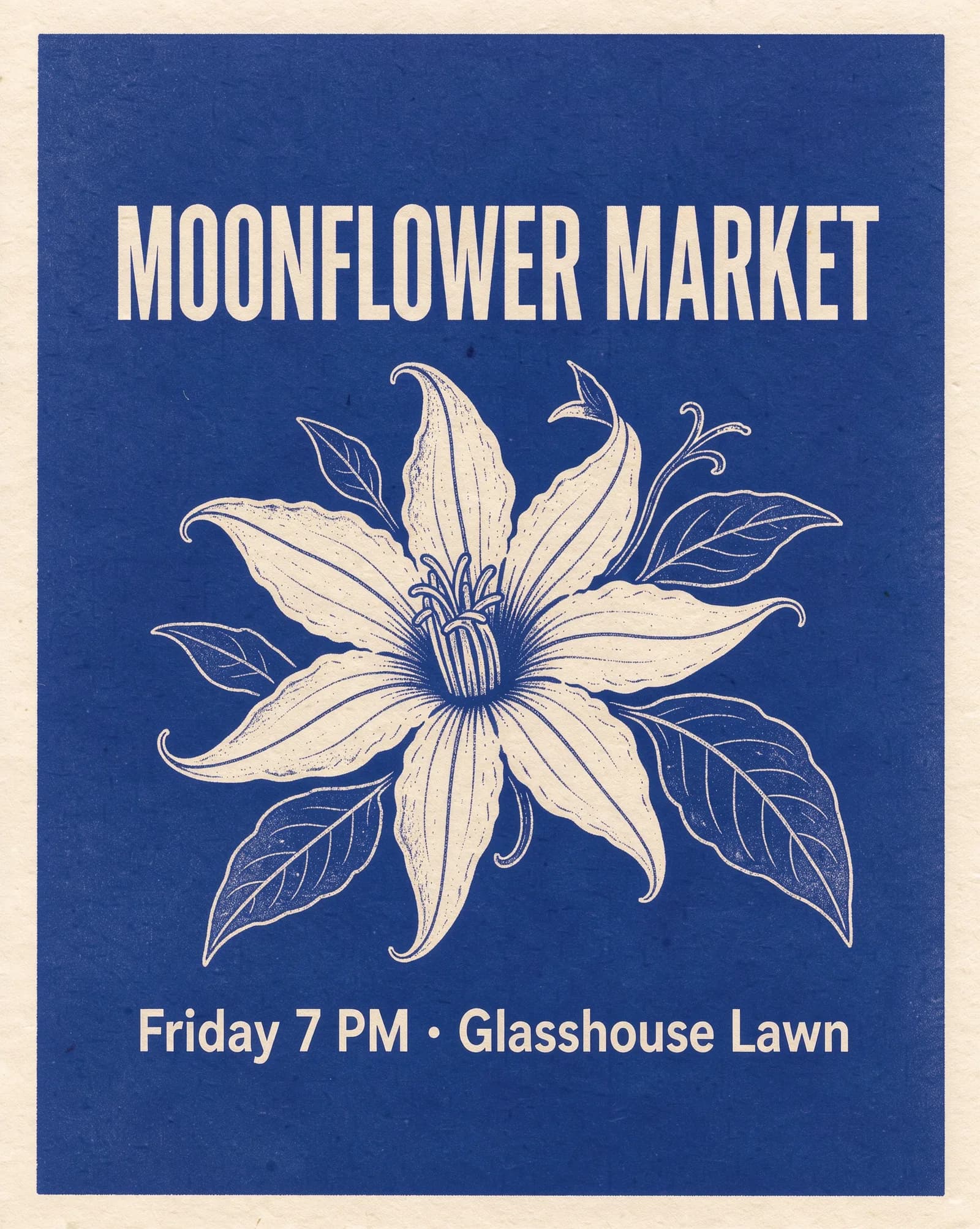
The prompt quoted two lines with a place and style for each. Read the table against the poster.
| Requested | Rendered |
|---|---|
MOONFLOWER MARKETtop · tall condensed cream letters | Exact spelling, top, condensed |
Friday 7 PM · Glasshouse Lawnbelow the flower · rounded sans-serif | Exact, middle dot included |
| Deep indigo backgroundcolor direction | Closer to royal blue |
One clean poster is no guarantee for the next run. Proofread, and set paragraphs or prices in real type.
Read the poster prompt
A screen-printed event poster for a night market. Deep indigo background with a large cream-colored moonflower illustration in the center. At the top, the headline "MOONFLOWER MARKET" in tall condensed cream letters. Below the flower, the line "Friday 7 PM · Glasshouse Lawn" in a smaller rounded sans-serif. Two-color risograph texture, slight paper grain, generous margins.
Edit with references
Drag across a FLUX 3 Image edit
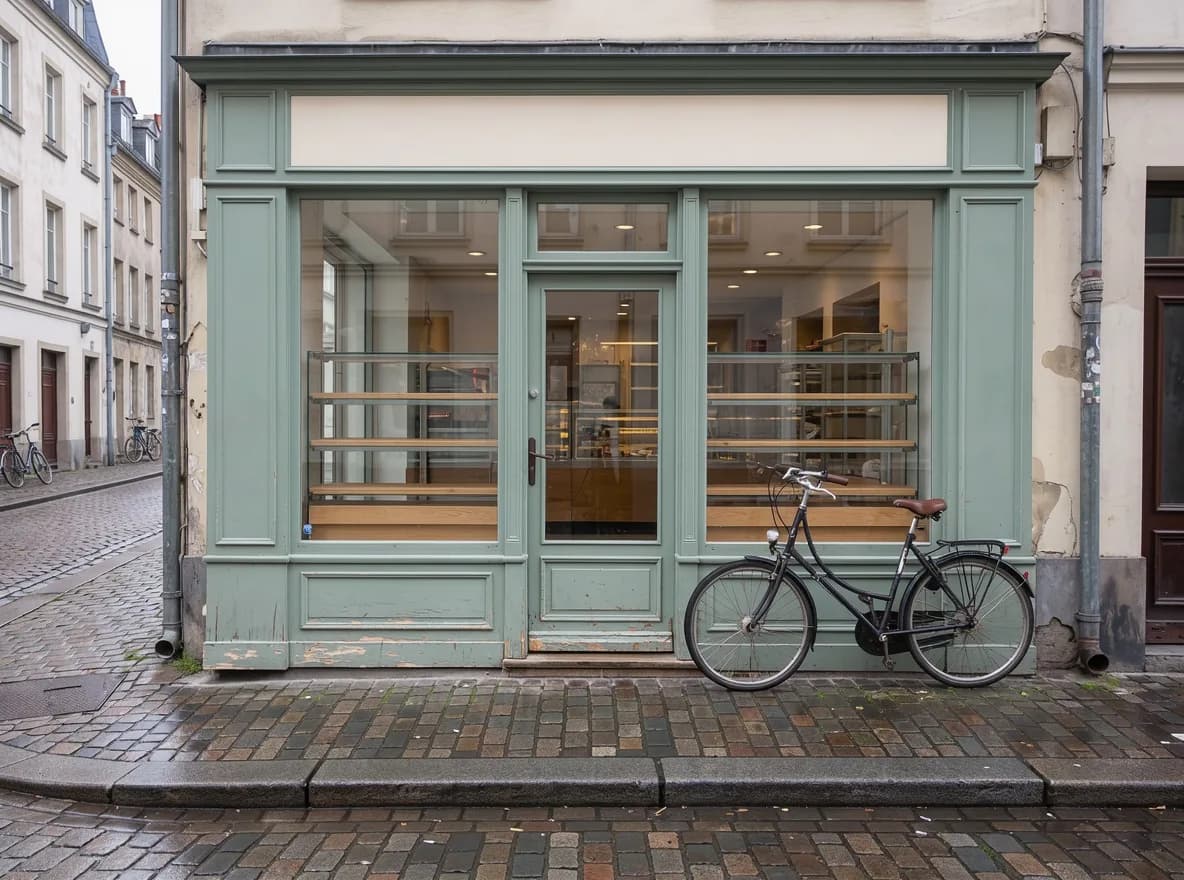
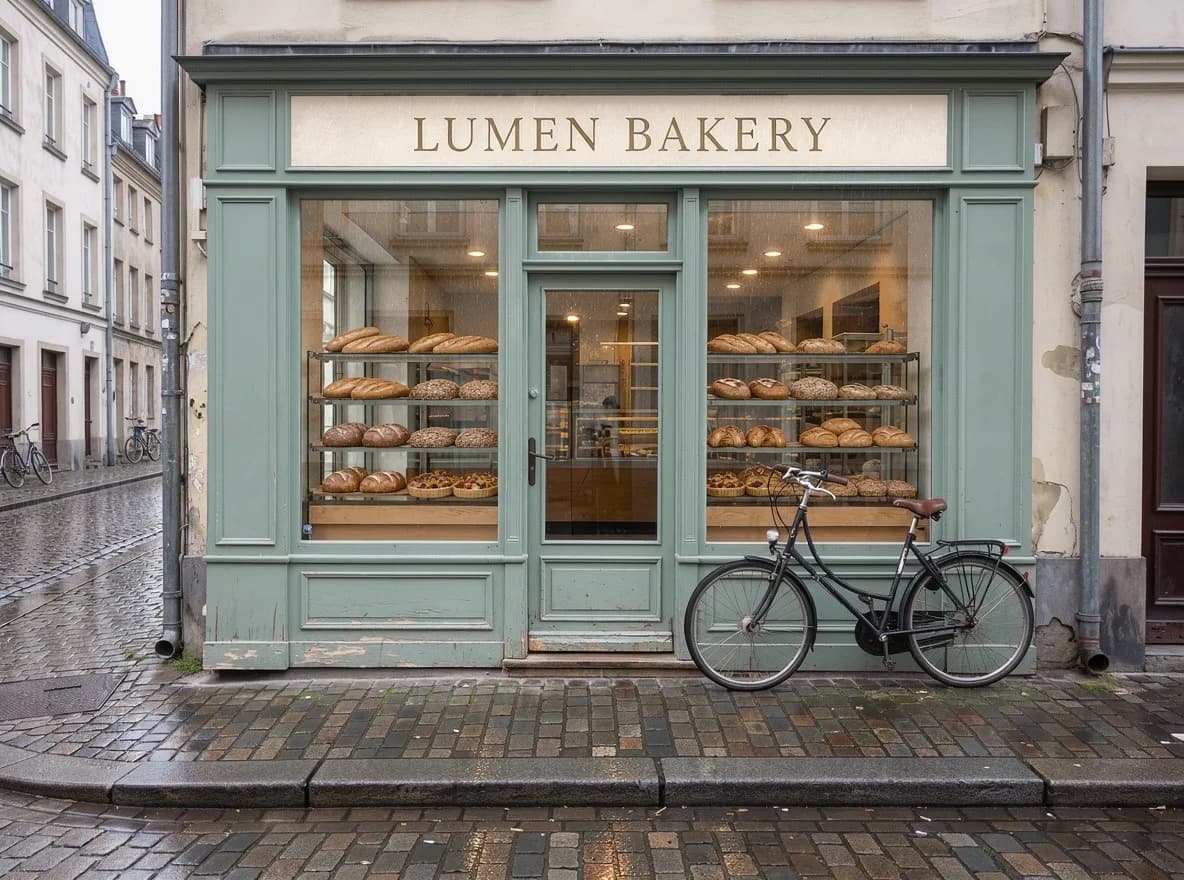
The source is a FLUX 3 Image run at 1k; with aspect ratio on auto, the edit kept its 1184 × 880 frame.
 SourceEdited
- Changed as asked
- “LUMEN BAKERY” in gold serif, full shelves, wet cobbles.
- Kept
- Storefront, door, drainpipes, bicycle and camera position.
- Softer than asked
- “Rainy evening” came back as overcast dusk. Describe the light level as explicitly as the sign.
Read the edit instruction
Turn this into a rainy evening: wet, reflective cobblestones, warm light glowing inside the shop, and the window shelves filled with bread loaves and pastries. Paint the words "LUMEN BAKERY" in gold serif letters on the cream signboard. Keep the building, the green storefront, the door, the bicycle and the camera angle exactly the same.
Numbered references
Combine up to 10 images in one FLUX 3 Image edit
Name each upload as image 1, image 2 and so on; on auto, image 1 sets the frame.
Each reference must be 256 px per side or more and at most 4 MP; our 4.2 MP still life had to be downsized first.
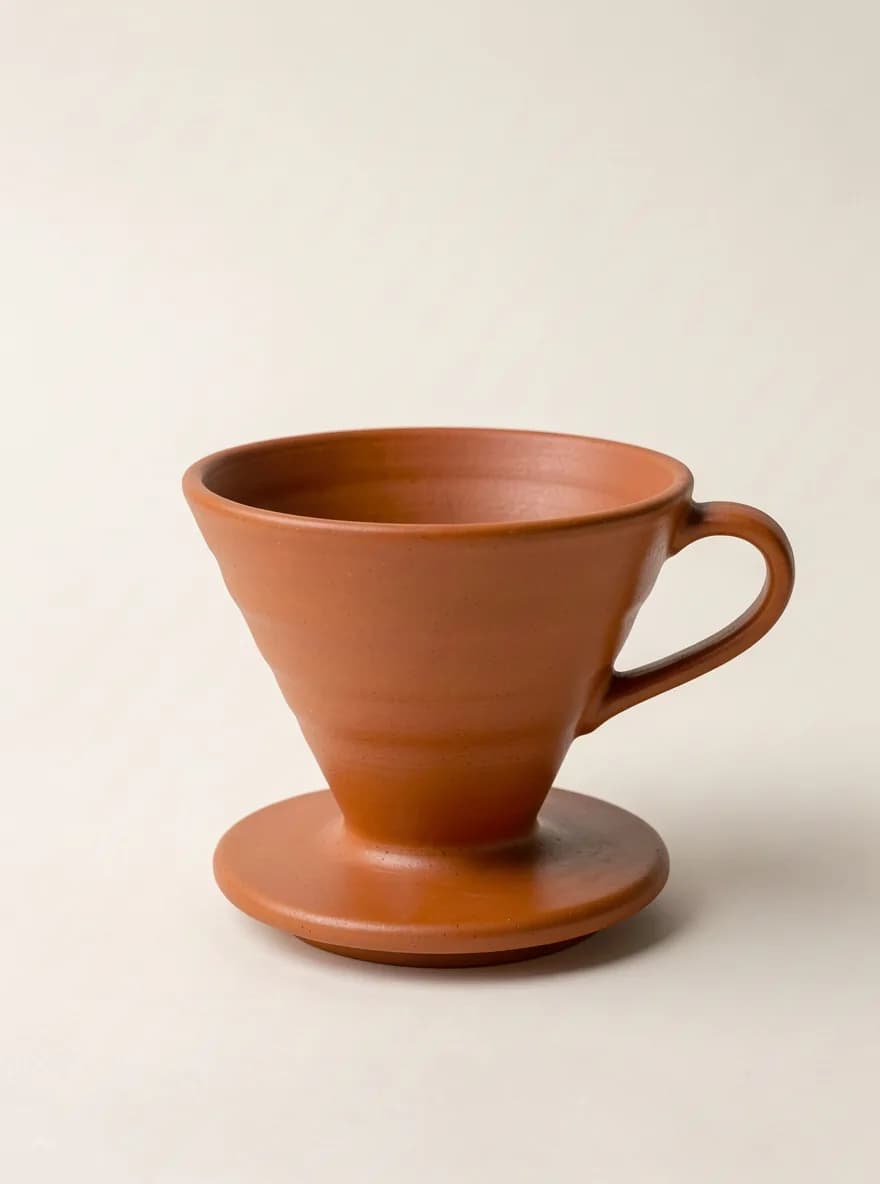
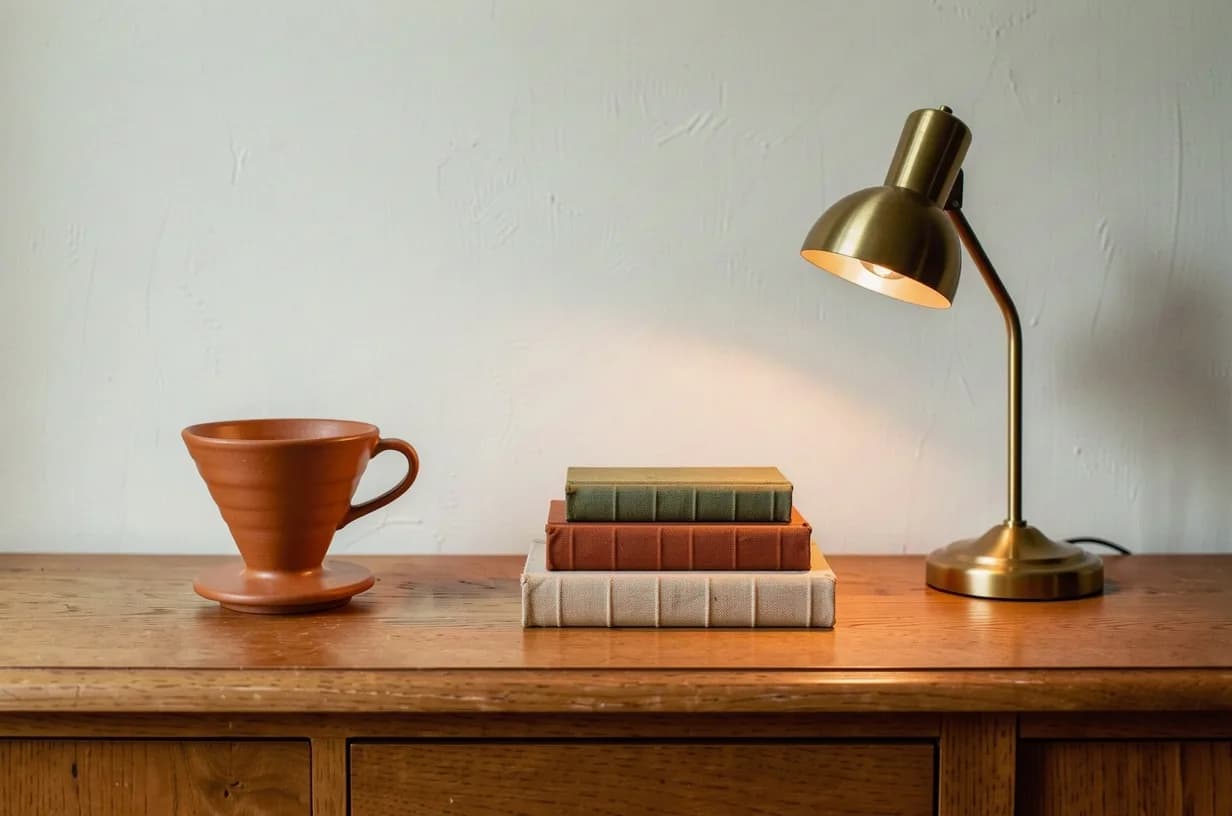
Read the two-reference prompt
Replace the blue teapot in image 1 with the terracotta coffee dripper from image 2, at the same spot on the sideboard and at a believable size. Match the soft window light from the left and add a matching contact shadow. Keep the books, the brass lamp, the wall and the framing of image 1 unchanged.
4k at 100%
Zoom a 4k FLUX 3 Image to the pixel
The outlined box is shown below at native size: 1800 × 900 pixels cut from the 5456 × 3072 file, not upscaled.
- 1k≈1 MPabout 27 s in our runs17 credits
- 2k≈4 MP35–40 s in our runs35 credits
- 4k≈16 MPabout 2 min 15 s in our runs212 credits
Draft at 1k, then rerun the approved prompt at 2k or 4k. Each run is a new image, so recheck counts and text.
Read the 4k prompt
Aerial photograph of a terraced tea plantation on a misty hillside at sunrise. Rows of tea bushes follow the contour lines, a narrow red-earth footpath winds between the terraces, and three pickers in wide straw hats carry woven baskets along it. Low sun rakes across the rows and lights the mist, telephoto compression, crisp detail in every leaf.
How to write a FLUX 3 Image prompt
Plain sentences work best, and each rule maps to something you can check.
- 01
Subject first, then place it
Name the image, then give each object an address: left third, center, top edge.
- 02
Say what you want
Write “a deserted beach at dawn”, not “a beach, no people”.
- 03
Quote the words
Put visible text in quotes with a style and a position.
- 04
Pair hex codes with names
“#0047AB (cobalt blue)” gives a target and a fallback.
- 05
Use concrete optics
“Soft window light from the left, 50mm” is checkable; “stunning” is not.
- 06
For edits, list what stays
Name the change, then what must not move. Number references image 1, image 2.
When the scene needs motion and sound, move the approved frame to FLUX 3 video. For a quick local fix on an existing photo, FLUX Kontext is the lighter edit tool, and FLUX.2 Klein suits many fast, low-cost drafts. To compare FLUX 3 Image against other labs on the same brief, open the text to image workspace.
On Voor: 15 aspect ratios plus auto, 1k, 2k or 4k JPEG output, and prompt expansion (off by default).
FLUX 3 Image FAQ
What is FLUX 3 Image?
FLUX 3 Image is the still-image model in Black Forest Labs' FLUX 3 family. It generates from a prompt and edits with up to 10 references, at 1k (about 1 MP) to 4k (about 16 MP).
How many credits does FLUX 3 Image cost on Voor?
17 credits at 1k, 35 at 2k and 212 at 4k. Edits are priced by output resolution, whatever the number of references. New accounts get free welcome credits.
Which sizes and aspect ratios does FLUX 3 Image support?
Three tiers (1k, 2k, 4k) and 15 aspect ratios from 21:9 to 1:2, plus auto. Our 4k run at 16:9 returned 5456 × 3072 pixels.
Can FLUX 3 Image edit my own photo?
Yes. Choose Edit with references and upload one to 10 images, each at least 256 px per side and at most 4 MP.
How accurate is FLUX 3 Image at rendering text?
In our FLUX 3 Image poster test both quoted lines came back exact. Quote the words and give each a style and position, then proofread.
Should I turn on prompt expansion in FLUX 3 Image?
It is off by default and rewrites short prompts into fuller ones. Leave it off when you already specified placement, colors or wording.
Is FLUX 3 Image the same as FLUX 3 Video?
No. FLUX 3 Image makes stills and edits; the FLUX 3 video model makes clips with synchronized audio.
How long does a FLUX 3 Image render take?
In our runs about 27 seconds at 1k, 35 to 40 seconds at 2k and just over two minutes at 4k. Edits at 1k took 47 to 54 seconds.
Does FLUX 3 Image follow object counts and exact colors?
Mostly. Placement and a hex color held, but a busy 4k scene drew four pickers instead of three.
Write the layout, then let FLUX 3 Image render it
Start at 1k to check placement and text, then rerun the approved prompt at 2k or 4k. The credit estimate updates before every run.
Create with FLUX 3 ImageYour privacy, your choice
Optional cookies help us understand usage and measure ads. Essential cookies stay on so Voor works.