Grok Imagine Video 1.5 from xAI: one to fifteen seconds with generated sound, in a Standard tier and a low-credit Lite tier.
Generator examples

Same brief · two tiers
Grok Imagine Video 1.5, Standard against Lite
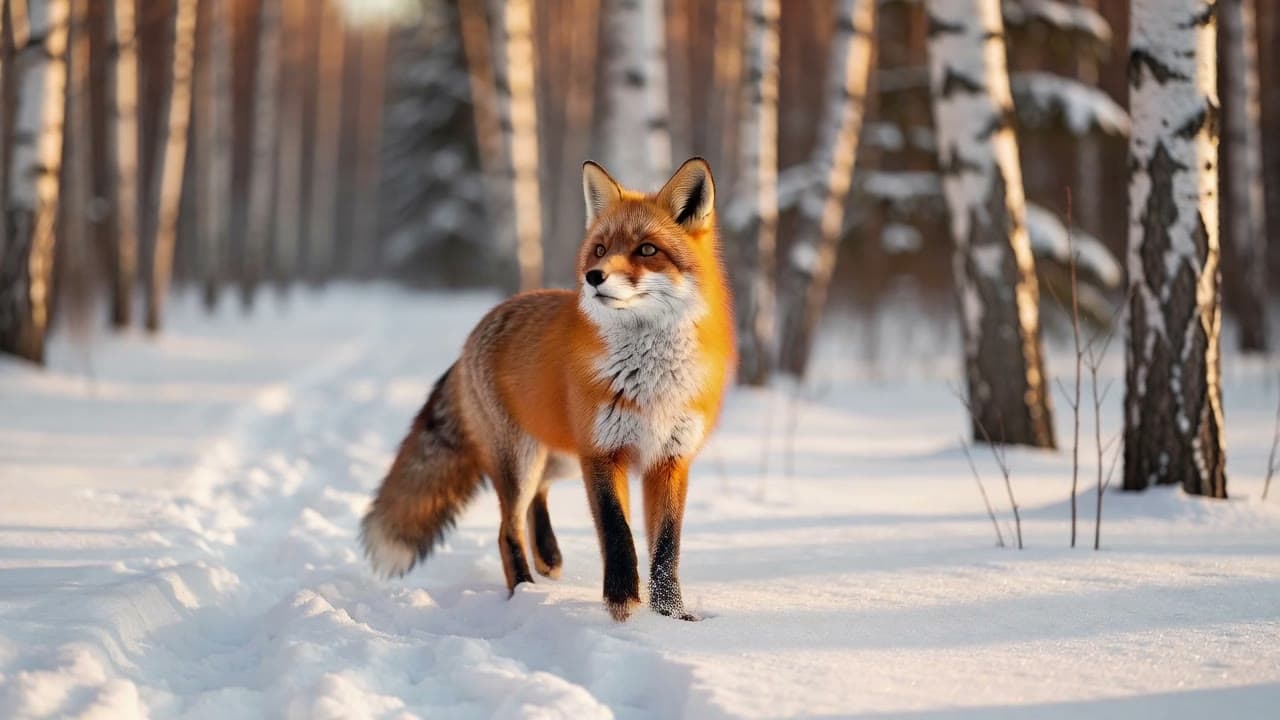
Grok Imagine Video 1.5 is xAI's video model with sound in every render, in two tiers with the same controls. Both clips came from one fox prompt at 720p for six seconds. Play them together and switch which tier you hear.
Closer framing, denser fur and snow. The fox turned to the lens; footsteps are quiet.
Wider and flatter, but it follows the beat: trot, pause, head lift. Near-silent audio.
- Standard
- 293 credits
- Lite
- 63 credits
Generated for this page on 4 October 2026, one render per tier.
Reference to video
Tag references inside the Grok Imagine Video 1.5 prompt
Upload one to seven images, name them <IMAGE_0>, <IMAGE_1> in upload order, then tap a tag.
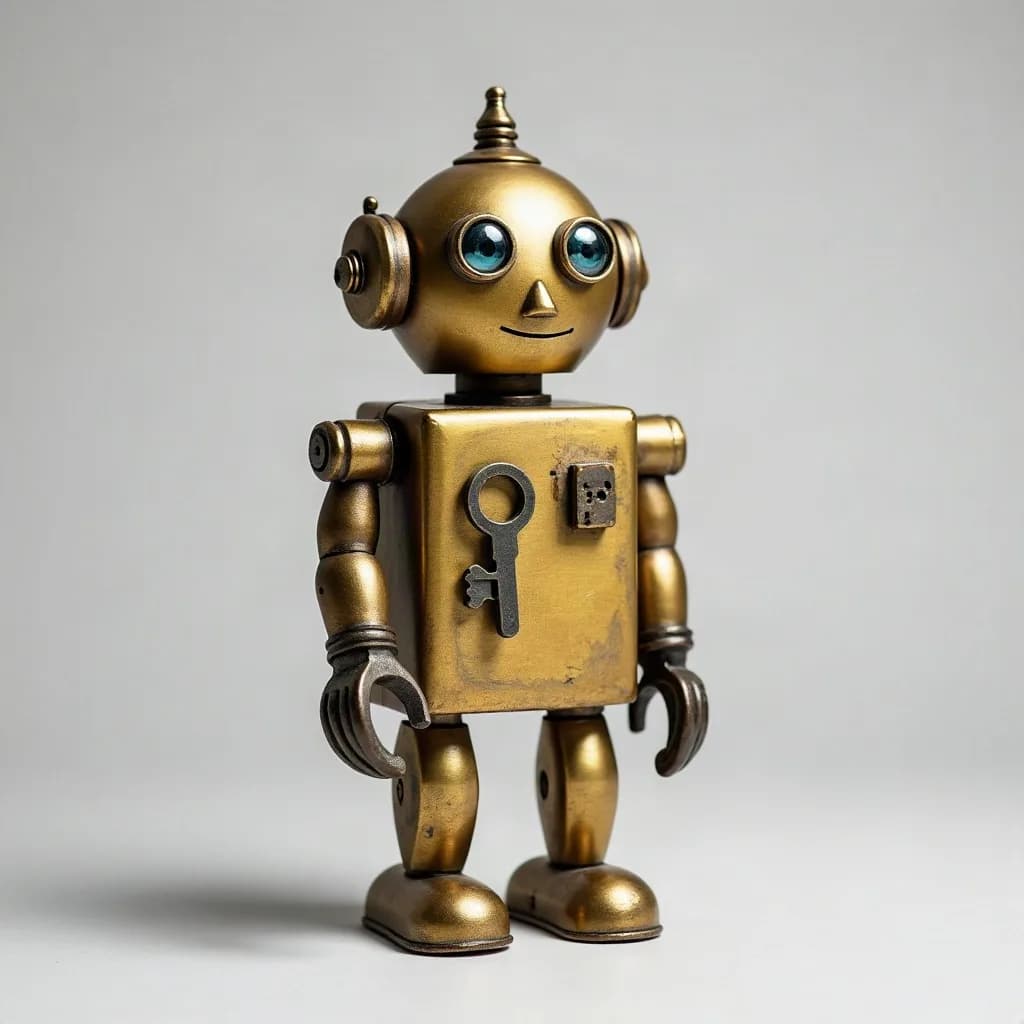
<IMAGE_0>Brass wind-up robotCarried into the clipBrass body, chest key, round eyes

<IMAGE_1>Library reading tableCarried into the clipGreen lamp, open book, shelves
walks with stiff clockwork steps across the oak table in , stops beside the open book, turns its head toward the lamp, then lifts one arm and pushes a page so it turns over. Warm lamplight, slow push-in camera. Ticking clockwork, soft metallic footsteps, the papery flip of the page. No text.
The page turns only in the final second and the head came back smaller: references carry identity, not exact proportions.
Image to video
What Grok Imagine Video 1.5 moved, and what it held
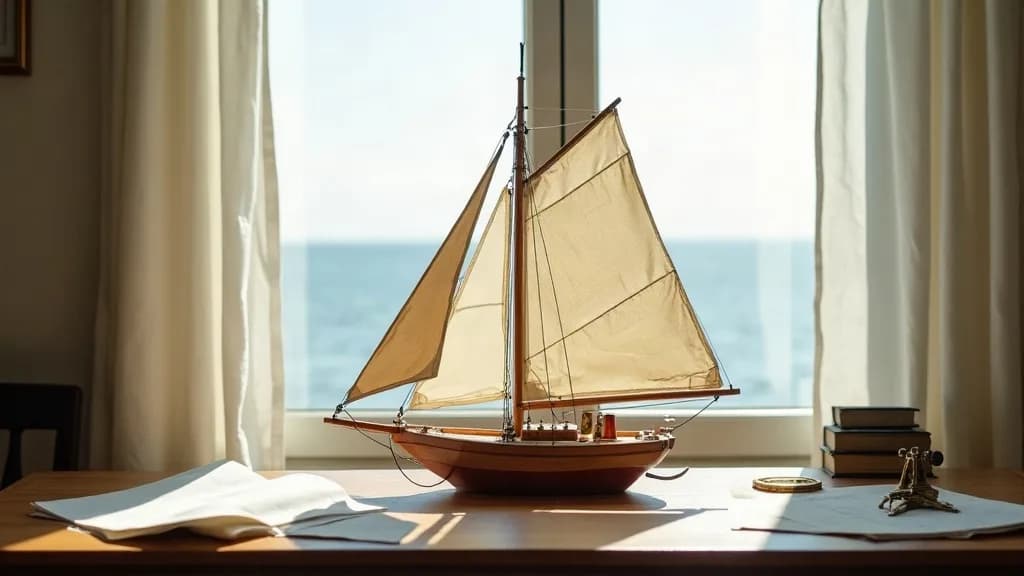
Your upload opens the shot and sets the frame. Tick off each line of the brief.
Read the motion prompt
The breeze from the open window grows: the sheer curtains billow inward, the sails of the model boat swell and its rigging trembles, and the loose sheets of paper on the desk lift and slide toward the edge. The camera stays fixed. Sound of wind gusts, rustling paper and distant waves. Keep the boat, desk and window exactly as in the image.
Seven frames
Grok Imagine Video 1.5 in vertical, square or widescreen
Text and reference modes take seven aspect ratios at the same price. Pick a frame to see where it fits.
9:16 Reels, Shorts, TikTok and Stories, as in the balloon clip. Same price as the other ratios.
Standard, 480p, six seconds (168 credits): clear burner roar, soft detail.
Read the vertical prompt
Vertical shot at sunrise: a striped red and yellow hot air balloon rises slowly out of a misty river valley. The burner flame flares twice and lights the inside of the envelope as the basket climbs past the camera. The roar of the burner, then calm morning birdsong. Gentle upward camera tilt following the balloon, no text.
Credits before you render
Price a Grok Imagine Video 1.5 clip
Billing is per second; resolution sets the rate and uploads add a little. New accounts get free welcome credits to test Lite first.
293credits
Standard · text to video · 720p · 6 s
The same clip on Lite: 63 credits
Lite at 1080p costs about 5 times Lite at 720p, so draft at 720p and spend 1080p on Standard.
The brief we used
Four clauses in a Grok Imagine Video 1.5 prompt
- 01
Subject and place
A red fox trots through fresh powder snow in a quiet birch forest at golden hour.
One subject, one place, one light.
- 02
Camera
The camera tracks alongside at the fox's eye level…
One move. Standard still drifted from it.
- 03
Beat
the fox pauses, lifts its head toward a sound off-screen, then keeps moving.
A pause gives six seconds a shape.
- 04
Sound
Soft crunch of footsteps in snow, a light breeze, one distant crow call. No music.
Every clip has audio, so name what you want to hear.
Pick the right Grok page
When to choose Grok Imagine Video 1.5
- New shot, references or 1080p
- Stay here.
- Editing a clip you have
- The earlier model on the Grok AI video generator edits short source clips and costs less per second at 720p.
- Continuing a Grok clip
- The Grok extend workflow generates the next seconds from its last frame.
- Comparing other labs
- Run the brief through other models in text to video; make a missing still with text to image.
Grok Imagine Video 1.5 FAQ
What is Grok Imagine Video 1.5?
xAI's video model. It turns a prompt, a still or up to seven reference images into a one to fifteen second clip with generated sound, at 480p, 720p or 1080p.
What is the difference between Grok Imagine Video 1.5 Standard and Lite?
Same controls; Standard gives the richer image, Lite the lower price. Six seconds at 720p costs 293 credits on Standard and 63 on Lite. Reference to video is Standard only.
How many credits does Grok Imagine Video 1.5 use?
It bills per second of video at a rate set by tier and resolution: from 7 credits for one second of Lite at 480p to 1,307 for fifteen seconds of Standard at 1080p.
Does Grok Imagine Video 1.5 generate audio?
Yes, every clip has a soundtrack and there is no off switch. Name the sounds you want and the ones you do not. Our Lite take was much quieter.
How does Grok Imagine Video 1.5 reference to video work?
Upload one to seven images and write <IMAGE_0>, <IMAGE_1> and so on in the prompt, in upload order. It runs at 480p or 720p and defaults to eight seconds.
Which aspect ratios does Grok Imagine Video 1.5 support?
16:9, 4:3, 3:2, 1:1, 2:3, 3:4 and 9:16 for text and reference modes. Image to video follows the uploaded still.
How long can a Grok Imagine Video 1.5 clip be?
One to fifteen whole seconds; six by default, eight for reference mode.
Should I use Grok Imagine Video 1.5 or the earlier Grok Imagine Video?
Use 1.5 for 1080p, references or Lite drafts; the earlier model edits short source clips and costs less per second at 720p.
What should I check before using a Grok Imagine Video 1.5 take?
Check held objects, the camera move (our image take pushed in despite a fixed-camera brief) and the audio level.
Render your first Grok Imagine Video 1.5 clip
Draft the shot on Lite, keep the prompt, then render the keeper on Standard. The credit estimate updates before every run.
Create with Grok Imagine Video 1.5