Edit a source image with precise change and preserve instructions while reviewing identity, layout, and text accuracy.


Generator examples
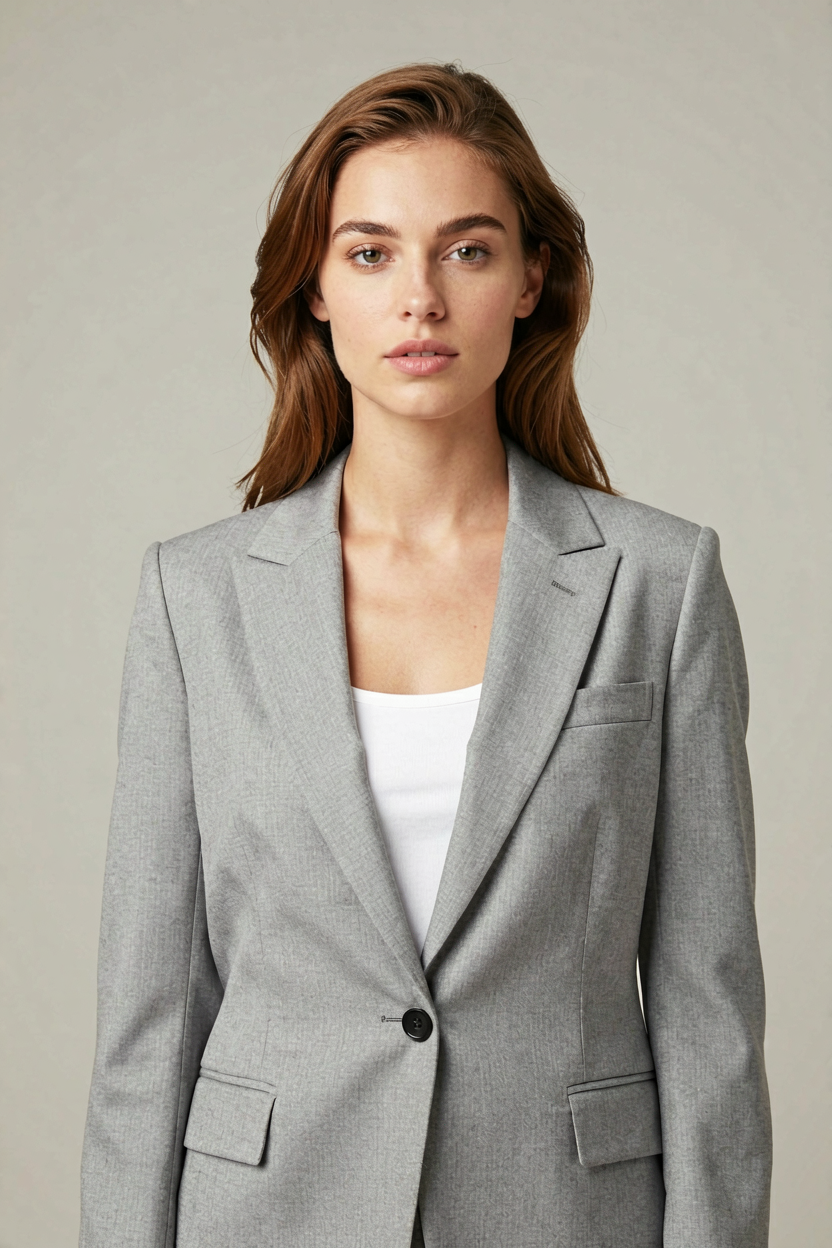
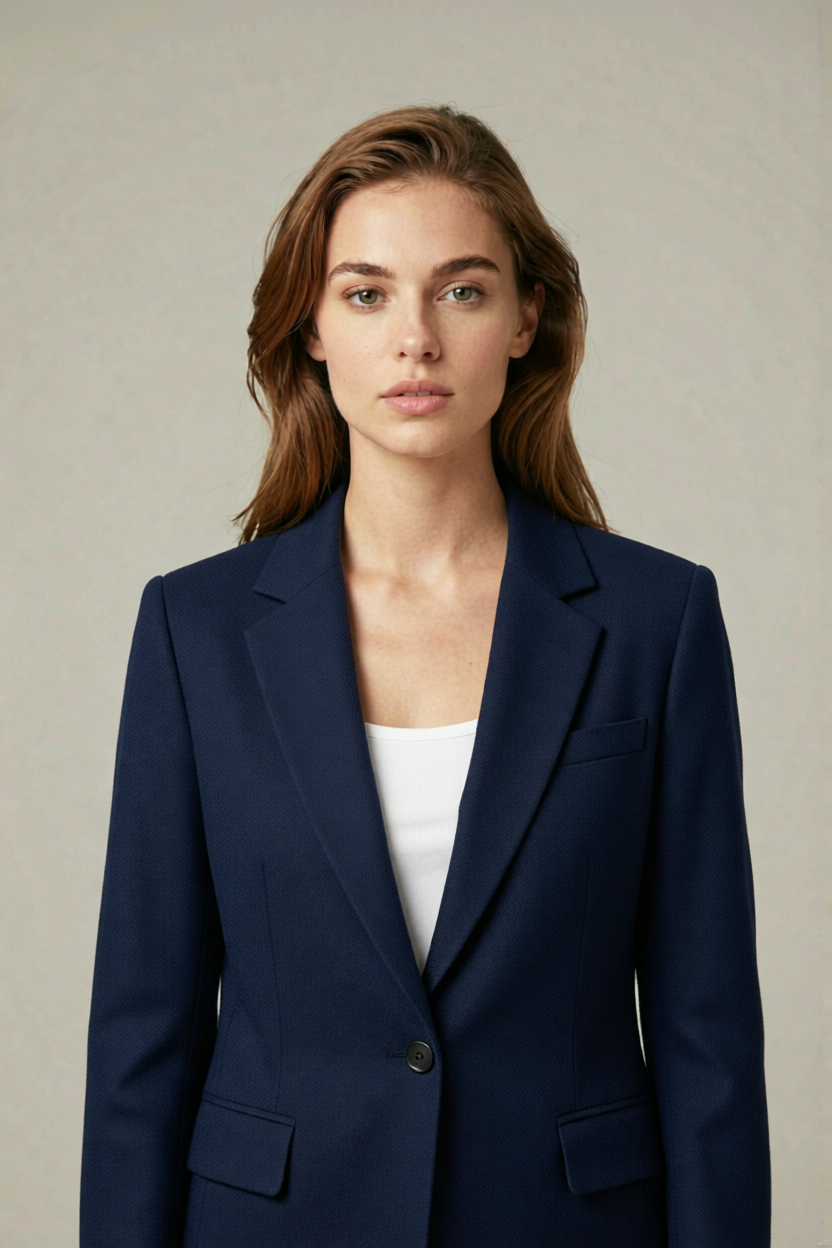
Drag it — same face, new blazer color
Left: studio portrait of a European woman in a light gray blazer. Right: the same photo after Qwen Image Edit swaps only the blazer to deep navy wool — face, hair, pose, and backdrop stay locked.
Prompt used
Change only the light gray blazer into a deep navy structured wool blazer — keep the full head, face, hair, pose, and studio backdrop identical.
Name one change and list what must stay. Qwen Image Edit drifts when the preserve list is vague. When the change is new wording on a label or sign, switch to Qwen Image 3, which rewrites quoted English or Chinese text and accepts up to three reference images.
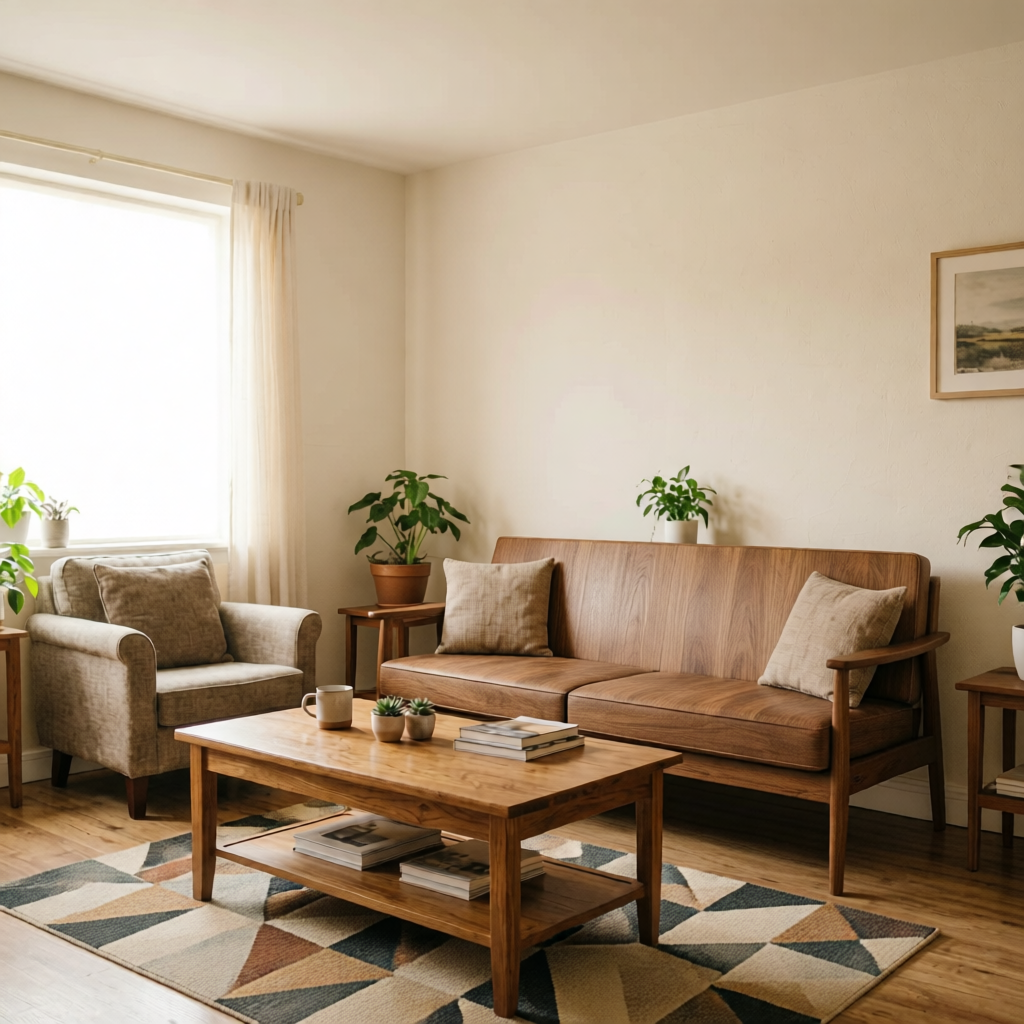
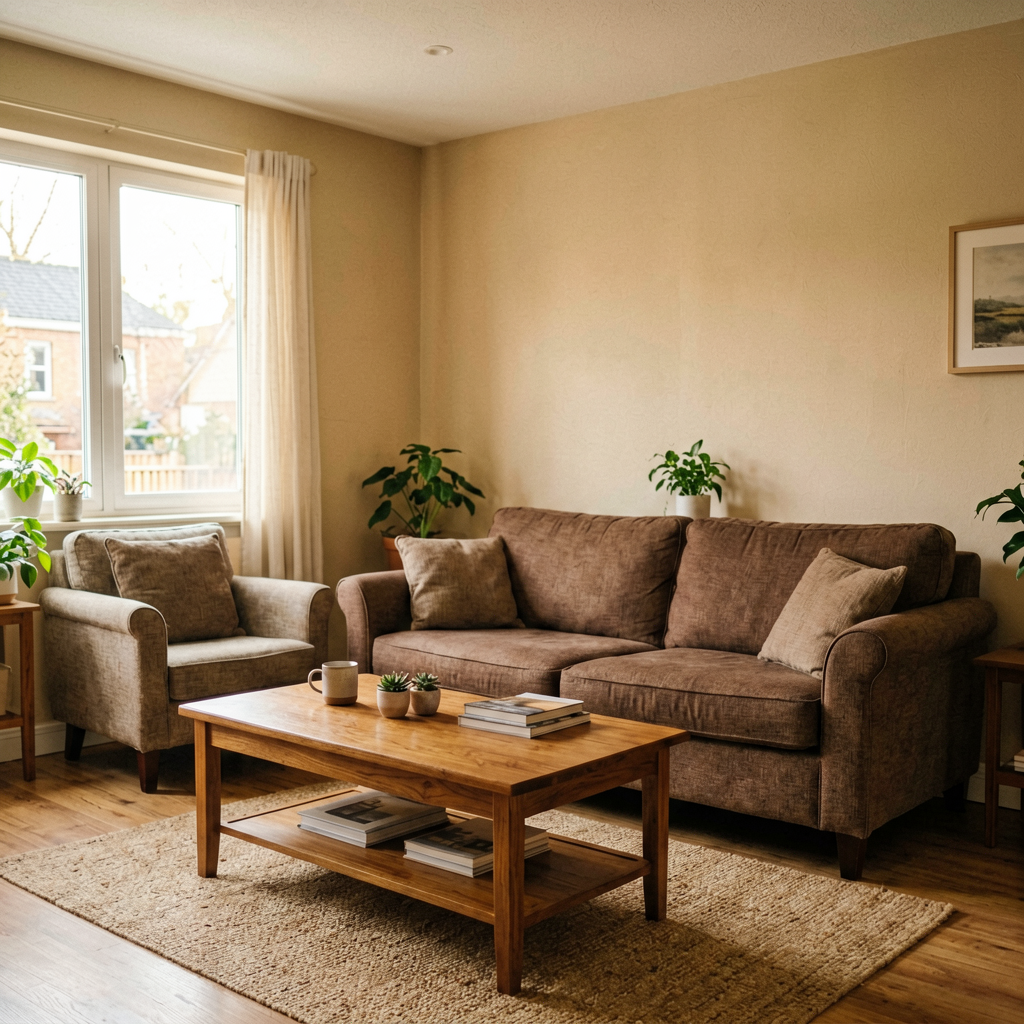
Restyle a room — same windows, new furniture
Left: dated beige living room with traditional wood furniture. Right: the same camera angle after Qwen Image Edit paints walls warm white, swaps the sofa for a mid-century walnut set, and updates the rug — windows, floor, and room geometry unchanged.


Prompt used
Restyle the living room: paint walls warm white, replace the brown sofa with a mid-century walnut lounge set, update the area rug — preserve windows, floor, ceiling, camera angle, and room dimensions.
Interior edits need an explicit preserve list for architecture and light direction, or the model rewrites the whole scene.
Build a Qwen Image Edit instruction
A Qwen Image Edit request is easier to review when the change and preserve list are explicit.
Change only the requested element
Separate the change from the preserve list
| Edit goal | Change | Preserve |
|---|---|---|
| Room refresh | Wall color and furniture style | Windows, floor, camera angle |
| Product campaign | Background and props | Product shape, label, materials |
| Portrait cleanup | Small distractions and color balance | Identity, expression, hairstyle |
Review Qwen Image Edit as a controlled edit
Do
- Name one primary change.
- List details that must remain identical.
- Compare the result against the source at full size.
Don't
- Rewrite the entire scene when one edit is needed.
- Assume labels and small text remain correct.
- Accept identity drift in a portrait edit.
Qwen Image Edit FAQ
How should I handle edit scope with Qwen Image Edit?
Qwen Image Edit works best when edit scope is treated as a specific review decision. Define the intended result, keep the relevant constraints visible, compare alternatives, and reject output that does not remain believable or useful.
How should I handle preserve list with Qwen Image Edit?
Qwen Image Edit works best when preserve list is treated as a specific review decision. Define the intended result, keep the relevant constraints visible, compare alternatives, and reject output that does not remain believable or useful.
How should I handle source image quality with Qwen Image Edit?
Qwen Image Edit works best when source image quality is treated as a specific review decision. Define the intended result, keep the relevant constraints visible, compare alternatives, and reject output that does not remain believable or useful.
How should I handle identity protection with Qwen Image Edit?
Qwen Image Edit works best when identity protection is treated as a specific review decision. Define the intended result, keep the relevant constraints visible, compare alternatives, and reject output that does not remain believable or useful.
How should I handle text accuracy with Qwen Image Edit?
Qwen Image Edit works best when text accuracy is treated as a specific review decision. Define the intended result, keep the relevant constraints visible, compare alternatives, and reject output that does not remain believable or useful.
How should I handle lighting match with Qwen Image Edit?
Qwen Image Edit works best when lighting match is treated as a specific review decision. Define the intended result, keep the relevant constraints visible, compare alternatives, and reject output that does not remain believable or useful.
How should I handle variant review with Qwen Image Edit?
Qwen Image Edit works best when variant review is treated as a specific review decision. Define the intended result, keep the relevant constraints visible, compare alternatives, and reject output that does not remain believable or useful.
How should I handle edge inspection with Qwen Image Edit?
Qwen Image Edit works best when edge inspection is treated as a specific review decision. Define the intended result, keep the relevant constraints visible, compare alternatives, and reject output that does not remain believable or useful.
How should I handle final export with Qwen Image Edit?
Qwen Image Edit works best when final export is treated as a specific review decision. Define the intended result, keep the relevant constraints visible, compare alternatives, and reject output that does not remain believable or useful.
Try Qwen Image Edit
Edit a source image with precise change and preserve instructions while reviewing identity, layout, and text accuracy.
Start creatingYour privacy, your choice
Optional cookies help us understand usage and measure ads. Essential cookies stay on so Voor works.