LTX 2.5 by Lightricks renders picture and sound in one pass, from a prompt, a start and end image, or an audio track.
Generator examples

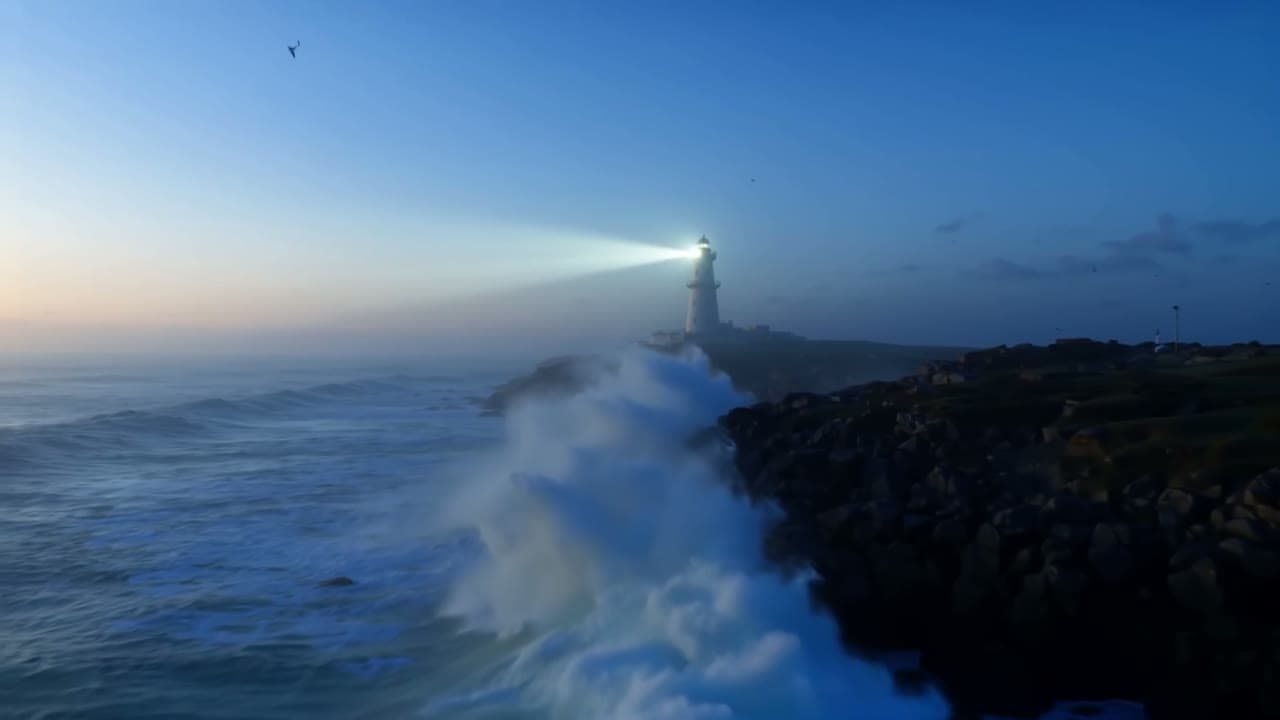
One prompt · two camera presets
LTX 2.5 moves the camera for you
LTX 2.5 is the Lightricks video model that renders picture and sound in one pass. Beside the prompt it takes a camera preset. We kept everything else fixed and switched only the move.
Resolution × length
The LTX 2.5 render grid
Fast goes up to 4K and 20 seconds, but not both: past 10 seconds it needs 720p or 1080p at 24 or 25 fps. Pro stops at 1080p and 10 seconds. Each cell is the credit cost; switch tier and frame rate to see what is possible.
| Resolution | 6 s | 8 s | 10 s | 12 s | 14 s | 16 s | 18 s | 20 s |
|---|---|---|---|---|---|---|---|---|
| 720p | 189 | 251 | 314 | 377 | 439 | 502 | 565 | 628 |
| 1080p | 272 | 363 | 453 | 544 | 635 | 725 | 816 | 906 |
| 1440p | 398 | 530 | 662 | — | — | — | — | — |
| 4K | 628 | 837 | 1046 | — | — | — | — | — |
Swipe the table for 12–20 s.
Start image → end image
Land LTX 2.5 on a frame you chose
Image to video accepts an optional end image, and LTX 2.5 builds the change between the two. Jump through the phases of our winter to spring take.
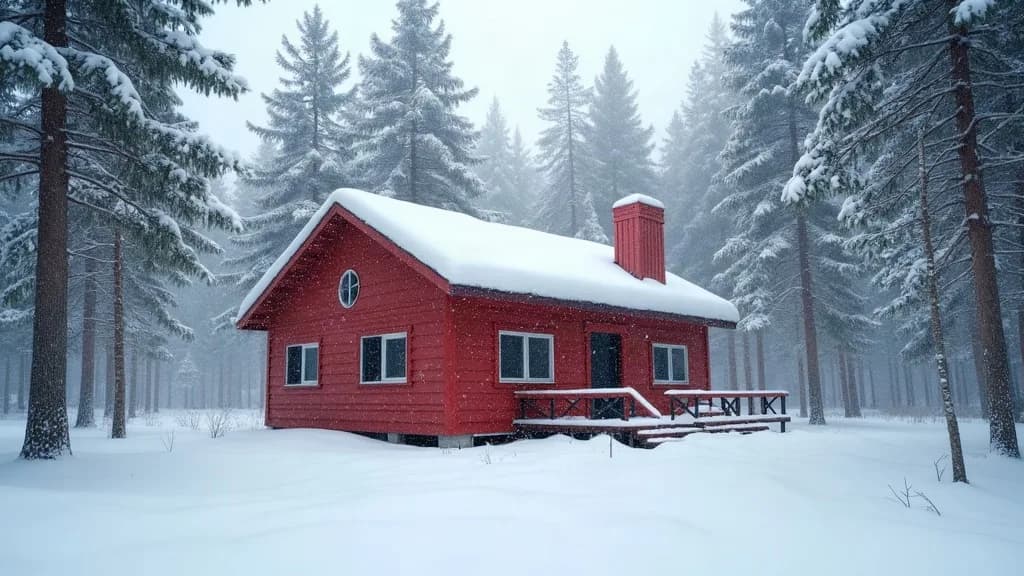
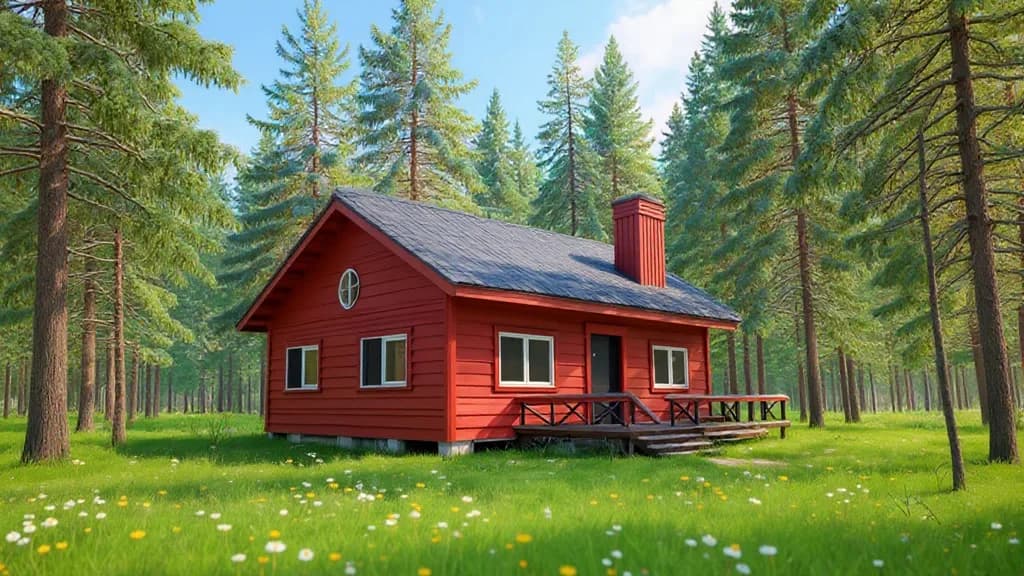
Fast, 720p, 6 s, 189 credits. The thaw reads well until about 4.5 s; the snow-to-grass change then arrives as a quick dissolve. For a still-only animation without a fixed ending, image to video compares other models.
Read the transition prompt
Time-lapse of the seasons changing: the snow on the roof and the ground melts away, the pine trees shed their snow, grass turns green and wildflowers open across the clearing as the light warms from grey winter to bright spring sun. The camera stays still. Sound of dripping meltwater turning into birdsong.
Sound first
LTX 2.5 audio to video, cut to a beat
Upload 2 to 20 seconds of music, dialogue or sound (Pro: up to 10) and the clip follows it at 1080p. Play the input, then watch the sand jump on the kicks.
- 0.0
- 0.6
- 1.2
- 1.8
- 2.4
- 3.0
- 3.6
- 4.2
- 4.8
- 5.4
272 credits on Fast for six seconds of audio. Bursts land on the kicks and the LED ring flickers, but the camera drifted back despite "static camera", and the clip ran 5.7 s. For a talking face instead of a scene, try video from audio.
Fast or Pro
Pick the LTX 2.5 tier from the shot
The dandelion is Pro: fine filaments hold up in backlight. Its soundtrack came back nearly silent, so ask for a specific, louder sound when audio matters. Tick what your shot needs.
Use ProUp to 10 seconds at 720p or 1080p; 356 credits for 6 s at 1080p.
Read the dandelion prompt
Extreme macro of a dandelion seed head against a soft green garden background. A breeze arrives and the seeds detach one by one, drifting upward through warm backlight, fine filaments catching the sun. Shallow depth of field, no text. Soft wind and faint birdsong.
The lighthouse brief
How we wrote the LTX 2.5 prompt
- Subject
- A white lighthouse on a rocky headland at blue hour
- Action
- its lamp beam sweeping through light sea mist while heavy waves break against the rocks below and throw spray into the air.
- Look
- Cinematic, natural color, realistic water, no text.
- Sound
- Sound of roaring surf, wind and a few gulls.
- Camera
- Left to the preset: Dolly in, then Jib up.
Describe the camera in the prompt only when no preset fits. New accounts get free welcome credits; compare the same brief across models in text to video.
LTX 2.5 FAQ
What is LTX 2.5?
LTX 2.5 is a video model from Lightricks that renders picture and sound in the same pass. On Voor it runs text to video, image to video with an optional end image, and audio to video, each in a Fast and a Pro tier.
What is the difference between LTX 2.5 Fast and Pro?
Fast is cheaper and wider: 720p to 4K, 6 to 20 seconds, 24 to 50 fps. Pro is the quality-focused tier at 720p or 1080p for up to 10 seconds. Six seconds at 1080p costs 272 credits on Fast and 356 on Pro.
How many credits does LTX 2.5 use?
It bills per second of video, with the rate set by tier and resolution: from 189 credits for 6 seconds of Fast at 720p to 1,046 for 10 seconds of 4K. Audio to video bills by the length of your audio.
Can LTX 2.5 render 4K video?
Yes, the Fast tier renders 2160p (4K) and 1440p for clips of up to 10 seconds. Pro tops out at 1080p.
How long can an LTX 2.5 clip be?
Fast: 6 to 20 seconds in two-second steps, but over 10 seconds only at 720p or 1080p and 24 or 25 fps. Pro: 6, 8 or 10 seconds.
Does LTX 2.5 generate audio?
Yes, a soundtrack is rendered with the picture by default and can be switched off. Name the sounds you want; our dandelion take with a soft wind cue came back nearly silent.
What do the LTX 2.5 camera presets do?
Dolly in, dolly out, dolly left, dolly right, jib up, jib down, static and focus shift set the camera move without writing it in the prompt. Leave it on None to let the prompt decide.
How does LTX 2.5 audio to video work?
Upload 2 to 20 seconds of audio (Pro: up to 10), add a prompt and an optional start image. The 1080p video follows the audio and matches its length.
How do start and end images work in LTX 2.5?
The start image becomes the first frame; an optional end image becomes the last, and LTX 2.5 animates the change between them. Keep both images the same framing and aspect ratio.
Render a shot with LTX 2.5
Start on Fast at 720p to find the move, then raise the resolution or switch to Pro for the take you keep.
Create with LTX 2.5