Generate with Seedream 4.5 — Bytedance text-to-image up to 4K. Pick a Seedream 4.5 preset, write a scene prompt, download stills on Voor AI.

Generator examples
4K
Seedream 4.5 export headroom
1
Variable per reroll — light OR lens OR wardrobe
3
Presets: product, portrait, poster
14
Scene clauses in the craft cards below
Anatomy of a Seedream 4.5 hero still
Name each zone in the prompt — Seedream 4.5 plans layout before pixels.
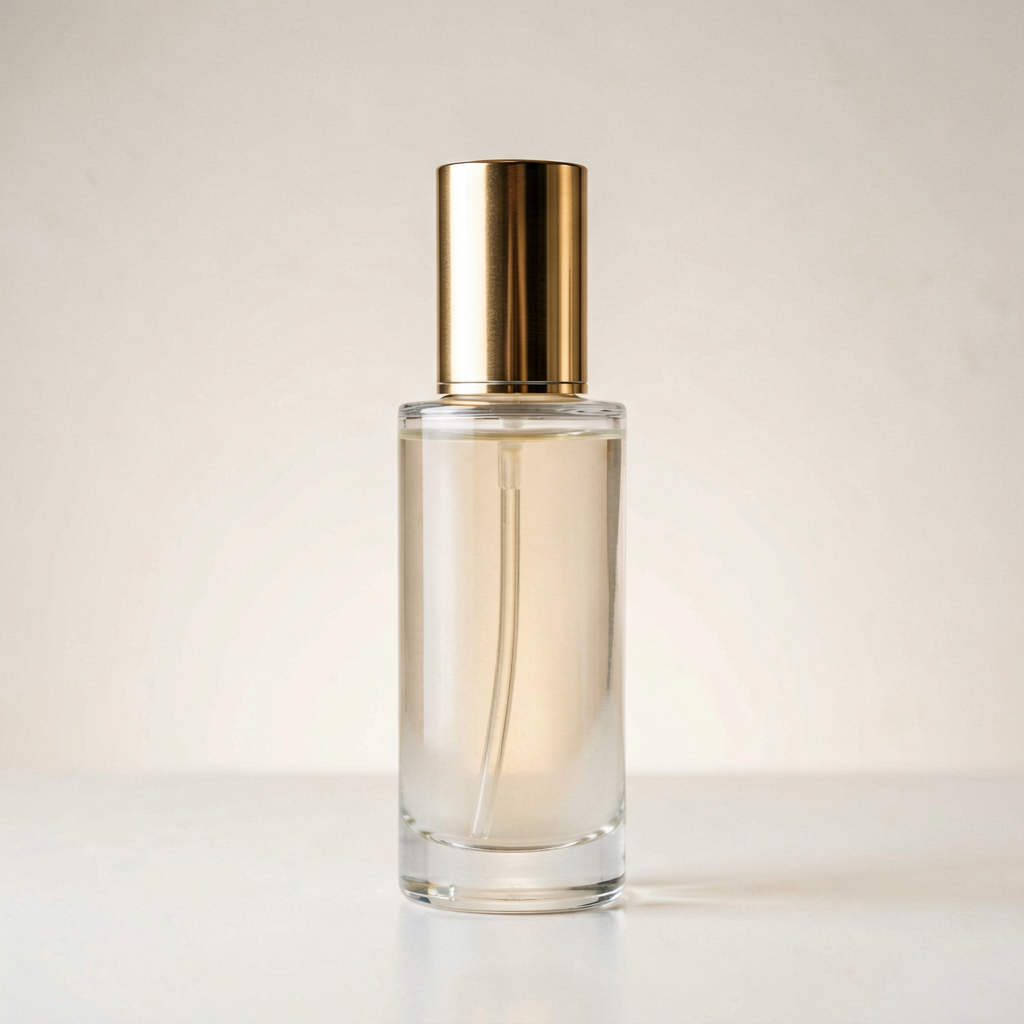 1234
1234- 1Subject + SKU centered with crop-safe margin
- 2Studio rim light from camera-left
- 3Clean negative space for headline overlay
- 4Minimal floor reflection — e-commerce safe
Seedream 4.5 production pipeline
Batch teams lock one Seedream 4.5 preset per campaign.
01
Preset + scene sentence
Pick product, portrait, or poster — write subject, environment, light as one Seedream 4.5 sentence.
02
Three variants
Export three Seedream 4.5 stills with one changed variable; present side by side for client pick.
03
Handoff
Attach approved Seedream 4.5 prompt to the ticket — motion teams reuse the same light recipe.
Seedream 4.5 prompt ingredients
Scene sentences beat comma tags for Seedream 4.5 layout.
Product hero
Matte bottle on marble, studio rim, 4K square — headline sits upper third.
Editorial portrait
Model mid-stride, overcast softbox, vertical — shallow depth, natural skin.
Poster type
Headline in quotes, bold sans, clean negative space — verify every letter at 100%.
Food still
Ramen bowl steam, overhead static, warm grade — one prop only.
Architecture
Glass tower reflection, golden hour wide — horizon locked.
Packaging
Cereal box front label short phrase legible — no lorem placeholder text.
Automotive
Electric sedan three-quarter, studio floor — one material named.
Interior
Scandinavian living room, window light — negative space for copy.
Macro detail
Watch dial detail, shallow depth — exclusion language for visible hands if banned.
Illustration
Children's book spread, soft watercolor — style in one phrase.
Character sheet
Full body, neutral gray, design sheet — limbs visible.
Landscape
Alpine lake mirror, ultra-wide horizon — mood line fixes oversaturation.
Tech UI mock
Dashboard on laptop, desk prop — no fake lorem in UI chrome.
A/B aspect
Same Seedream 4.5 prompt, square vs vertical — pick before upscale.
Why Seedream 4.5 on Voor AI
Seedream 4.5 is Bytedance's layout-aware still-image model with 4K headroom — strong for posters, product shots, and readable type. Here you get presets, a gallery, and honest limits for getting the most out of Seedream 4.5.
Write scene prompts for Seedream 4.5 — subject, environment, light, lens — not comma-separated tags. Seedream 4.5 plans composition before pixels land.
For edits see AI Image Editor Seedream 4.5. For motion see Seedream Video Generator.
Honest limit: Seedream 4.5 text in images needs proofreading — always zoom before client delivery.
Iteration discipline: change one variable per reroll — lighting OR lens OR subject wardrobe, not all three. Batch production teams lock a Seedream 4.5 preset per campaign and vary only the product name in the prompt body. For high-volume batches where turnaround matters more than 4K headroom, switch to Seedream 5 Flash, which charges the same 10 credits at every size up to 2K.
Negative space is a prompt skill. E-commerce heroes need breathing room for copy overlays — say where the headline sits before generating with Seedream 4.5. Poster presets assume type in the upper third; product presets assume the SKU centered with margin for crop-safe export.
When exports look oversaturated, tighten the mood line instead of rerolling blindly. One phrase like overcast softbox or muted film grade often fixes the whole Seedream 4.5 frame without losing layout.
Client review workflow: export three variants with one changed variable, present side by side, lock the winner before upscaling or sending to retouch. Batch teams keep a spreadsheet of approved prompts so the next SKU reuses the same light and lens language.
Print and OOH teams should still run calibrated proofs — generated stills are comp-grade until your prepress pipeline signs off on color. This workflow gets you to sign-off faster, not past it.
Negative prompts belong in the brief when clients ban visible hands or logos — say what must not appear before you generate. Layout-aware models plan the frame first; exclusion language reduces retouch rounds on hero stills.
Store RAW or largest JPEG exports beside generated comps so art directors can trace back to the capture when color shifts between monitor and print. Version filenames with date and prompt hash for audit trails.
Legal and brand teams may restrict visible logos or hands — say exclusions in the brief before generation. Layout-aware models plan composition first; negative language reduces retouch rounds on rejected hero stills.
Seasonal campaigns reuse the same Seedream 4.5 light recipe across spring and fall SKUs — lock rim direction and background mood, vary only product color in the prompt body for catalog consistency.
Prepress handoff: generated stills are comp-grade until your pipeline signs off on color. Store RAW or largest JPEG exports beside Seedream 4.5 comps so art directors trace back to capture when monitor and print diverge.
Legal review: when clients ban visible hands or third-party logos, say exclusions in the brief before generation. Layout-aware Seedream 4.5 models plan the frame first — negative language reduces retouch rounds on rejected hero stills.
Iteration log: spreadsheet approved Seedream 4.5 prompts per SKU so the next row reuses lens and light language. One variable per reroll when tuning — lighting OR wardrobe OR background, not all three at once.
Agency handoff: attach the approved Seedream 4.5 prompt text to the ticket — retouchers and motion teams reuse the same light recipe without guessing from the finished still alone.
Motion handoff: hero stills from Seedream 4.5 feed Seedance on the video generator — lock composition in stills before you animate so layout does not shift mid-campaign.
Retouch pipeline: PNG for further work, JPEG for web when file size caps matter — document which Seedream 4.5 preset produced the comp so the next editor reruns with the same light recipe.
Brand legal may restrict visible hands or third-party logos — say exclusions in the brief before generation so Seedream 4.5 layout planning reduces retouch rounds on rejected hero stills.
Seedream 4.5 — FAQ
What is Seedream 4.5?
Seedream 4.5 is Bytedance upgraded text-to-image model on Voor AI — stronger spatial understanding, world knowledge, and up to 4K stills from short prompts.
How do I use Seedream 4.5 on Voor AI?
This page preselects bytedance/seedream-4.5. Pick a preset, write a scene-style prompt, generate, iterate one word at a time.
Is Seedream 4.5 free to try?
Yes. New accounts receive 20 welcome credits that can be used toward Seedream 4.5. The generator shows the credit cost before you run it; presets and the gallery are free to browse.
Seedream 4.5 vs Seedream 4?
Seedream 4.5 improves layout, text rendering, and 4K headroom over Seedream 4. Use it for new work unless compliance requires the older checkpoint.
Can Seedream 4.5 render readable text?
Handles short headlines and labels better than many diffusion models — still verify spelling on every export.
Seedream 4.5 for product photography?
Excels at clean studio stills — name material, light, and negative space in your prompt.
Seedream 4.5 editing?
For instruction edits open AI image editor Seedream 4.5 or seedream-4-5-image-editor-ai — same weights power both.
Seedream 4.5 aspect ratios?
On Voor AI supports horizontal, square, and vertical ratios — plan composition in the prompt for the target format.
Seedream 4.5 video?
Pair hero frames with Seedance on /seedream-video-generator when motion is next — stills feed video pipelines.
Seedream 4.5 batch catalog workflow?
Lock one Seedream 4.5 light recipe per campaign, vary only product color in the prompt body. Export three variants with one changed variable, present side by side, lock the winner before upscaling.
Seedream 4.5 negative space for ads?
Say where headline copy sits before generating — Seedream 4.5 plans layout first. Poster presets assume type in the upper third; product presets assume centered SKU with crop-safe margin.
Seedream 4.5 color drift fix?
Tighten mood language instead of blind rerolls — one phrase like overcast softbox or muted film grade often fixes the whole Seedream 4.5 frame without losing composition.
Seedream 4.5 print workflow?
Generated stills are comp-grade until prepress signs off — store RAW beside Seedream 4.5 exports so art directors trace back to capture when monitor and print diverge. Version filenames with date and prompt hash for audit trails.
Seedream 4.5 team documentation?
Spreadsheet approved Seedream 4.5 prompts per SKU — the next row reuses lens and light language while product color changes. One variable per reroll when tuning: lighting OR wardrobe OR background, not all three in one Seedream 4.5 generation.
Seedream 4.5 client presentation?
Export three Seedream 4.5 variants with one changed variable, present side by side, lock the winner before upscaling or retouch. Batch teams keep approved prompts in a shared doc so the next campaign reuses the same light recipe.
Generate with Seedream 4.5
Preset + scene prompt + one light note. Seedream 4.5 on Voor AI with bytedance/seedream-4.5 selected.
Open Seedream 4.5People also search for
- seedream 4.5 free
- seedream 4.5 text to image
- seedream 4.5 online
- bytedance seedream 4.5
- seedream 4.5 4k
- seedream 4.5 prompt
- seedream 4.5 vs seedream 4
- seedream 4.5 generator
Seedream 4.5 searches want 4K stills with layout control — use presets, verify text, iterate one clause.
Your privacy, your choice
Optional cookies help us understand usage and measure ads. Essential cookies stay on so Voor works.