Voor.ai
Voor.ai
AI AvatarHistoryPricing
Voor.ai

The unified studio for the best AI image & video models. One prompt. Every modality. Production quality in seconds.

Tools
  • Text to Video AI
  • Image to Video AI
  • Text to Image AI
  • Image to Image AI
  • AI Creative Agent
More tools
AI Video Models
  • Seedance 2.5
  • Muse Video
  • HappyHorse 1.1
  • Seedance 2.0 Mini
  • Kling 3.0 Turbo workflow
  • Veo 3
  • Kling v2.1
  • Vidu Q3
More video models
AI Image Models
  • Seedream 5 Lite
  • Seedream 5 Pro
  • GPT Image 2
  • Nano Banana 2
  • Nano Banana
  • Ideogram v3 Quality
  • Seedream 4.5
  • Seedream 4
More image models
Company
  • Pricing
  • Blog
  • What's New
  • Contact Us
  • Terms and Conditions
  • Privacy Policy
  • Refund Policy
  • SeeWhatNewAI
  • Findly.tools
  • CurateClick
  • YouTube
  • Discord
Partners
  • Krea 2 AI workspace
  • Seedance 2.5 AI workspace
  • Seedream 5.0 Pro workspace
  • Toolsify AI directory
  • AI Website Directory listing
  • FutureTools AI directory
  • ShowMySites directory
  • make.rs maker directory
  • Featured on ToolDirs
  • Featured on Wavel
  • Stork Verified — stork.ai AI tools directory
  • Featured onAInexfinder — AI Tools Directory
  • AiTop10 Tools
  • Featured on AI Tool Zaar
  • LogoFeatured onTools Rollerss
  • Featured on Smol Launch
  • Featured on AIExtension.ai
  • Featured on Findly.tools
  • Featured on DeepLaunch.io
  • Featured on ShowMeBestAI
  • Featured on Twelve Tools
  • Launched on Fazier
  • Good AI Tools
  • Listed on Turbo0
  • Voor AI - Featured on Startup Fame
  • Featured on Aura++
  • Featured on toolfame.com
  • Featured on saasfame.com
  • Featured on aitoolfame.com
  • Featured on FoundrList
  • OpenHunts Club Member
  • Featured on PopWebTools
  • Feature On Launch Vault
  • Featured on AIBoom.Tools
  • Listed on SaaS Cubes
  • Featured on Web Review
  • Featured on Dofollow.Tools
  • Featured on SumoDir
  • Featured on Wired Business
  • Featured on FreeAI
  • Featured on Gets.Tools
  • Featured on AIBlog.Tools
  • Featured on doforai.tools
  • Listed on SwapLink
  • Featured on Best AI Tool
  • Featured on AiWebsite.run
  • Featured on LaunchBoosts
  • SeekTool.ai Tools Directory
  • Top AI Tools
  • AI Tool Trek
  • List on Similarlabs
  • YouWant.ai
  • What Is Ai Tools
  • Launched on Tiny Startups
  • Listed on uno directory
  • Powered by Startup Fast
  • Featured on submitdeck.com
  • Featured on TheAIToolsDir
  • Featured on Toolfio
  • Featured on NewTool.site
  • Find us on Indie.Deals
  • Verified on DANG!
  • Featured on Starter Best
  • Find us on Firsto
  • Tool Ignite
  • SaaS Avenue
  • Appsy Tools
  • LiftOff launch badge
  • ai tools code.market
  • Featured on Super Launch
  • Featured on Open-Launch
  • Listed on AI Tools Lister
  • MossAI Tools
  • AI Hustle
  • Featured on geoly.net
  • Submit AI Tools
  • RightAI Tools
© 2026 Voor.ai. All rights reserved.Crafted for creators

Instruction-driven edits with Seedream 4.5 — single-sentence changes, identity preservation, and 4K output without manual masks.

Required

Sign in to upload

Paid access required for this setup · 12 credits · failure refunded
Example Image
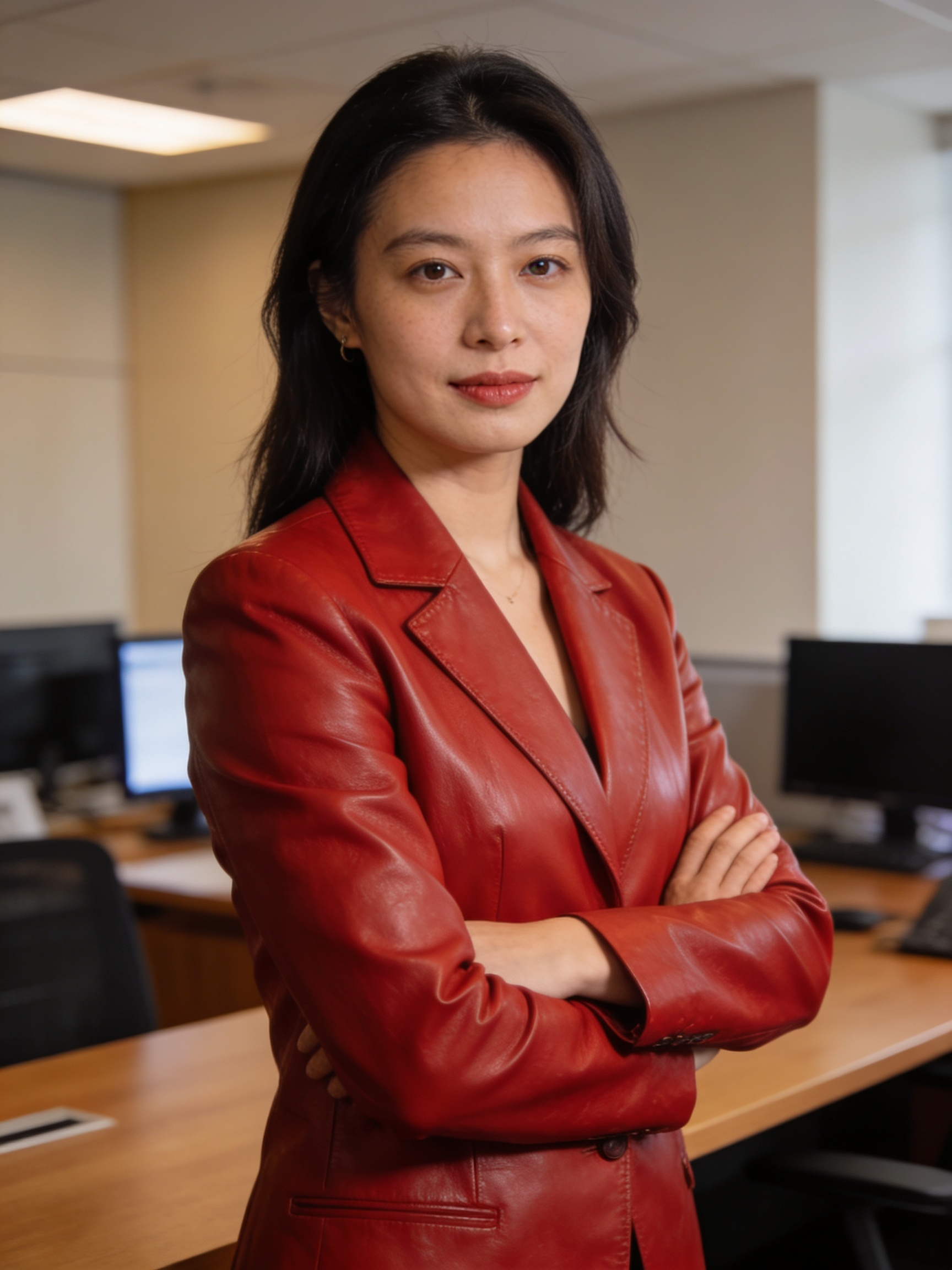
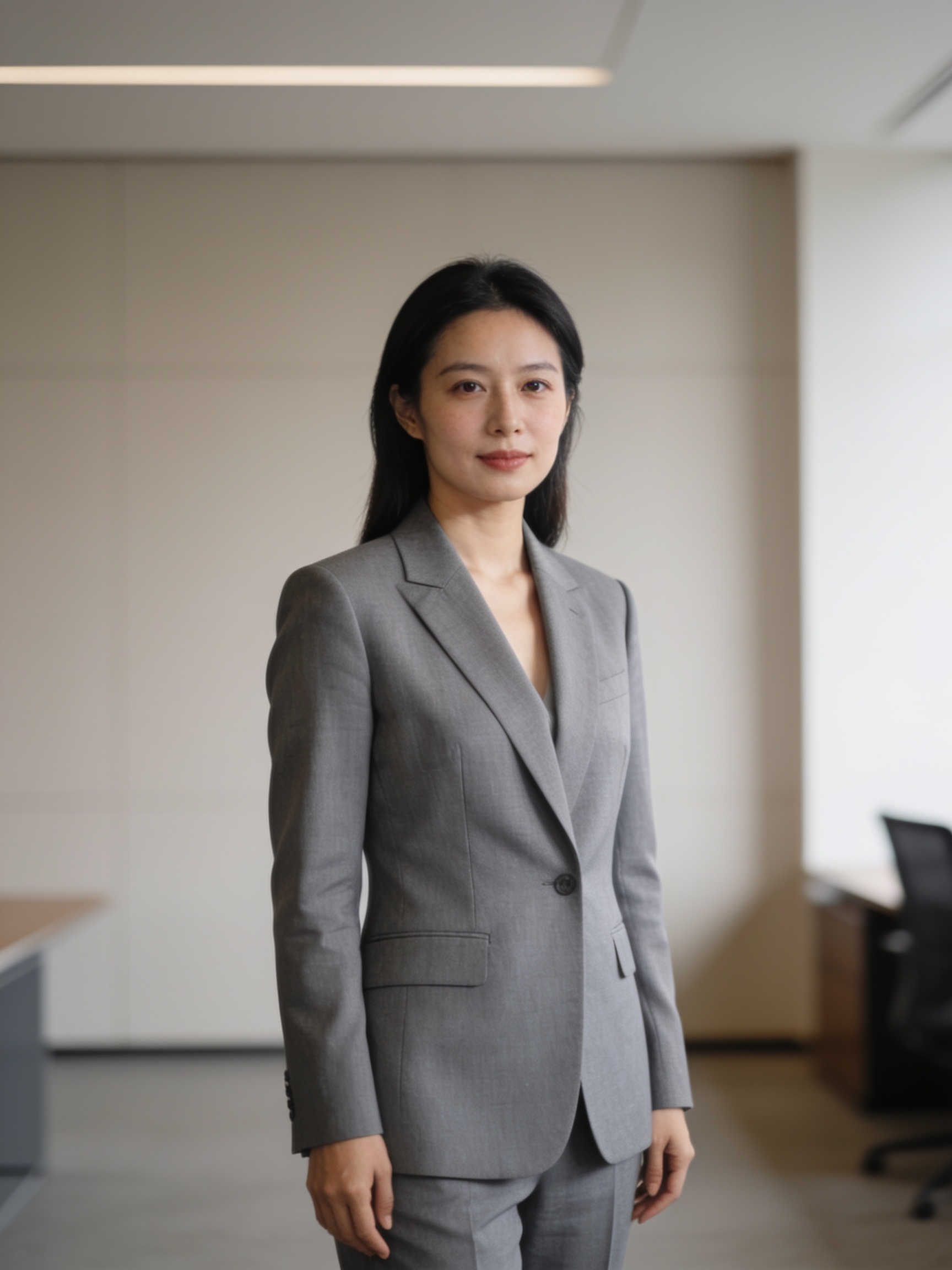
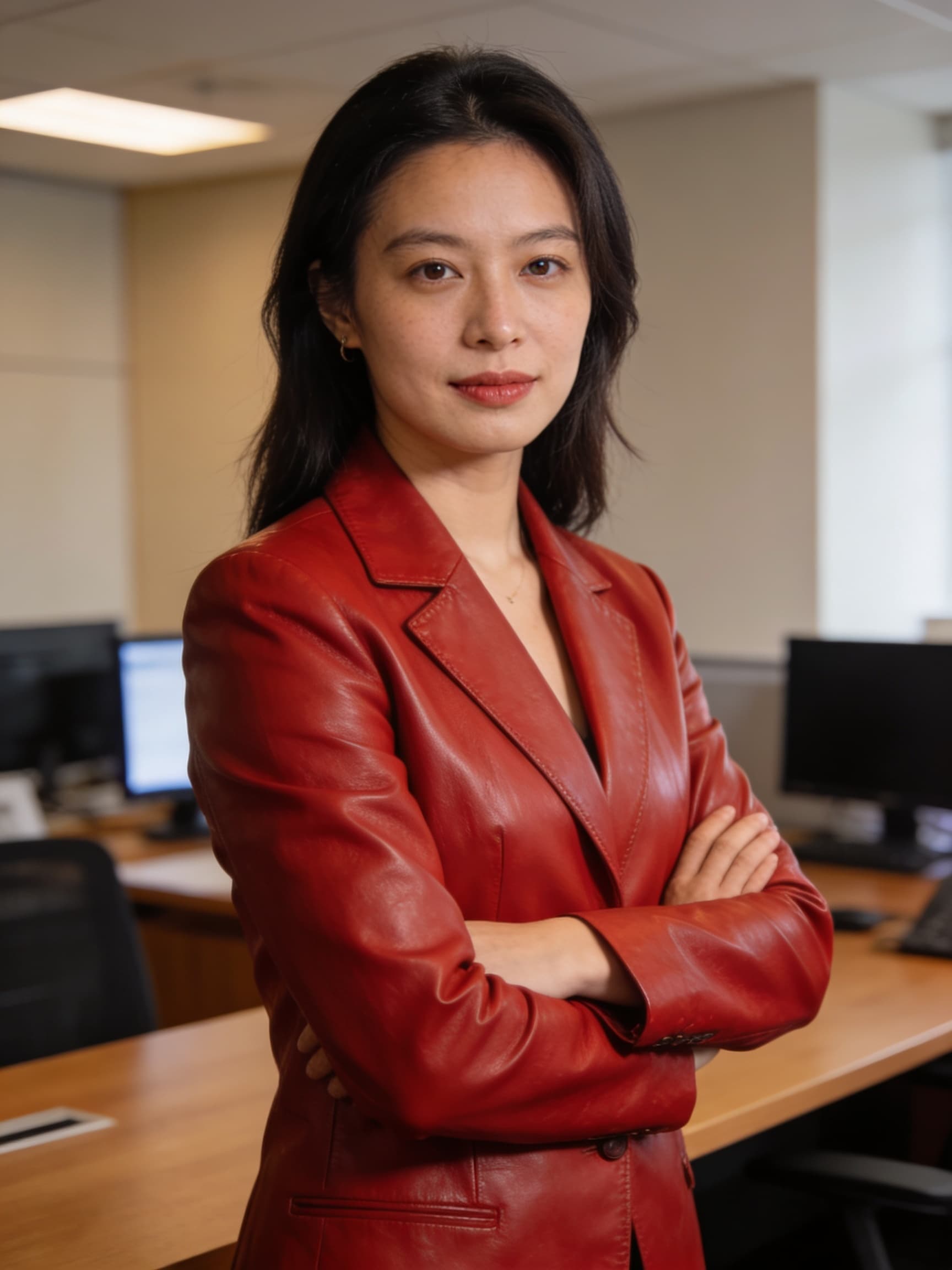
BeforeBefore — Single-sentence localized edit
AfterSingle-sentence localized edit

Generator examples

  • Single-sentence localized editBefore — Single-sentence localized edit

Reference → instruction → result

Upload the left frame, describe one scoped change, download the right — no manual mask on Seedream 4.5 image editor AI.
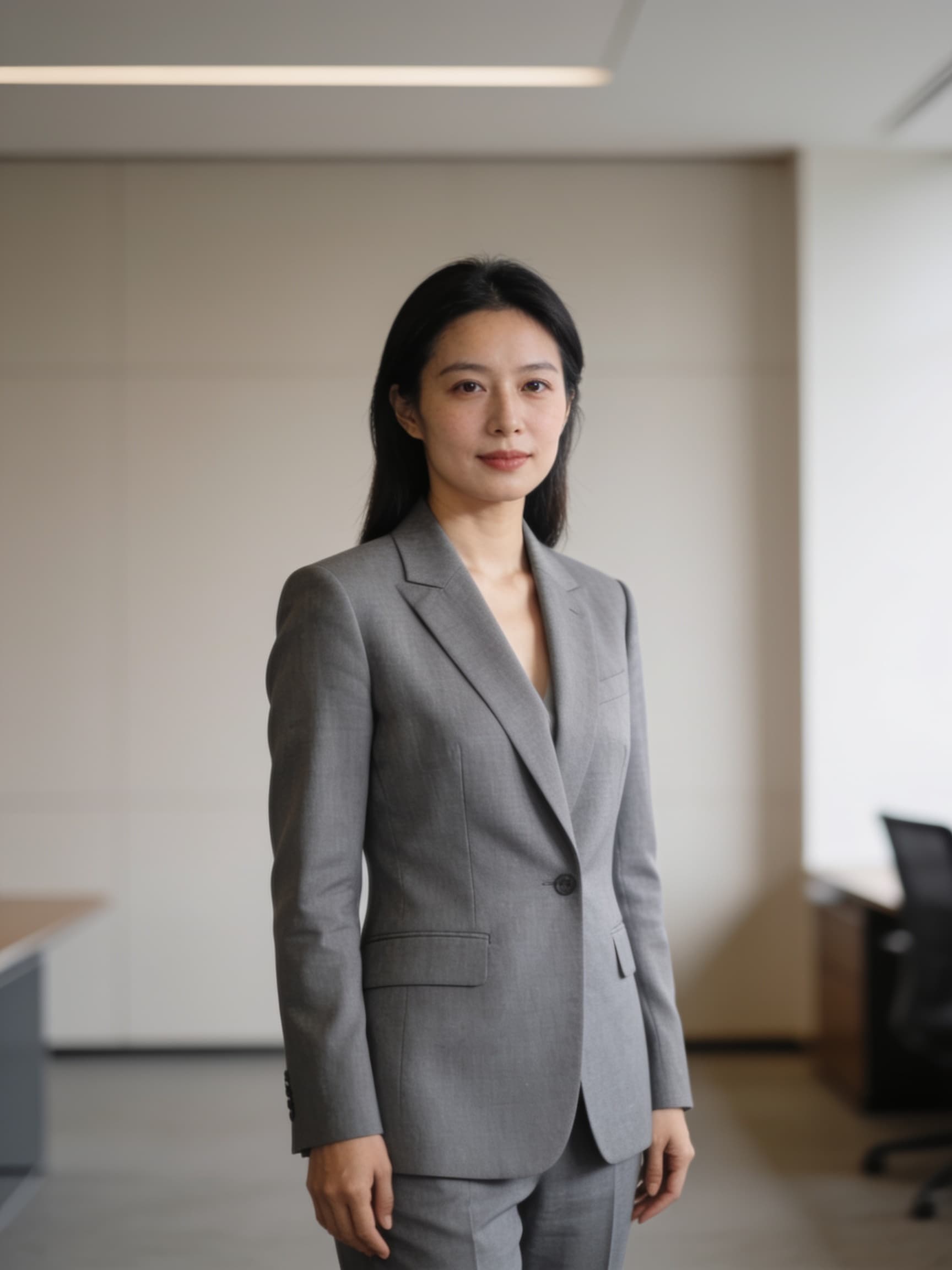
Portrait before Seedream 4.5 image editor AI pass
Before edit
→
Portrait after Seedream 4.5 image editor AI instruction
After edit
Instruction editNo maskIdentity lock

Seedream 4.5 image editor AI — one sentence, preserved identity

Seedream 4.5 image editor AI is the instruction-tuned mode of Bytedance's Seedream 4.5 checkpoint — you upload a reference, describe the change, and Seedream 4.5 image editor AI returns an edited still instead of a full redraw. Teams search Seedream 4.5 image editor AI when Photoshop masking is too slow for catalog scale: recolor a blazer, swap a background, localize on-image copy, or add a prop without losing the model's face. On Voor AI, Seedream 4.5 image editor AI lives in the image-editing collection with `bytedance/seedream-4.5` selected. The before/after gallery above shows a typical Seedream 4.5 image editor AI pass — grey jacket to red leather with pose and office plate intact. Seedream 4.5 image editor AI is not magic inpainting at pixel precision; it preserves perceived identity and composition, which is exactly what marketing retouching needs before a human finisher.

Open editor
Upload reference• Single sentence• 4K path

How to brief Seedream 4.5 image editor AI

Image-to-image generator above. Seedream 4.5 image editor AI rewards scoped sentences.

1. Upload the highest-quality master

PNG from Seedream 4.5 generation or photography. Seedream 4.5 image editor AI cannot recover detail that never existed.

2. Write one scoped instruction

Template: 'Change ONLY [element] to [target]. Keep face, hair, pose, background identical.' Seedream 4.5 image editor AI parses ONLY clauses reliably.

3. Reroll twice, pick the cleanest

Seedream 4.5 image editor AI is stochastic. Save two winners; art directors choose the least edge-frayed result.

Run an edit

Seedream 4.5 image editor AI production patterns

Four workflows where Seedream 4.5 image editor AI beats generic generators.

Portrait before Seedream 4.5 image editor AI pass

Scoped wardrobe changes

Seedream 4.5 image editor AI handles 'change only the jacket to navy suede' when you state what must remain. Vague Seedream 4.5 image editor AI instructions drift hair or background.

Portrait after Seedream 4.5 image editor AI instruction

Background replacement

Seedream 4.5 image editor AI can drop a subject on a beach at golden hour while keeping silhouette edges believable — faster than manual cutouts for dozens of SKUs.

Localized text swaps

Pair with `/seedream-text` when edits must keep a readable headline intact. Seedream 4.5 image editor AI respects typography better than generic redraw models.

Iterative refinement

Run Seedream 4.5 image editor AI twice for stacked edits: color first, prop second. Single mega-prompts reduce Seedream 4.5 image editor AI success rates.

What Seedream 4.5 image editor AI is technically

Seedream 4.5 image editor AI uses the same Replicate weights as generation but conditions on `image_input` plus a natural-language instruction. The model infers edit regions — no manual mask — similar to FLUX Kontext or GPT Image edit modes.

Seedream 4.5 image editor AI quality depends on reference sharpness. Compression artifacts force the model to invent skin texture, which reads as 'plastic face' after a Seedream 4.5 image editor AI pass.

Limits: Seedream 4.5 image editor AI cannot guarantee pixel-identical pupils or logo geometry. Composite logos in vector tools when legal requires exact brand shapes.

Why ecommerce retouchers adopt Seedream 4.5 image editor AI

Seedream 4.5 image editor AI throughput beats offshore masking for seasonal colorways. A eight-SKU drop becomes an afternoon, not a week of PSD layers.

Agencies document Seedream 4.5 image editor AI instructions verbatim for client reruns — reproducible language beats undocumented brush strokes.

Seedream 4.5 image editor AI — FAQ

Do I need a mask for Seedream 4.5 image editor AI?+

No for most edits. Seedream 4.5 image editor AI infers regions from language.

Same model as Seedream 4.5 generation?+

Yes — `bytedance/seedream-4.5` with image input enabled.

Can Seedream 4.5 image editor AI add objects?+

Yes when you specify placement: 'add a coffee mug on the desk, left side'.

Commercial use?+

Follow Bytedance/Replicate terms and your Voor AI plan — Seedream 4.5 image editor AI does not bypass trademark or likeness rules.

Edit with Seedream 4.5 image editor AI

Upload, instruct, reroll, export. Seedream 4.5 image editor AI is a sentence-driven retoucher — brief it like a junior designer.

Apply edit

Voor AI ToolKit

The most relevant Voor AI tools for this workflow. Explore the full catalog for more.

Seedream 4.5

Bytedance 4K text-to-image with spatial understanding, copyable prompts, and presets.

Image to Image AI

Image to Image AI

Transform photos into art styles instantly while preserving structure. Unleash creativity.

Seedream Text to Image

Seedream Text to Image

Seedream text workflows turn written prompts into stills on Voor AI — Seedream 4.5 text-to-image with strong short-headline rendering for posters, signage, and pack labels.

Explore more AI tools→