Discord

Preview beard styles on a portrait while preserving the face, hairline, skin texture, lighting, and background. Choose a preset, upload, and refine.

Example Image
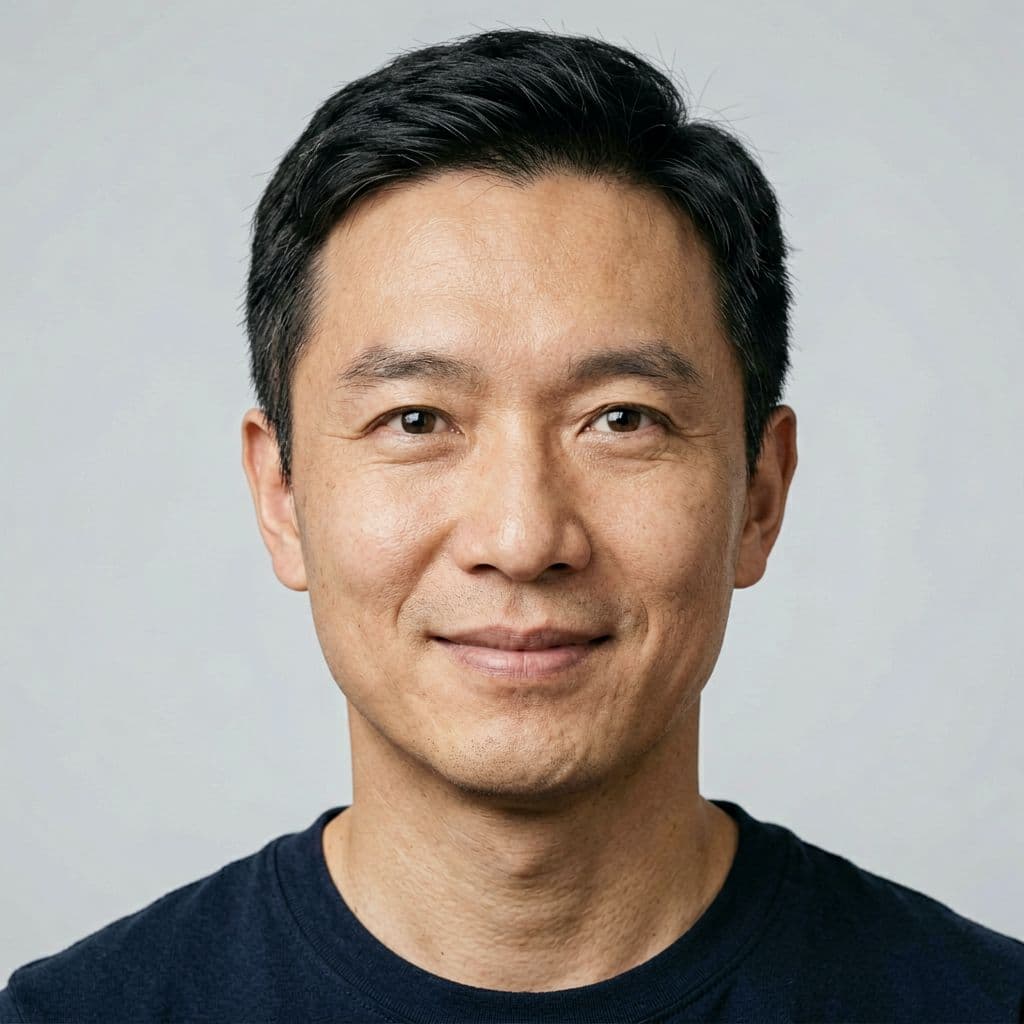
BeforeBefore — Add a short boxed beard while preserving face geometry, skin texture, crop, light, and background.
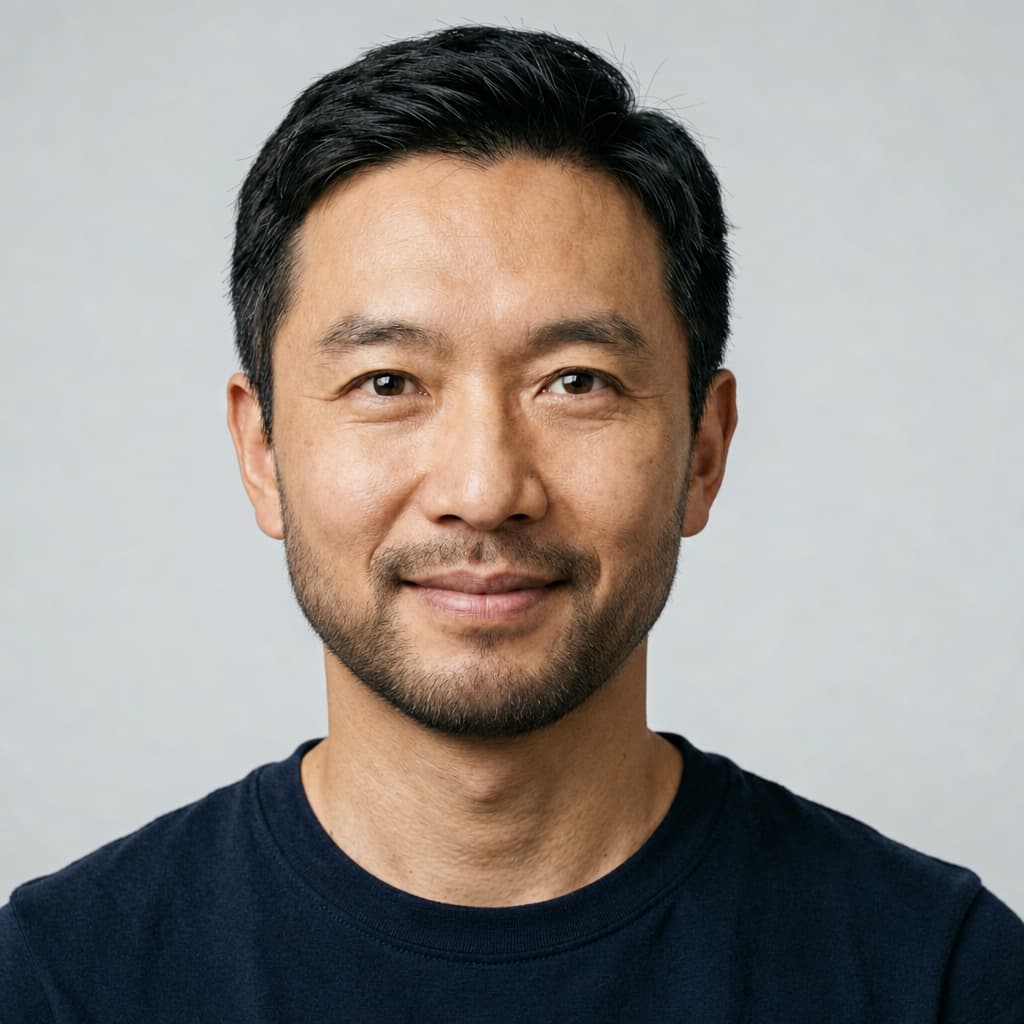
AfterAdd a short boxed beard while preserving face geometry, skin texture, crop, light, and background.

Generator examples

AI beard generator

AI beard generator — change facial hair, not the person

The useful version of an AI beard generator is a scoped portrait edit. Upload a well-lit photo, choose a beard direction, and keep face shape, skin texture, expression, age, hairstyle, clothing, light, and background stable. The four presets above translate the visual target into hair density, edge, strand direction, and contact shadow instead of asking the model to redesign the entire portrait.

Identity-preserving edit · No face reshaping · Before-and-after workflow

Try AI beard generator
Clean-shaven fictional adult portrait before an AI beard edit
Source — face geometry and light stay fixed
Same fictional portrait with a generated short boxed beard
GPT Image 2 edit — short boxed beard

Beard choices described as materials and edges

Style names alone are ambiguous. These presets tell the edit how the hair should meet skin and light.

Same fictional portrait with a generated short boxed beard
GPT Image 2 edit — short boxed beard

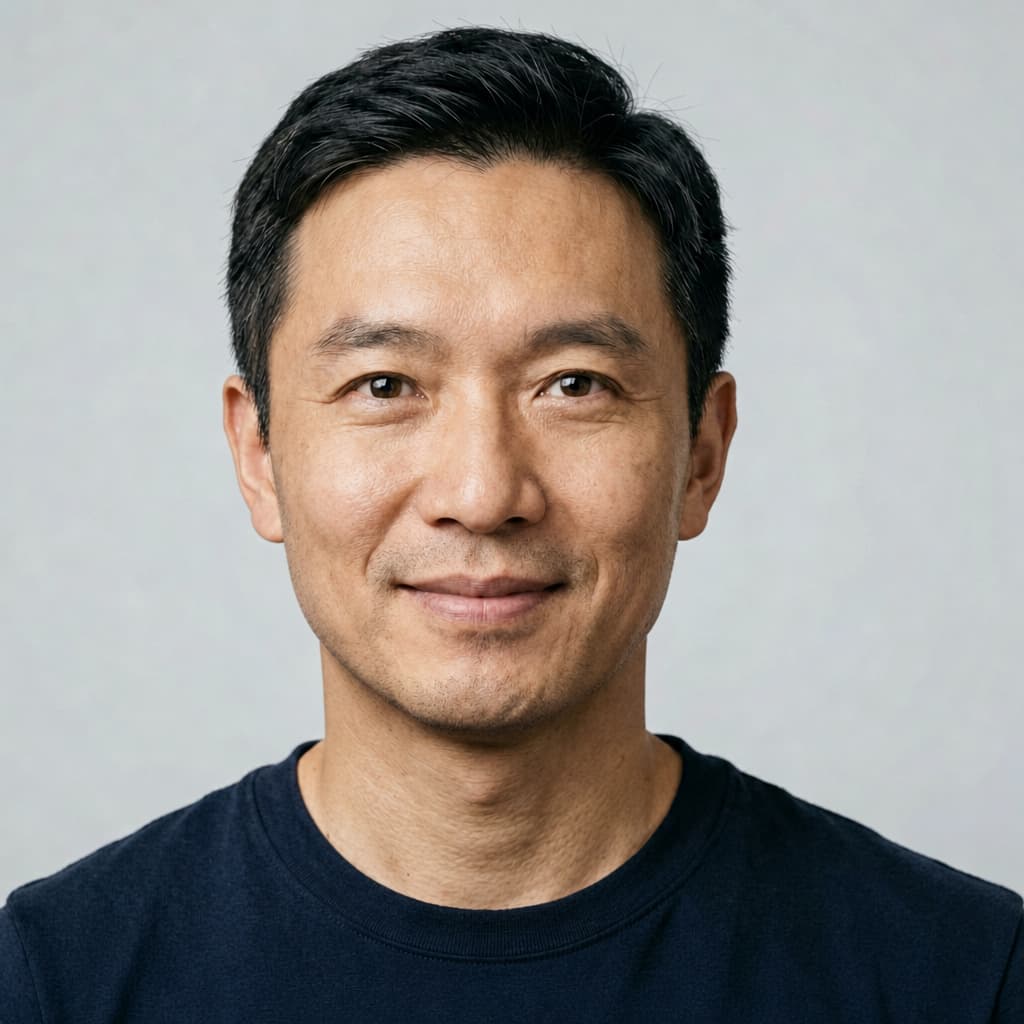
Natural stubble

Subtle density and believable follicle direction matter more than a dark painted jaw. This is the lowest-risk preview when a user wants to see a small grooming change.

A useful beard preview starts with a clear style picker and a true before-and-after comparison. The edit must remain narrow: adding hair should not quietly reshape the face, repaint skin, alter age, or change the lighting.

Same fictional portrait with generated three-day stubble
GPT Image 2 edit — three-day stubble

Short boxed beard

The preset defines cheek and neckline transitions while protecting the actual jaw. A grooming preview should not secretly slim, widen, or age the face.

Select the beard style before generation and add a custom direction when the preset is not specific enough. The preservation-first edit keeps the original image beside the result so you can compare face shape, skin, age, lighting, and background.

Goatee and moustache

Localized facial hair needs clean separation around the mouth and consistent color with eyebrows and hair without simply sampling a flat tone.

Full beard

Volume needs strand direction, soft occlusion at the jaw, and plausible contact shadows. Review symmetry and the edge near ears, lips, and clothing.

AI beard generator — practical questions

Will the tool change my jaw?

The presets explicitly protect face shape, but generative edits can drift. Compare against the source and rerun if the jaw changes.

Can it remove an existing beard?

The presets focus on adding and restyling. Use the custom prompt to request a clean-shaven edit and inspect the reconstructed skin carefully.

Which photo works best?

A sharp, well-lit portrait with visible cheeks, chin, lips, and neckline.

Is this a beard-growth prediction?

No. It is an entertainment and styling visualization, not a biological forecast.

Can I choose a custom beard?

Select the closest preset and add length, edge, density, color, or grooming details in the prompt.

What the beard filter should preserve

Clean-shaven fictional adult portrait before an AI beard edit detail crop

Choose a portrait with visible jaw, lips, cheeks, and even light. Heavy hands, scarves, motion blur, or deep shadow force the model to invent boundaries. A neutral three-quarter view can be more informative than a front-facing selfie when evaluating profile volume.

This is a creative grooming preview, not dermatology, age analysis, or a promise about how facial hair will grow. The output can help choose a direction for a barber or costume, but real density, color, and growth pattern differ.

Start with a preset for speed, then edit the full prompt for costume, historical, or brand-specific facial hair. Repeat the preservation list whenever identity, skin texture, or lighting must remain unchanged.

Choose a beard as a reversible visual design decision, not as an attractiveness score or judgment about the person.

Create a believable beard preview

Keep the edit boundary narrow and compare at normal portrait size as well as close up.

  1. Use a clean jawline photo

    Choose sharp focus, soft light, minimal existing facial hair, and no object covering the cheeks or chin.

  2. Start with the nearest style

    Use stubble before full beard when uncertain. A smaller change reveals whether identity and skin preservation are working.

  3. Describe color and grooming

    Add warm brown, salt-and-pepper, tapered cheek, or slightly uneven natural growth only when those details matter.

  4. Inspect the boundary

    Check lips, nostrils, ears, neckline, hair color, repeated texture, and whether the face shape changed.

Put AI beard generator to work

Start with the smallest plausible change, keep the source beside the result, and reject any output that improves the beard by changing the face. The person should remain the invariant.

Open AI beard generator