Seedream 5 Flash is ByteDance's quickest Seedream 5 tier for text to image and editing: 1K to 2K stills, up to ten reference images, and the same 10 credits at every size.
Generator examples

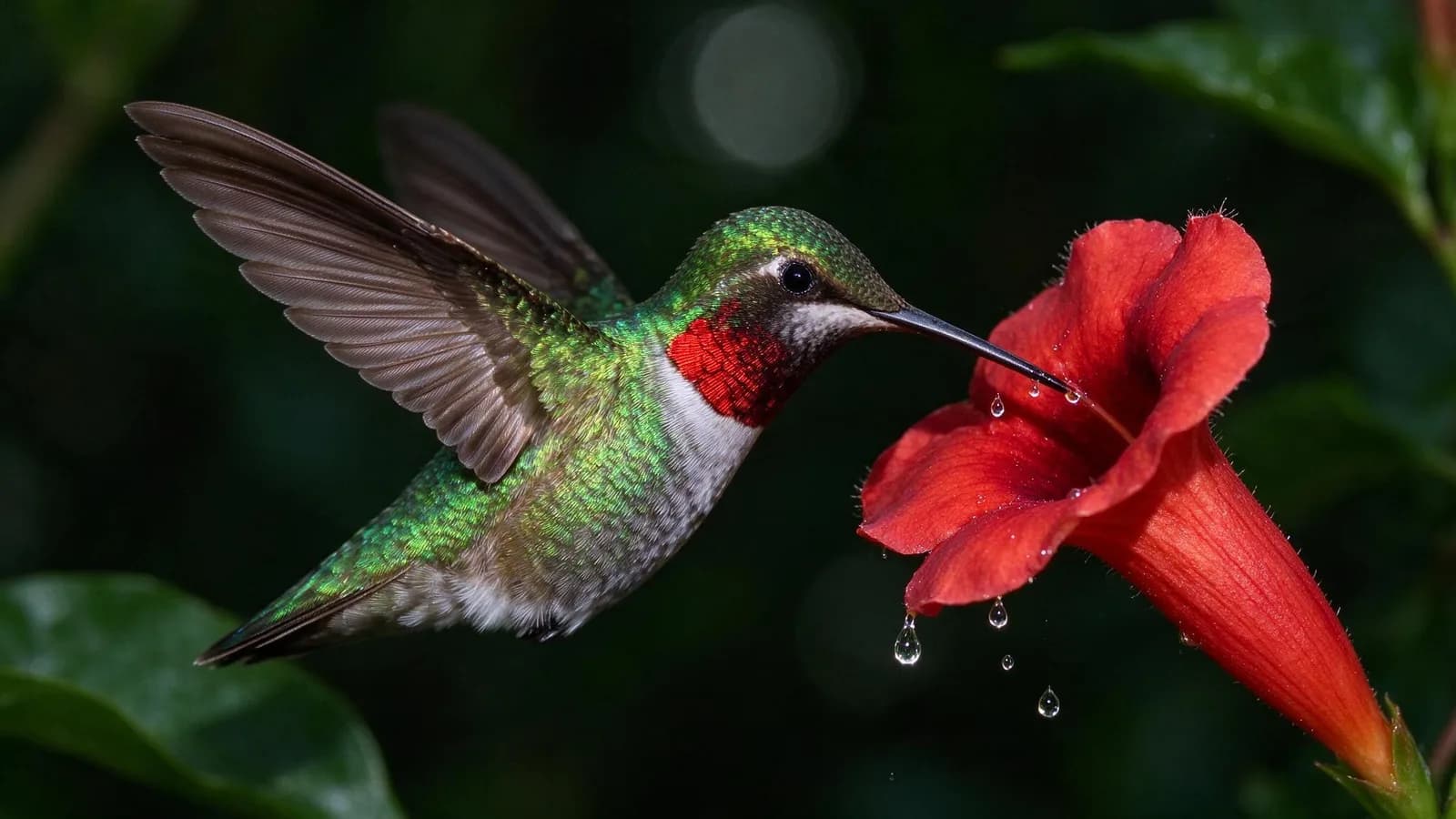
One Seedream 5 Flash run, unedited
Seedream 5 Flash freezes a wingbeat in one pass
- Canvas
- 16:9 → 2048 × 1152
- Run time
- 25.1 s (first run); 13.8 s on a repeat
- Cost on Voor
- 10 credits
Read the exact prompt
High-speed flash photograph of a ruby-throated hummingbird hovering beside a red trumpet flower, wings frozen mid-beat with every feather edge sharp, tiny droplets of nectar suspended in the air, dark green garden background falling into soft bokeh, crisp catchlight in the eye, natural colour, wildlife magazine photography, no text
Across fifteen of our text-to-image runs, ByteDance's quickest Seedream 5 tier finished in 11.6 to 25.1 seconds (median 16).
Same words, three tiers
Seedream 5 Flash against Lite and Pro, on a stopwatch
Pick a brief, then a tier. Each lane shows the measured run time for that exact image.
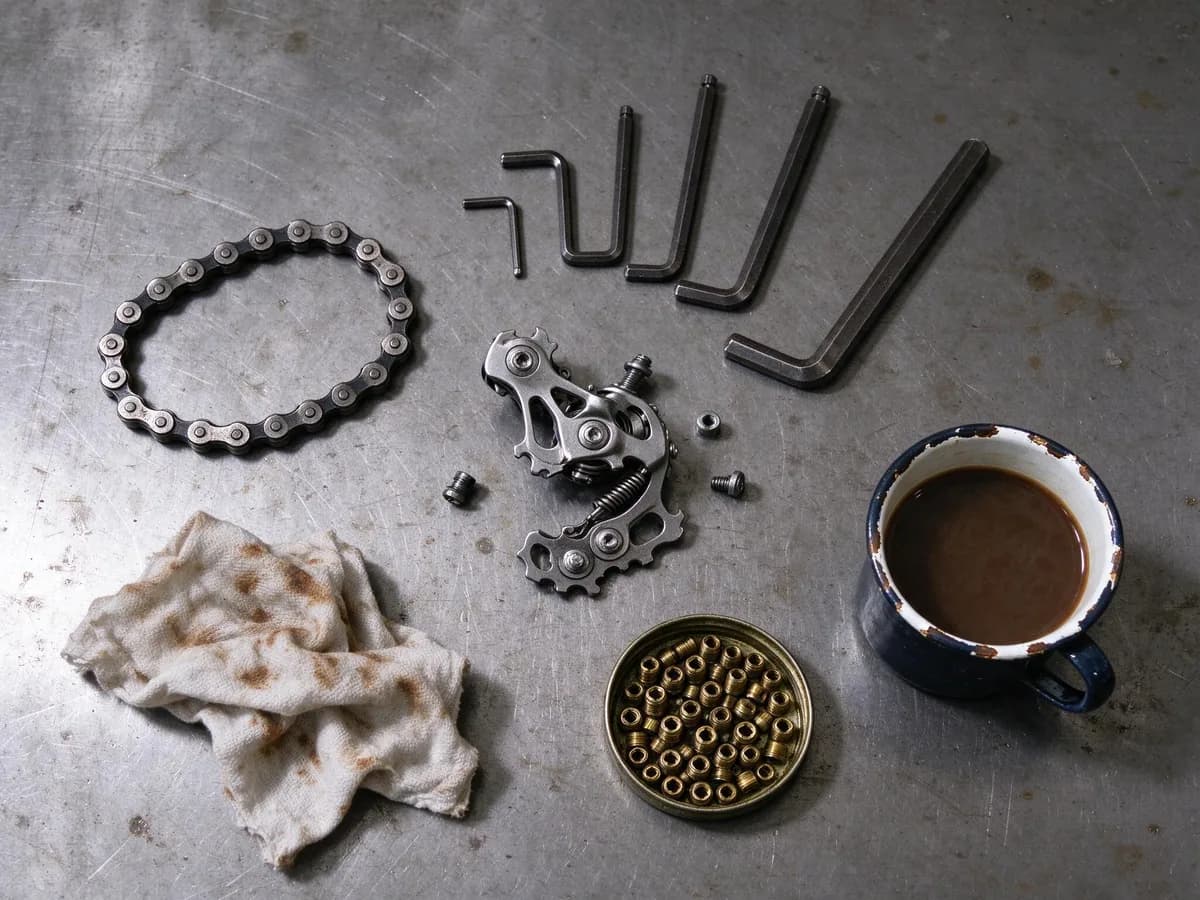
Mug, rag and brass parts all arrived, but five hex keys instead of six — one bent into an impossible U — and the derailleur became a toy-like sculpture of cogs. Right layout, simplified mechanism.
Output 2048 × 1536. Prompt: “Overhead flat lay of a bicycle mechanic workbench on scratched steel: a disassembled rear derailleur, a coiled chain with individual links, six hex keys fanned by size, a grease-stained cotton rag, brass spoke nipples in a tin lid, and a chipped enamel coffee mug, hard top light with short shadows, every small part sharp, editorial catalogue photography, no text”
Six runs, 60 credits
A Seedream 5 Flash draft sheet, reviewed
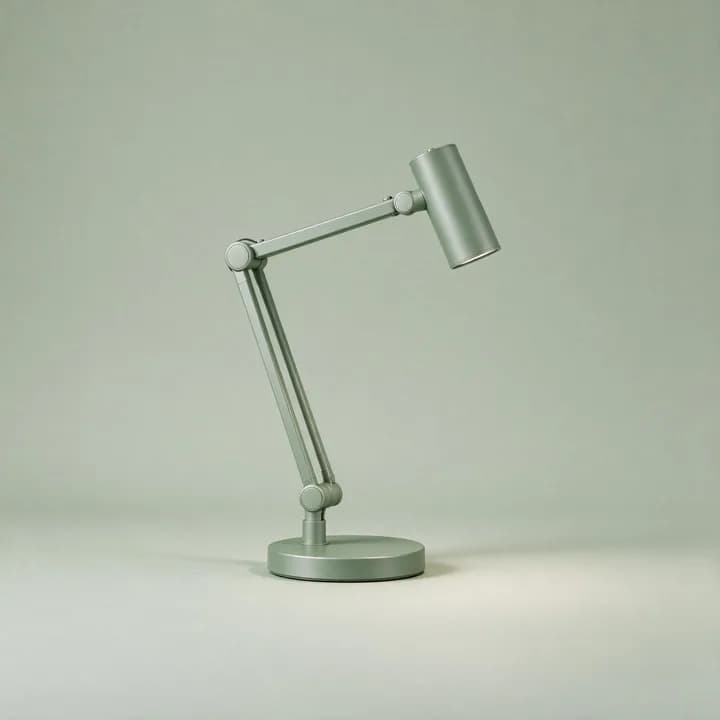
One product brief, six colour words. Colour followed the brief every time; the lamp did not — Seedream 5 Flash redesigned it on each run. Select a frame to read our call.
Lock the design, then recolour it
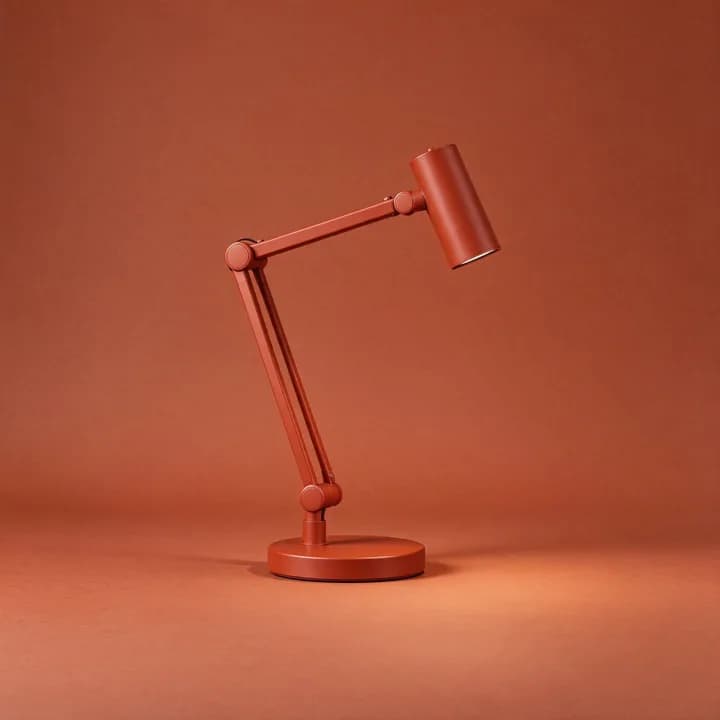
Generate once, then edit. Seedream 5 Flash kept the arm, joints, shade and shadow and changed only the colour, for another 10 credits. The edited terracotta came out deeper, so name the shade.
Drag to compare
Editing with Seedream 5 Flash: one change, nothing else


Instruction: “Change only the view through the window… Keep the armchair, throw, books, lamp, plant, table and framing exactly as they are.”
- Armchair, throw and books unchanged
- Lamp, plant and framing unchanged
- Window light warmed to a low winter sun
20.3 seconds; 2368 × 1776 back from a 2048 × 1536 source.
Measured, not quoted
What each Seedream 5 Flash canvas returns
Every size costs 10 credits. Select a preset to see the dimensions we got and a real output at that shape.
Banners, slides and video thumbnails.
How to write a Seedream 5 Flash prompt
Our phrase, and what came back.
- 01
Name the parts
a chipped enamel coffee mug, brass spoke nipples in a tin lidObjects named with a material arrived; six keys came back as five.
- 02
Fix the light
hard top light with short shadowsFollowed by all three tiers.
- 03
Set the frame
overhead flat lay … editorial catalogue photographyA high angle, close to straight down.
- 04
Close with limits
no textNo stray lettering in any frame.
When Seedream 5 Flash is the right tier — and when it is not
Drafts, variations, thumbnails and single-change edits.
For 3K or 4K files — see the Seedream 5 Lite and Pro guide.
When small parts must be right first time; Seedream 5.0 Pro alone drew our derailleur correctly.
Try Seedream 4.5, or run the same brief on any model from text to image.
Twelve jobs that suit Seedream 5 Flash
Colourway sheets
One Seedream 5 Flash run per colour, then lock a winner.
Thumbnail rounds
Ten Seedream 5 Flash drafts; send one to a slower tier.
Mood boards
A full board in one palette before a shoot.
Season swaps
Change the view outside, keep the room.
Packaging mock-ups
A brand name and one line of text.
Storyboard fills
Block out 16:9 shots, re-brief the keepers.
Product on colour
One object, a matching paper backdrop, soft light.
Interior styling
Trade fabrics or lamps with single edits.
Poster illustration
Gouache and ink styles hold up at 9:16.
Wildlife and macro
Frozen motion and droplets suit Seedream 5 Flash.
Ad variations
Change one variable per run, compare the sheet.
Reference blends
Up to ten images; say which one owns which job.
Where Seedream 5 Flash still needs you
- Mechanisms simplify. Small machinery looks right only at a glance.
- Designs drift. No seed setting; lock designs by editing.
- 2K is the ceiling. About 4.2 megapixels at most.
- Text stays short. Proofread anything past one line.
Seedream 5 Flash FAQ
What is Seedream 5 Flash?
Seedream 5 Flash is the fastest, lowest-cost tier of ByteDance's Seedream 5 family. On Voor it does text to image and editing with up to ten reference images, from about one to four megapixels.
How fast is Seedream 5 Flash?
Our fifteen text-to-image runs took 11.6 to 25.1 seconds, median 16. The same briefs took 34 to 37 seconds on Seedream 5 Lite and 42 to 55 on Seedream 5 Pro. Queueing adds to your wait.
How many credits does Seedream 5 Flash use?
10 credits per image at every size, for edits too. Seedream 5 Lite is 13 and Seedream 5 Pro starts at 24. New accounts receive welcome credits.
What image sizes does Seedream 5 Flash produce?
Auto 2K returned 2496 × 1664 and Auto 1K 1248 × 832; ratio presets give 2048 pixels on the long side. The ceiling is about 4.2 megapixels.
Should I use Seedream 5 Flash, Lite or Pro?
Flash for drafts, variations and quick edits; Lite for 3K or 4K files; Pro when small mechanical or material detail must be right first time.
Can Seedream 5 Flash edit an existing image?
Yes, with up to ten images; the first is edited. Name one change and list what must stay.
Can Seedream 5 Flash put readable text in an image?
Short text, yes: NORTH RIDGE and HOUSE BLEND came back correct. Long copy is a placeholder.
Why does the same Seedream 5 Flash prompt give a different design each run?
There is no seed setting, so each run re-invents whatever the prompt leaves open. Pin design details in words, or generate once and edit only the colour.
How should I write a Seedream 5 Flash prompt?
Subject and material, then light, then framing, then what must not appear. It follows concrete nouns and light directions closely and drifts on anything left open.
Draft fast with Seedream 5 Flash
Draft at Flash speed, keep what works, and send only the keepers to a slower tier.
Start with Seedream 5 Flash