
Meta Superintelligence Labs
Muse Image, tested against Meta's own claims
Muse Image is the first image model from Meta Superintelligence Labs, released in July 2026 alongside the Muse Spark language model and a preview of Muse Video. Meta says it follows instructions faithfully, edits with precision, composes from many references and renders fine detail such as text, plots and QR codes. We ran each claim on Voor. Pick a test to see the brief, the output and our verdict.
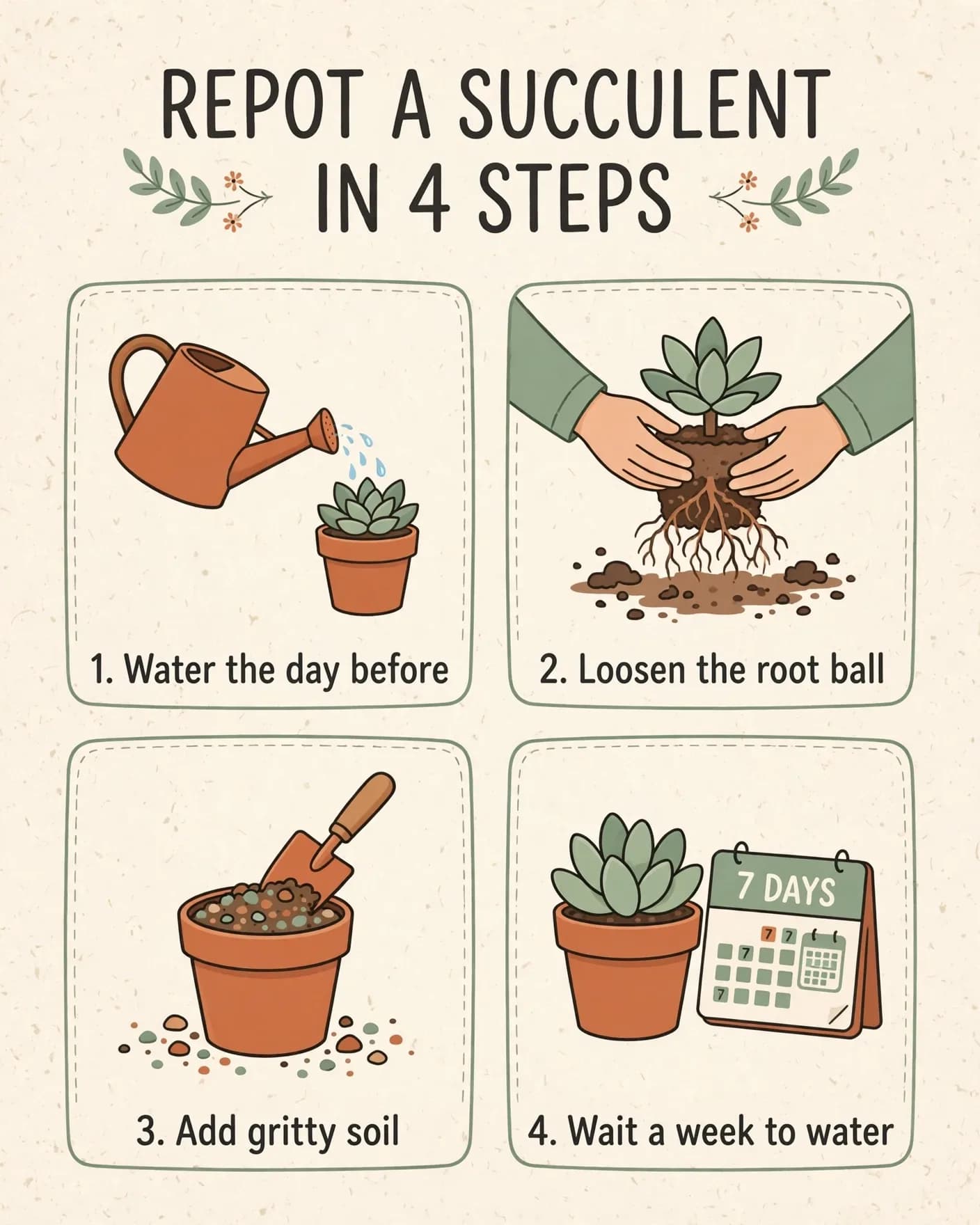
Meta's claimFollows instructions faithfully; text renders cleanly
Claim holds
Every instruction met. Title and all four captions are letter-perfect.
| Asked for | Got |
|---|---|
| Title “REPOT A SUCCULENT IN 4 STEPS” | Exact |
| Four captions, numbered 1–4 | All four exact, in order |
| 2 by 2 grid, one illustration each | Yes, and each picture matches its step |
| Terracotta, sage and charcoal on cream | Yes |
| Nothing else asked for | Added a “7 DAYS” calendar to step 4 |
Read the prompt
A clean illustrated how-to card on cream paper. Title at the top: “REPOT A SUCCULENT IN 4 STEPS”. Below it, four numbered panels in a 2 by 2 grid, each with a small flat illustration and one caption… Terracotta, sage green and charcoal palette.
Meta credits the plot and QR skills partly to code execution learned in training. Whatever the model does inside Meta's own apps, the chart and codes above are what a plain prompt returned here. Use Muse Image for the layout and the words, and create anything that must be measured or scanned with a dedicated tool.
Multi-reference edits
Compose a Muse Image scene from separate photos
The edit route takes up to ten reference images in one request. Number them in the prompt and give each a job: which image is the scene, which supplies an object, which supplies a material. We made the three references with Muse Image itself, then asked for a single composite. Pick a reference to see what carried over.
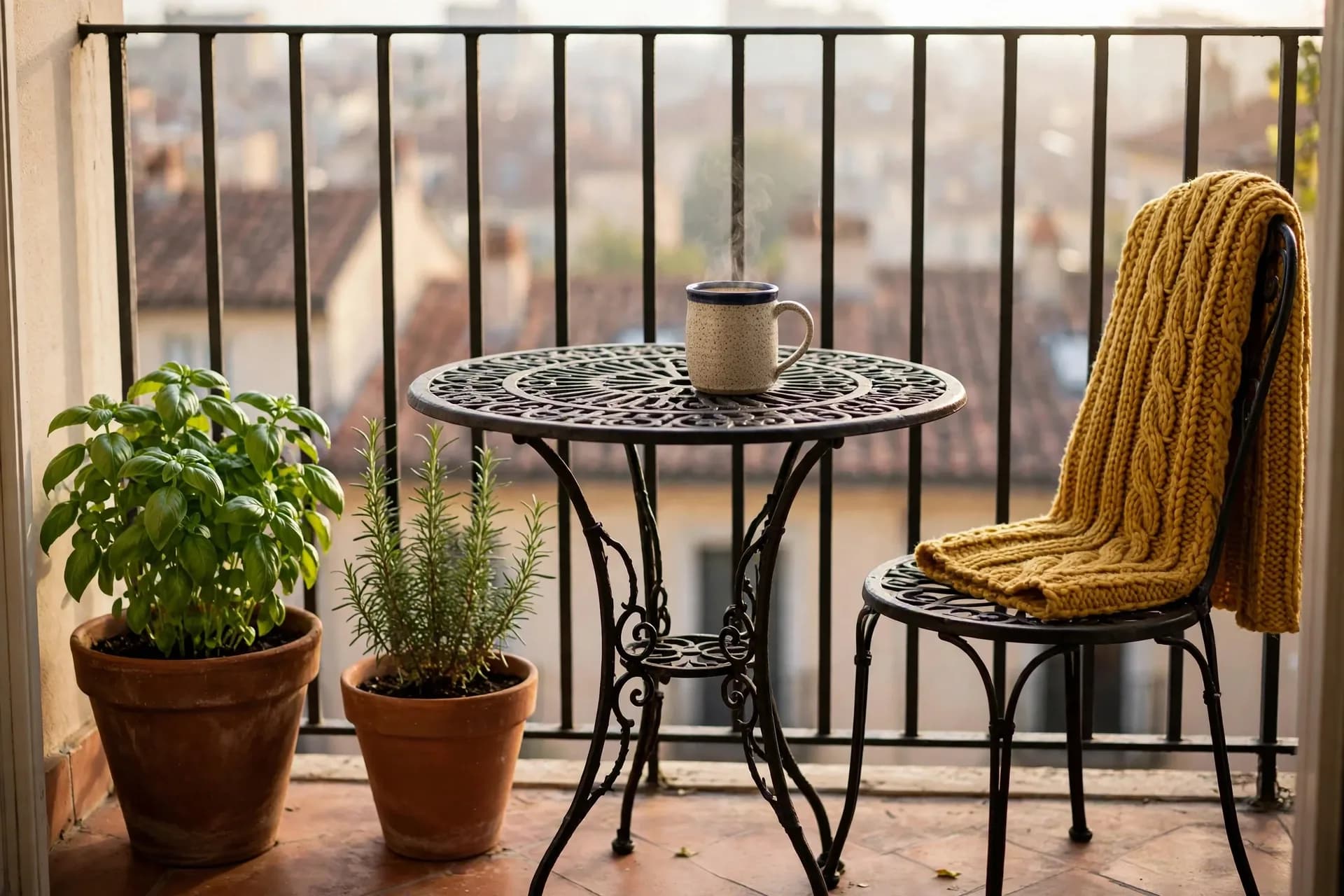
“Use image 1 as the scene. Place the mug from image 2 on the bistro table with steaming coffee inside, and drape the mustard scarf from image 3 over the back of the chair. Keep the balcony, plants, morning light and camera angle from image 1.”Edit · three references · 3:2 · 4 credits
Single-photo edits
Restyle a room with Muse Image, keep the walls
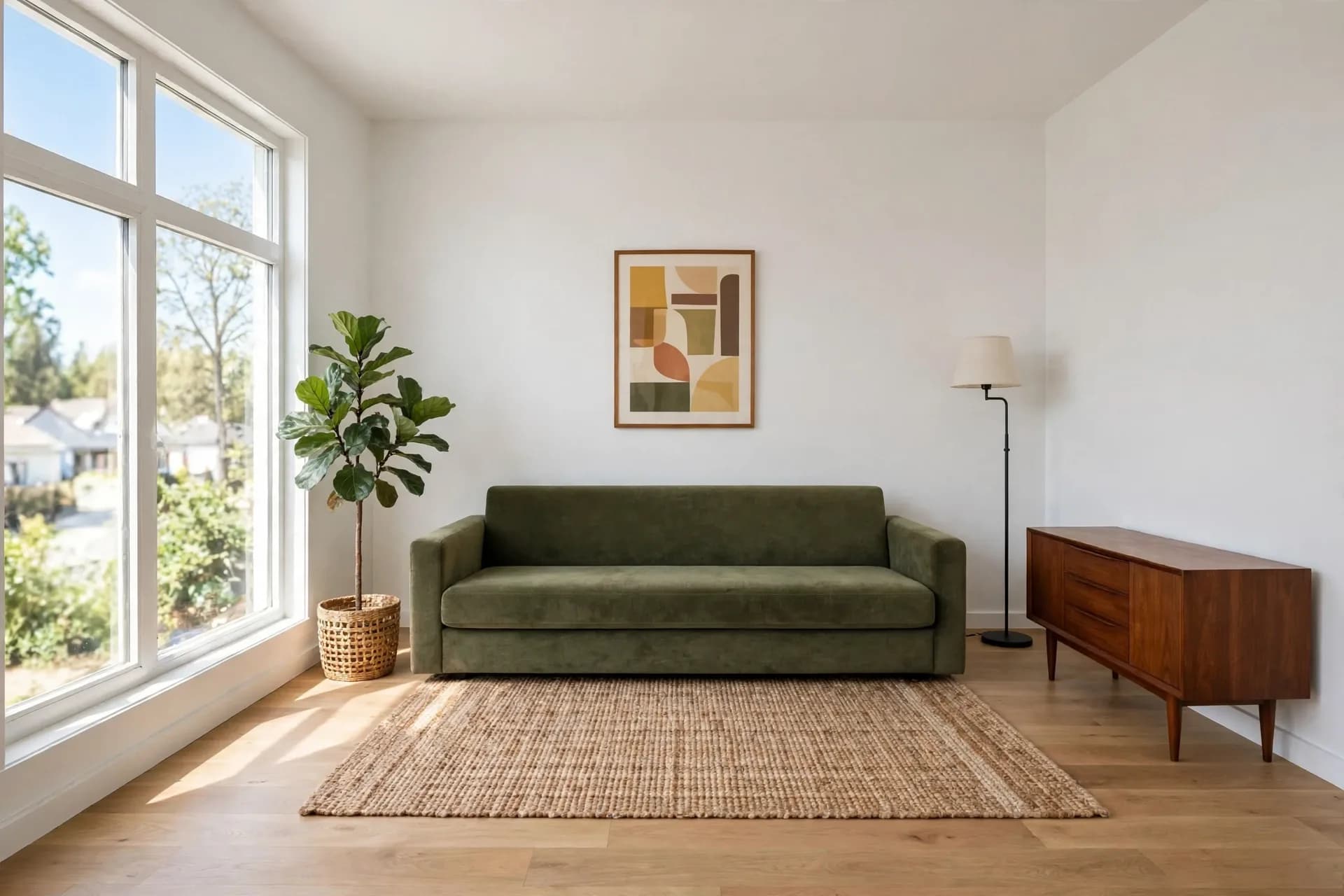
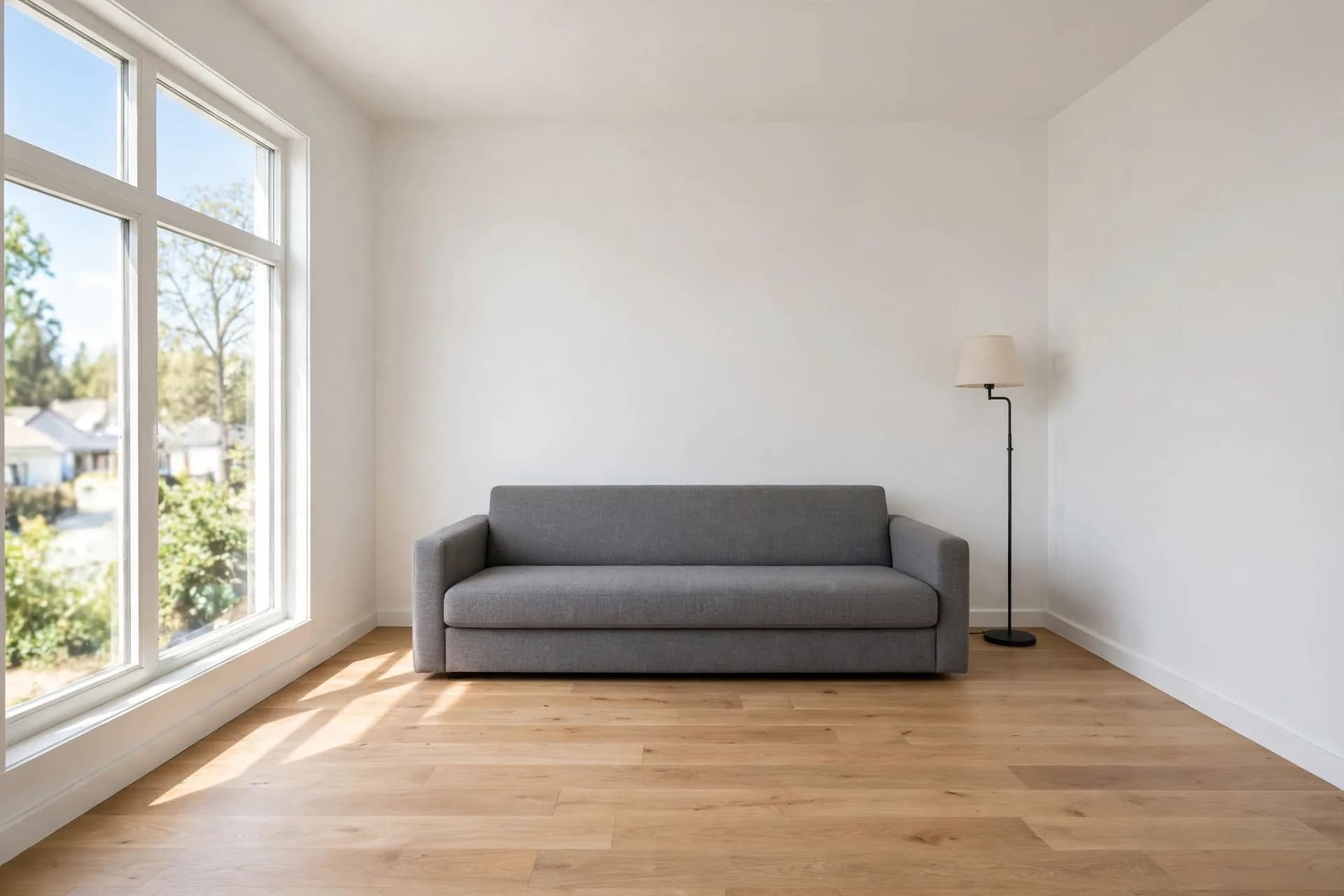
Meta shows Muse Image redesigning rooms from a phone photo. Our test asked for five furniture changes in one pass, then listed what had to survive. Drag across the photo and check both lists.
Changed
- Sofa reupholstered in olive-green velvet
- Low walnut sideboard added on the right
- Woven rug, framed abstract print, fiddle-leaf fig
Held still
- Window, trees and neighbouring houses
- White walls, oak floor, skirting boards
- Camera height and angle, daylight direction
- The floor lamp, which the prompt never mentioned
For one careful change at a time, the image to image AI guide shows how to keep an edit narrow.
Canvas
Every Muse Image shape, one pixel budget
Muse Image renders each ratio at roughly 2.5 megapixels. Voor offers eleven presets from 21:9 to 9:21, plus auto. Wide and tall frames trade height for width instead of losing detail — compare the outlines below, drawn at equal area from the files we received.
- 21:92352×1008 · 2.37 MP
- 3:21920×1280 · 2.46 MP
- 4:31792×1344 · 2.41 MP
- 1:11600×1600 · 2.56 MP
- 4:51408×1760 · 2.48 MP
Writing for Muse Image
Make every Muse Image instruction countable
- 01
Quote every word
Titles and captions go in quotation marks, in reading order. All five strings on the repotting card came back exact.
Title at the top: “REPOT A SUCCULENT IN 4 STEPS”.
- 02
Give structure a number
State the panel count, the grid and the axis range. Muse Image honours structure; check any data it draws against your source.
Four numbered panels in a 2 by 2 grid.
- 03
Give each reference a job
Number the images and say what each one supplies. Name the details of an object that must not change.
Use image 1 as the scene. Place the mug from image 2 on the bistro table.
- 04
List what must survive
End an edit with the things that stay. Muse Image kept every item we named and changed only what we asked for.
Keep the window, walls, floor, camera angle and daylight exactly as they are.
- 4 credits
- per image
- 4 credits
- per edit, with 1 to 10 references
- ≈2.5 MP
- WebP output at every ratio
- 15–35 s
- per image in our runs
Muse Video, Meta's companion model, is still listed as coming soon; the Muse Video page tracks what is known. For packaging lettering with a premium finishing route, compare MAI Image 2.5 from Microsoft, or browse every model in text to image.