Ideogram 4.5 puts exact words into posters, signage, packaging and logos, and can rewrite the text in an image you upload.
Generator examples

Typography proof desk
Ideogram 4.5 output, checked line by line
Every image on this page was generated with Ideogram 4.5 on Voor for this review. Each prompt put the required words in quotation marks; we then read every quoted line against what the model rendered. Spelling was exact in seven of eight typography prompts. The coffee label kept every word but changed capitals and punctuation, and the nutrition panel further down is the one that broke.
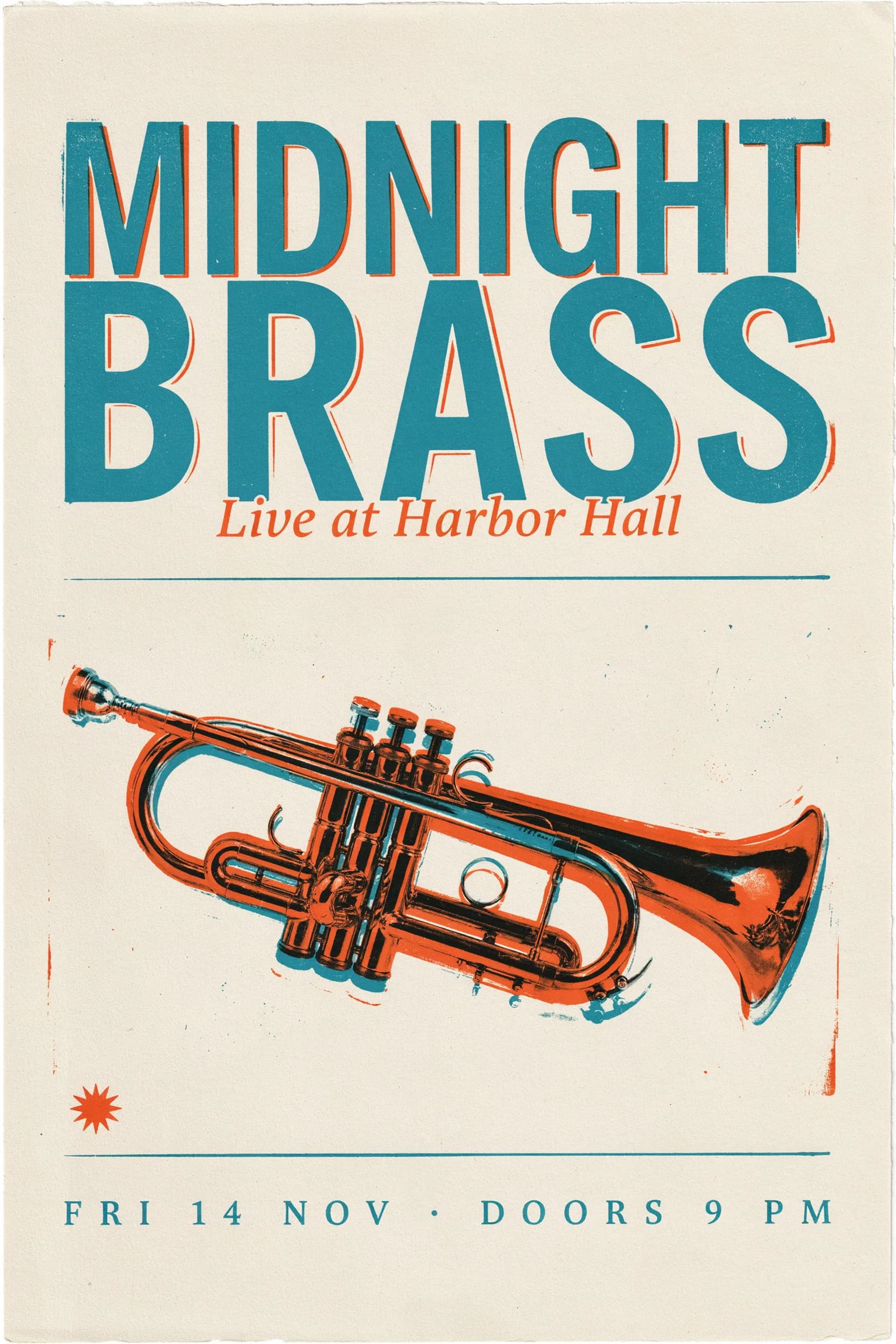
A two-colour concert poster
Pick a requested line to inspect it at full resolution.
Prompt used for this image
Screen-printed concert poster for a fictional jazz night. Large condensed headline at the top reading "MIDNIGHT BRASS". Below it a stylized trumpet made of overlapping orange and teal shapes. Subheading "Live at Harbor Hall". Bottom line "FRI 14 NOV · DOORS 9 PM". Off-white paper texture, two-color risograph print, generous margins.
Ideogram 4.5 renders text as part of the picture: chalk looks like chalk and gold leaf catches the shop light.
Same prompt, three quality tiers
What Ideogram 4.5 low, medium and high quality change
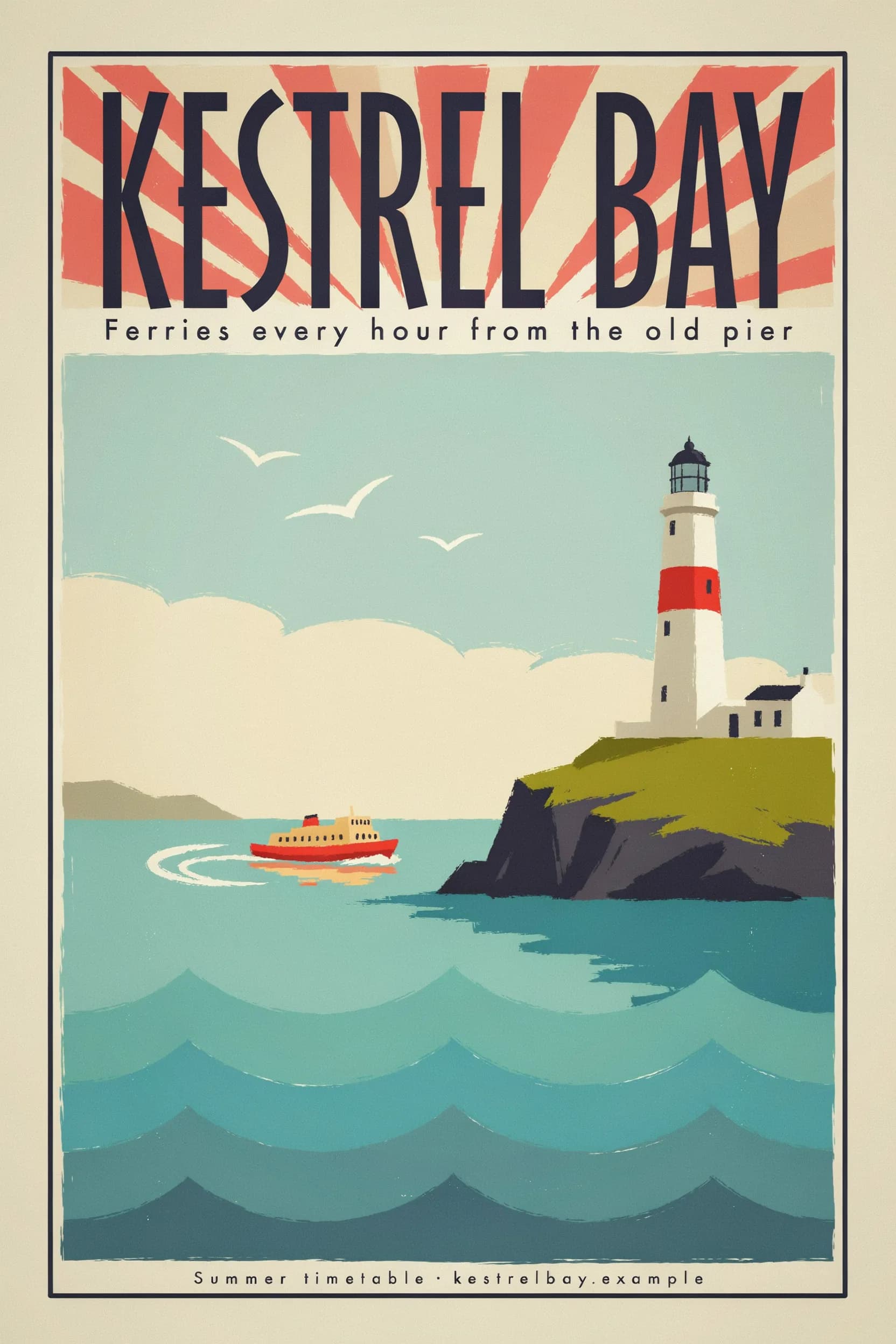
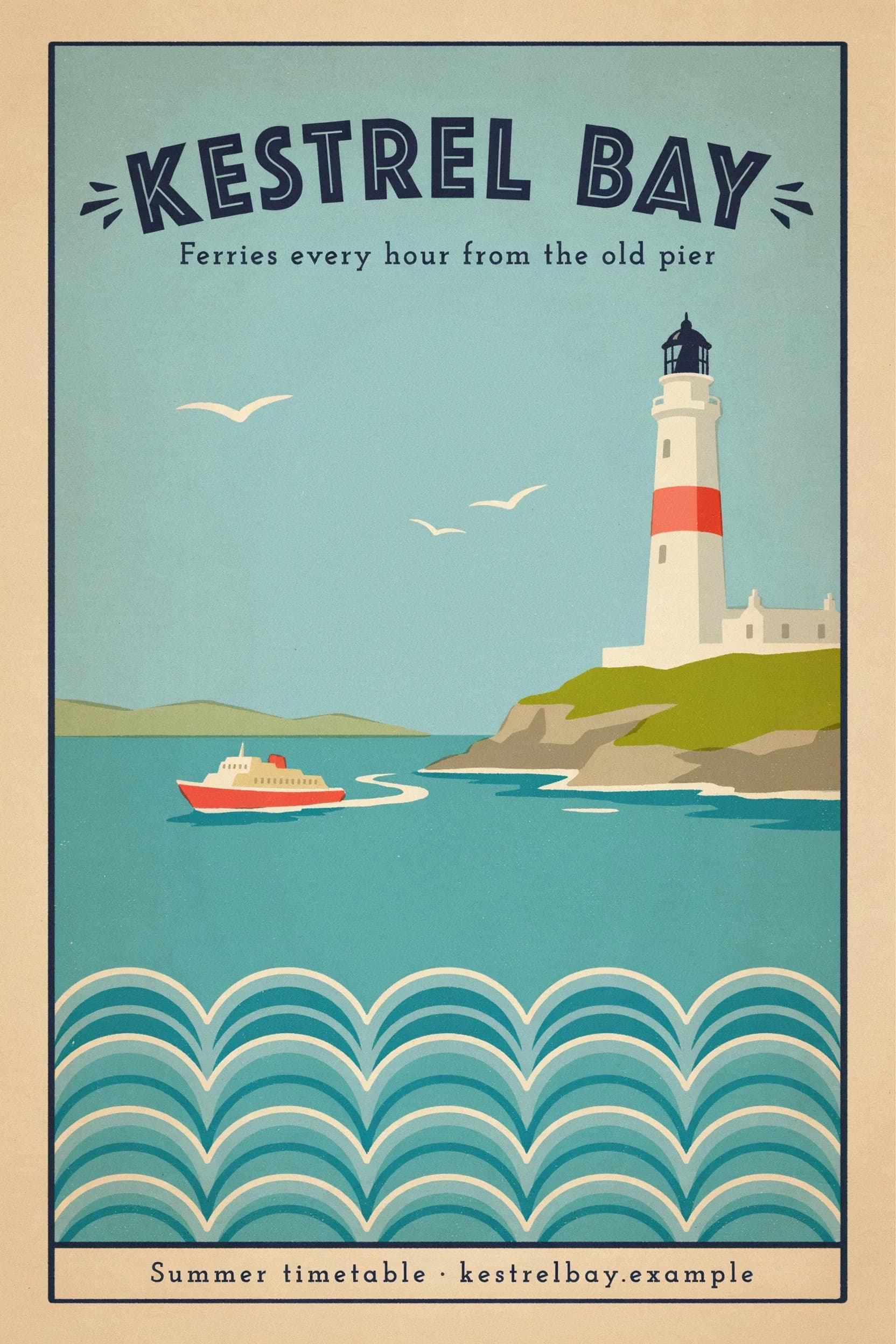
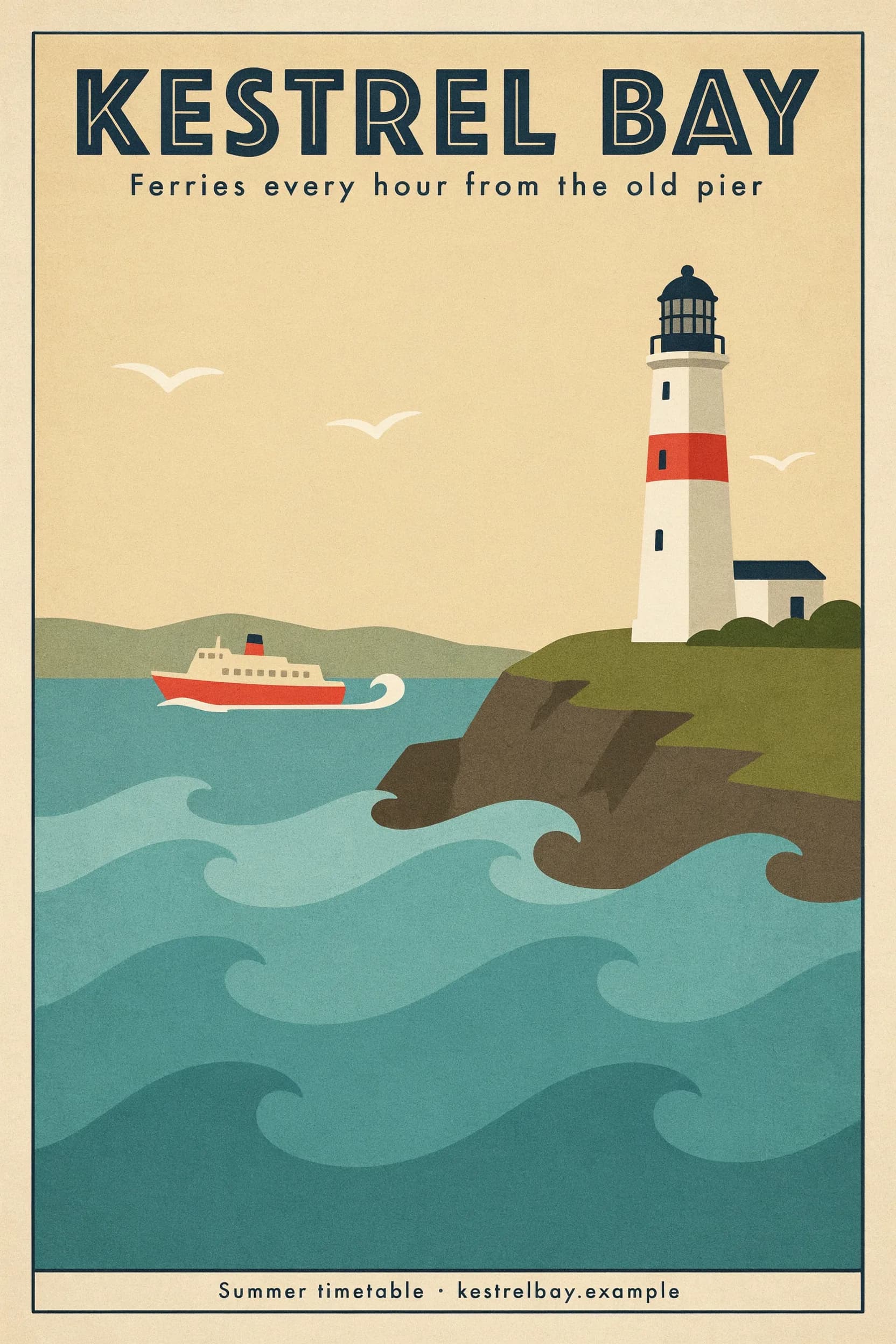
We ran one travel poster prompt at each tier on the same 2:3 canvas. All three spelled every word correctly. The differences are finish, letter spacing and how carefully the smallest line is set — compare the footer strips below the posters.
Low
11 creditsSpelled correctly, but the footer spacing is uneven. Fine for layout tests.
Medium
21 creditsEven footer spacing and a cleaner headline. The default.
High
77 creditsThe crispest small type. Worth it for a final file.
Footer line at full resolution



PromptVintage travel poster for a fictional coastal town. Headline across the top reading "KESTREL BAY". Beneath it the line "Ferries every hour from the old pier". A lighthouse on a cliff, a small red ferry crossing teal water, gulls, stylized waves. Small footer text "Summer timetable · kestrelbay.example". Flat gouache color blocks, art deco lettering, cream border.
Each tier is a separate render, so the layout moves between them. Proofread the high quality Ideogram 4.5 result again.
Ideogram 4.5 Edit
Change the words on a sign without repainting the street
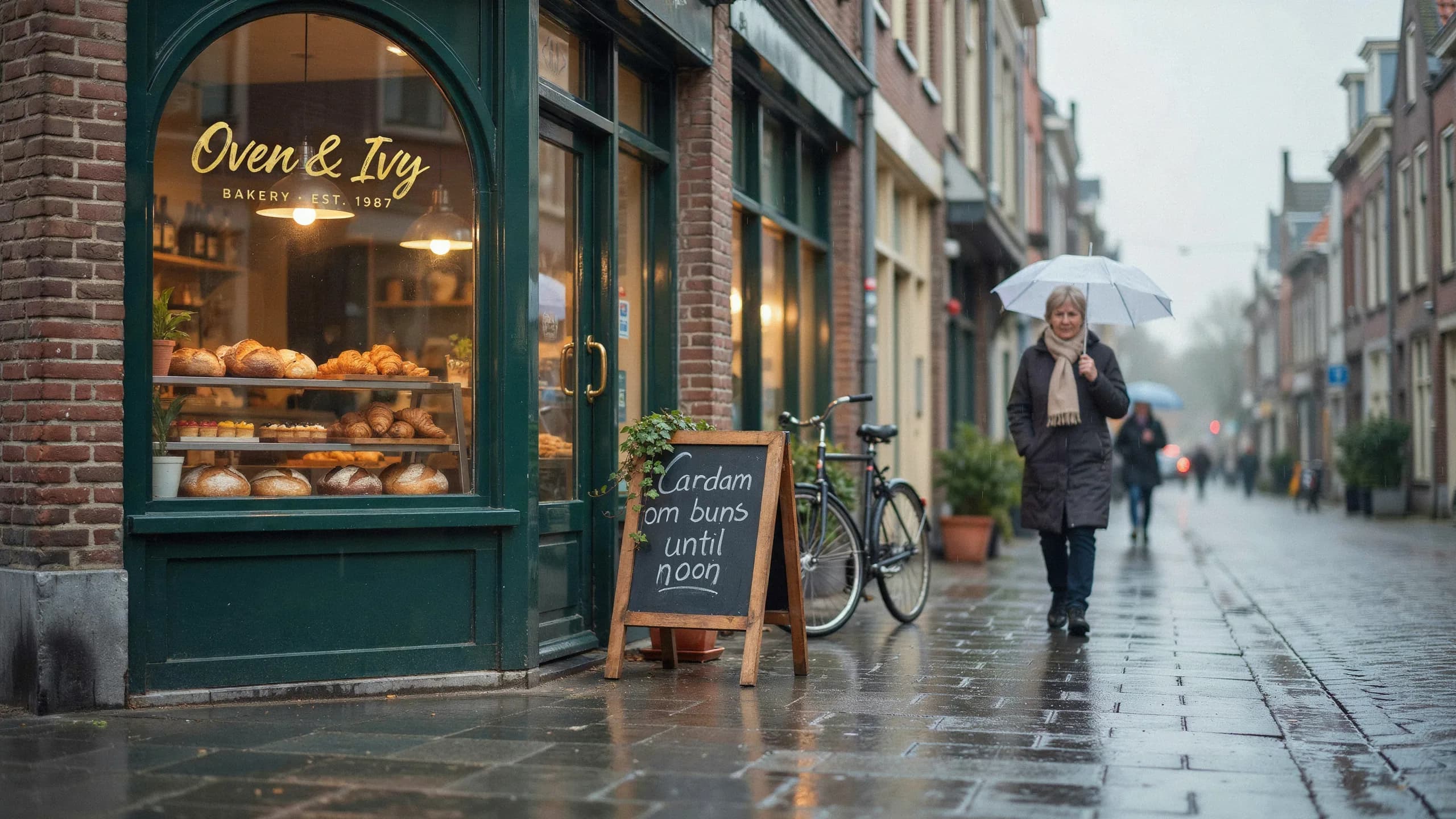
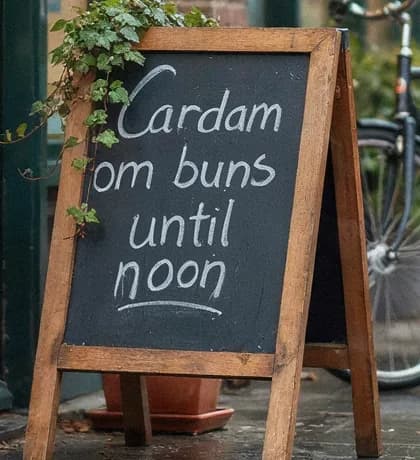
The edit route takes one uploaded image and a written instruction. We asked it to rewrite only the chalkboard in the bakery photo from the proof desk, with high edit precision, which restores the pixels outside the requested change. Step through the three states.
- Instruction
- Change only the chalkboard sign by the door so it reads "Cardamom buns until noon" in the same white chalk handwriting. Keep the window lettering, the shop, the street, the bicycle and the woman with the umbrella exactly as they are.
- What came back
- Street, window and passer-by unchanged. The new words are spelled right, but "Cardamom" does not fit the board and is split as "Cardam / om".
- Settings
- Edit · High precision · Medium · 21 credits
An Ideogram 4.5 edit keeps the object the size it was, so keep new copy close to the old length and write the line breaks into the instruction.
Where it still breaks
Ideogram 4.5 is not a table renderer
Paragraphs worked; structured data did not. Asked for a nutrition facts panel with nine label and value rows, Ideogram 4.5 drew a convincing table in which values moved to the wrong rows, one label was misspelled and an invented row appeared.
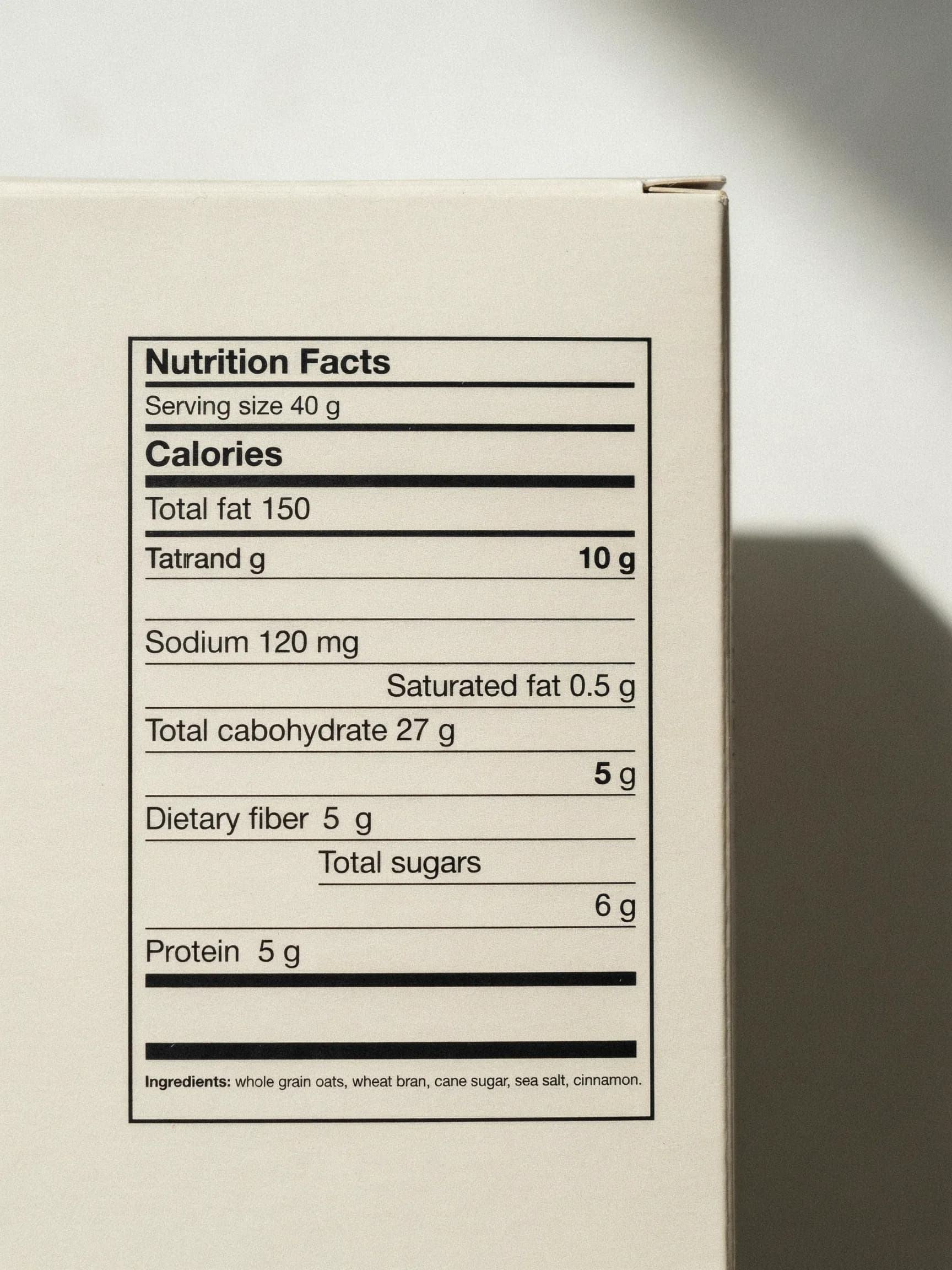
| Requested | Rendered |
|---|---|
| Serving size 40 g | Serving size 40 g |
| Calories 150 | Calories — the number is missing |
| Total fat 3 g | Total fat 150 — took the calorie value |
| — | “Tatrand g … 10 g” — an invented row |
| Saturated fat 0.5 g | Saturated fat 0.5 g — moved below sodium |
| Sodium 120 mg | Sodium 120 mg |
| Total carbohydrate 27 g | Total cabohydrate 27 g — misspelled |
| — | “5 g” on a row of its own |
| Dietary fiber 5 g | Dietary fiber 5 g |
| Total sugars 6 g | Total sugars / 6 g — split over two rows |
| Protein 5 g | Protein 5 g |
| Ingredients line (11 words) | Exact |
The menu board survived because each item and price was one quoted phrase. Set tables, legal lines and regulated copy in a layout tool and leave room for them in the Ideogram 4.5 image.
Prompt structure
How to write an Ideogram 4.5 prompt for text
The prompts that rendered cleanly here share one shape.
object Screen-printed concert poster for a fictional jazz night. role + place Large condensed headline at the top reading “MIDNIGHT BRASS”. Below it a stylized trumpet made of overlapping orange and teal shapes. Subheading “Live at Harbor Hall”. Bottom line “FRI 14 NOV · DOORS 9 PM”. finish Off-white paper texture, two-color risograph print, generous margins.
- 01
Name the object that carries the words
Poster, kraft label, chalkboard, gold-leaf window. The lettering takes the material of that object.
- 02
Quote every string exactly
Put each required line in double quotes with the capitals and punctuation you want.
- 03
Give each line a role and a place
Headline at the top, date line at the bottom. A position for every string keeps lines from merging.
- 04
Describe the lettering, not a font file
Condensed sans, art deco capitals, white chalk handwriting, small serif.
- 05
Keep grids and fine print out of the image
Tables and legal copy belong in your layout tool; ask Ideogram 4.5 for the space instead.
- 06
Proofread at full size before you publish
Read every line at 100 percent. A word can be spelled right and still change case.
On Voor
Ideogram 4.5 settings and credits
The generator above opens on Ideogram 4.5 text to image; switch to Edit in the same family to upload a picture. The live quote updates before every run, and new accounts start with free welcome credits.
- Aspect ratio
- 11 shapesFrom 1:2 to 2:1, each rendered at about 4 megapixels, such as 2048 × 2048 or 2560 × 1440.
- Quality
- 11 · 21 · 77 creditsLow, medium (default) and high. Size never changes the price.
- Prompt expansion
- On by defaultOn for every image here; every quoted line survived it.
- Seed
- OptionalReuse it to return to a composition.
- Edit
- 3 to 77 creditsOne uploaded image, regular or high precision; keeps the source proportions.
Building a full event or product poster? The AI poster generator starts from layout presets. For dense small text such as scorecards or worksheets, get a second opinion from GPT Image 2. When a logo or icon set has to stay editable, Recraft V4 can return an SVG file. Older Ideogram 3 and Ideogram 2 models remain in the text to image picker for comparison.
Ideogram 4.5 FAQ
What is Ideogram 4.5?
Ideogram 4.5 is an image model from Ideogram, the company known for putting accurate text inside generated images. It is built for posters, signage, packaging and logos.
How accurate is Ideogram 4.5 at rendering text?
In our tests spelling was exact in seven of eight typography prompts, including a 55-word paragraph. A nutrition table failed. Always proofread at full size.
How many credits does Ideogram 4.5 cost on Voor?
Text to image costs 11 credits at low quality, 21 at medium and 77 at high, per image. Edits cost 3 credits at very low quality, then 11, 21 and 77.
Which Ideogram 4.5 quality setting should I use?
Medium is the default and was enough for every exact result here. Low suits layout drafts; high gave the crispest small type for final files.
What sizes and aspect ratios does Ideogram 4.5 support here?
Eleven shapes from 1:2 to 2:1, each at about 4 megapixels, for example 2048 × 2048 or 2560 × 1440.
Can Ideogram 4.5 edit text in an existing image?
Yes. Upload one image to Ideogram 4.5 Edit and describe the change, such as new words on a sign. Keep the new copy about as long as the old one.
What should I not ask Ideogram 4.5 to render?
Avoid tables of labels and numbers, nutrition panels and legal fine print. Set that copy in a layout tool.
Should I leave prompt expansion on?
It is on by default, and every quoted line on this page survived it. Turn it off to send Ideogram 4.5 exactly your words.
How is Ideogram 4.5 different from Ideogram 3 on Voor?
Ideogram 3 and Ideogram 2 remain available in the text to image picker. Ideogram 4.5 is the newer generation, with three quality tiers and an instruction-based edit that needs no painted mask.
Put your own words into Ideogram 4.5
Quote every line, give it a place, run medium quality, and read the result at full size before it goes to print.
Create with Ideogram 4.5