Banana AI video connects Nano Banana stills to Veo 3 motion in one studio.


Generator examples
- Slow push-in on the sale banner, soft parallax on background, warm retail light. Keep all on-image text sharp and stable, no camera spin.Before — Slow push-in on the sale banner, soft parallax on background, warm retail light. Keep all on-image text sharp and stable, no camera spin.
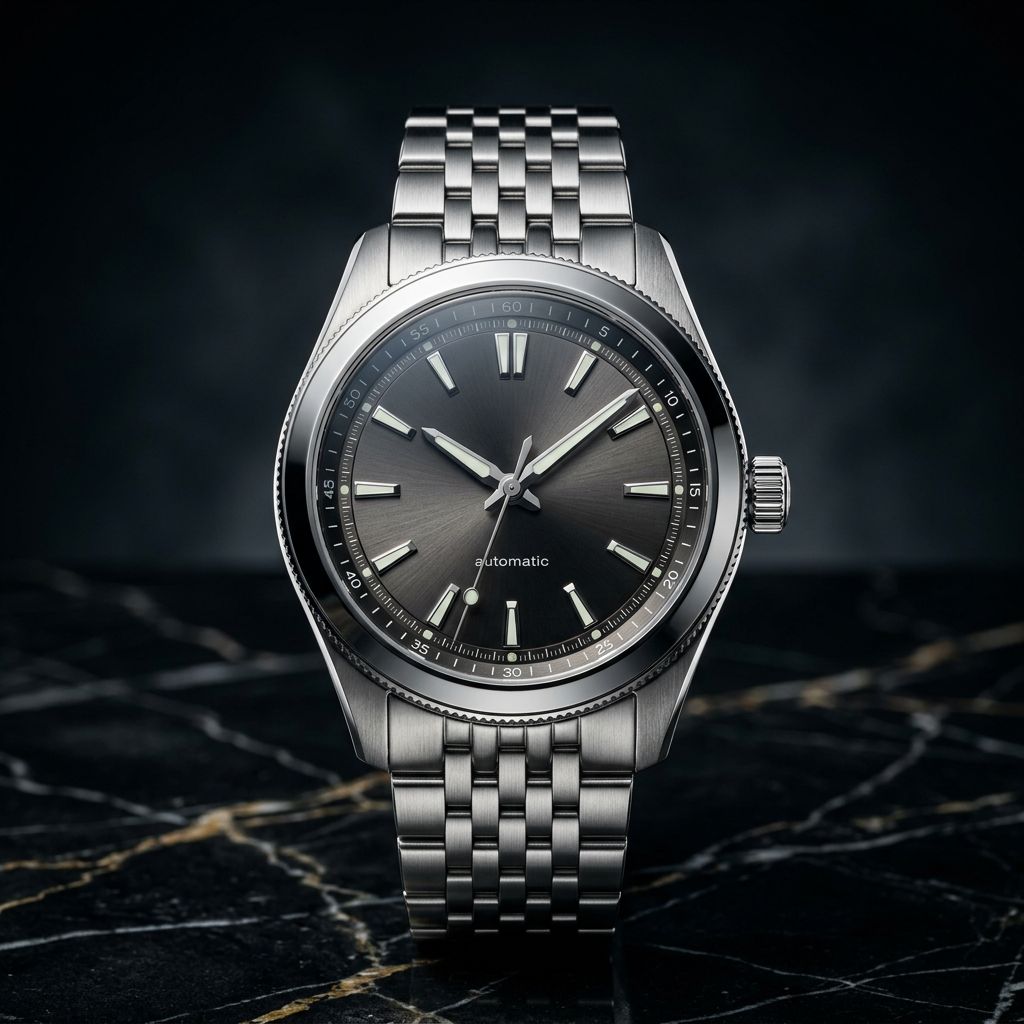
- Gentle 15-degree orbit around centered product, soft studio shadow, static background. Keep product shape and label identical.Before — Gentle 15-degree orbit around centered product, soft studio shadow, static background. Keep product shape and label identical.
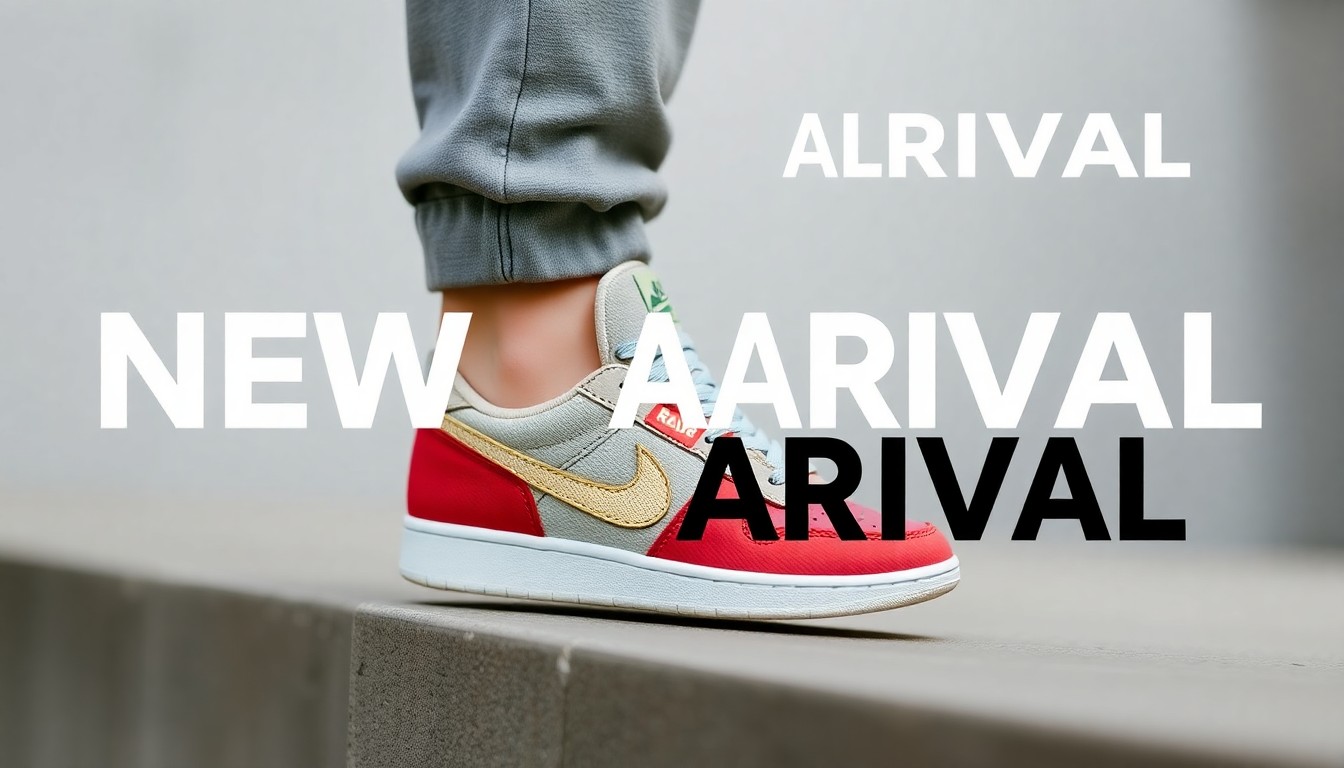
- Layered parallax push, foreground moves slightly faster than background. Keep headline text sharp and stable, static camera.Before — Layered parallax push, foreground moves slightly faster than background. Keep headline text sharp and stable, static camera.
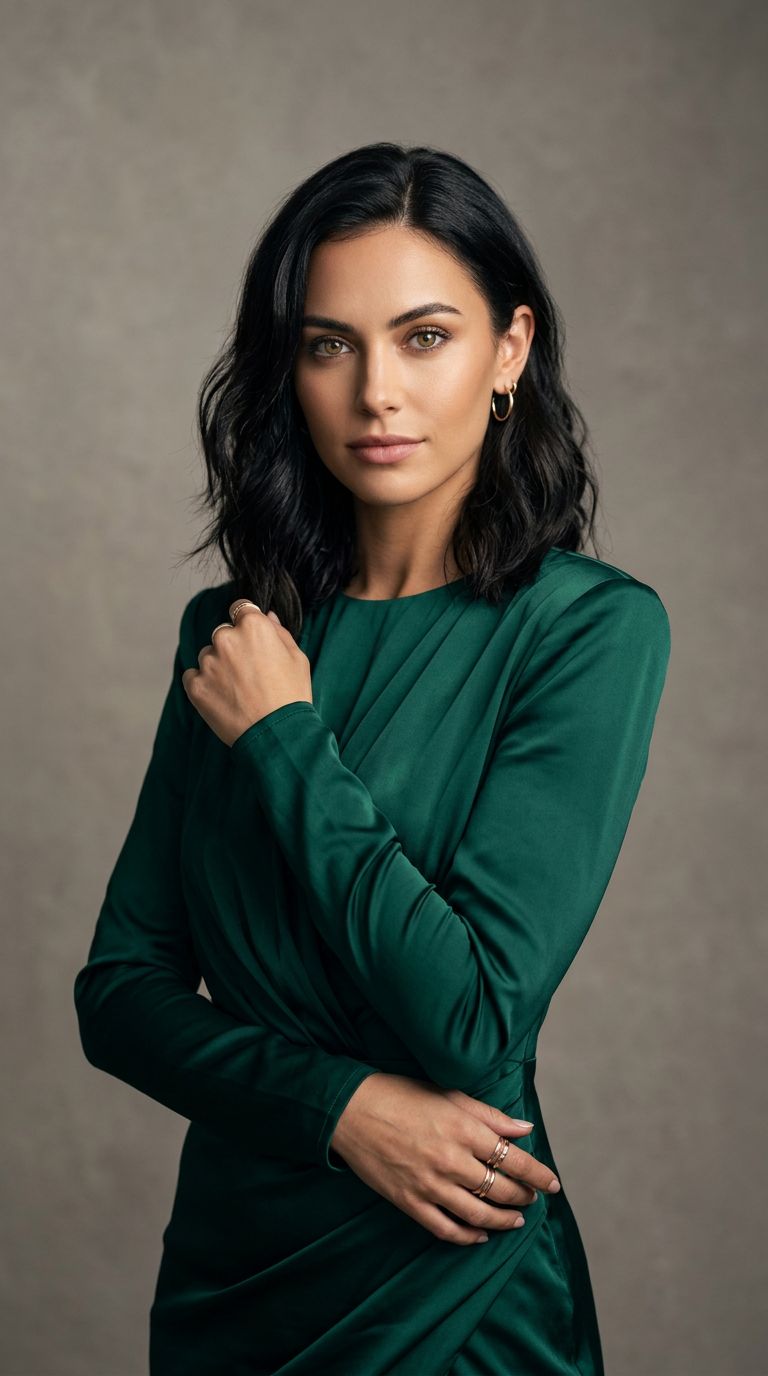
- Static camera, gentle breathing motion in hair and fabric, soft light flicker, seamless loop. Keep identity identical to reference.Before — Static camera, gentle breathing motion in hair and fabric, soft light flicker, seamless loop. Keep identity identical to reference.
Banana AI video — four motion styles from Nano Banana stills
Each tile is a real banana AI video pass — Nano Banana still on Veo 3 motion. Copy the prompt clause, upload your frame, and the pipeline locks palette from the Banana export.
Sale banner push-in
Slow dolly on a Nano Banana promo still — readable SUMMER SALE text survives modest Veo 3 motion.
Product orbit
Gentle orbit around a centered SKU — banana AI video for ecommerce PDP loops.
Banner parallax
Layered parallax on a typography-heavy sneaker banner — headline stays legible through motion.
Portrait breathe
Ambient hair and fabric motion on an editorial portrait — the safest banana AI video preset for faces.
Banana AI video starts with the still you trust
Banana AI video is reference-first: the left frame is your Nano Banana export; the right clip is Veo 3 motion on that exact frame. Fix text and composition on Nano Banana 2 before you animate — banana AI video preserves what you upload.
Banana AI video in three steps
Export on Nano Banana 2
2K or 4K PNG — fix on-image text before the banana AI video motion pass.
Upload + Veo 3
Banana AI video pre-selects Veo 3. One modest motion verb — push, orbit, or parallax.
Ship channel cut
Download MP4 for Reels, Shorts, PDP loops — chain in your editor for longer edits.
01Export 2K PNG from Nano Banana 2 before banana AI video — fix on-image text upstream.
02One camera verb per banana AI video clip; drop the second motion if labels warp.
03Slow push-in is the safest banana AI video preset for typography-heavy banners.
04Label banana AI video as AI when posting — motion is generated, not filmed.
Where banana AI video wins
PDP loops
Banana AI video product orbits for ecommerce — start from Nano Banana packshots with clean edges.
Offer banners
Banana AI video sale creative where typography must stay sharp through motion — rare in pure T2V.
Social teasers
Five-second banana AI video clips for Reels and Shorts — modest motion, one verb cluster.
14 banana AI video ideas to try
Upload your Nano Banana still, pick a motion style from the gallery above, paste one line below. Each idea names subject and motion — Veo 3 handles the lock grammar.
Summer sale banner — export 2K PNG from Nano Banana, slow push-in preset, one verb.
Sneaker PDP loop — packshot orbit, static cyclorama, label must stay sharp.
Editorial portrait — ambient breathe, static camera, five-second social clip.
Watch hero — macro product still, gentle orbit, no zoom plus orbit in one pass.
Food flat lay — steam rising, overhead static, modest parallax only.
App promo still — centered UI mock, slow push-in, typography locked.
Fashion lookbook — fabric sway, soft window light, parallax push.
Travel key art — cloud drift, layered parallax, colors unchanged from still.
Meme graphic — minimal motion so the joke reads; static camera loop.
Black Friday tile — bold headline, slow dolly, reroll if type smears.
Skincare bottle — studio orbit, reflection roll, no label warp.
Magazine cover — subtle hair motion, static camera, identity locked.
Logo lockup — minimal orbit on centered mark, no competing camera verbs.
Seasonal swap — same still, new motion verb per channel cut.
What banana AI video means
Banana AI video is a workflow name, not a single model card. Google Nano Banana handles still intelligence; Veo 3 handles banana AI video motion. Teams search banana AI video when they want one Google story instead of mixing unrelated image and video vendors.
Performance marketers banana AI video seasonal banners because Google stills and Google motion share color science — fewer grade mismatches than mixing unrelated image and video vendors. Document the two-step handoff in your creative brief so producers export 2K PNGs before the banana AI video motion pass.
Banana AI video quality gates are simple: sharp still, modest motion, one verb cluster. Fail any gate and banana AI video rerolls stay cheap relative to reshooting — that is why teams standardize on this pipeline.
Compare nano banana video for Nano Banana 2-specific positioning with Veo 3 Fast, or Gemini Omni for the broader multimodal narrative.
Modest motion ships faster than cinematic chaos. Banana AI video rewards gentle verbs: slow push in, soft parallax, warm retail light. Avoid spin-plus-zoom-plus-pan in one banana AI video render; chain two passes instead.
Label banana AI video as AI-generated when you post. The format is perfect for concept reels and social teasers — not for passing off as handheld footage without disclosure.
Banana AI video — FAQ
Is banana AI video one model?
No — banana AI video is a two-step Google workflow: Nano Banana stills for frame intelligence, then Veo 3 for motion. This page pre-selects Veo 3 for full-quality banana AI video output.
What still should I upload for banana AI video?
Export 2K or 4K PNG from Nano Banana 2 before the banana AI video pass. Sharp stills with clean edges give Veo 3 the best starting frame — blurry uploads blur twice when motion is added.
Can banana AI video preserve on-image text?
Short headlines usually survive modest banana AI video presets like slow push-in or ambient breathe. Avoid heavy orbit on text-heavy exports — reroll with a static camera preset instead.
Fast vs full Veo for banana AI video?
This page uses Veo 3 for full-quality banana AI video. For economical previews try nano banana video with Veo 3 Fast on the same still.
How long is a banana AI video clip?
About four to eight seconds per banana AI video pass — enough for Reels, Shorts, and PDP loops. Chain clips in your editor for longer stories.
Why does my banana AI video warp the product label?
Competing motion verbs cause warp. The banana AI video rule: one camera move, one subject motion. Drop the orbit if you already asked for a dolly in the same prompt.
Banana AI video vs nano banana video?
Banana AI video covers the wider Google Banana family narrative with Veo 3 full quality. Nano banana video is Nano Banana 2-specific and pre-selects Veo 3 Fast for cheaper iteration.
Is banana AI video free to try?
New accounts receive 20 welcome credits; the generator shows the credit cost before you run it. Each render spends credits by model and length.
People also search for
- banana ai video generator
- nano banana to video
- google veo 3 image to video
- banana ai video free
- animate nano banana still
- veo 3 banana workflow
- banana ai video online
- google banana video ai
Banana AI video in three steps: Nano Banana still, Veo 3 motion, MP4 out. Gallery above shows four styles; fourteen ideas below. 20 welcome credits.
Start banana AI video
Already have a still? Skip step one and upload directly — banana AI video still runs Veo 3 motion on any approved photograph.
Animate banana stillsYour privacy, your choice
Optional cookies help us understand usage and measure ads. Essential cookies stay on so Voor works.