A convincing thumbnail is not enough. Keep the uploaded still beside the moving result and ask a stricter question: did the image gain motion without losing the subject that made it worth animating? Compare shape, face, clothing, background geometry, crop, and the final resting frame—not only the most attractive moment.
Generated motion · 5 seconds
Watch the whole loop, then drag the playhead through the middle. Motion quality often changes between the clean first frame and the selected thumbnail.
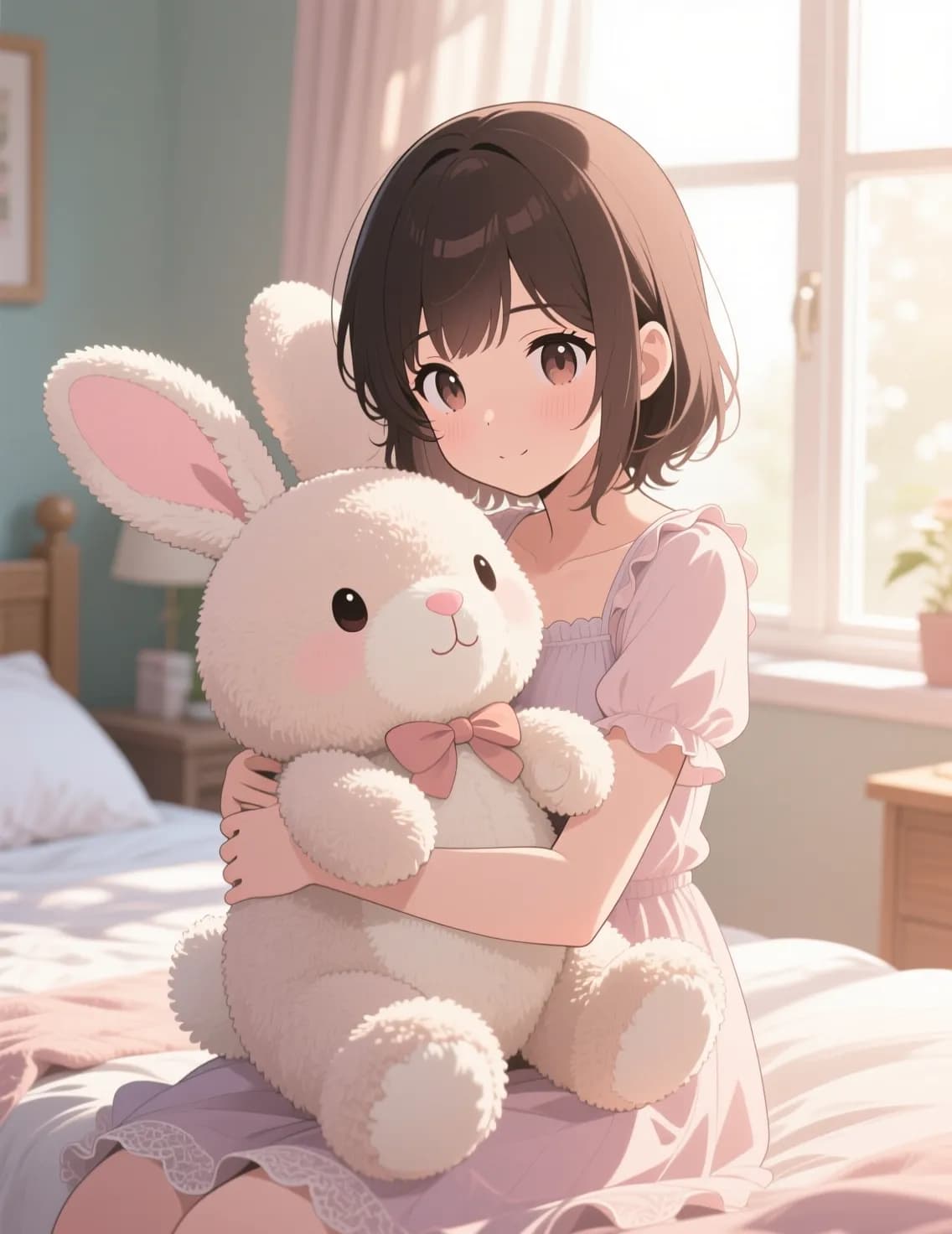
Source still
The still is the contract. Note the face, hairline, jacket edge, lighting direction, background shapes, and available crop before describing motion.
What moved: expression, loose hair, upper-body posture, and small environmental details.
What should hold: identity, clothing, composition, light direction, and portrait crop.
What to inspect: eyelids, teeth, hair crossings, jacket edges, background warping, and the loop boundary.
Build the shot in four decisions
Image animation is a short directing exercise. Each stage reduces ambiguity before you spend another generation: prepare the source, map the motion, write the brief, and approve the finished file.
1.0
Prepare a frame that can move
Start with the largest, cleanest source available. One subject should read immediately, and the intended motion needs physical room. A person turning right needs space on the right; a camera push needs foreground and background separation; an orbit around a product needs visible side planes. Crop after you decide the delivery format, not before.
Remove accidental overlays and avoid relying on tiny generated lettering. If a logo, face, garment, or package label must remain exact, name it in a preserve list. Consider fixing weak edges, blur, or unwanted objects in an image editor first. Animation magnifies source problems because every frame asks the model to reinterpret them.
Identity lockMotion roomCrop edgeDepth cue
2.0
Give every movement a role
Separate motion into four layers rather than writing one mood paragraph. The subject performs the story action. The camera determines how viewers enter the image. Environmental movement supports the scene without competing with the focal point. The finishing instruction tells the model when to settle.
One strong decision per layer is enough. “Slow push-in while the subject looks toward camera; loose hair moves in a light breeze; settle on the original crop” is easier to grade than a request for orbit, zoom, smile, wave, rain, smoke, and a scene transition at once. When a result fails, change one layer and rerun it.
Direct one shotRead from top to bottom
1
Subject
Turn slowly toward camera and take one calm breath.
Story action
2
Camera
Make one restrained push-in and keep the horizon level.
Viewer movement
3
Environment
Move only the loose hair with a light breeze.
Supporting motion
4
Finish
Settle on the original crop with no cut or new object.
Edit point
Combined motion brief
Turn slowly toward camera and take one calm breath. Make one restrained push-in and keep the horizon level. Move only the loose hair with a light breeze. Settle on the original crop with no cut or new object.
3.0
Write a shot brief, not a list of effects
Begin with the visible action and camera rule. Follow with small environmental cues, then list what must remain unchanged. End with the intended crop and final frame. Physical verbs—turn, reach, lift, breathe, track, push, settle—give the model something observable to execute. Quality adjectives do not specify motion.
Keep dialogue, sound, and on-screen copy separate from picture direction. If the selected model supports audio, state speaker, exact line, ambience, and timing. If it does not, leave the image clean for a later audio pass. Critical captions and legal text should remain real typography in the editor rather than pixels inside the generated video.
The subject slowly turns toward camera and takes one calm breath. Loose hair moves in a light breeze. The camera makes a restrained push-in and remains level. Preserve face identity, hairstyle, jacket, lighting direction, background geometry, and portrait crop. No cut, no new objects, no lip movement. Settle into a clean final frame.
Subject
Describe one visible action: turn toward camera, breathe, blink, lift the object, or take two steps.
Camera
Choose one move: locked frame, slow push-in, gentle orbit, pan, tilt, or handheld drift.
Environment
Add only supporting movement such as hair, cloth, foliage, steam, water, shadow, or passing light.
Finish
State where motion settles so the last frame can loop, cut, or hand off cleanly to the next shot.
4.0
Approve the file at playback speed and frame by frame
First watch without pausing. The idea, focal point, and motion should read at the speed where an audience will encounter them. Then inspect the exact frames where objects cross, hands touch, eyes close, hair covers a face, or the camera reveals new space. Those transitions carry more risk than a still thumbnail.
Review the exported crop on the actual destination. A vertical social result may hide action behind interface controls; a website loop needs a quiet ending; an editor needs usable opening and closing handles. Save the prompt, source file, model label, settings, and selected take together so the winning motion can be reproduced instead of guessed later.
Identity
Compare the first, middle, and final frames. The face, product shape, garment, and distinctive marks should not quietly redesign themselves.
Contact
Hands must meet objects, feet must stay on the floor, and shadows should follow the moving subject rather than slide independently.
Depth
Foreground, subject, and background should move at believable relative speeds. Flat drifting layers expose weak spatial interpretation.
Sound
If the selected model returns audio, verify timing, speaker, ambience, and clipping. If it is silent, plan the sound pass separately.
Direct the ending for the destination
The same image needs a different motion brief when it becomes a social hook, product loop, portrait beat, or editorial insert. Choose the delivery shape before generation so camera movement, negative space, and the final frame already serve the edit.
01
Social loop
Put the action in the first second, protect caption-safe areas, and ask the final frame to settle close to the opening pose.
9:16 · short hold02
Product reveal
Lock label, silhouette, material, and camera height. Move light or camera before asking the product itself to deform.
1:1 or 4:5 · clean finish03
Portrait beat
Use breathing, eye direction, hair movement, or a small expression. Large gestures make identity drift harder to control.
4:5 · restrained motion04
Editorial insert
Leave calm frames at the beginning and end, avoid surprise cuts, and preserve the visual space reserved for real typography.
16:9 · edit handles
Animate Image AI FAQ
Short answers for source preparation, prompt direction, audio, drift, and delivery.
What does Animate Image AI do?
Animate Image AI turns a still image into a short video. You upload a source image, describe subject, camera, and environmental motion, choose the supported settings shown in the generator, and review the result before download.
How should I write an image-to-video prompt?
Describe observable motion in physical order. Name one subject action, one camera rule, supporting environmental movement, and the desired final frame. Add a short preserve list for identity, product geometry, text, wardrobe, or background elements that must remain stable.
Which source images animate best?
Use a sharp image with one readable subject, visible separation between foreground and background, enough room in the direction of travel, and no critical details already touching the crop. Clean lighting and an unambiguous pose make motion easier to direct.
Can I animate a portrait?
Yes. Start with subtle breathing, blinking, eye direction, hair movement, or a small expression. Keep camera motion restrained and explicitly preserve face identity, hairstyle, clothing, and background layout.
Can I animate a product photo?
Yes. Lock the product silhouette, label, cap, surface, and contact shadow. A slow camera orbit, reflection sweep, or controlled light change is usually safer than asking the product to bend, open, and transform in one take.
Why does an animated image drift?
Drift often comes from an ambiguous source, too many simultaneous actions, a large camera move, or missing preserve instructions. Reduce the shot to one motion decision, identify the locked regions, and compare the first and final frames at full size.
Does Animate Image AI generate audio?
Audio availability depends on the selected runnable model and settings shown in the generator. When audio is returned, review timing and clipping; when the result is silent, add voice, music, ambience, and effects in a separate editing pass.
Can I use the generated video commercially?
Use only images and likenesses you have permission to animate, and review the terms attached to the selected model and your intended distribution. Check trademarks, music, voices, locations, and recognizable people before publication.
Need to compare several runnable image-to-video models from the same source? Use the broader image-to-video workspace.
Your privacy, your choice
Optional cookies help us understand usage and measure ads. Essential cookies stay on so Voor works.
 Identity lockMotion roomCrop edgeDepth cue