
Discord

Create a nostalgic instant-photo composition from one or more references with Nano Banana 2, realistic flash, film grain, borders, and handwritten captions.

Example Image
InputsInputs — Compose the two consenting portrait references into one generated instant-film memory with direct flash and a physical border.
ResultCompose the two consenting portrait references into one generated instant-film memory with direct flash and a physical border.

Generator examples

AI Gemini Polaroid

AI Gemini Polaroid — direct the memory, flash, and paper

The AI Gemini Polaroid trend uses Gemini image editing—widely known through Nano Banana—to place one or more people into a nostalgic instant-photo composition. Voor makes that workflow explicit: choose a classic single, two-person memory, scrapbook set, or handwritten-caption layout, upload permitted references, and generate through Nano Banana 2 with identity, flash, grain, border, and caption constraints.

Real multi-image model · Identity-role prompts · Caption control

Try AI Gemini Polaroid
Two fictional portrait references before a Gemini Polaroid composition
Two consenting fictional references
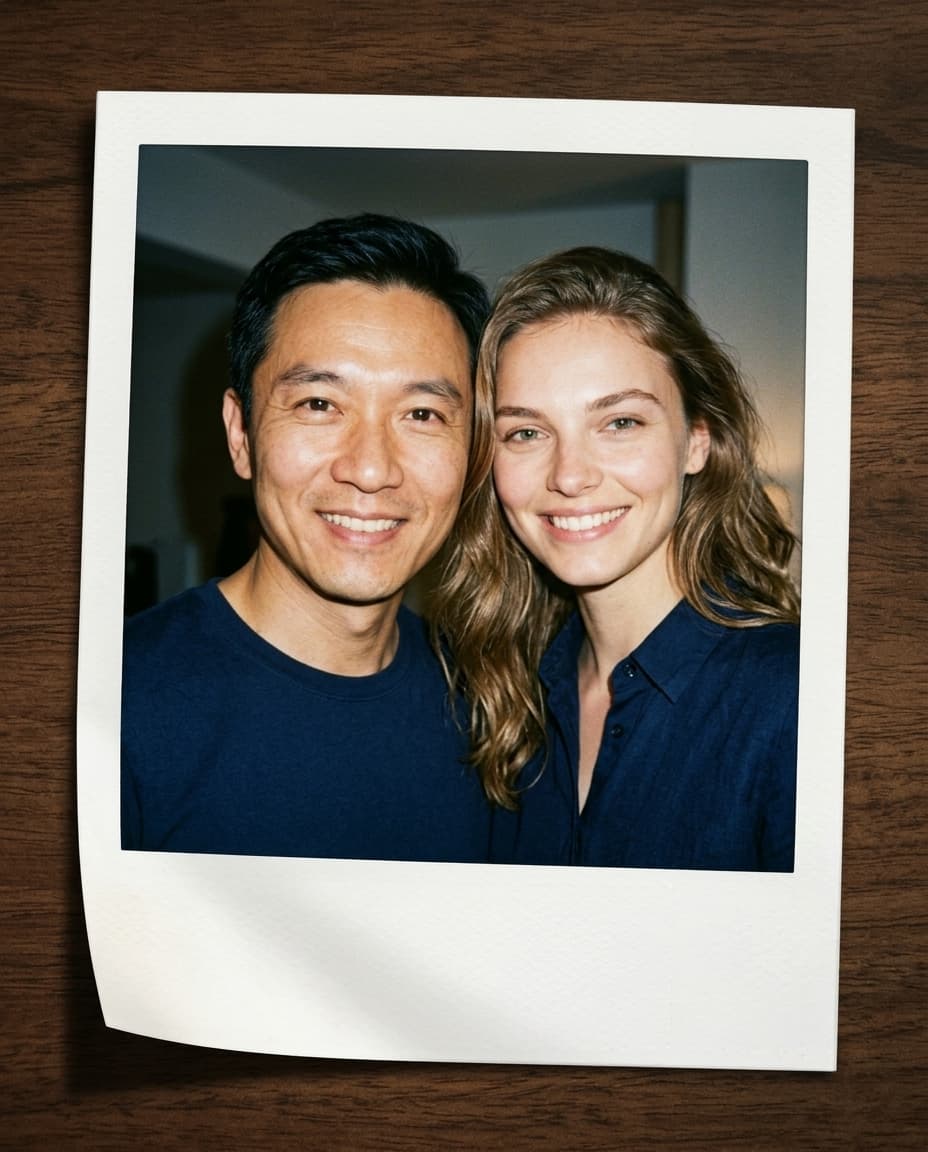
The two fictional adults composed into one AI instant-film photograph
Nano Banana 2 edit — classic instant-film output
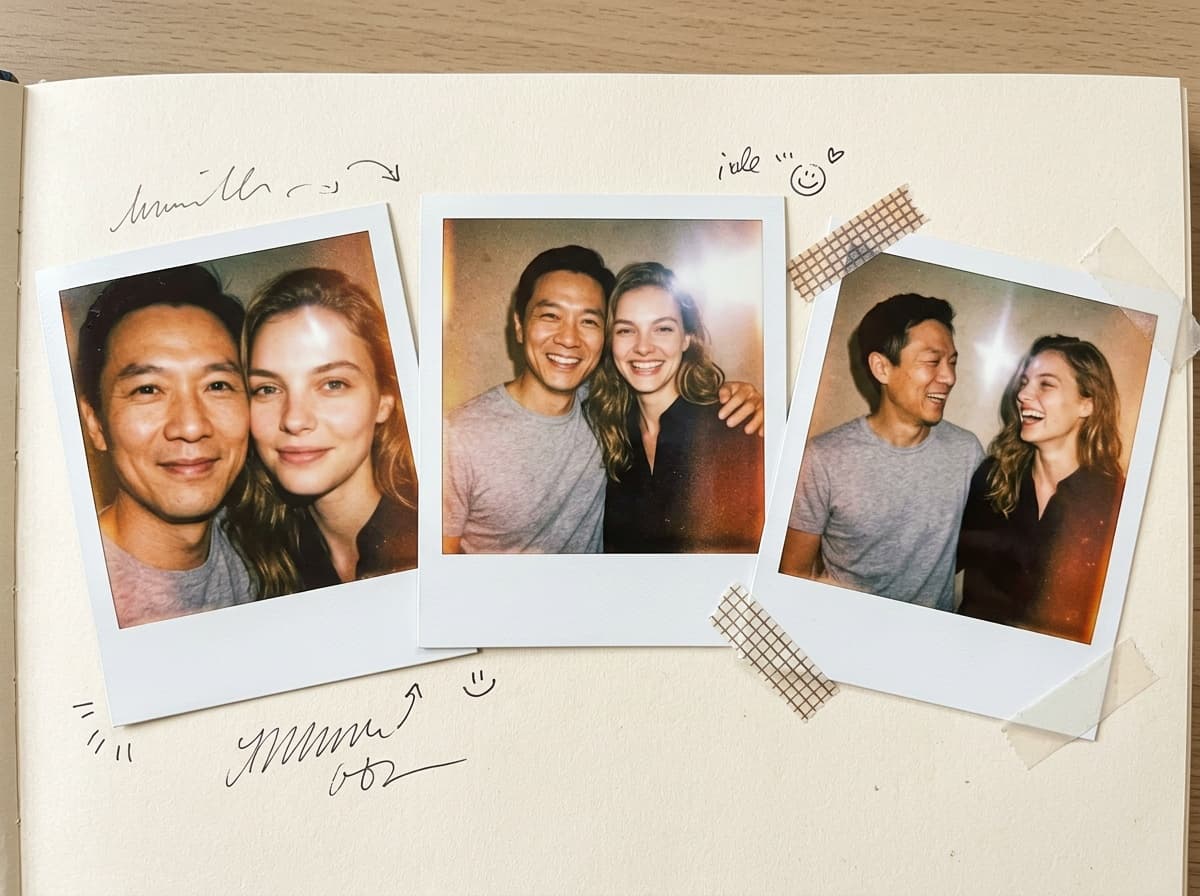
The two fictional adults arranged in an AI instant-film scrapbook
Nano Banana 2 edit — scrapbook variation

How the Gemini Polaroid trend works

Two fictional portrait references before a Gemini Polaroid composition detail crop

Do not create a deceptive image of meeting a real person, especially a public figure, without rights and clear disclosure. For memorial, family, or cross-generational compositions, consider the emotional context and obtain permission from living people whose images are used.

Inspect every face, hand, printed word, border edge, and shadow. Multi-image generation can fuse identities or invent jewelry and clothing. A convincing paper texture does not make the depicted event real.

A recognizable visual target makes the result easy to direct. Assign every reference a role, choose one of four composition modes, constrain any caption text, and confirm the selected model before generating.

The result can continue into a printable collage, greeting, story card, or animation, while the content explains provenance and consent at the moment those issues become relevant.

Instant-film cues beyond a white rectangle

The Polaroid look is a chain of photographic and physical details, not simply a border overlay.

The two fictional adults composed into one AI instant-film photograph
Nano Banana 2 edit — classic instant-film output

Direct on-camera flash

A candid instant photo often has bright central exposure, quick falloff, soft background darkness, and small specular highlights. Match every subject to the same flash.

A compact instant-photo workflow reduces a long prompt to a familiar visual target: direct flash, restrained grain, physical paper borders, and a clearly assigned subject in each frame. Nano Banana 2 is selected by default, and every creative control remains editable.

The two fictional adults arranged in an AI instant-film scrapbook
Nano Banana 2 edit — scrapbook variation

Film and lens character

Use gentle grain, modest sharpness, slight color shift, and restrained imperfections. Heavy scratches and orange overlays turn nostalgia into a generic filter.

Use single-reference mode to restyle one permitted portrait, pair mode for two consenting references, scrapbook mode for several moments, or caption mode when you need only your short quoted text rendered on the frame.

Physical paper object

An uneven white border, tactile thickness, small handling wear, and realistic shadow make the image read as a print rather than a screenshot frame.

Controlled multi-person composition

Assign each uploaded portrait to a subject role, preserve identities, unify scale and eye level, and avoid generating an unapproved celebrity or fictional encounter as if it were real.

Build an instant photo with believable roles

The reference assignment matters most when two people or several moments share one sheet.

  1. Choose the layout first

    Single suits one candid portrait; Pair composes two people; Scrapbook creates several frames; Caption reserves space for exact short writing.

  2. Use compatible portraits

    Clear faces, similar camera height, and uncomplicated occlusion give the model a better chance of preserving identity.

  3. Describe one memory

    Name location, relationship, gesture, flash condition, and mood. Keep the event fictional or clearly disclosed when it did not occur.

  4. Verify text and identity

    Check the caption letter by letter and compare each person against the source before sharing.

AI Gemini Polaroid — practical questions

Is Nano Banana the same as Gemini image generation?

Nano Banana is the popular name associated with Google's Gemini image-generation and editing models. Nano Banana 2 is selected by default, and the exact model label remains visible.

Can I put two people in one Polaroid?

Yes. Choose Two-person memory and upload permitted references supported by the visible model schema.

Can it add handwriting?

Caption mode requests only the short quoted caption. Verify every character because generated text can still contain errors.

Can I create a photo with a celebrity?

Avoid deceptive or unauthorized depictions. Use original fictional subjects or images you have the rights and consent to transform.

Is the result a real scanned Polaroid?

No. It is an AI-generated image styled as an instant print and should be labeled when context could mislead.

Put AI Gemini Polaroid to work

Choose the paper layout, assign every reference a role, and make the flash and physical border support one clearly framed memory. Nostalgia is strongest when the image is both art-directed and honestly labeled.

Open AI Gemini Polaroid