Discord

Turn your own photo into an original cosplay concept with armor, fabric, prop, and convention-photo presets while preserving identity and pose.

Example Image
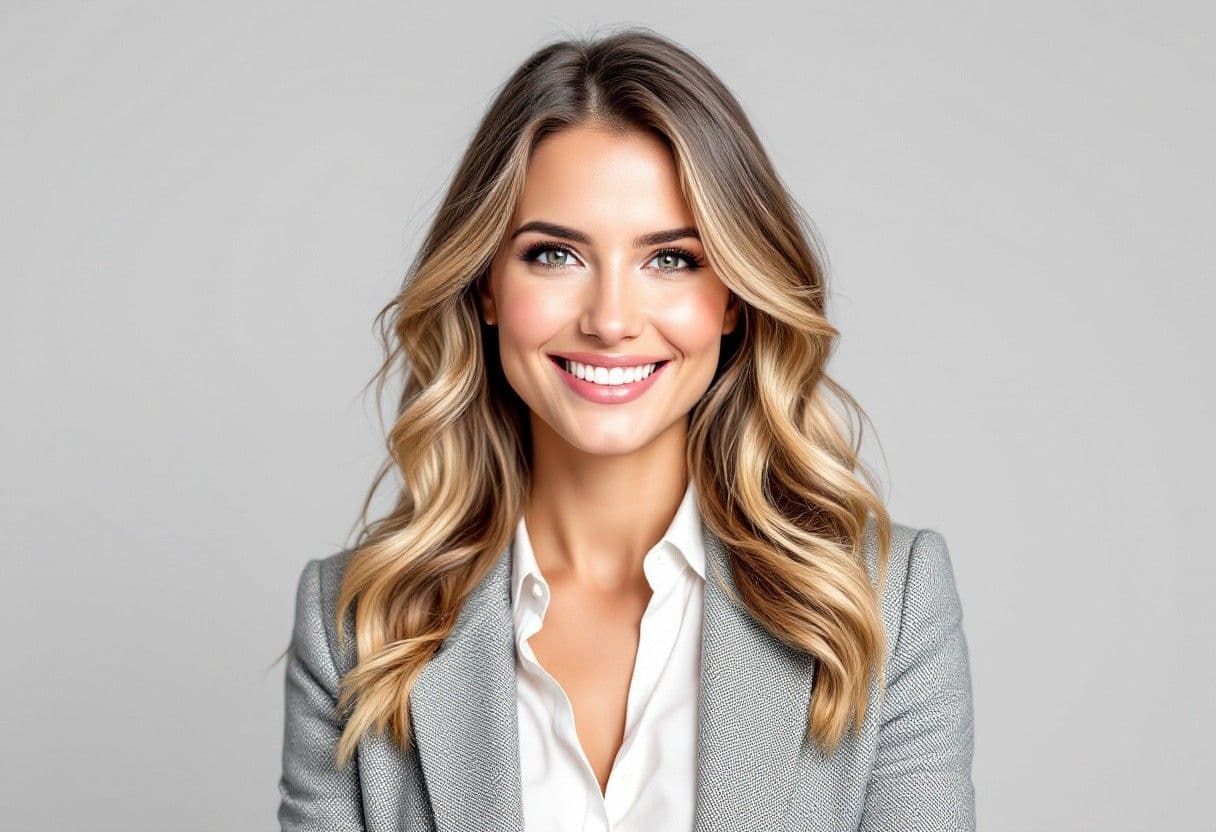
BeforeBefore — Turn the portrait into an original lunar ranger cosplay while preserving identity and pose.
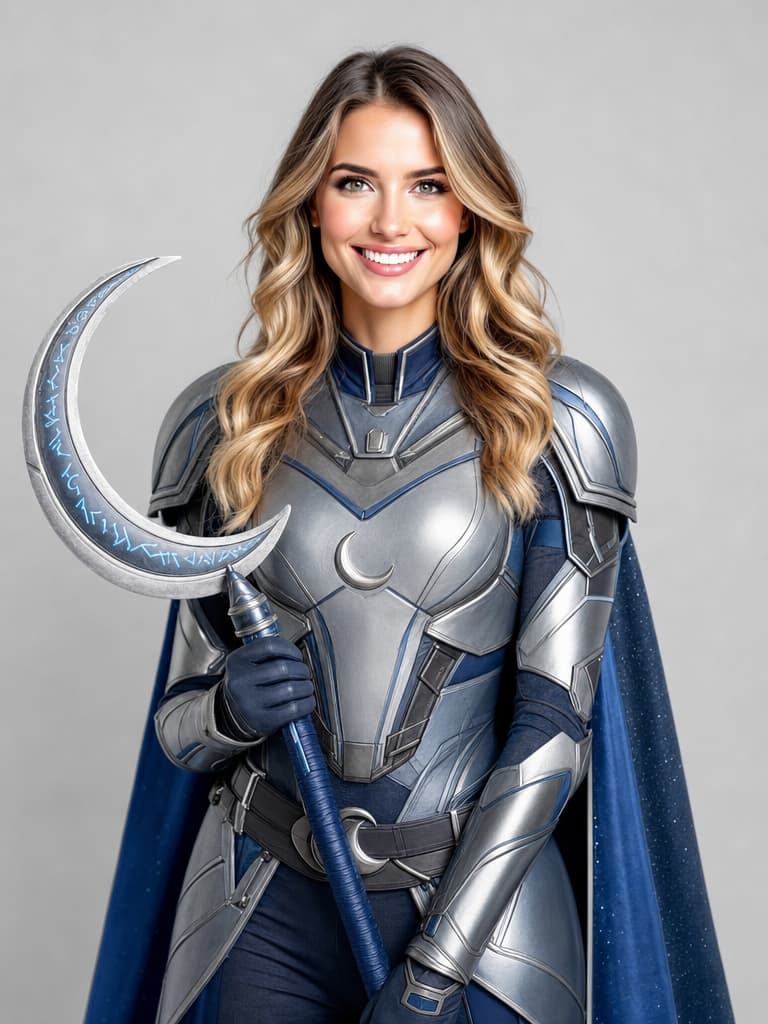
AfterTurn the portrait into an original lunar ranger cosplay while preserving identity and pose.

Generator examples

AI cosplay generator

AI cosplay generator — design an original costume before you build it

An AI cosplay generator is most useful as a costume concept tool: upload your own photo, preserve pose and identity, and explore silhouette, fabric, armor, props, and convention lighting before spending on materials. Voor's presets emphasize original designs and practical construction cues rather than promising an exact copy of a protected character.

Identity-preserving edit · Buildable detail prompts · IP-aware concepts

Try AI cosplay generator
Fictional adult portrait before an original cosplay edit
Source portrait — identity and pose stay fixed
Same fictional adult in an original lunar ranger cosplay
GPT Image 2 edit — original lunar ranger
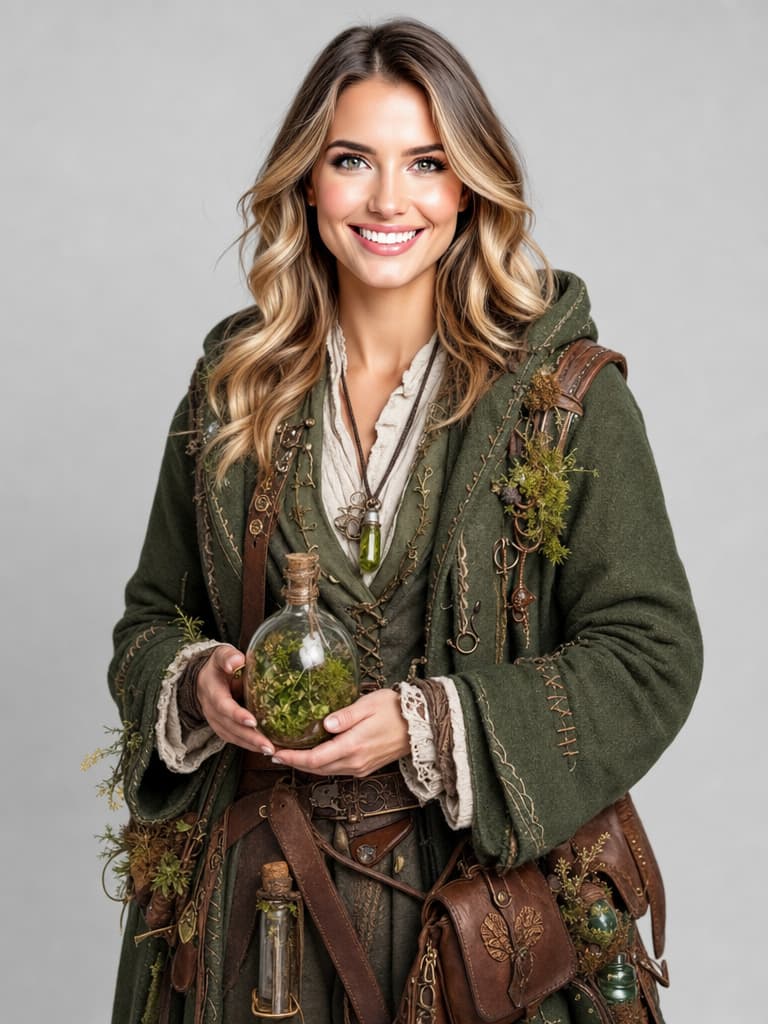
Same fictional adult in an original forest alchemist cosplay
GPT Image 2 edit — original forest alchemist

From selfie transformation to costume brief

Fictional adult portrait before an original cosplay edit detail crop

Use your own image or one you have permission to transform. Avoid sexualizing minors, copying a living person's identity without consent, or requesting exact protected characters and logos. Describe original archetypes, color stories, materials, and narrative functions instead.

Review the result like a maker. Check whether armor bends at joints, fabric has plausible support, weapons are clearly props, hands can hold accessories, the silhouette reads from a distance, and the costume can be separated into buildable pieces.

Each concept remains editable, original, and oriented toward what a cosplayer needs next: a readable silhouette, plausible material decisions, and a design that can be separated into buildable parts.

After approving the concept, refine a prop in the image editor, create alternate colorways, or animate the design without rebuilding the identity brief from scratch.

Concept directions built around fabrication

A costume becomes actionable when seams, closures, materials, movement, and prop scale make visual sense.

Same fictional adult in an original lunar ranger cosplay
GPT Image 2 edit — original lunar ranger

Original fantasy armor

Layer plates over plausible padding and joints, preserve movement at shoulders and hips, and keep decorative motifs invented. The result can guide foam, resin, leather, or 3D-print planning.

Begin with a clear photo and choose an original armor, mage, science-fiction, or historical-fantasy direction. Turn the chosen look into a costume brief before committing to materials or fabrication.

Same fictional adult in an original forest alchemist cosplay
GPT Image 2 edit — original forest alchemist

Celestial mage

Fabric weight, layered hems, practical fasteners, light-catching trim, and an original prop create a coherent concept beyond a generic robe filter.

Voor adds a build-oriented preservation contract. The edit keeps the user's face and pose while the prompt defines garment layers, material, hardware, prop, background, and intended photo context. The result remains concept art; it does not generate sewing patterns or safety certification.

Science-fiction pilot

Functional seams, invented patches, safe prop language, and weathering help the outfit feel designed for a fictional role without borrowing a franchise uniform.

Historical fantasy

Use researched material logic as inspiration while avoiding claims that an invented costume is an exact representation of a living culture.

Turn a portrait into a buildable concept sheet

The generator creates the strongest starting point when the photo already shows the body area the costume must cover.

  1. Choose a useful source pose

    Front or three-quarter full-body photos reveal silhouette and material breaks. Keep hands visible if the design includes a prop.

  2. Define the original archetype

    Write role, era, palette, materials, weathering, and one signature object instead of naming a copyrighted character.

  3. Ask for construction logic

    Mention closures, layered panels, flexible joints, attachment points, and safe prop scale so the image can inform a real build.

  4. Separate art from pattern

    Use the result as a reference, then create actual measurements, patterns, material tests, and safety checks outside the generator.

AI cosplay generator — practical questions

Can I cosplay an exact copyrighted character?

The presets focus on original archetypes. Follow applicable IP rules and avoid protected logos or exact replicas when you lack permission.

Will the tool preserve my face?

The edit requests identity preservation, but generative output can drift. Compare against the source and rerun if needed.

Can it create sewing patterns?

No. It creates concept images. Real patterns require measurements, construction planning, and material tests.

Which photo is best?

A sharp full-body or three-quarter image with visible hands, neutral light, and minimal occlusion.

Can I animate the cosplay?

Yes. Download the approved still and use an image-to-video workflow with restrained motion that protects costume geometry.

Put AI cosplay generator to work

Use the generator to decide silhouette, material, and story, then hand the concept to a real build process. The strongest cosplay image is one that inspires an original costume someone could plausibly make and wear.

Open AI cosplay generator