Discord

Transform a portrait into marble, bronze, gilded, or monumental sculpture art while keeping the pose and recognizable facial geometry.

Example Image
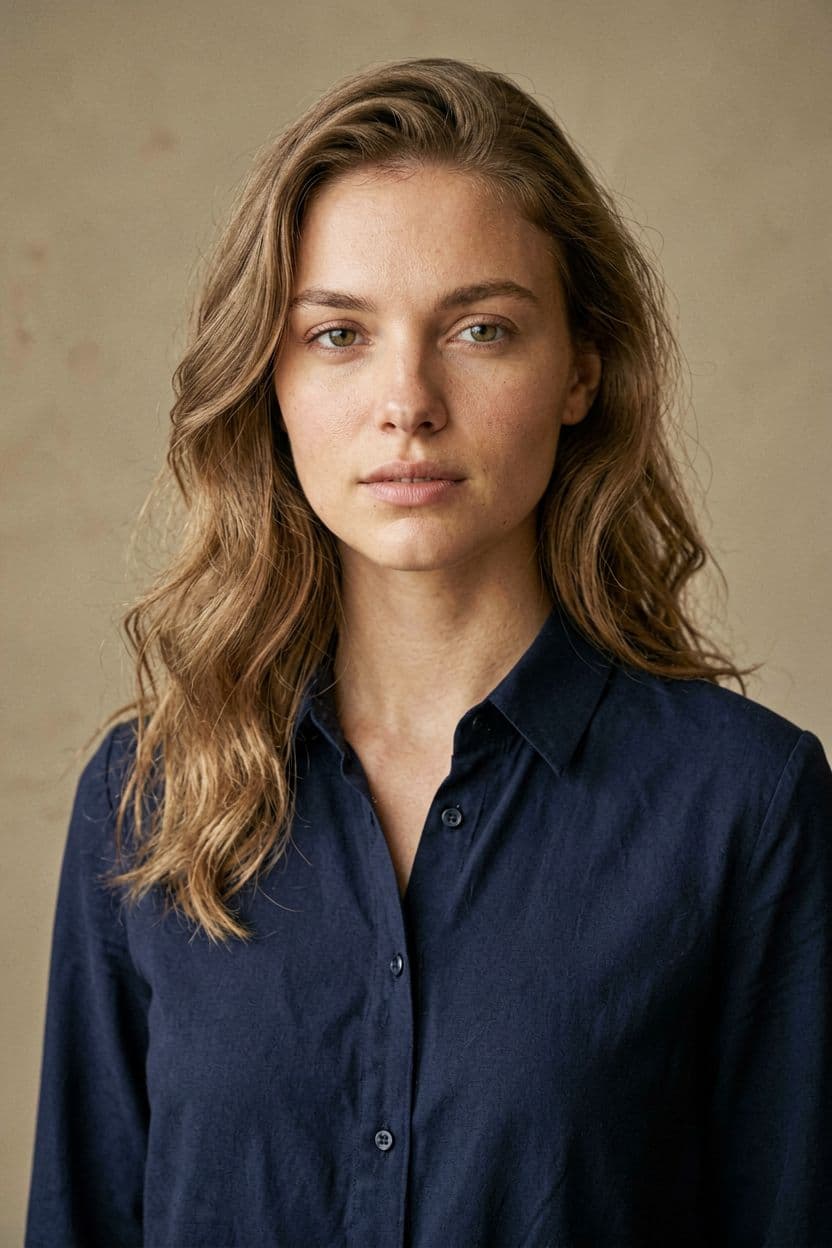
BeforeBefore — Transform the portrait into a carved Carrara marble bust while preserving pose and recognizable facial geometry.
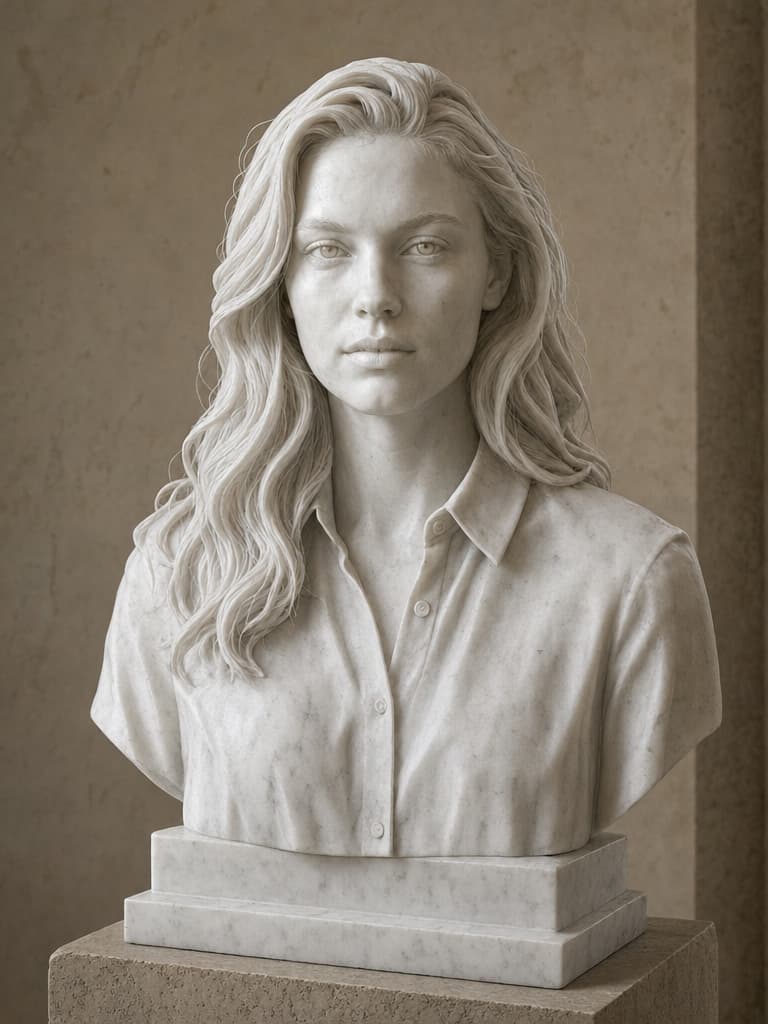
AfterTransform the portrait into a carved Carrara marble bust while preserving pose and recognizable facial geometry.

Generator examples

AI sculpture filter

AI sculpture filter — model the material, light, and scale

A convincing AI sculpture filter is more than making a portrait gray or gold. Marble needs subsurface softness and chisel detail; bronze needs cast-metal highlights and patina; clay needs fingerprints and tool marks. Voor turns those material cues into four real image-edit presets while preserving the subject's pose and recognizable geometry.

Material-led prompts · Recognizable geometry · Museum-light presets

Try AI sculpture filter
Fictional adult portrait before an AI sculpture transformation
Source portrait — pose and facial geometry
Same fictional portrait transformed into a Carrara marble bust
GPT Image 2 edit — carved marble bust

Four sculpture materials with different evidence

The material should be visible in edge behavior, surface variation, and light—not only in hue.

Same fictional portrait transformed into a Carrara marble bust
GPT Image 2 edit — carved marble bust

Carrara marble bust

Soft translucency at thin edges, carved hair masses, restrained veins, and a believable plinth create a museum object rather than a grayscale person.

Create a dramatic giant-statue scene, a formal portrait bust, or a smaller workshop study. Material-specific controls help distinguish a bust, maquette, or cinematic monument from a simple gold color overlay.

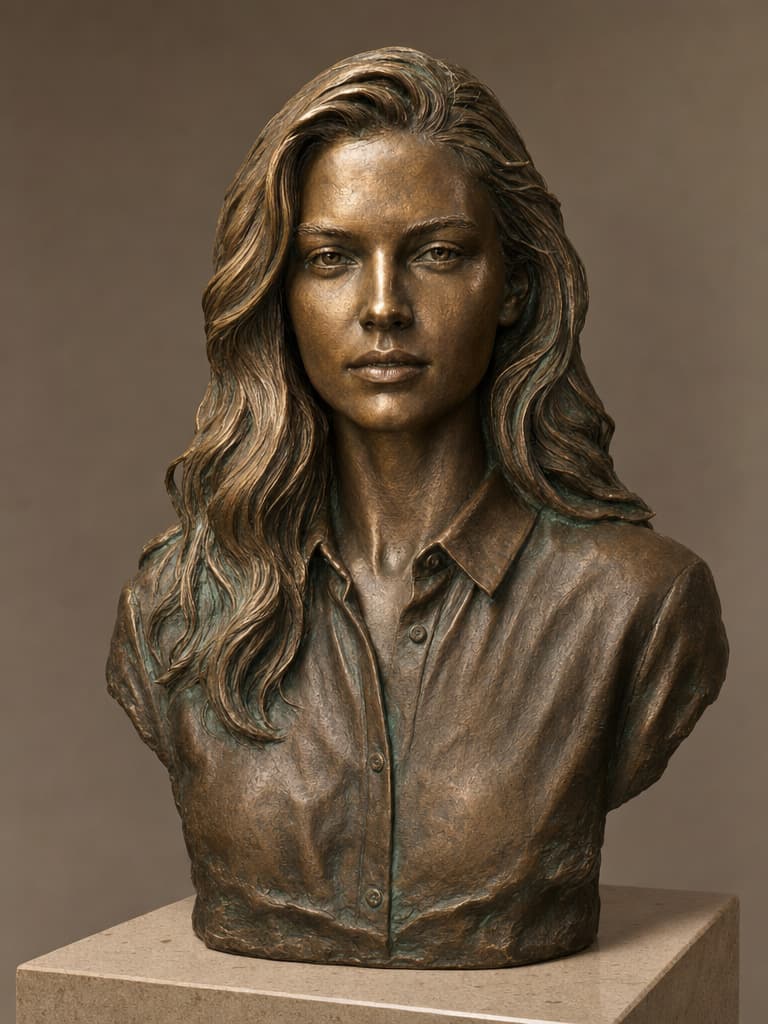
Same fictional portrait transformed into a patinated bronze bust
GPT Image 2 edit — cast bronze bust

Aged bronze cast

Specular highlights, darker recesses, selective green patina, and casting detail communicate metal weight and age.

The live edit begins from the uploaded image and asks the selected model to reinterpret the subject. Identity preservation is approximate because the face is intentionally converted into a different medium. Review recognizable proportions and expression rather than expecting photographic skin details to remain.

Gilded monument

A monumental result needs scale cues, controlled gold reflections, and architectural context. The preset keeps the scene fictional and avoids political or branded symbolism.

Clay maquette

Fingerprints, tool lines, softened edges, and studio work light make an in-progress sculptural study useful for concept development.

AI sculpture filter — practical questions

Does this create a 3D model?

No. It creates a 2D rendered image of a sculpture. Use a 2D-to-3D tool for mesh output.

Which source angle works best?

Front or three-quarter portraits with a clear silhouette and visible shoulders are reliable for busts.

Can I make a giant statue scene?

Yes. Choose Gilded monument and describe the fictional plaza, scale cues, camera, and weather.

Will the face remain exact?

It should remain recognizable, but the material transformation intentionally changes surface detail. Compare proportions and expression.

Can I use a real public figure?

Only when the depiction and source rights permit it, and never present the generated monument as a real installation.

Why surface logic matters

Fictional adult portrait before an AI sculpture transformation detail crop

Source lighting affects the result. A hard side light can translate into dramatic bronze, while flat front light may be better for an evenly carved marble study. Visible shoulders and a clean silhouette help the model decide where a bust ends and a plinth begins.

Generated sculpture imagery is concept art. It does not create a printable 3D mesh, engineering dimensions, or evidence that a physical monument exists. Use Voor's 2D-to-3D workflow when the deliverable is geometry rather than a rendered image.

Compare four distinct material workflows in the editor and inspect how each one changes surface, edge, weight, and light. A convincing sculpture needs material behavior, not only a dramatic statue silhouette.

That supports more than a social trend: illustrators can develop monument concepts, game artists can explore bust references, and designers can produce editorial art while keeping the difference between rendered concept and physical sculpture explicit.

Turn a portrait into a material study

Choose the intended object first: bust, full figure, monument, or workshop maquette.

  1. Select a readable source

    Use a sharp face and silhouette with enough shoulder or body context for the requested sculpture form.

  2. Choose material and object scale

    Name bust, tabletop maquette, gallery figure, or outdoor monument. Scale changes light, background, and surface detail.

  3. Add one contextual cue

    A museum wall, foundry floor, studio turntable, or city plaza makes the material and size legible without clutter.

  4. Inspect surface and anatomy

    Check eyes, mouth, fingers, plinth joins, repeated texture, highlight behavior, and whether the material reads beyond color.

Put AI sculpture filter to work

Pick the physical object, then let material, light, surface, and scale support that choice. A strong sculpture image should still read as marble, bronze, gold, or clay when viewed without the prompt.

Open AI sculpture filter