


Flux AI — text becomes the frame
One prompt, many styles — photoreal portraits, retail posters, product packshots, landscapes, and concept art from Black Forest Labs' Flux stack. Start on Schnell for fast previews, escalate to 1.1 Pro when typography and detail gate approval.
6 Flux AI examples — Flux 1.1 Pro
Flux AI image examples
Six prompts, six styles — every image was generated with Flux AI on Voor AI. Filter by category, copy a prompt, paste into the generator, and reroll until the frame matches your brief.
- Photoreal
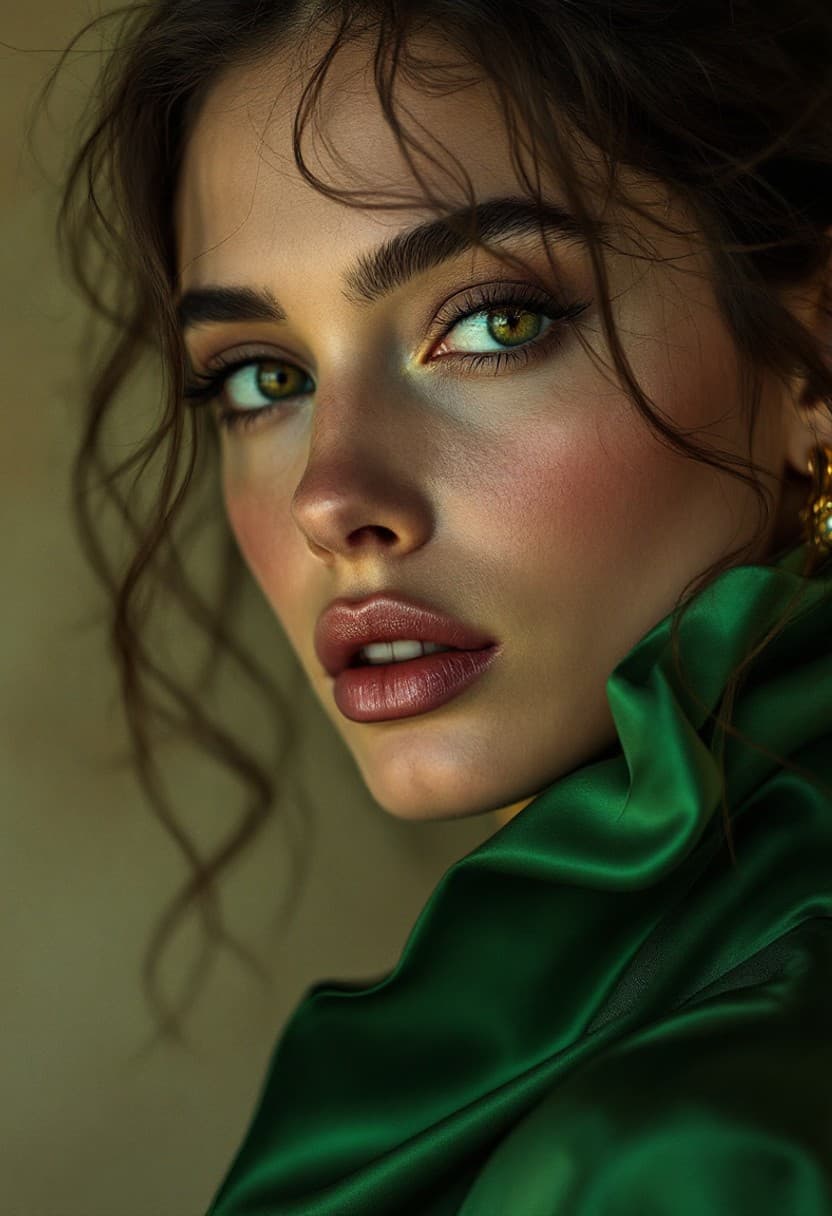
Editorial portrait
Editorial fashion portrait of woman in emerald silk blouse, soft Rembrandt studio lighting, shallow depth of field, Vogue magazine cover quality, photorealistic
 Typography
Retail poster
Minimal retail poster with large readable headline SUMMER SALE 40 OFF, coral and cream color palette, wireless earbuds product shot, clean Swiss typography layout
 Ecommerce
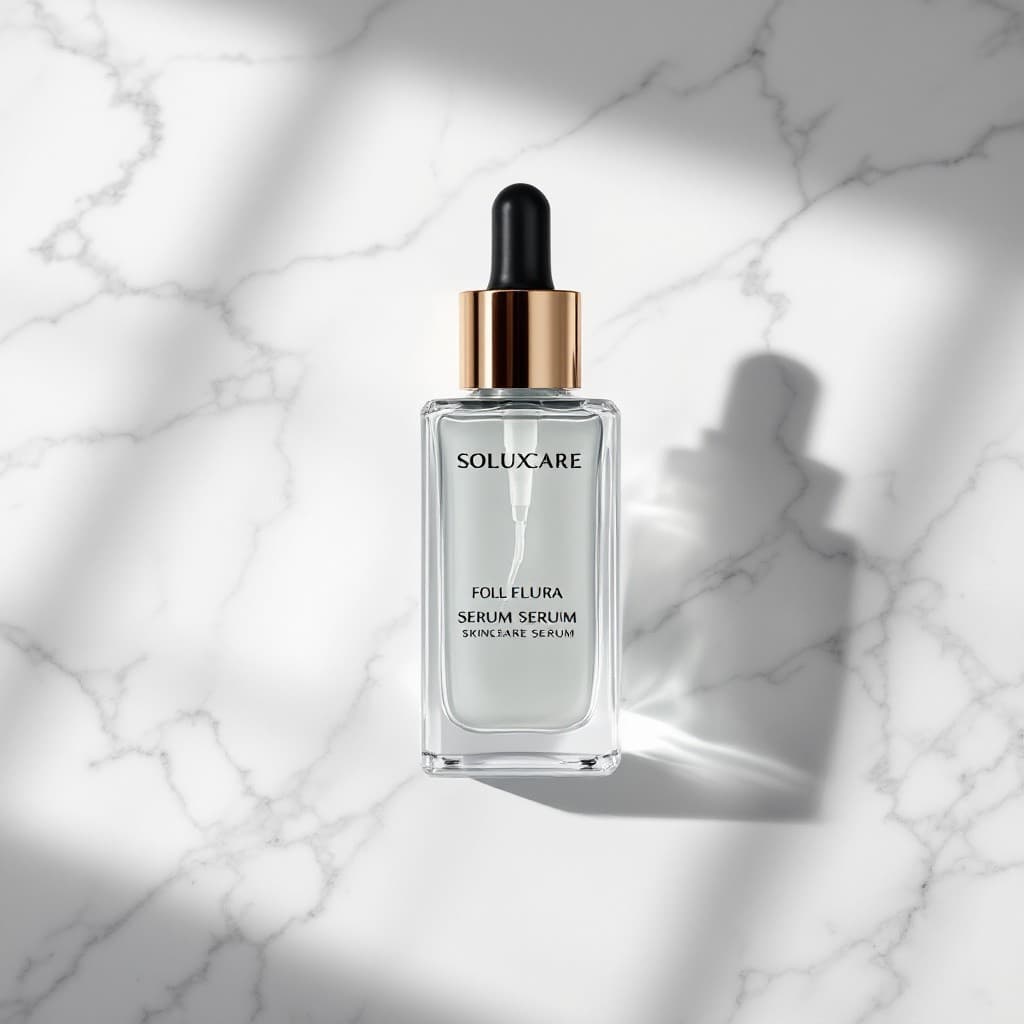
Product packshot
Luxury skincare serum bottle on white marble surface, studio softbox lighting, sharp label text, photorealistic ecommerce packshot
 Film still
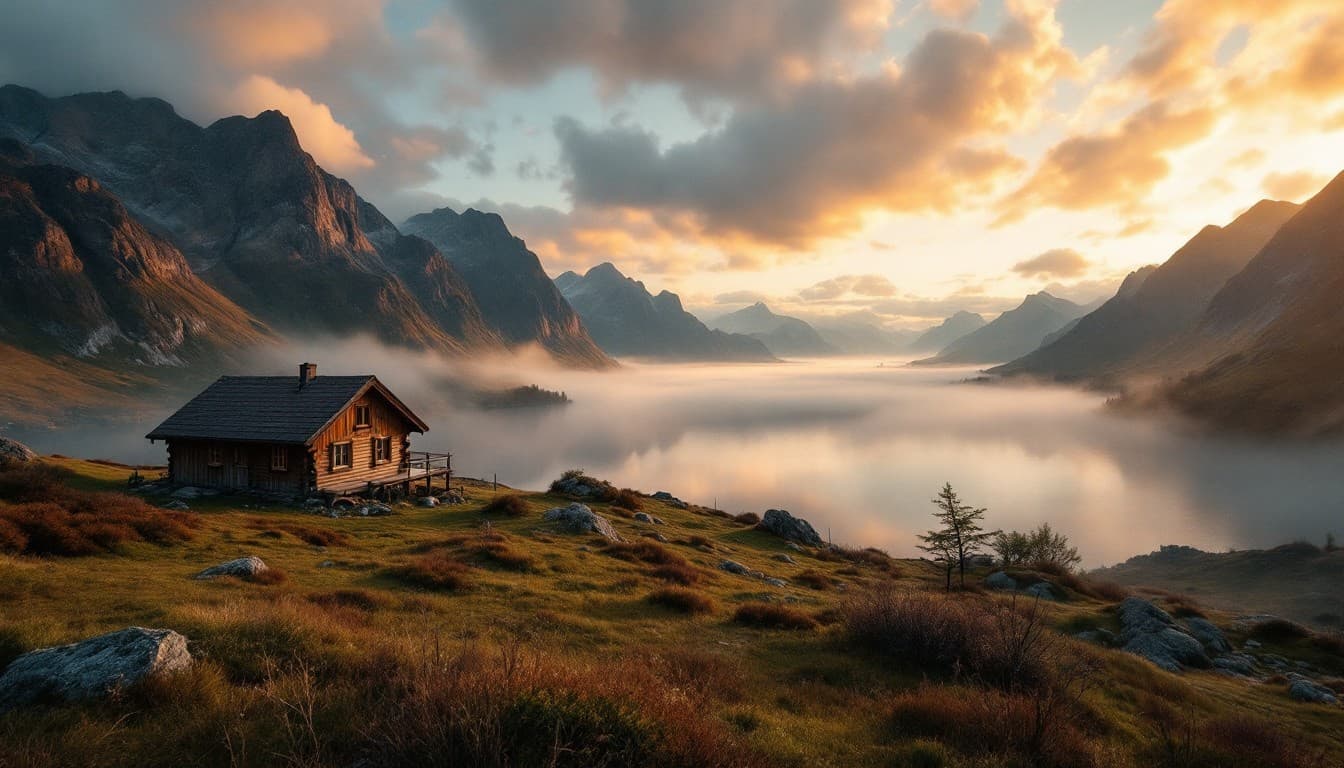
Cinematic landscape
Cinematic wide landscape at golden hour, misty Norwegian fjord with wooden cabin, dramatic clouds, film still photography, anamorphic feel
 Illustration
Fantasy concept art
Fantasy concept art of floating crystal city above clouds at sunset, ethereal light, detailed architecture, digital painting style, artstation trending
 Architecture
Architectural viz
Modern minimalist concrete villa with floor-to-ceiling glass, infinity pool reflecting sunset sky, architectural visualization, photorealistic
Switch to Schnell or Dev in the model picker for faster iteration — same prompt grammar, different latency trade-off. For the aesthetic-tuned FLUX.1 variant, compare six generated runs in the Krea Flux generator.
What Flux AI handles best
Three workloads where Flux AI consistently outperforms generic text-to-image — each row pairs a real output with the prompt pattern that produced it.
Photoreal portraits
Editorial portraits need Rembrandt or butterfly lighting named in the prompt. The hero example shows skin pore detail and fabric drape — reroll with a tighter crop when faces matter most.
Typography and posters
Poster work rewards short headlines placed early in the prompt. The SUMMER SALE example shows readable type at 1.1 Pro quality — iterate colorways on Schnell first, promote the winner to Pro.
Product packshots
Packshots need material, surface, and lighting named explicitly. The skincare bottle shows label sharpness and marble reflection — ecommerce teams use this for variant storms before photography budgets approve.
Flux AI prompt workflow
Four steps from blank prompt to client-ready PNG — most teams loop on Schnell twice before touching Pro.
Write one scene
Subject → setting → lighting → style. One coherent scene per render — avoid keyword dumps.
Preview on Schnell
Schnell returns frames in seconds — tune composition and color before escalating to Pro.
Promote to Pro
Move the winning brief to 1.1 Pro for typography, micro-detail, and client-ready export.
Export PNG
Download PNG, drop into Figma or ad platforms — reroll with ratio changes without rewriting the prompt.
Flux AI use cases by team
Same generator, different briefs — pick the card closest to your stakeholder review.
Growth marketing
Flux AI poster frames for paid social — readable headline, product hero, brand palette locked. Storm three colorways on Schnell, ship the winner on 1.1 Pro the same afternoon.
Ecommerce
Flux AI packshots when photography lead times slip. Name material, surface, and softbox angle — label geometry stays stable across rerolls for PDP and marketplace listings.
Entertainment
Flux AI concept plates for pre-production — floating cities, interior sets, costume reference. Hand-paint passes layer on top of AI blockouts without fighting muddy midtones.
Architecture
Flux AI exterior and interior viz with named materials — concrete, glass, water reflection. Clients mark up caustics and horizon lines instead of rejecting the whole frame.
Why teams choose Flux AI
When marketers search Flux AI, they want one generator that covers photoreal talent, readable retail type, and clean packshots without switching platforms. Flux AI on Voor AI binds Schnell, Dev, Pro, 1.1 Pro, and Kontext variants behind one collection picker — storm headline variants on Schnell in a live review, then promote the approved brief to 1.1 Pro for the final export.
How Flux AI reads your prompt
Flux AI allocates attention to the first prompt clauses for composition and readable copy. Poster and UI teams put headline requirements before atmosphere notes. The gallery above shows six workloads: editorial portraits, typography posters, ecommerce packshots, cinematic landscapes, fantasy concept art, and architectural visualization — each with the exact prompt to paste and reroll.
Design agencies route mood boards through Flux AI because skin tones, fabric drape, and studio shadows stay coherent when you switch from Schnell previews to Pro finals. Dev remains the open-weight checkpoint for reproducible seeds; Kontext lives on a separate route for instruction-driven edits from a reference still.
Production workflows
Ecommerce operators run variant storms on Flux AI — same bottle, different marble, different rim light, different mobile PDP crop. Performance marketers generate 1:1 and 4:5 crops from one prompt by changing aspect ratio, not re-describing the scene. Game studios use Flux AI for concept blockouts; architecture teams name concrete, glass, and pool reflection for believable caustics.
Flux AI shares the Voor AI credit wallet. Start on Schnell to protect burn rate, escalate to 1.1 Pro when typography gates approval. Compare klein-class speed on FLUX Klein when sub-second iteration matters more — both share the collection backend. For scoped edits from a reference, open FLUX Kontext instead of expecting text-only generation to repaint an upload.
Prompt discipline
One scene, one style note, camera and lighting named, copy requirements early for retail. When faces drift, tighten crop language; when type blurs, shorten the headline and move it to the opening clause. Localization teams swap palette and headline per market while keeping product geometry stable. Landscape frames feed video pre-vis as locked environment plates before image-to-video.
Black Forest Labs built Flux AI for production workflows, not demo reels. The model family shares training priors across checkpoints so a Schnell preview and a 1.1 Pro final feel like the same art direction — critical when brand teams approve color and talent before typography polish. Flux AI handles negative space for ad copy overlays: name where text should sit, keep the subject off that quadrant, export a crop with breathing room for performance creative.
Cross-team use
Freelance illustrators use Flux AI as a compositing plate generator — generate the environment, paint characters by hand, merge in Photoshop. Real-estate marketers name fixture style and window direction so interior renders match regional listing standards. Flux AI rerolls cost less than a stock photo subscription when you need five variants of the same scene before noon.
This page is the Flux AI hub — generator at the top, six copied prompts in the gallery, full model stack in the picker. Bookmark it when stakeholders need on-brand stills without a photography line item.
Flux AI model picker
New to Flux AI? Start with Schnell for five fast rerolls, note which prompt clauses survived, then rerun the same text on 1.1 Pro.
- SchnellFour-step distilled inference — seconds per frame. Default for composition tuning and variant storms.
- DevOpen-weight balance of speed and fidelity. Reproducible seeds for fine-tune experiments.
- Pro / 1.1 ProHero typography, packshots, and portraits. Promote winning Schnell briefs here before client review.
- KontextScoped edits from a reference image — use the Kontext route when identity must stay locked.
Flux AI FAQ
What is Flux AI?
Flux AI is Black Forest Labs' text-to-image model family on Voor AI — Schnell for speed, Dev for open weights, Pro and 1.1 Pro for hero frames. The Flux AI collection lets you switch checkpoints without leaving the page.
Is Flux AI free to try?
Yes. New accounts receive 50 welcome credits. Flux AI runs on shared Voor AI credits; start with Flux Schnell for fast previews, then promote winning prompts to Flux 1.1 Pro.
Which Flux AI model should I pick?
Flux Schnell for iteration volume, Flux Dev for balanced quality, Flux 1.1 Pro for typography and packshots, Flux Kontext when you need instruction-driven edits from a reference image.
How do I write Flux AI prompts?
Subject → setting → lighting → style. Flux AI rewards concrete camera and material notes. Put readable headline requirements early for poster work.
Flux AI vs FLUX Klein?
Flux AI on this page covers the full Black Forest Labs lineup. FLUX Klein is the distilled klein-class stack for sub-second iteration — see the FLUX Klein page for klein-specific examples.
Can Flux AI render readable text?
Yes — Flux 1.1 Pro and Flux Dev handle short headlines on posters and UI mocks. Keep copy to a few words and place typography requirements in the first clause of your prompt.
People also search for
- flux ai image generator
- flux ai free online
- flux ai text to image
- flux ai vs midjourney
- flux ai prompt examples
- black forest labs flux ai
- flux ai poster generator
- flux ai product photography
Every search above lands on the same workflow: write one scene, preview on Schnell, promote to Pro, export from the Flux AI collection.