Drag each slider to compare reference and result. Every edit uses one scoped instruction — identity preserved, no manual mask.
Professional wardrobe swap
One business attire change — full head, face, hair, pose, and studio lighting stay locked.
ReferenceNavy business blazer
Instruction used
Change only the light gray blazer into a deep navy structured wool business blazer — keep the full head, face, blonde hair, pose, and gray studio backdrop identical.
FLUX Kontext infers the edit region from plain language — no manual mask. Upload your reference, pick FLUX Kontext Pro or Max, paste a scoped instruction like this.
Background replace
Same corporate portrait, new workplace scene — identity and wardrobe unchanged.
Gray studioModern office
Instruction used
Change only the background to a bright modern corporate office with floor-to-ceiling windows — keep the person and navy blazer identical.
Global background swaps are a core FLUX Kontext strength. Name what must stay identical in the same sentence as the change.
Product catalog background
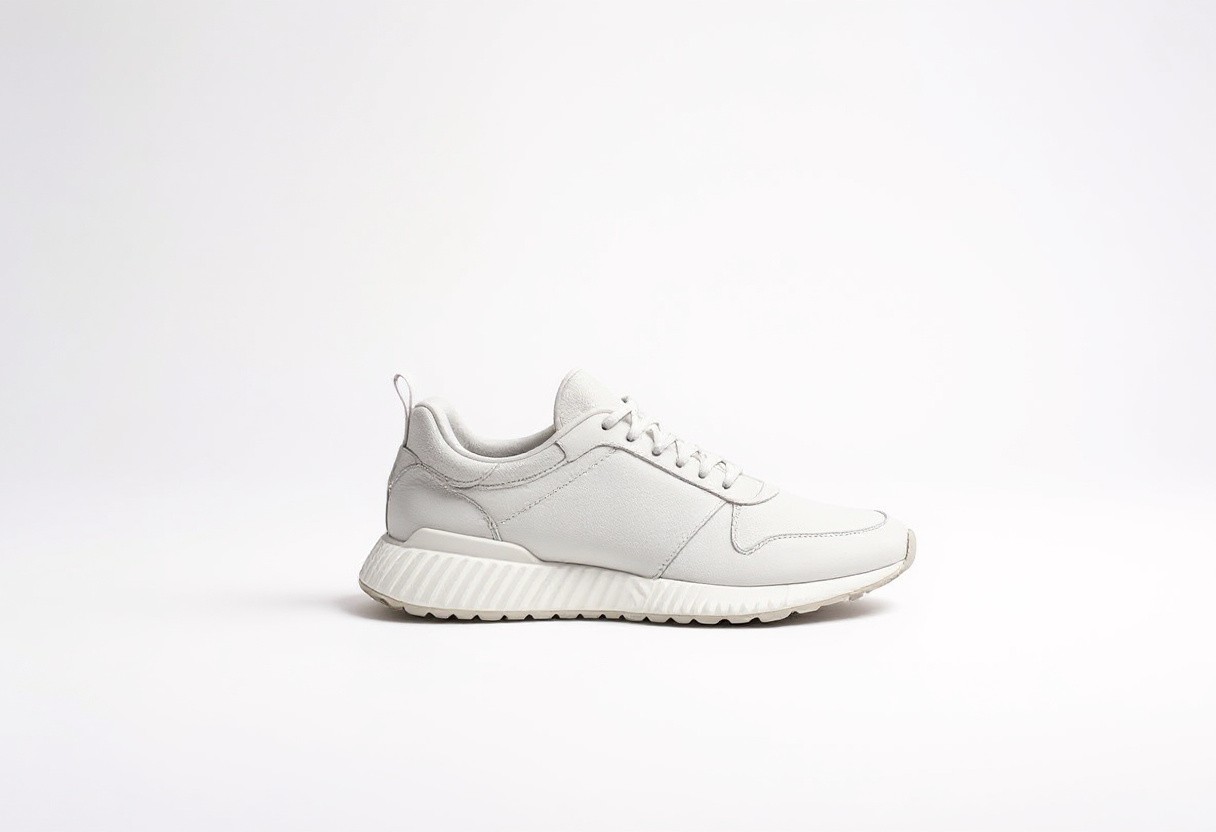
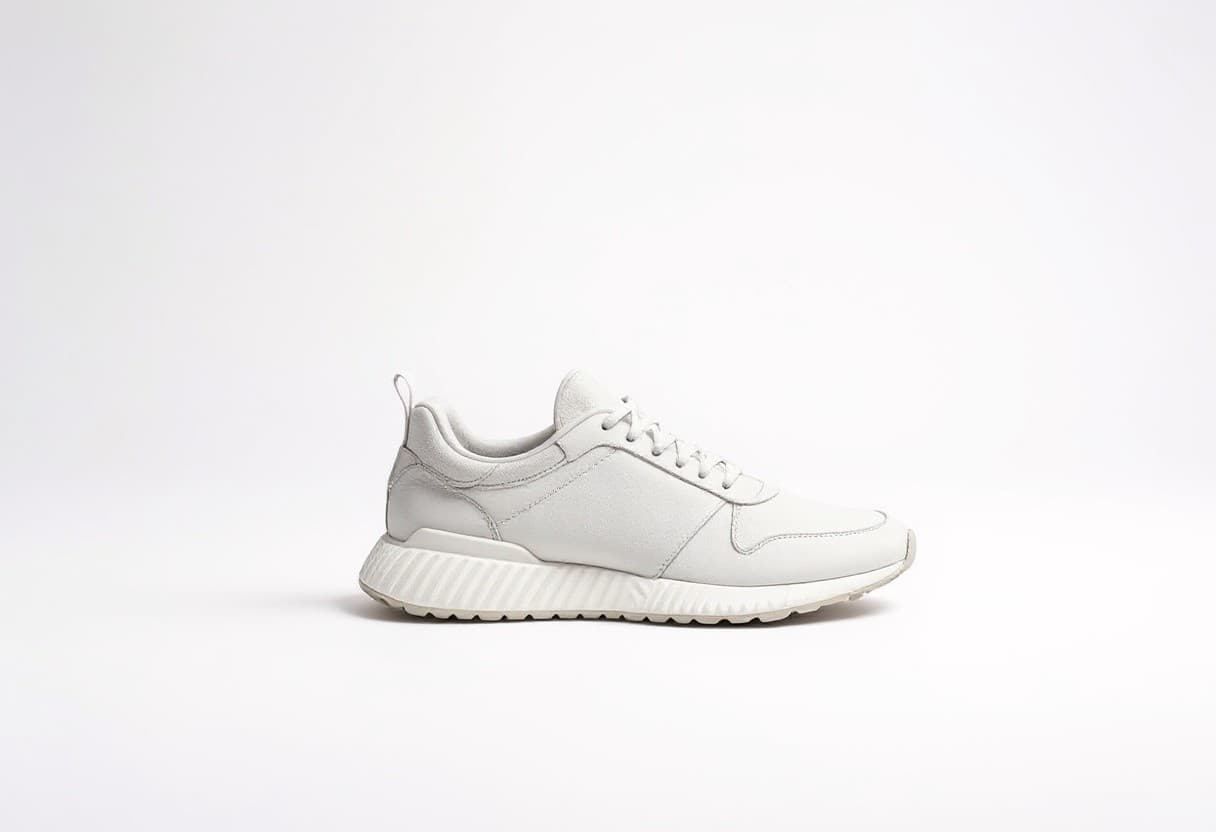
Boutique shelf to clean white cyclorama — a prettier catalog-ready reshoot without reshooting.
Boutique shelfWhite cyclorama
Instruction used
Replace only the background with a clean white cyclorama — keep product shape, materials, and lighting identical.
Product teams use FLUX Kontext to recolor SKUs and swap backgrounds across a catalog without losing silhouette or label geometry.
Tip: use arrow keys on the slider for fine control after clicking it.
FLUX Kontext — instruction-driven image editing that keeps the subject
FLUX Kontext is Black Forest Labs' instruction-tuned editing model — you give it a reference image and a written instruction, and it produces a new image that follows the instruction while keeping the subject, composition, and overall identity of the input. On Voor AI, FLUX Kontext is exposed through the image-to-image generator: upload a photo, write 'change the jacket to red leather, keep everything else identical', and FLUX Kontext applies that single edit without redrawing the whole scene. People search FLUX Kontext when other image models keep regenerating the subject from scratch — FLUX Kontext is built specifically for the 'edit, don't replace' case. The model handles localized changes (clothing, hair, props), global changes (style transfer, lighting), and additive changes (insert a hat, add reflections) with a level of subject preservation that is hard to get from generic text-to-image checkpoints.
Edit by prompt• Reference image input• Sharp typography
What FLUX Kontext is, technically
FLUX Kontext is a member of the FLUX family from Black Forest Labs (the team behind Stable Diffusion's original release). Unlike FLUX.1 Dev, which is optimized for generation from scratch, FLUX Kontext is instruction-tuned for image-to-image editing. The model takes an image plus a written instruction and returns an edited image — same composition, same identity, only what you asked to change.
Practically, FLUX Kontext is the right pick when you have a reference image you want to preserve. Product photographers use FLUX Kontext to recolor SKUs without reshooting. Brand teams use FLUX Kontext to age, mirror, or recompose hero shots. Comic artists use FLUX Kontext to keep characters consistent across panels.
Where FLUX Kontext is less useful: pure text-to-image generation with no reference. For that, use a generation-tuned model like FLUX Dev, Nano Banana 2, or GPT Image-2. FLUX Kontext shines when there is already something to preserve.
What FLUX Kontext does well
Editing models live or die by identity preservation. FLUX Kontext was trained for it.
Subject lock by default
FLUX Kontext keeps the person, product, or character recognizable across edits. Other models trained for free generation tend to drift; FLUX Kontext's instruction-tuning explicitly rewards preserving the input identity.
Localized edits without masks
You describe what to change in plain language. FLUX Kontext figures out the region — no manual mask, no segmentation step. 'Change only the background to a beach at golden hour' lands the edit and leaves the foreground alone.
Strong on text and typography
FLUX Kontext renders short text in images more reliably than most editing models. Useful for sign edits, label changes, and on-image copy that needs to stay legible.
Works alongside Nano Banana 2 and GPT Image
On Voor AI, FLUX Kontext is one of several editing models you can compare side by side. Different models win on different prompts; FLUX Kontext tends to lead on character-driven edits and brand-asset rework.
How to write good FLUX Kontext instructions
FLUX Kontext rewards specific, scoped instructions. The image-to-image panel is above.
1
Upload a clean reference image
FLUX Kontext preserves what it can see. Sharp, well-lit references give the best identity preservation. Heavily compressed or blurry inputs force the model to invent.
2
Write a single instruction
'Change only the jacket to navy blue, keep the face, hair, pose, and background identical' is a FLUX Kontext-shaped prompt. Multi-edit prompts work too, but scope each change explicitly to avoid drift.
3
Iterate with rerolls
FLUX Kontext is non-deterministic. Run two or three takes from the same instruction and pick the cleanest. For consistency across an asset library, save the instruction text and reuse it verbatim.
Why teams pick FLUX Kontext over generic image models
FLUX Kontext is the right tool when 'don't lose the subject' is a non-negotiable. Generic text-to-image models regenerate the whole scene; FLUX Kontext respects the input. That difference is the whole reason ecommerce, brand, and character workflows pick FLUX Kontext.
Compared to manual editing in Photoshop, FLUX Kontext compresses minutes of masking and patching into a single prompt. The quality ceiling is lower than a skilled retoucher, but the throughput is an order of magnitude higher — which is the right trade-off for catalogs, drafts, and iteration-heavy workflows.
FLUX Kontext — FAQ
Is FLUX Kontext the same as FLUX.1 Dev?+
No. FLUX Kontext is instruction-tuned for image-to-image editing. FLUX.1 Dev is a generation model. Both come from Black Forest Labs but serve different jobs.
Do I need to draw a mask?+
Not for most edits. FLUX Kontext infers the region from your written instruction. For surgical edits in tight regions, traditional masked tools still win — FLUX Kontext is the right tool for broader, identity-preserving rework.
Will FLUX Kontext keep a face exactly the same?+
Very close, not pixel-perfect. FLUX Kontext preserves perceived identity rather than exact pixels. For pixel-locked face work, composite in your image editor.
Can FLUX Kontext handle text in images?+
Short text, yes — FLUX Kontext is among the stronger editors for on-image copy. Long paragraphs still degrade. Keep on-image text to a few words for best results.
Your privacy, your choice
Optional cookies help us understand usage and measure ads. Essential cookies stay on so Voor works.