Grok Imagine Image 2.0 is xAI's image generator and editor: 1k or 2k output, low or medium quality, thirteen aspect ratios, and up to five reference images per edit.
Generator examples

Proofread against the brief
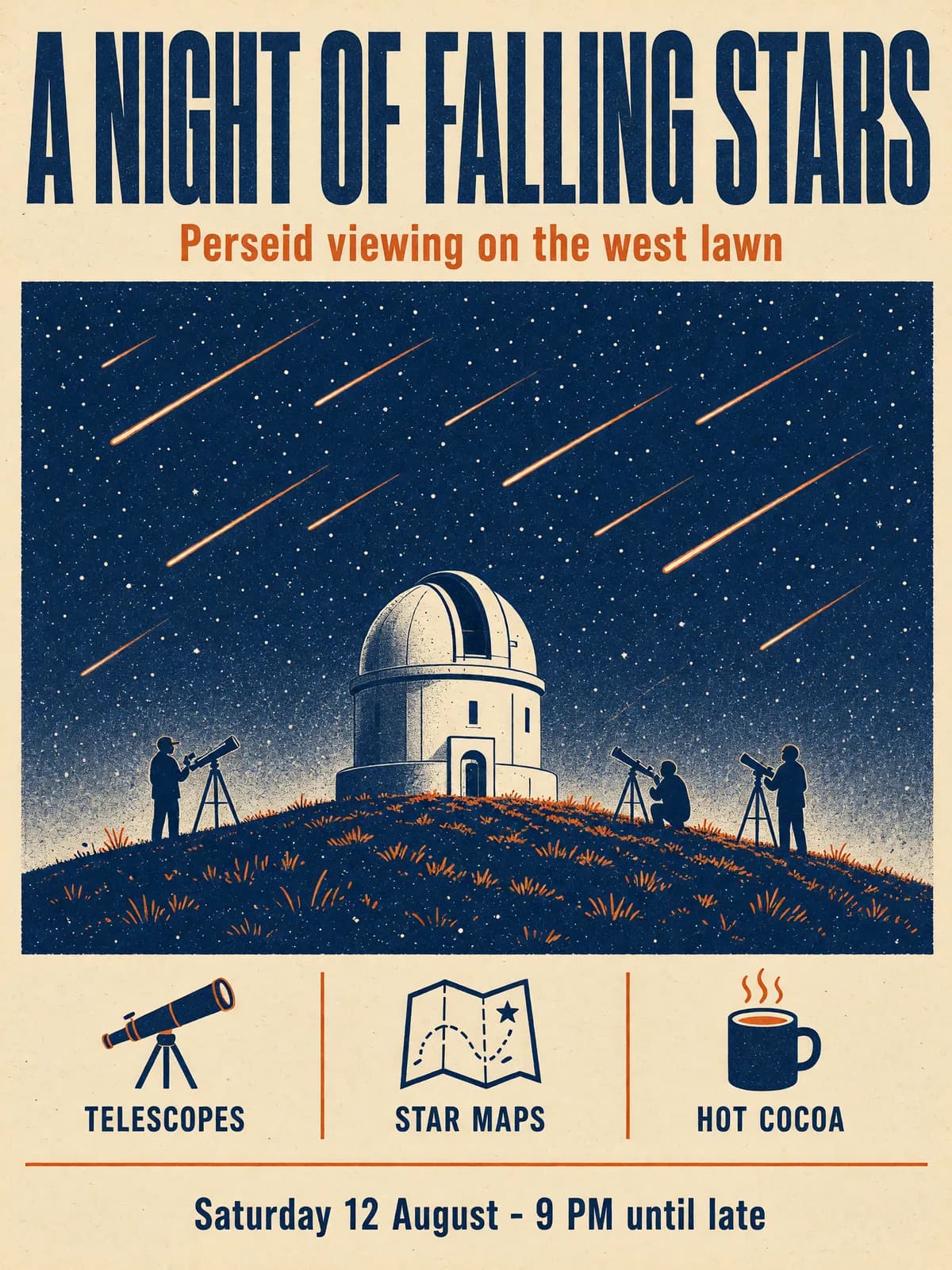
Grok Imagine Image 2.0 sets the copy you quote
6 of 6 requested lines spelled correctly on the first run. Select a line to find it in the image.
- 3:4 at 2k → 1776 × 2368
- Medium quality · 102 s
- 28 credits
Read the prompt
Risograph-style event poster for an invented public observatory night. Title in large bold condensed capitals across the top: "A NIGHT OF FALLING STARS". Directly beneath it a smaller line: "Perseid viewing on the west lawn". … Near the bottom a row of three short labels: "TELESCOPES", "STAR MAPS", "HOT COCOA". Footer line at the very bottom: "Saturday 12 August - 9 PM until late". Two-colour print in navy and warm orange on cream paper…
Four settings, one prompt
What Grok Imagine Image 2.0 settings buy — and what they don't
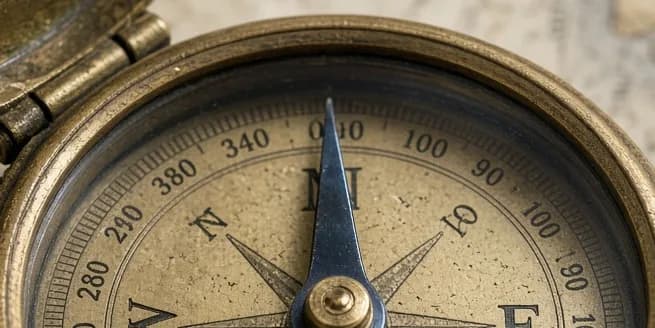
One brief — a brass compass with a 0–360 ring and the needle pointing north — at every setting. Select a cell to inspect the dial at native pixels.
- Needle points north
- Degree numbers in sequence
The only cell where the needle points north. The ring still runs 340, 0, 100, 90, 100 — and a compass has no 380.
Our read: medium and 2k buy texture and pixels, not correctness. Add dense numbers in a design tool.
Change the words, keep the picture
Editing text with Grok Imagine Image 2.0
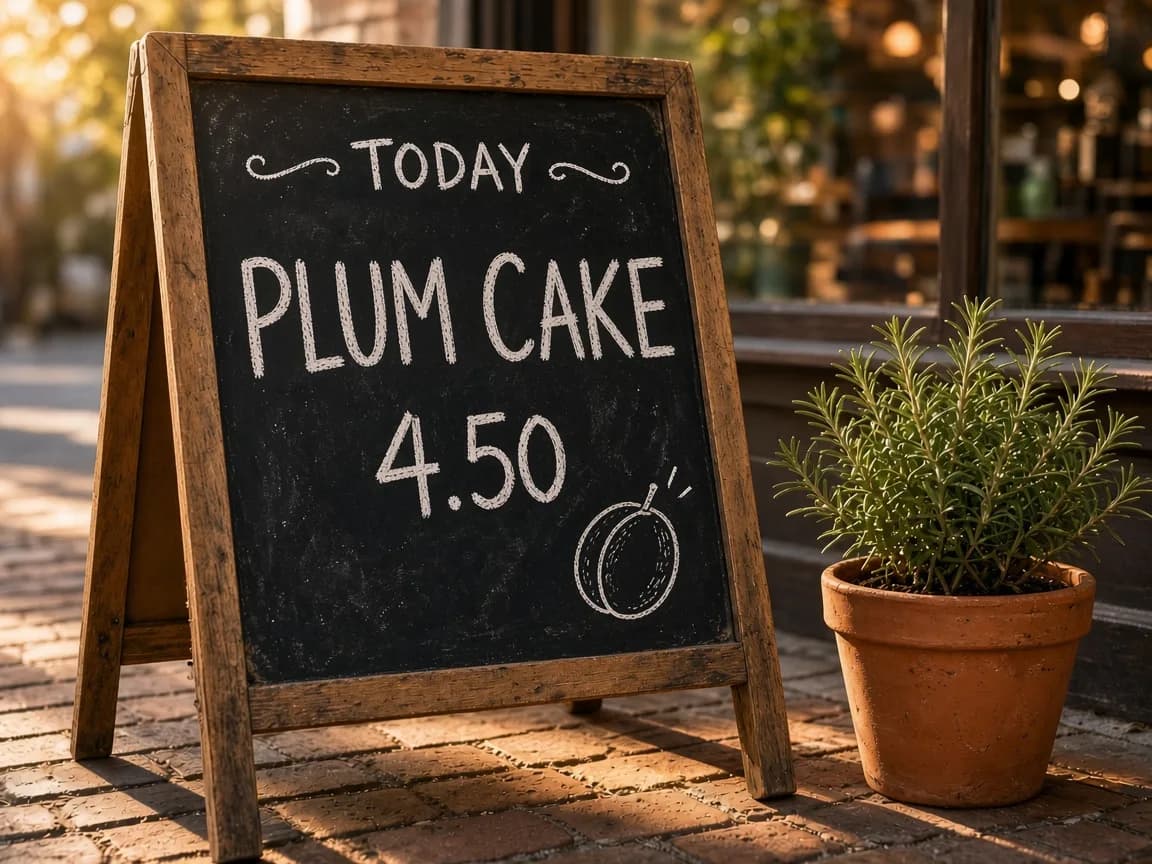
“…the second line reads PLUM CAKE instead of LEMON TART… replace the lemon slice with a chalk plum. Keep TODAY, 4.50… exactly the same.” 1k medium, 26.8 s, 25 credits.
One line on a finished poster


Everything else held. The edit followed the 1k setting, so the 2k poster came back at 864 × 1152 with the title touching the edge — edit at 2k when the original was 2k.
Grok Imagine Image 2.0 beside the original Grok Imagine Image
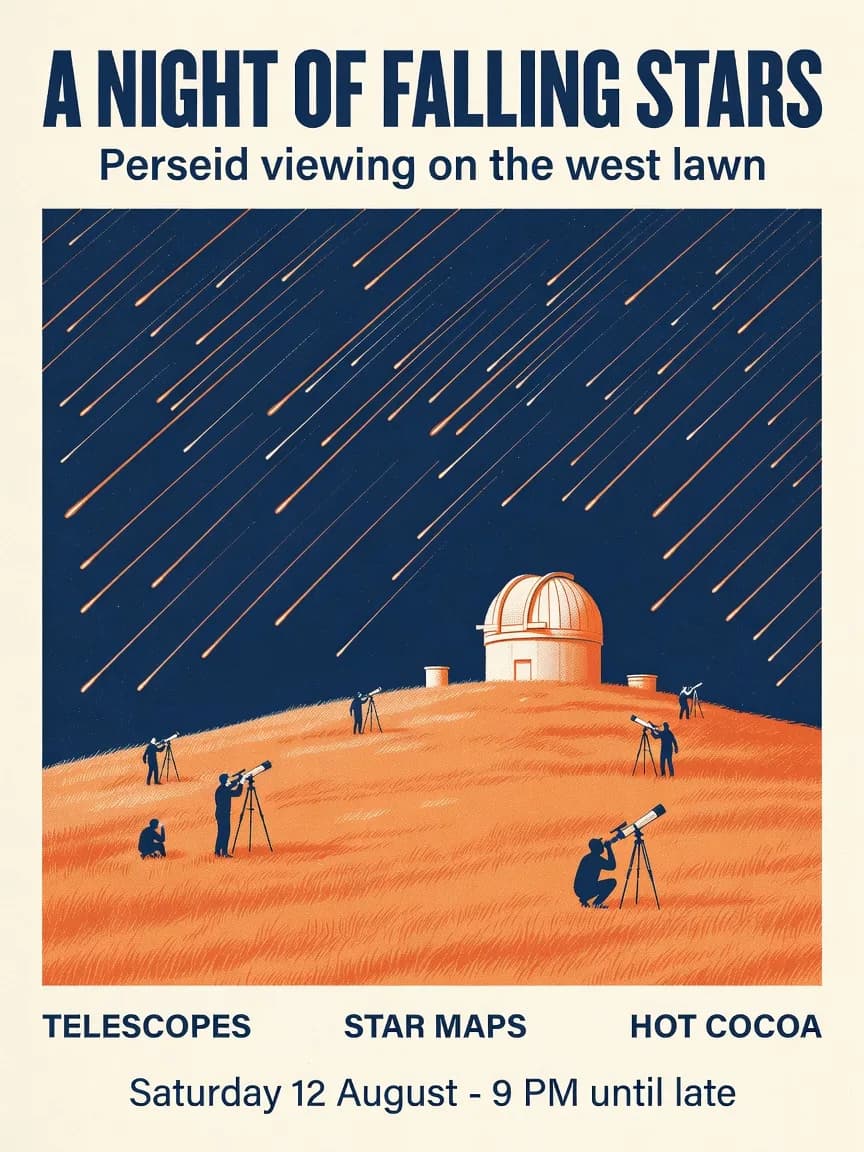
Same prompt, both versions. The first model also spelled every line correctly — the difference is in everything around the words.
- Layout
- 2.0 added icons, divider rules and a framed illustration.
- Print feel
- Riso grain on 2.0; flat fills on the original.
- Controls
- 2.0 adds 1k/2k, low/medium and up to five edit references.
- Trade-off
- The original is four times cheaper and far faster; see the Grok Imagine guide.
Thirteen shapes
Grok Imagine Image 2.0 aspect ratios, with real outputs
Highlighted shapes have a real output from our runs. Select one to view it at its true proportions.
How to prompt Grok Imagine Image 2.0 for text
- 01
Quote every word
Exactly as it should print: "HOT COCOA", not "a cocoa label".
- 02
Give each line a place
"Across the top", "directly beneath", "at the very bottom".
- 03
Set the hierarchy
"Large bold condensed capitals" versus "a smaller line".
- 04
Ask for straight type
"All text straight, evenly spaced and perfectly legible" closed both of our text prompts.
- 05
Keep numerals sparse
Short numbers like 4.50 or 35 minutes held. A full 0–360 scale did not, at any setting.
Twelve jobs for Grok Imagine Image 2.0
- Event posters
Title, subtitle, labels and date all held.
- Menu boards
Edit the dish name as the menu changes.
- Recipe cards
Two columns and numbered steps, spelled right.
- Packaging fronts
A name and one descriptor line.
- Book covers
Big type over an illustration.
- Social posts
One headline, one line, 1:1 or 9:16.
- Phone wallpapers
9:19.5 and 9:20 fill the screen.
- Web banners
2:1 or 20:9; use 2k for retina.
- Cinematic portraits
Fictional faces, film-still grade.
- Label swaps
Change one word, keep the layout.
- Infographic drafts
Structure yes; check every number.
- Multi-image mock-ups
Up to five references per edit.
When to reach for something else
You need motion. Generate the still here, then animate it with the Grok Imagine video generator.
You need long or technical copy. Dense numerals and small print need a model built for layout work, such as GPT Image 2, plus a human proofread.
You want to compare first. Text to image runs the same brief across every image model on Voor.
Grok Imagine Image 2.0 FAQ
What is Grok Imagine Image 2.0?
Grok Imagine Image 2.0 is xAI's second-generation image model. On Voor it generates from text and edits up to five reference images, at 1k or 2k, low or medium quality.
Is Grok Imagine Image 2 the same as Grok Imagine Image 2.0?
Yes. Both spellings refer to the same release; xAI versions it as 2.0.
How good is Grok Imagine Image 2.0 at text inside images?
In our tests Grok Imagine Image 2.0 spelled every requested line correctly on an event poster (6 of 6) and a recipe card (11 of 11). It failed on a compass dial: the 0–360 degree numbers came out repeated and out of order at every setting we tried.
How many credits does Grok Imagine Image 2.0 cost?
New images: 14 credits at 1k low, 21 at 1k medium or 2k low, 28 at 2k medium. Edits add a little per reference: 25 credits for one image at 1k medium, up to 46 for five at 2k medium. New accounts get welcome credits.
Should I use low or medium quality in Grok Imagine Image 2.0?
Low finished in 17 to 23 seconds in our runs and is fine for checking a layout. Medium took 71 to 102 seconds for new images but rendered finer surface detail in our side-by-side, so switch to it once the composition is settled.
What resolution does Grok Imagine Image 2.0 output?
1k is about one megapixel (1024 × 1024 square); 2k is about four (2048 × 2048). Choose 2k for print or cropping.
Can Grok Imagine Image 2.0 edit text in an existing image?
Yes. We changed LEMON TART to PLUM CAKE on a chalkboard and rewrote the date line of a finished poster; everything else held. The edit keeps the first image's aspect ratio on auto, but follows the resolution setting, so a 2k poster edited at 1k comes back smaller.
How is Grok Imagine Image 2.0 different from the original Grok Imagine Image?
On our poster prompt the original returned 864 × 1152 in 6 seconds for 7 credits, also spelled correctly. Grok Imagine Image 2.0 adds 2k output, richer layout, quality control and multi-image edits, at more cost and wait.
Which aspect ratios does Grok Imagine Image 2.0 support?
Thirteen, from 2:1 to 1:2, plus auto for edits, which keeps the first reference image's shape.
Quote the words, then let Grok Imagine Image 2.0 set them
Start at 1k low to check the layout, then render the keeper at medium or 2k and proofread it at full size.
Create with Grok Imagine Image 2.0