Discord

Upload multiple references and merge them into a coherent scene, product composite, or group photo while assigning each image a clear role.

Example Image
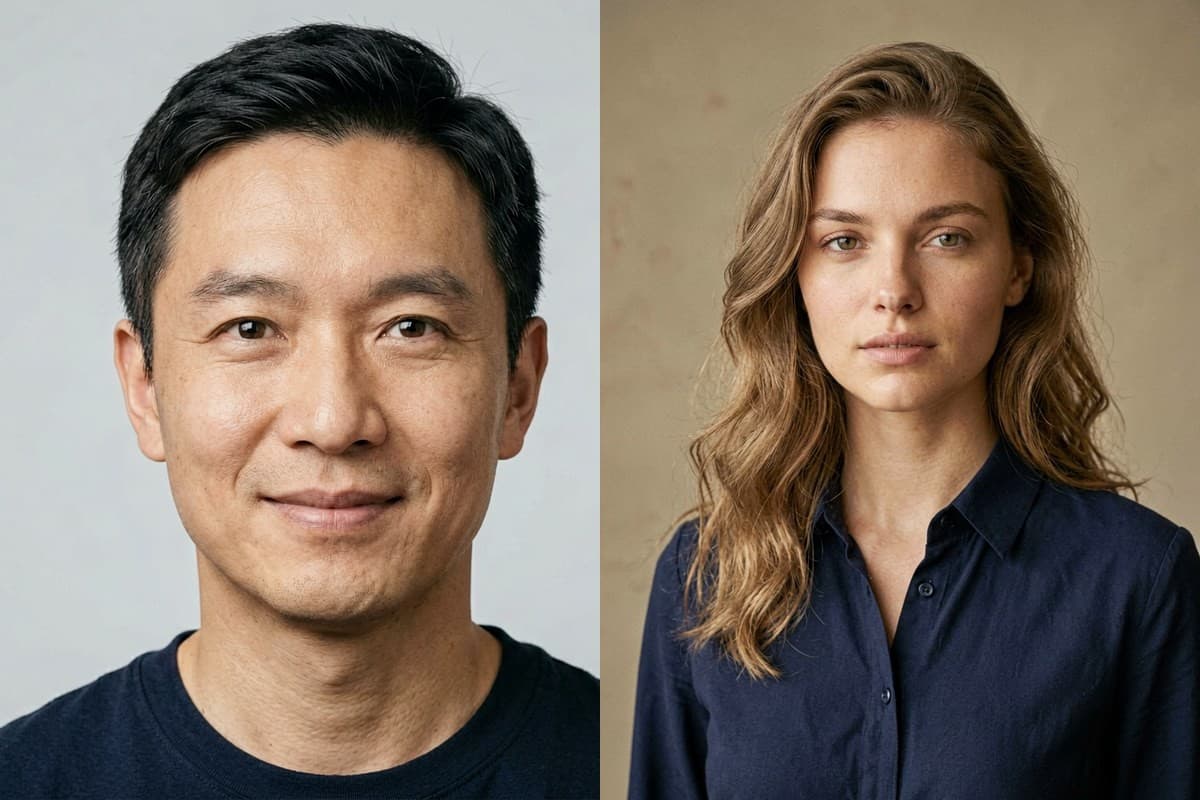
InputsInputs — Merge the two consenting portrait references into one coherent gallery group photo while preserving both identities.
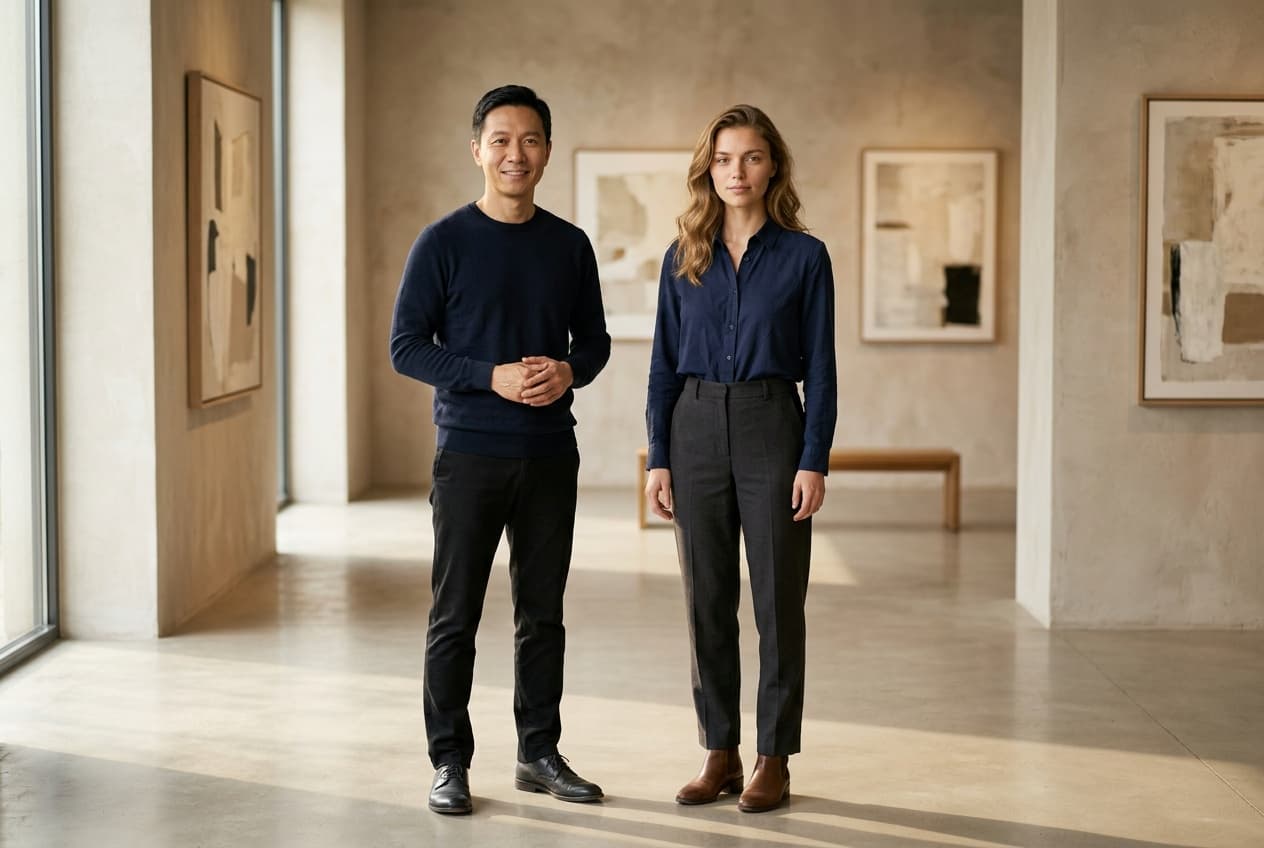
ResultMerge the two consenting portrait references into one coherent gallery group photo while preserving both identities.

Generator examples

AI merge images

AI merge images — decide whether you need a collage or a new scene

AI merge images can mean two different jobs. A deterministic collage places files beside each other without changing pixels; a generative merge rebuilds the references into one coherent scene. Use this generator for the second job: assign each reference a role, then choose a shared scene, group photo, product composite, or creative blend.

Real upload schema · Identity-aware brief · No fake collage claim

Try AI merge images
Two fictional portrait references before an AI image merge
Two source identities — one role each
The two portrait references merged into one gallery group photograph
Nano Banana 2 edit — shared gallery scene

Merge references without losing their jobs

Preparation matters more than uploading five nearly identical files and hoping the model chooses well.

  1. Choose compatible references

    Use clear subjects, similar camera height where possible, and enough visible body or product geometry for the requested composition.

  2. Assign every image a role

    Number the references in the prompt. State what to preserve and what must not transfer from each one.

  3. Describe the shared camera

    Set arrangement, crop, focal length feeling, light direction, and background. One camera description helps the sources converge.

  4. Audit identities and seams

    Zoom into faces, hands, logos, edges, shadows, and repeated objects. A convincing thumbnail can still fail the source contract.

Composition modes built around reference roles

The model should not guess which image supplies the person, product, background, palette, or pose. The preset establishes the contract.

The two portrait references merged into one gallery group photograph
Nano Banana 2 edit — shared gallery scene

Shared scene

Bring separately photographed subjects into one plausible environment. Align eye level, focal length, scale, light direction, color temperature, and contact shadows so the result reads as one exposure.

AI is unnecessary for simple rows, grids, and overlays. Those operations are deterministic and should not mutate the source. Use a normal layout editor when exact pixel preservation is the requirement.

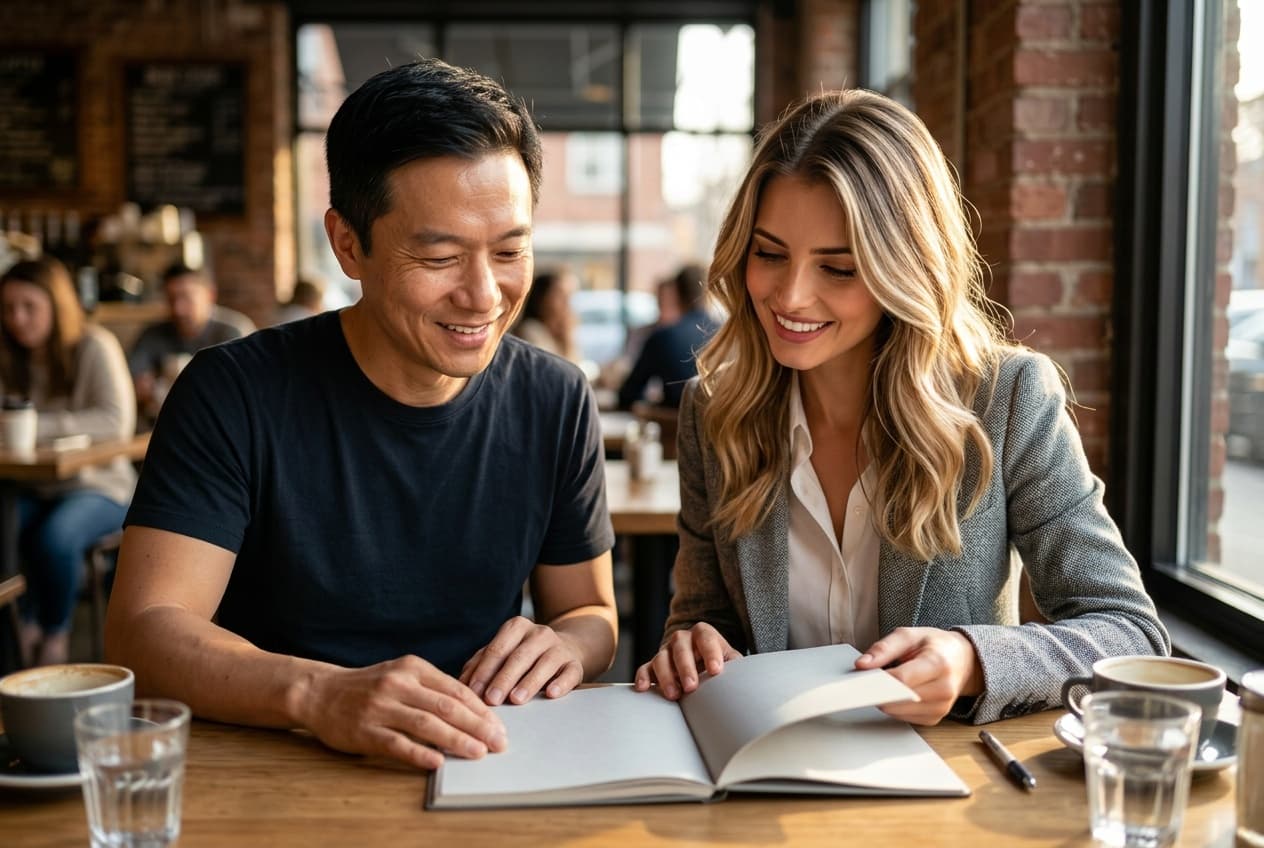
Two fictional portrait references merged into one cafe photograph
Nano Banana 2 edit — second composition test

AI group photo

Upload clear individual portraits and place the people together without duplicating faces or blending identities. State arrangement and relative height, then inspect every face at full size.

Use generative merging when separate sources need to share perspective, lighting, surface contact, pose, or environment. The model may reconstruct pixels, so review identity and product details carefully. The upload fields show the actual reference limit of the selected multi-image model.

Product composite

Assign each reference a product role and preserve geometry, color, label placement, and logo. The generative work should happen in the surface, environment, light, and art direction.

Creative blend

Use a metaphor or transition when realism is not the goal. A successful blend still needs one focal point and intentional boundaries rather than a cloudy average of every image.

Generative merge versus browser combine

Two fictional portrait references before an AI image merge detail crop

For people, use consenting images with similar clarity and avoid presenting the composite as proof that an event occurred. For products, compare outlines and labels against the source. For historical or documentary work, retain the originals and label the generated composite.

A role ledger improves results: Image 1 supplies subject A, Image 2 supplies subject B, Image 3 supplies the room, and the written prompt controls wardrobe and camera. If the result fuses faces or swaps products, reduce the number of references and rerun before adding style.

Choose a deterministic collage when every source pixel must remain unchanged. Choose generative blending when the subjects need to share one perspective, light, or environment; use the group-photo path and role-based prompts to control the composition.

This distinction prevents unnecessary cost. If you only need two images side by side, use a layout editor. If you need one shared scene, expect reconstructed pixels and review the result against every source.

AI merge images — practical questions

Can I combine images without changing them?

Use a deterministic collage or layout tool for unchanged pixels. This generator creates a new coherent scene and may reconstruct parts of every source.

How many images can I upload?

The selected model's visible schema sets the current limit. Start with the fewest references needed for a clear role assignment.

Can this make a group photo from separate portraits?

Yes. Choose Group photo, describe arrangement, and inspect each person's identity carefully.

Will logos stay exact?

They can drift in generative output. Compare against the source and use a normal design tool for final legal marks or packaging copy.

Which model is selected?

Nano Banana 2 is selected by default for multi-reference composition, and the exact model label remains visible before generation.

Put AI merge images to work

Use a deterministic editor for unchanged pixels. Use this generative merge when separate references must inhabit one new scene, and make the role of every image explicit before generating.

Open AI merge images