Upload a full-body photo and ask the ai skinny filter for a slightly slimmer silhouette in plain words — clothes, face and background stay exactly intact.


Generator examples
- Edit only the curvy body silhouette to become dramatically slimmer — reduce waist width, flatten stomach, slim hips and upper arms by approximately 20 percent. Keep the clothing, pose, face, lighting and background exactly identical, with all straight lines behind the person perfectly straight. Must stay clearly the same person.Before — Edit only the curvy body silhouette to become dramatically slimmer — reduce waist width, flatten stomach, slim hips and upper arms by approximately 20 percent. Keep the clothing, pose, face, lighting and background exactly identical, with all straight lines behind the person perfectly straight. Must stay clearly the same person.
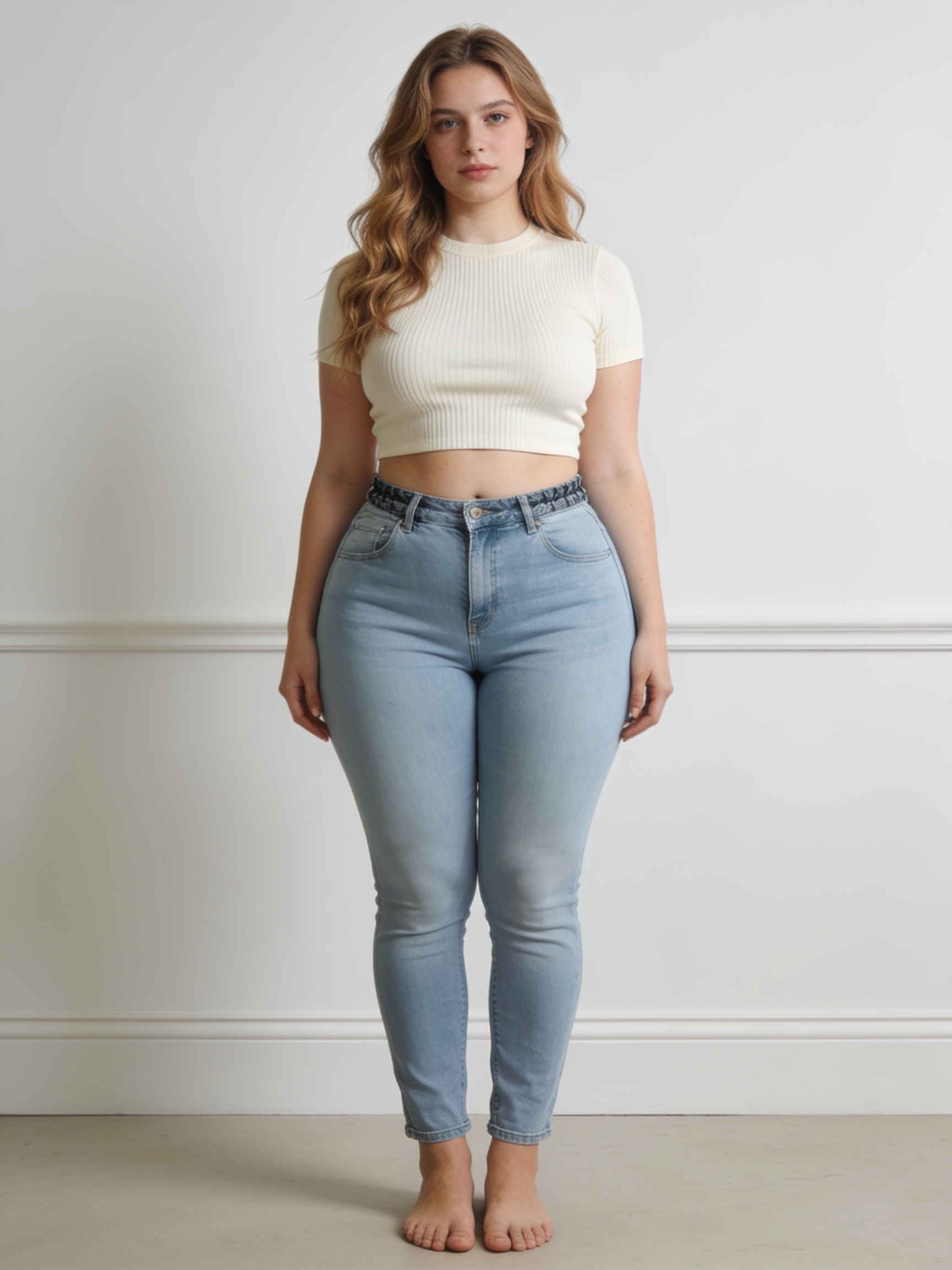
Drag it — a real ai skinny filter pass
Same person, same outfit, same wall. The ai skinny filter trimmed the silhouette about twenty percent and left everything else alone. Drag the divider — the waist and hips narrow enough to read at a glance.
The exact instruction used
Edit only the curvy body silhouette to become dramatically slimmer — reduce waist width, flatten stomach, slim hips and upper arms by approximately 20 percent. Keep the clothing, pose, face, lighting and background exactly identical, with all straight lines behind the person perfectly straight. Must stay clearly the same person.
The instruction does the controlling: a percentage sets the strength, the "keep" list protects the clothes and background, and the straight-lines clause is what stops the ai skinny filter from warping the wall behind you.
Set the ai skinny filter like a dial, not a switch
The dial is a sentence. These three settings cover almost every real request to an ai skinny filter.
~10% · Invisible
Nobody can point to it. The right ai skinny filter strength for photos that already look like you on a good day.
~20% · Visible ceiling
Reads in a side-by-side because the change is real — the honest maximum for an ai skinny filter pass others will see.
Posture only
Ask the ai skinny filter to fix slouch and camera angle instead of trimming — often all a photo actually needed.
What the ai skinny filter changed — and what it left alone
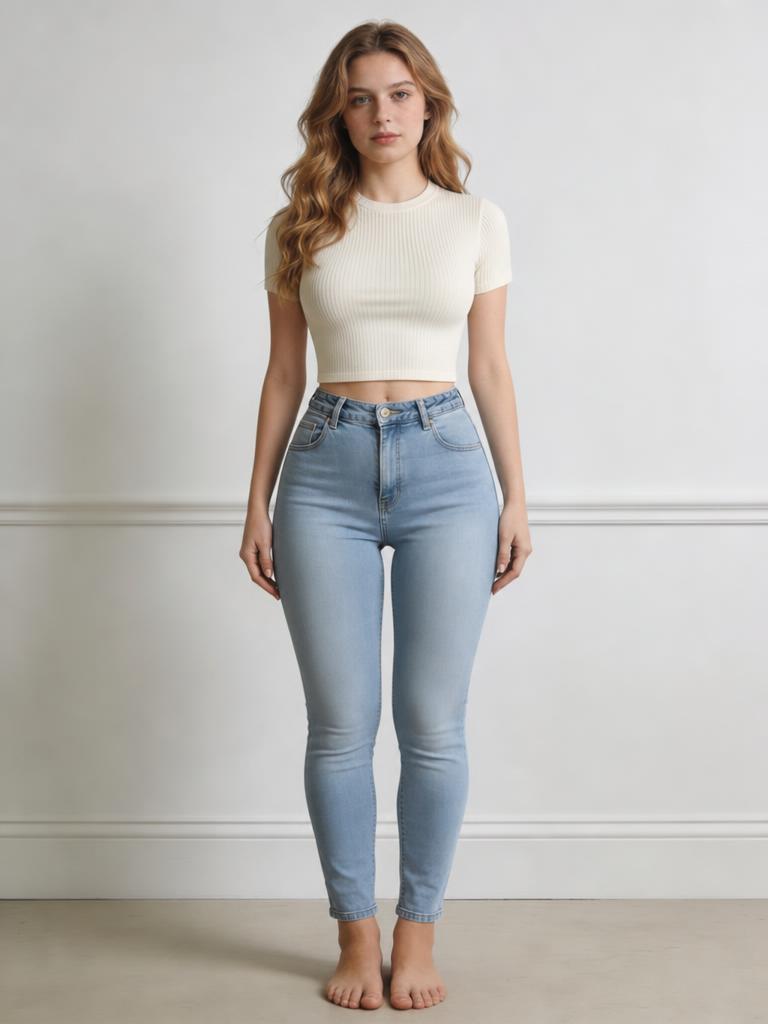
The same result from the slider, annotated. A good ai skinny filter pass touches the contour and nothing else.
 1234
1234- 1Waist trimmed ~20% — the ai skinny filter changed the contour, not the person.
- 2Arm silhouette slimmed noticeably; the crop top texture and folds stay intact.
- 3The straight wall line behind stays perfectly straight — no liquify warp.
- 4Jeans, sneakers, pose and face are untouched by the ai skinny filter.
12 ways people use the ai skinny filter
Same workflow each time — upload, name the strength, compare honestly at full size.
- 01
Ai skinny filter for the full-length outfit photo — a ten-percent trim, clothes untouched.
- 02
Ai skinny filter for a gym progress shot — show the silhouette without warping the mirror.
- 03
Ai skinny filter for event photos — even the body the way the lighting was uneven.
- 04
Ai skinny filter for dating profiles — match the photo to a mirror, not a wide lens.
- 05
Ai skinny filter for creators — keep a consistent on-camera silhouette across thumbnails.
- 06
Ai skinny filter as posture fix only — straighten the slouch instead of slimming.
- 07
Ai skinny filter for the group photo — crop to yourself, trim, recompose.
- 08
Ai skinny filter before image-to-video — refine the keyframe once, then animate.
- 09
Ai skinny filter for old favourites — the great photo a bad angle nearly ruined.
- 10
Ai skinny filter for a costume shot — slim the silhouette without disturbing the outfit.
- 11
Ai skinny filter at two strengths — run 10 and 15 percent, pick blind.
- 12
Ai skinny filter plus face slimming — body here, face on the dedicated tool.
An honest ai skinny filter pass
Do
- Anchor every ai skinny filter request with a percentage; numbers beat adjectives.
- Add 'keep straight lines straight' so the background behind you doesn't warp.
- Stay at or under twenty percent — beyond that the filter fights the clothing.
- Treat the ai skinny filter like flattering light: styling, not a verdict.
Don't
- Don't push the ai skinny filter so hard it invents a different body.
- Don't run a whole group at once; crop to one person at a time.
- Don't expect face-grade work — use Face Slimming AI for the face.
- Don't fix an overdone result by going stronger — soften the wording instead.
AI skinny filter — FAQ
What does the ai skinny filter do to a photo?
The ai skinny filter re-renders the body contour a touch slimmer — waist, arms, silhouette — by instruction, while keeping the clothes, pose, background and face intact. It is a styling pass like flattering light, not a measurement of anyone.
Will the ai skinny filter still look like me?
That is the goal. The ai skinny filter changes the outline, not the identity, and leaves the face and setting alone. If a result drifts off-likeness or warps the background, halve the requested strength and rerun.
How is the ai skinny filter different from old liquify edits?
Liquify smears pixels, and you can spot it: bent door frames, warped patterns, melted edges. The ai skinny filter regenerates the contour as geometry, so straight lines behind you stay straight and fabric texture stays sharp.
What strength should the ai skinny filter use?
Start around ten percent — the version nobody can point to. Twenty percent is the honest ceiling for a visible side-by-side. Beyond that, the ai skinny filter starts fighting the clothing and the result reads as edited.
Does the ai skinny filter work on full-body photos?
Yes, and full-body shots are where it is most controllable, because the whole silhouette is visible. For tight crops, give the ai skinny filter a little room around the body so it has context to regenerate.
Is the ai skinny filter free?
New accounts receive 20 welcome credits. Additional AI skinny-filter edits require purchased credits.
Can the ai skinny filter edit a group photo?
One person at a time is far more reliable: crop to the subject, run the ai skinny filter, recompose. Whole-group passes tend to touch bodies you did not mean to change.
Can the ai skinny filter also slim the face?
It can nudge the jawline, but for portrait-grade face work the dedicated Face Slimming AI keeps identity better. Use the ai skinny filter for the body, that tool for the face, and stack them if you need both.
Is using an ai skinny filter honest?
Treat it the way you treat lighting and angle — styling, not deception. A light ai skinny filter pass that still looks like you is fine; a heavy one that invents a different body is the line. The fix for an overdone edit is always softer wording, never a stronger filter.
People also search for
- ai skinny filter free
- ai skinny filter online
- ai skinny filter app
- ai skinny filter before after
- make me look skinnier ai
- ai skinny filter natural
- body slimming ai photo
- best ai skinny filter
Every ai skinny filter search wants the three things the slider shows: a silhouette trim that keeps identity, a strength you control in plain words, and a background that doesn't warp. Same instruction, your photo, 20 welcome credits — and if a result stops looking like you, the fix is softer wording, never a stronger filter.
Try a ten-percent pass on your best photo
Upload, set the strength in words, compare honestly at full size. A good ai skinny filter result just looks like you — on a great day.
Try the skinny filterYour privacy, your choice
Optional cookies help us understand usage and measure ads. Essential cookies stay on so Voor works.