UI glyph
8 colors
One shape, one highlightGenerate a pixel-art concept from text, then use the exact-size converter for native 16–192 px output, palette reduction, and PNG export.
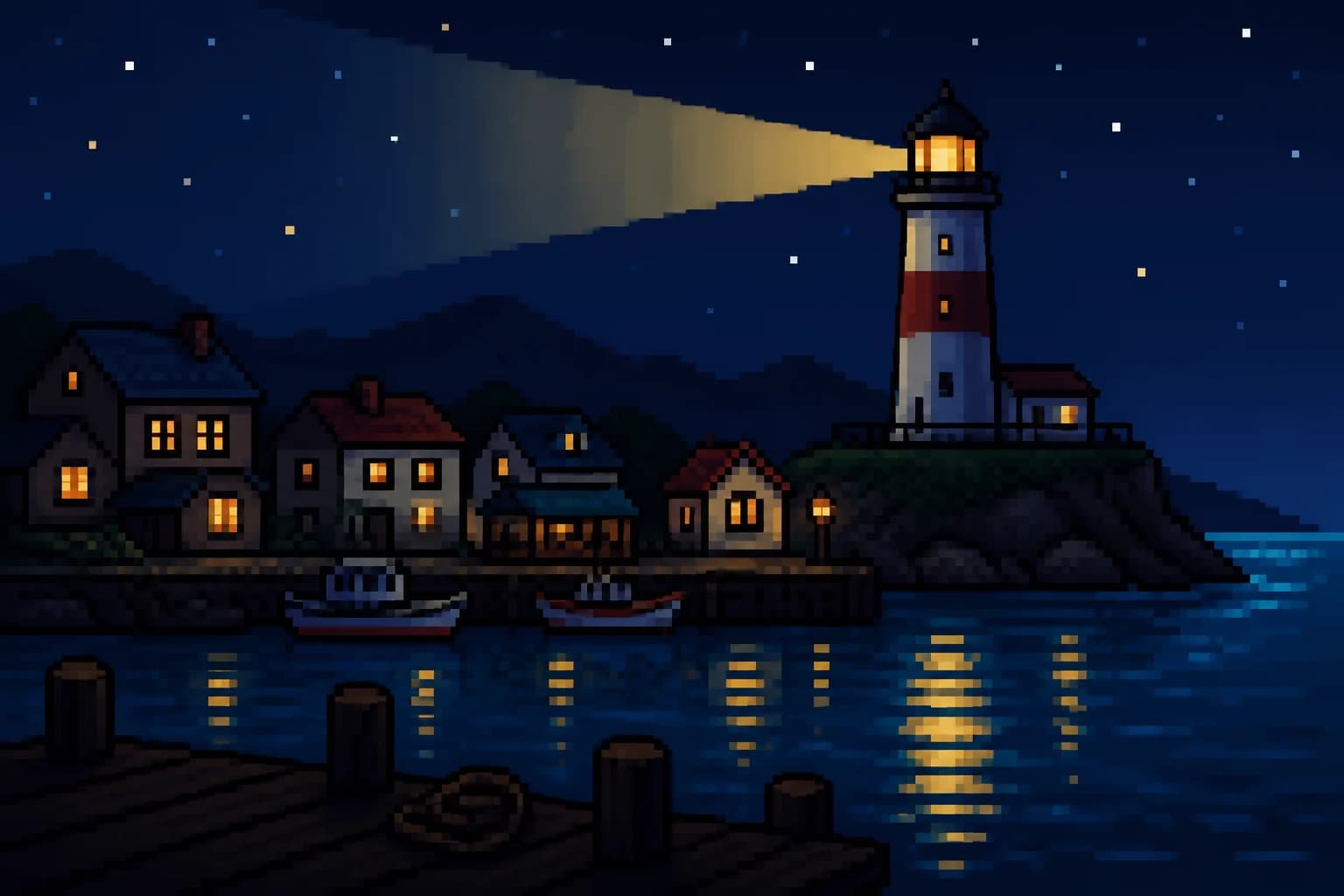


The large view reveals edge rhythm; the native-size preview reveals whether the object reads at all. This harbor keeps one bright lighthouse, three window clusters, cool reflections, and a dark pier. If those groups collapse, extra texture will not rescue it.
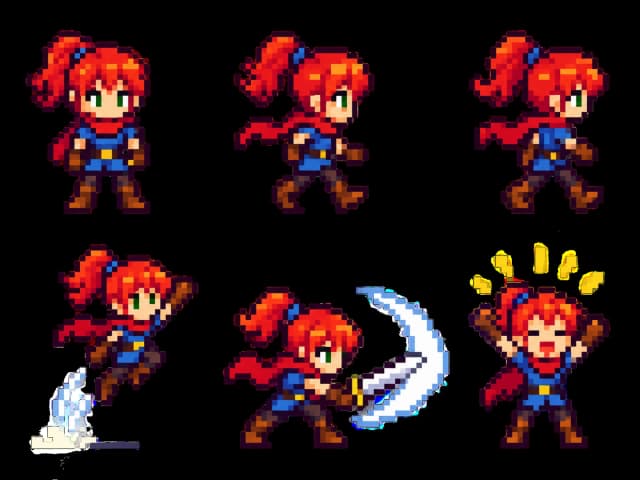
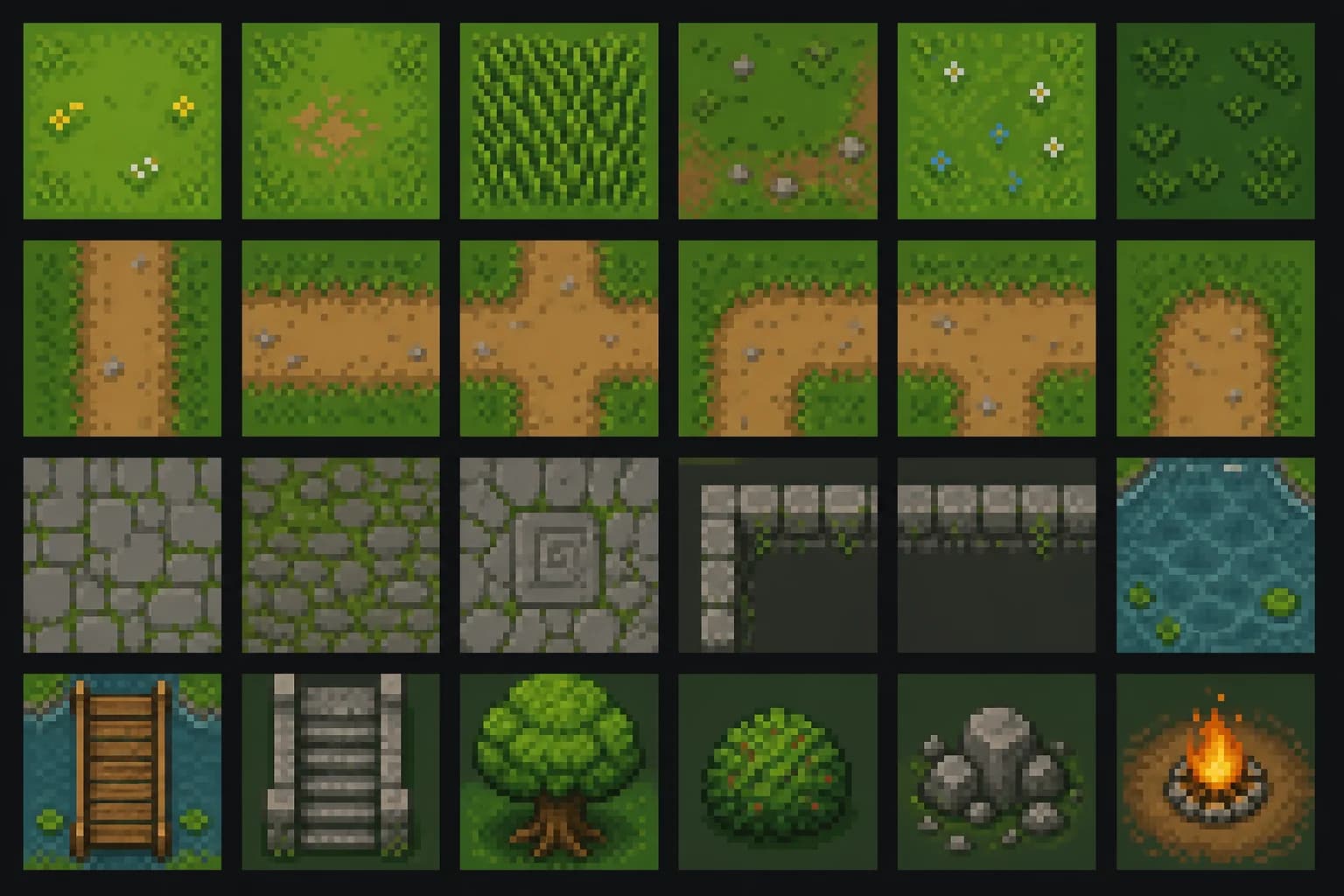
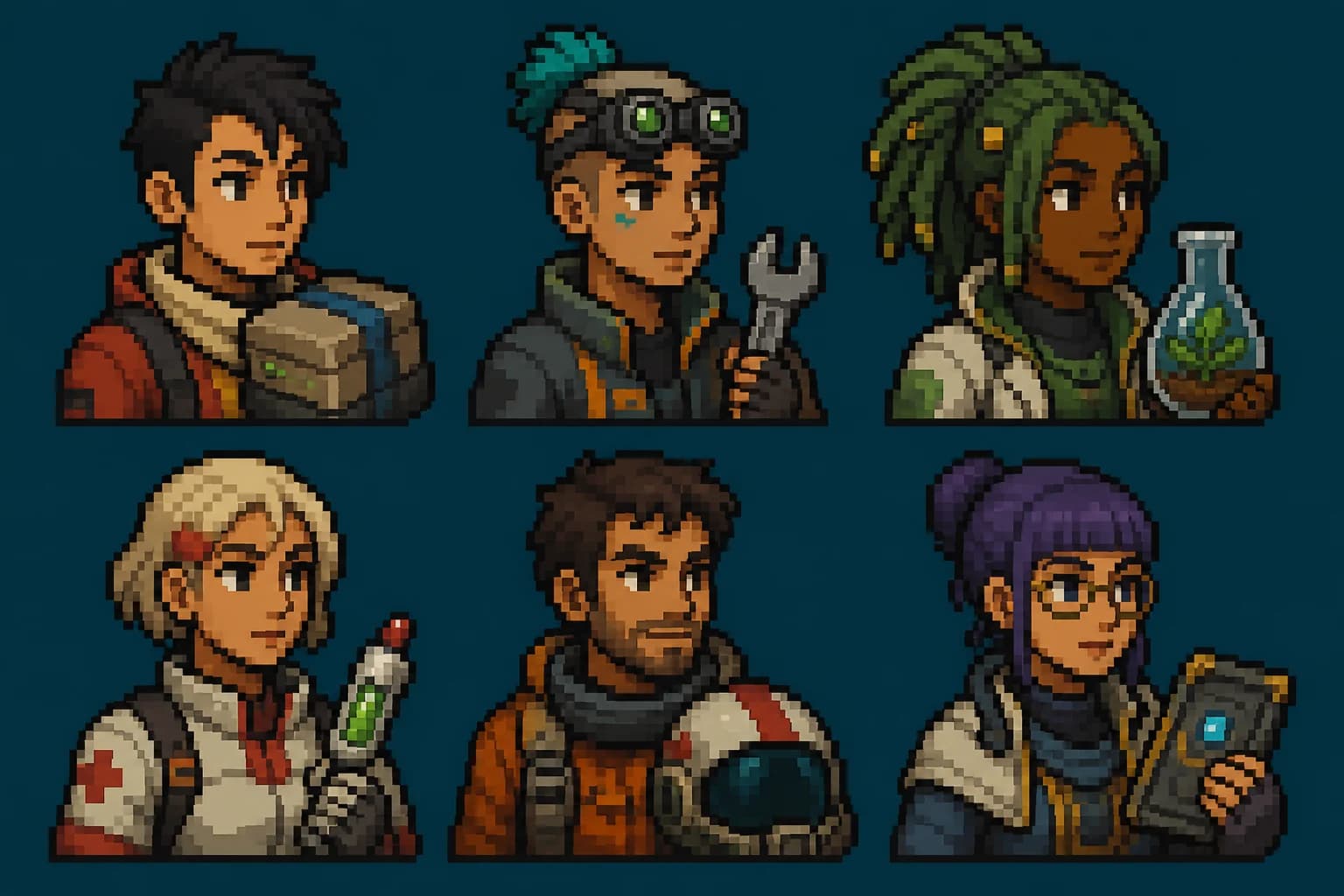
These are six separate generated jobs: an environment, a pose sheet, an icon set, a tileset, an attack strip, and a portrait set. We review clusters, silhouette, cell consistency, stair-step edges, orphan pixels, and native-size readability—not an enlarged beauty preview.
01Production check: The lighthouse beam, warm windows, pier, and reflections create one focal path across three readable depth planes.
 02
02Production check: A useful sprite study needs distinct poses, stable hair and clothing colors, clean cell spacing, and feet that share a baseline.
 03
03Production check: Compass, radio, food, map, potion, key, lantern, and token stay recognizable through silhouette and material color rather than tiny texture.
 04
04Production check: Paths, corners, water, bridge, stairs, foliage, stone, and props occupy equal cells so edge compatibility can be judged before export.
 05
05Production check: Anticipation, contact, arc, follow-through, and recovery are visible as separate poses while armor, shield, sword, and baseline stay stable.
 06
06Production check: Each role has a different head silhouette and prop, but identical crop, rendering scale, outline weight, and palette keep the set coherent.
These are production targets, not a promise that the image model returns a native canvas. Generate the concept, convert it to the target size, then treat every cluster as a cost: face, prop, gesture, foreground, and background compete for the same pixels.
8 colors
One shape, one highlight12 colors
Readable at native size16 colors
Stable feet and outline24 colors
Depth through value groupsZoom out. The subject should remain identifiable as one mass before internal lines appear.
Use three to five brightness bands. Separate subject and background without relying on saturation.
Assign colors to shadow, local material, light, and accent. Do not spend shades randomly.
Remove isolated noise, staircase accidents, and one-pixel tangents that look like damage.
Each brief names a target size, a visual hierarchy, and a reviewable edge condition. Replace the subject, not the structure.
AI pixel art generator icon: brass compass, 32 × 32, twelve colors, dark navy outline, transparent background, one north-point highlight.
AI pixel art generator sprite: greenhouse keeper, side view, 48 × 48, readable hat and watering can, sixteen-color dusk palette.
AI pixel art generator tile: mossy stone stair, top-down 3/4 view, seamless north and south edges, no objects crossing the boundary.
AI pixel art generator portrait: fictional space courier, chest-up, 64 × 64, strong silhouette, two-value face lighting, no text.
AI pixel art generator scene: tiny harbor at night, 96 × 64, warm windows against cool water, one lighthouse focal point.
AI pixel art generator badge: mountain rescue emblem, 32 × 32, six colors, centered rope ring, no letters or logo copying.
AI pixel art generator prop: red field radio, 24 × 24, top-left light, three-button detail, clean transparent edge.
AI pixel art generator enemy: original crystal beetle, 48 × 32, side view, four walking legs readable, violet and amber palette.
AI pixel art generator food icon: ramen bowl, 32 × 32, steam in three clusters, ceramic rim visible, no soft gradients.
AI pixel art generator background: rainy train platform, 160 × 90, limited perspective, repeating lights, empty center for a character.
AI pixel art generator vehicle: compact lunar rover, 64 × 40, side profile, wheels aligned to one baseline, eight-value metal ramp.
AI pixel art generator effect: circular healing burst, 48 × 48, four animation key poses implied, bright center, transparent edge.
Use this AI pixel art generator when you need a new scene or sprite concept. Use the Wplace pixel art converter below when the source composition is already correct and you only need deterministic palette reduction. Continue with the sprite sheet generator when a chosen character needs consistent poses.
Local browser converter
Your source stays in this browser tab. Conversion uses the documented Wplace palette and exports a true low-resolution PNG.
This AI pixel art generator turns a written brief into a high-resolution pixel-art concept with a limited-palette look, readable silhouette, and crisp clusters. It does not claim a native 16×16 or 32×32 model output. Use the linked converter afterward when exact dimensions and deterministic palette reduction matter.
New Voor accounts receive welcome credits. The AI pixel art generator shows the current credit estimate before generation, so there is no claim of unlimited free rendering. The local Wplace converter is a separate option when you only need palette reduction and PNG export.
It can make concept frames and single-pose visual directions for sprites. State the intended canvas, viewing angle, palette limit, outline rule, and background treatment, then convert and clean the chosen result at native size. A production animation sheet still needs consistent anchors, poses, and frame-by-frame review.
Avoid photographic depth-of-field language and ask for hard clusters with no antialiasing or soft gradients. The generated concept is still a large image, so pass it through the exact-size converter, then scale the native result only by whole-number multiples with nearest-neighbor interpolation.
Start with 8–16 colors for icons, 16–32 for characters, and 24–48 for larger scenes. Reserve the brightest value for the focal point and keep neighboring shades far enough apart to remain distinct. More colors do not automatically produce more readable pixel art.
This page starts from text. If you already have an image and need predictable pixelation, upload it to the Wplace pixel art converter instead. For a creative reference-based redesign, use an image-editing model first and then finish the result in the converter.
It can request a plain removable background, but it does not guarantee a true alpha channel. For production sprites, remove or verify the background after generation; a checkerboard drawn inside the image is not transparency.
Commercial use depends on the model terms and on the material in your prompt or upload. Use original characters, licensed references, and your own brand assets. Do not ask the AI pixel art generator to copy a living artist, copyrighted game character, or protected logo.
Generate three composition variants first, choose the clearest silhouette, and refine only that direction. Ten tiny variations of a weak composition waste credits. A short review at 1x size is more valuable than judging a giant zoomed preview.
Use AI for the sprite or scene concept; use the converter for exact dimensions, palette control, and final native-size review.
Generate pixel artOptional cookies help us understand usage and measure ads. Essential cookies stay on so Voor works.