Voor.ai
Voor.ai
AI AvatarHistoryPricing
Voor.ai

The unified studio for the best AI image & video models. One prompt. Every modality. Production quality in seconds.

Tools
  • Text to Video AI
  • Image to Video AI
  • Text to Image AI
  • Image to Image AI
  • AI Creative Agent
More tools
AI Video Models
  • Seedance 2.5
  • Muse Video
  • HappyHorse 1.1
  • Seedance 2.0 Mini
  • Kling 3.0 Turbo workflow
  • Veo 3
  • Kling v2.1
  • Vidu Q3
More video models
AI Image Models
  • Seedream 5 Lite
  • Seedream 5 Pro
  • GPT Image 2
  • Nano Banana 2
  • Nano Banana
  • Ideogram v3 Quality
  • Seedream 4.5
  • Seedream 4
More image models
Company
  • Pricing
  • Blog
  • What's New
  • Contact Us
  • Terms and Conditions
  • Privacy Policy
  • Refund Policy
  • SeeWhatNewAI
  • Findly.tools
  • CurateClick
  • YouTube
  • Discord
Partners
  • Krea 2 AI workspace
  • Seedance 2.5 AI workspace
  • Seedream 5.0 Pro workspace
  • Toolsify AI directory
  • AI Website Directory listing
  • FutureTools AI directory
  • ShowMySites directory
  • make.rs maker directory
  • Featured on ToolDirs
  • Featured on Wavel
  • Stork Verified — stork.ai AI tools directory
  • Featured onAInexfinder — AI Tools Directory
  • AiTop10 Tools
  • Featured on AI Tool Zaar
  • LogoFeatured onTools Rollerss
  • Featured on Smol Launch
  • Featured on AIExtension.ai
  • Featured on Findly.tools
  • Featured on DeepLaunch.io
  • Featured on ShowMeBestAI
  • Featured on Twelve Tools
  • Launched on Fazier
  • Good AI Tools
  • Listed on Turbo0
  • Voor AI - Featured on Startup Fame
  • Featured on Aura++
  • Featured on toolfame.com
  • Featured on saasfame.com
  • Featured on aitoolfame.com
  • Featured on FoundrList
  • OpenHunts Club Member
  • Featured on PopWebTools
  • Feature On Launch Vault
  • Featured on AIBoom.Tools
  • Listed on SaaS Cubes
  • Featured on Web Review
  • Featured on Dofollow.Tools
  • Featured on SumoDir
  • Featured on Wired Business
  • Featured on FreeAI
  • Featured on Gets.Tools
  • Featured on AIBlog.Tools
  • Featured on doforai.tools
  • Listed on SwapLink
  • Featured on Best AI Tool
  • Featured on AiWebsite.run
  • Featured on LaunchBoosts
  • SeekTool.ai Tools Directory
  • Top AI Tools
  • AI Tool Trek
  • List on Similarlabs
  • YouWant.ai
  • What Is Ai Tools
  • Launched on Tiny Startups
  • Listed on uno directory
  • Powered by Startup Fast
  • Featured on submitdeck.com
  • Featured on TheAIToolsDir
  • Featured on Toolfio
  • Featured on NewTool.site
  • Find us on Indie.Deals
  • Verified on DANG!
  • Featured on Starter Best
  • Find us on Firsto
  • Tool Ignite
  • SaaS Avenue
  • Appsy Tools
  • LiftOff launch badge
  • ai tools code.market
  • Featured on Super Launch
  • Featured on Open-Launch
  • Listed on AI Tools Lister
  • MossAI Tools
  • AI Hustle
  • Featured on geoly.net
  • Submit AI Tools
  • RightAI Tools
© 2026 Voor.ai. All rights reserved.Crafted for creators

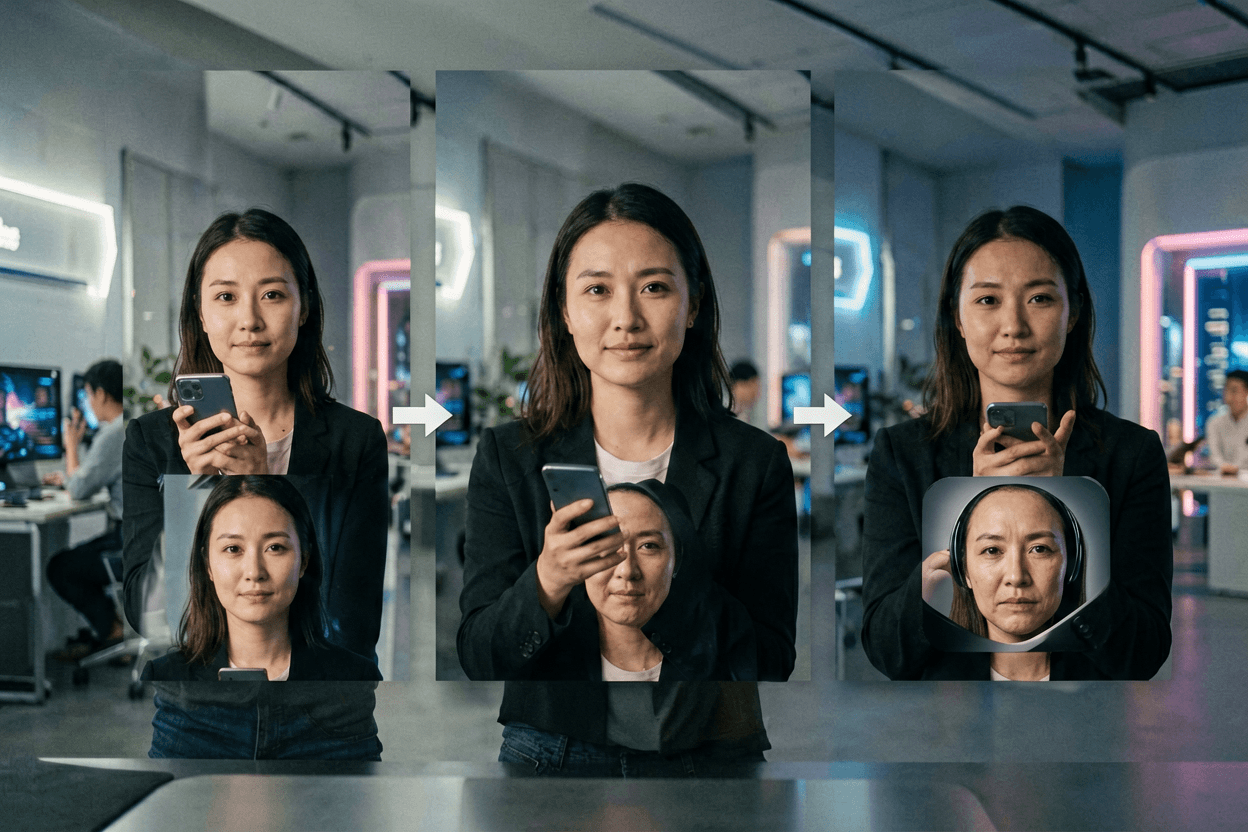
Upload a start and end still, describe the transition; the model interpolates the motion in between.
First and last frame workflow

Upload start_image and end_image, then describe the transition. For Kling v2.1, enabling an end frame switches the run to pro mode automatically. This is the ai video generator add first and last frame flow creators use for morphs and before / after clips.

Required

Sign in to upload

Sign in to upload

5
412
Paid access required for this setup · 8 credits · failure refunded
Example Video
BeforeBefore — Upload a start and end still, describe the transition; the model interpolates the motion in between.
After

Generator examples

  • Upload a start and end still, describe the transition; the model interpolates the motion in between.Before — Upload a start and end still, describe the transition; the model interpolates the motion in between.
Frame interpolationStart + end stillsKling Pro mode

AI Video Generator — first and last frame interpolation

An AI video generator with first and last frame inputs interpolates between two stills you provide — start frame, end frame, and a prompt describing the motion in between. On Voor AI, the AI video generator first and last frame workflow runs on Kling v2.1's Pro mode when both stills are uploaded, which is the configuration designed for transition interpolation rather than freeform animation. Searches for AI video generator first and last frame come from motion designers building reveal transitions, marketers stitching brand pack-shots, and music video editors who want frame-perfect cuts between two beats. The promise is simple: instead of describing both keyframes in prose and hoping the model lands close, you upload exactly what you want at second zero and second four, and the AI video generator first and last frame approach handles the tween.

Open generator
Upload two stills• Describe the transition• Get a tween

How to run AI video generator first and last frame interpolation

The generator panel above accepts both a start and end image upload.

1. Prepare two matched stills

Same aspect ratio, similar exposure, similar composition. AI video generator first and last frame quality is set by the gap between your two keyframes — narrower gaps yield cleaner motion.

2. Describe what happens between them

A one-sentence prompt is enough — the AI video generator first and last frame model already has both endpoints. Use the prompt to specify pace ('slow', 'snap'), mood, and any subject behavior the stills do not show.

3. Render and trim

Generate a short clip. AI video generator first and last frame outputs are typically two to five seconds. Trim heads and tails in your editor to land on the exact frames you uploaded.

Upload two stills

What an AI video generator with first and last frame is good at

Two-frame interpolation is a narrow but powerful tool. These are the wins.

Predictable start and end

The biggest reason teams pick an AI video generator first and last frame workflow is determinism on the endpoints. You know what the open and the close look like — only the middle has to be invented.

Pro-mode generation when available

When both stills are attached and the underlying model is Kling v2.1, the AI video generator first and last frame flow switches to Pro mode automatically — the configuration tuned for interpolation between two anchors.

Transition planning before render

Storyboarding a transition is much easier when both endpoints exist. AI video generator first and last frame projects shift the planning effort from prompt prose to image curation.

Match-cut friendly

Editorial teams love AI video generator first and last frame interpolation for match cuts: same composition, different subject, smooth morph. The trick is making the two stills compositionally similar enough that the model has a clear path between them.

When an AI video generator first and last frame beats text-only

Text-to-video is great when you do not yet know what the clip should look like. An AI video generator first and last frame workflow is better when you already do. If you have a brand pack-shot at the start and a logo lockup at the end, describing both in words wastes time and produces drift; uploading both stills and letting the AI video generator first and last frame model handle the tween is faster and more accurate.

AI video generator first and last frame also helps when you want to combine generated assets with practical photography. Shoot or render the keyframes the way your brand book demands, then use the AI video generator first and last frame approach to bridge the gap with motion that respects both endpoints.

Limitations are real. The further apart your two stills are in subject, composition, or lighting, the more the AI video generator first and last frame model has to invent — and inventions are where morphing comes from. Pick keyframes that share enough visual DNA that the model can plausibly travel between them.

Why motion designers use AI video generator first and last frame workflows

Brand campaigns require pixel-precise endpoints. An AI video generator first and last frame workflow gives you those endpoints by construction — you supply them as images, not as hopeful prose.

Music video editors use AI video generator first and last frame interpolation for beat-locked transitions: pick the frame on beat one, pick the frame on beat two, let the model fill the space. The same technique scales to title sequences, lyric videos, and explainer cut points.

AI Video Generator First and Last Frame — FAQ

Do I need to upload both stills?+

Yes — that is the whole point. An AI video generator first and last frame workflow without both anchors is just image-to-video; the interpolation behavior requires two endpoints.

Which model handles it?+

On Voor AI, the AI video generator first and last frame flow uses Kling v2.1's Pro mode when both stills are present. The mode switch happens automatically when the second upload is detected.

How long can the clip be?+

Short. AI video generator first and last frame output is typically two to five seconds. Longer interpolations ask the model to invent too much between the endpoints.

Why does my middle frames look distorted?+

Your two keyframes are probably too different. The AI video generator first and last frame model works best when start and end share composition, palette, and subject identity.

Upload two stills, get the tween

AI video generator first and last frame interpolation is the right tool when both endpoints are already designed. Upload, describe the motion between them, and let the model handle the bridge.

Generate

Voor AI ToolKit

The most relevant Voor AI tools for this workflow. Explore the full catalog for more.

Text to Video AI

Turn your ideas into high-quality videos — save time and cost, boost marketing and learning.

Image to Video AI

Turn photos into videos — great for marketing and social with eye-catching effects.

Vidu Q3

Turn text or images into videos fast — ads, shorts, and demos with natural motion and audio.

AI Video Extender

Generate new frames to seamlessly extend your videos — natural motion, lighting, and style.

Banana AI Video

Banana AI Video

Nano Banana stills → Veo 3 motion. Two-step Google creative pipeline on Voor AI.

Kling AI Video

Explore more AI tools→