Plan your abra kadabra interpretation
An Abra Kadabra-inspired appearance effect is a small continuity trick: a hand gesture gives the viewer a reason to expect a change, then a second subject appears. Establish where that subject will stand before generating the motion. A matched cut at the snap is often more controllable than asking one video to invent a person halfway through.
Three original prompt directions
Choose a model in the generator above, upload your authorized starting frame and paste one original prompt below. Review the displayed credit estimate before generating. These prompts guide a new interpretation; they do not load an official template or guarantee exact choreography.
Room Snap Cue
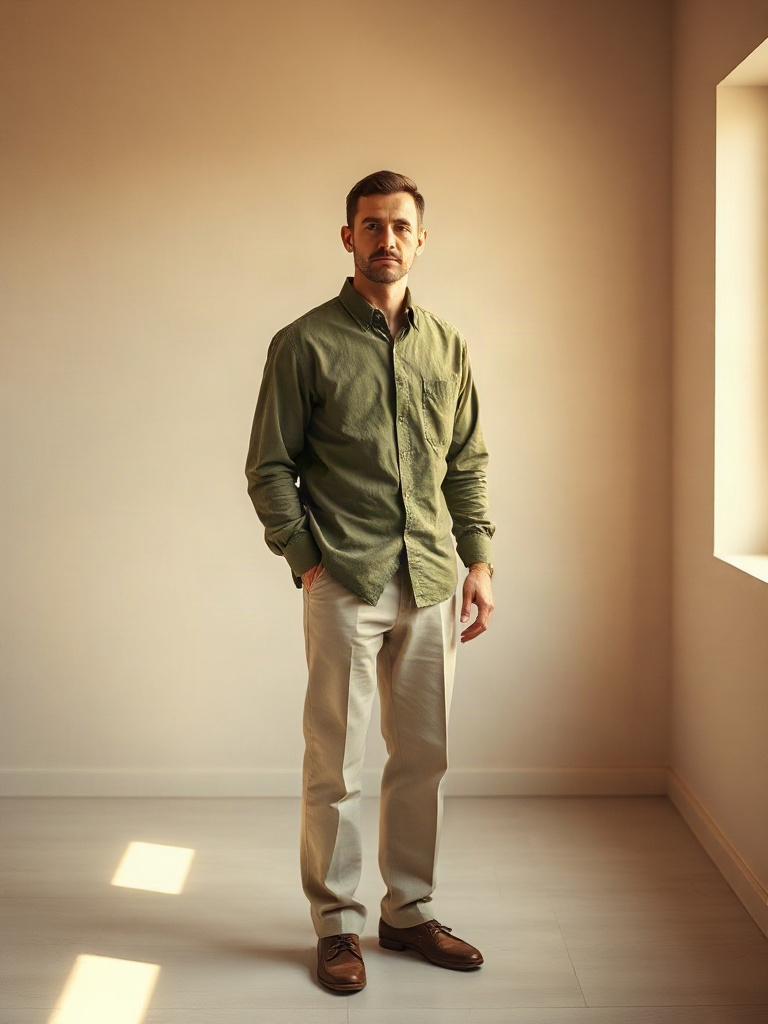
The fictional adult on the left makes one deliberate finger snap with his visible hand. Exactly on the snap, a second fictional adult woman wearing a simple cobalt blue blouse and cream trousers materializes in the empty right half of the room with a brief soft sparkle. They look at one another with a surprised smile and hold position. Both people have clearly separate faces, arms and hands. Keep the original left person and studio unchanged. One continuous fixed wide shot, no text or logos.
Courtyard Snap Cue
Animate the uploaded adult on the left side of a clean room, leaving the right side empty. Preserve the person and the background. They look toward the empty space, raise one hand and make a small deliberate finger-snap gesture, then pause with a pleased expression. Steady camera, one hand only making the gesture, natural fingers, no appearing objects in this shot, no text. Leave a clean pause for a separate reveal edit. Use a quiet open courtyard with a fixed camera and a clear empty space on the right for the later reveal cut.
Studio Palm-Reveal Cue
Animate the uploaded adult on the left side of a clean room, leaving the right side empty. Preserve the person and the background. They look toward the empty space, raise one hand and make a small deliberate finger-snap gesture, then pause with a pleased expression. Steady camera, one hand only making the gesture, natural fingers, no appearing objects in this shot, no text. Leave a clean pause for a separate reveal edit. Replace the finger snap with a simple open-palm presentation toward the empty space. Keep all five fingers separated and readable.
Prepare the starting frame
Compose the main adult on one side of the image with an unobstructed gap beside them. Keep the camera height and background identical in the before and after compositions.
A snap is a small finger motion. If the hand is too distant or blurred in the still, use a simpler open-palm gesture or cover-cut instead of relying on a perfect finger contact.
Prepare and direct your result
Choose a model in the generator above, upload your authorized starting frame and paste one original prompt below. Review the displayed credit estimate before generating. These prompts guide a new interpretation; they do not load an official template or guarantee exact choreography.
Show the empty space
Hold briefly on the original composition so the reveal has a clear before state.
Give the cue
Make one small hand gesture toward the gap. Keep the face still.
Reveal on a cut
Match to the second composition and hold the newcomer in a stable pose.
Review the take before adding music
Compare the before and after camera lines. A drifting doorframe or changing floor is more noticeable than a simple cut. Review the snapping hand separately from the second subject’s face.
The prompt is an original interpretation of the idea. It does not import a CapCut template or copy a reference performance. A text instruction can guide a gesture, but it cannot guarantee exact choreography or frame-perfect timing. Add only music or other audio you are permitted to use in your publishing app.
Questions about abra kadabra
Does the generator automatically add my friend?
Not from a name alone. Prepare an authorized after-frame or an original fictional subject, then edit the two shots together.
Can I use one continuous take?
You can experiment, but a two-shot edit gives more control over the reveal and identities.
Is the snap sound included?
If you need an exact sound cue, add a permitted effect at the cut in your editor.