Wan 2.6 image-to-video on Voor AI — upload a keyframe, pick a Wan 2.6 camera preset, and generate a short clip with optional background audio.
Generator examples

I2V
Wan 2.6 image-to-video
1
Camera verb per Wan 2.6 clip
3
Presets: cinematic, portrait, wide
14
Prompt chips below for quick tests
Wan 2.6 image-to-video — still to motion
Each row shows the Wan 2.6 input keyframe beside a motion pass. Upload a locked still, pick one camera preset, and describe motion only — same subject, same light, only time moves.
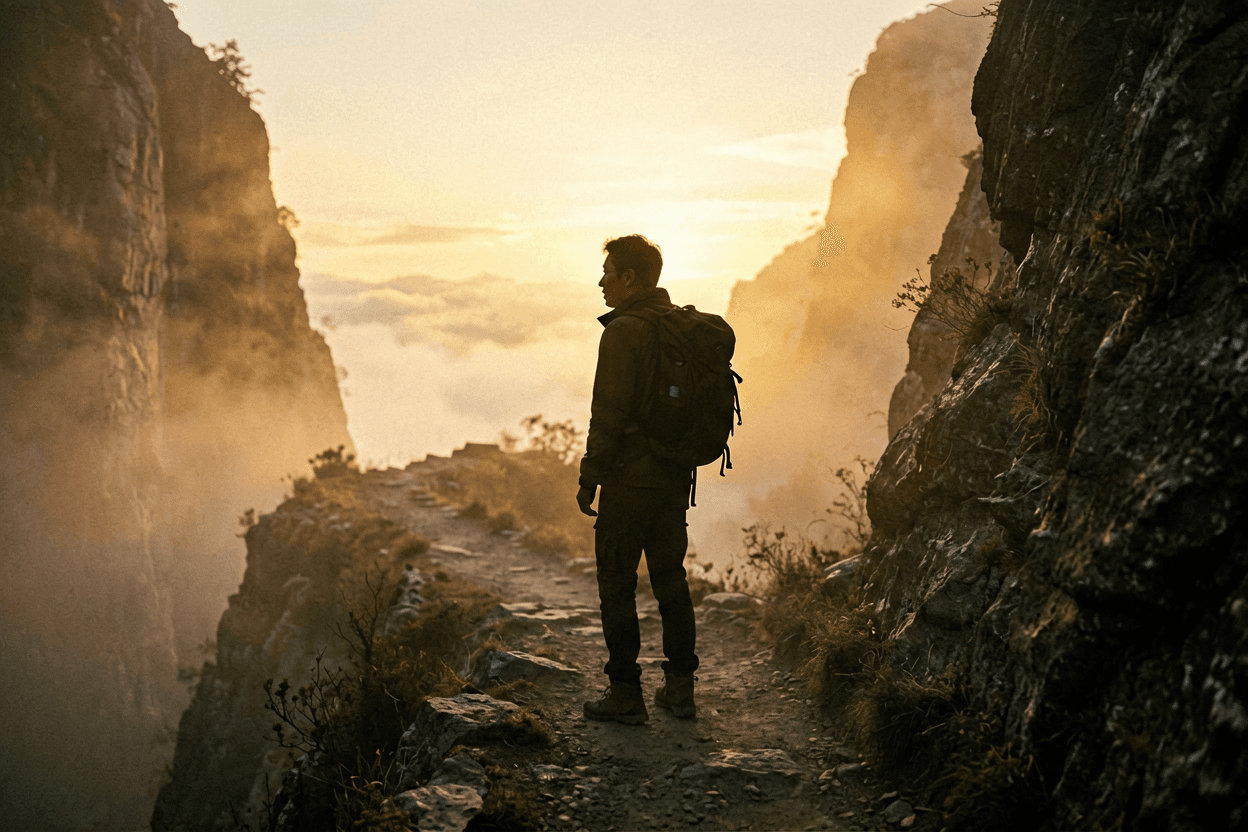
Cinematic dolly
Slow cinematic dolly in over misty cliff path at golden hour, gentle cloud drift, static horizon, one camera verb only.

Input still
Wan 2.6 I2V
Portrait push-in
Subtle head turn and soft breathing, city window bokeh unchanged, gentle push-in, face stays sharp.

Input still
Wan 2.6 I2V
Wide neon alley
Slow forward drift through neon rainy alley, puddle reflections shimmer, static camera height, ambient rain bed.

Input still
Wan 2.6 I2V
Wan 2.6 keyword vs models on Voor AI
Wan 2.6 is the still-to-motion model in the Wan video family, and it is the default generator on this page.
| Checkpoint | Best for | Honest note |
|---|---|---|
| Wan 2.6 image-to-video | Wan 2.6 still-to-motion, hero keyframes | Default on this page — upload a still, preset handles camera grammar |
| prunaai/wan-2.5-i2v-fast | Fast Wan I2V iteration after brief is locked | Swap in dropdown when you need speed over 2.6 identity |
| prunaai/wan-2.5-t2v-fast | Text-only briefs without a reference still | Use Text to Video when you have no keyframe upload |
| Wan 3.0 | Newest Wan generation with synchronized audio | 2–30s from text, a still, or references — the newest Wan on Voor AI |
Build a Wan 2.6 test prompt
Tap chips, copy the line, paste after your preset.
Wan 2.6 image-to-video
Wan 2.6 previz pipeline
Volume first — promote only the winning clip to slow polish.
01
Storyboard one arrow
Agree on one camera move and one subject verb before any Wan 2.6 credits spend.
02
Three fast variants
Generate three Wan 2.6 passes with one changed clause — star the cleanest horizon.
03
Review on target device
Check foot sliding on phone OLED before paid social — downscaled previews hide drift.
Plan a Wan 2.6 shot before spending the render
Wan’s official page and ranking generators lead with broad model capability. Voor focuses this route on the actual I2V controls available here and a shot-planning method you can repeat.
- FRAME
Start from a keyframe
Use a clean still with a readable subject, plausible depth, and room for the camera direction you want.
- CAMERA
Write one camera move
Choose dolly, orbit, crane, handheld, or locked-off language instead of stacking conflicting moves.
- ACTION
Describe subject motion
Separate what the subject does from what the camera does so the model can stage both clearly.
- AUDIO
Add background audio only if needed
In this image-to-video workflow, audio is optional background sound; it does not become the motion driver.
Evidence notes
Wan 2.6 shot planning beyond the first generation
Practical camera language, motion boundaries, prompt iteration, audio handling, source-frame review, delivery checks, and model-fit decisions make the shot reproducible.
Wan 2.6 on Voor AI — image-to-video in practice
The demos above are still→motion pairs: a locked keyframe plus one camera verb. This page defaults to Wan 2.6 image-to-video: upload a still, pick a preset, and describe motion only.
Strong briefs name subject, one camera move, and one lighting note. If the clip drifts, change camera or subject — not both in the same reroll.
How we made the examples. Cinematic / portrait / wide plates were generated as stills, then animated with a single motion instruction so you can judge identity hold. Review hands, on-screen text, and foot contact on a phone OLED before paid social — downscaled previews hide sliding.
Newer in the family. Wan 3.0 shipped in August 2026 with 2–30 second clips and audio scored in the same render — see Wan 3.0 when the shot needs sound or a length Wan 2.6 cannot reach. Stay on 2.6 when you are matching an existing Wan 2.6 look or a prompt already tuned for it.
Compare Wan Animate for related I2V workflows and Image to Video AI for the full model dropdown. Use this page for volume previz; promote only the winning clip to slower polish.
Wan 2.6 — FAQ
What is Wan 2.6?
Wan 2.6 is an image-to-video model: upload a keyframe, describe camera and motion, and get a short clip. On Voor AI you get presets, example prompts, and Wan 2.6 selected by default.
How does Wan 2.6 work?
Pick a preset, add your subject, generate. Presets prepend camera language so you describe only the variable part.
Is Wan 2.6 free to try?
New accounts receive 50 welcome credits. The generator shows the credit estimate before you run.
Which model powers Wan 2.6?
This page defaults to Wan 2.6 image-to-video — upload a still, pick a preset, and describe motion.
Can I use Wan 2.6 for commercial work?
Yes under your Voor plan terms — verify likeness and trademark rights separately.
How is Wan 2.6 different from generic generators?
Presets encode Wan camera grammar, copyable examples show what works, and the generator defaults to Wan 2.6 instead of a blank prompt box.
What makes a strong Wan 2.6 prompt?
One camera move, one lighting note, explicit preserve lists for edits.
Does Wan 2.6 output finished assets?
You get generations from the model — pages teach the brief; you review and iterate.
Where can I learn more about Wan 2.6?
FAQ below, scene ideas, and linked Voor tools at the page bottom.
Wan 2.6 batch workflow?
Generate three Wan 2.6 variants per brief, pick the cleanest horizon, promote only that clip to slow polish — Wan 2.6 I2V is for volume, not final delivery on every reroll.
Wan 2.6 aspect ratio tip?
Name 9:16 or 16:9 in the Wan 2.6 prompt when placement is fixed — presets bias horizon lock; your crop note prevents awkward reframes for Shorts versus wides.
Wan 2.6 social campaign lock?
Batch three Wan 2.6 variants per brief, pick the cleanest horizon, promote only that clip to slow polish — Wan 2.6 I2V is for volume before final voiceover and color grade.
Wan 2.6 prompt documentation?
Shared doc of approved Wan 2.6 clauses — subject and light notes reuse across SKU videos while camera preset swaps per placement. Version filenames with date for client timelines.
Wan 2.6 honest limits?
Hands, on-screen text, and thin logos need review at full size after every Wan 2.6 export — reroll one clause instead of accepting a close-enough Wan 2.6 pass for paid social placement.
Wan 2.6 previz discipline?
Storyboard one camera arrow and one subject verb before Wan 2.6 generation — stakeholders agree on motion before credits spend on volume tests that never ship to the client timeline.
Wan 2.6 filename versioning?
Version Wan 2.6 exports with date and prompt hash — editors trace which pass landed when the producer asks for a rerun on the same SKU hero without reopening the whole brief deck.
Generate with Wan 2.6 presets
Upload a still, pick a Wan 2.6 camera preset, and generate image-to-video on Voor AI.
Open Wan 2.6 generatorPeople also search for
- wan 2.6 image to video
- wan 2.6 ai video generator
- wan 2.6 video free
- wan 2.6 i2v
- wan 2.6 cinematic video
- wan 2.6 portrait clip
- wan 2.6 online generator
- wan 2.6 bytedance alternative
Your privacy, your choice
Optional cookies help us understand usage and measure ads. Essential cookies stay on so Voor works.