Qwen Image 3 from Alibaba's Qwen team renders English and Chinese text, infographics and realistic scenes at 1K or 2K, and edits text in up to three reference images.
Generator examples

Real Qwen Image 3 output · 2K · 3:4
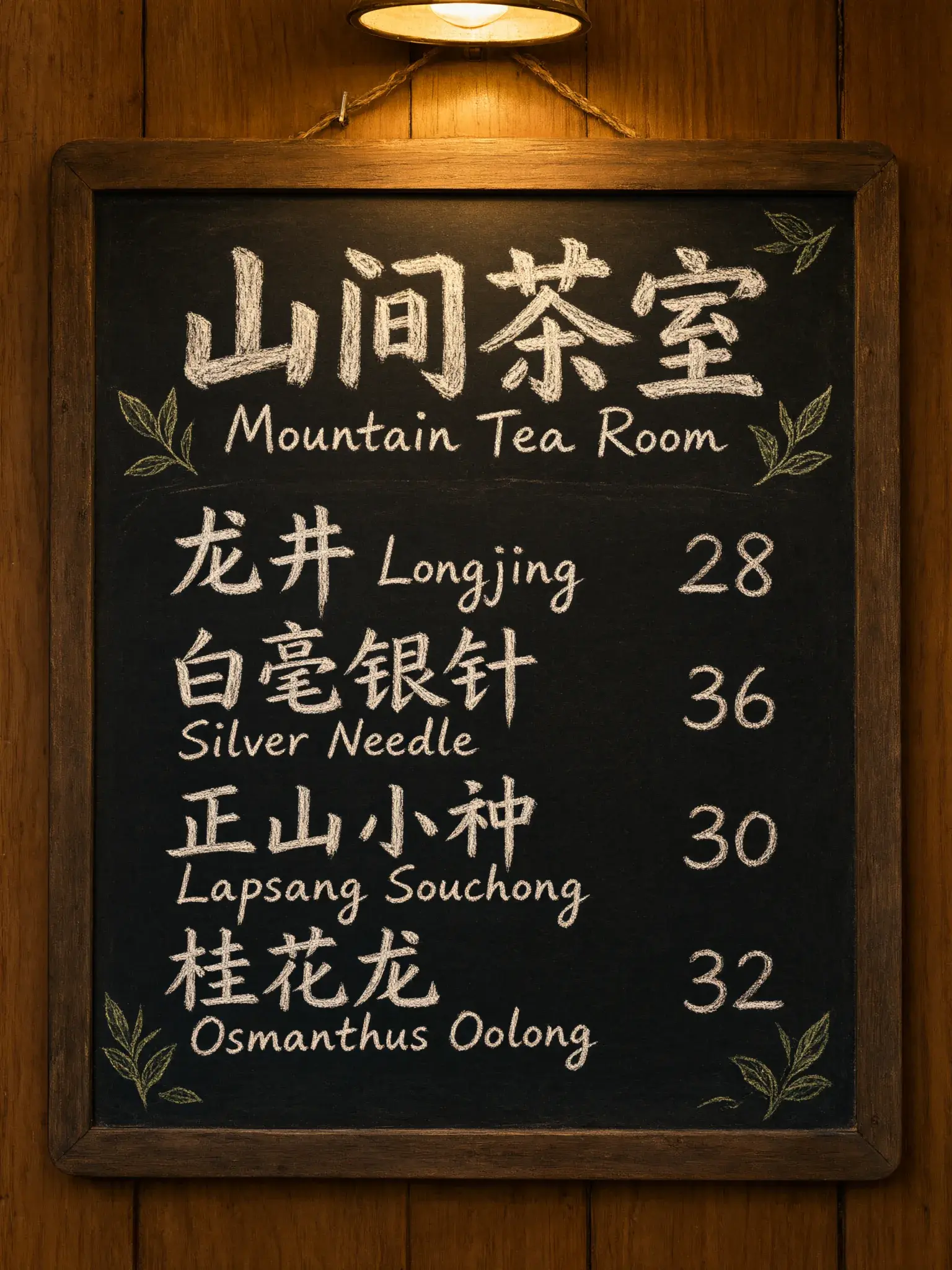
Proofread a Qwen Image 3 menu in two languages
Qwen Image 3, from Alibaba's Qwen team, is built for images that carry text. We rendered six quoted Chinese and English lines twice at 2K, prompt expansion off and on, and checked every line.
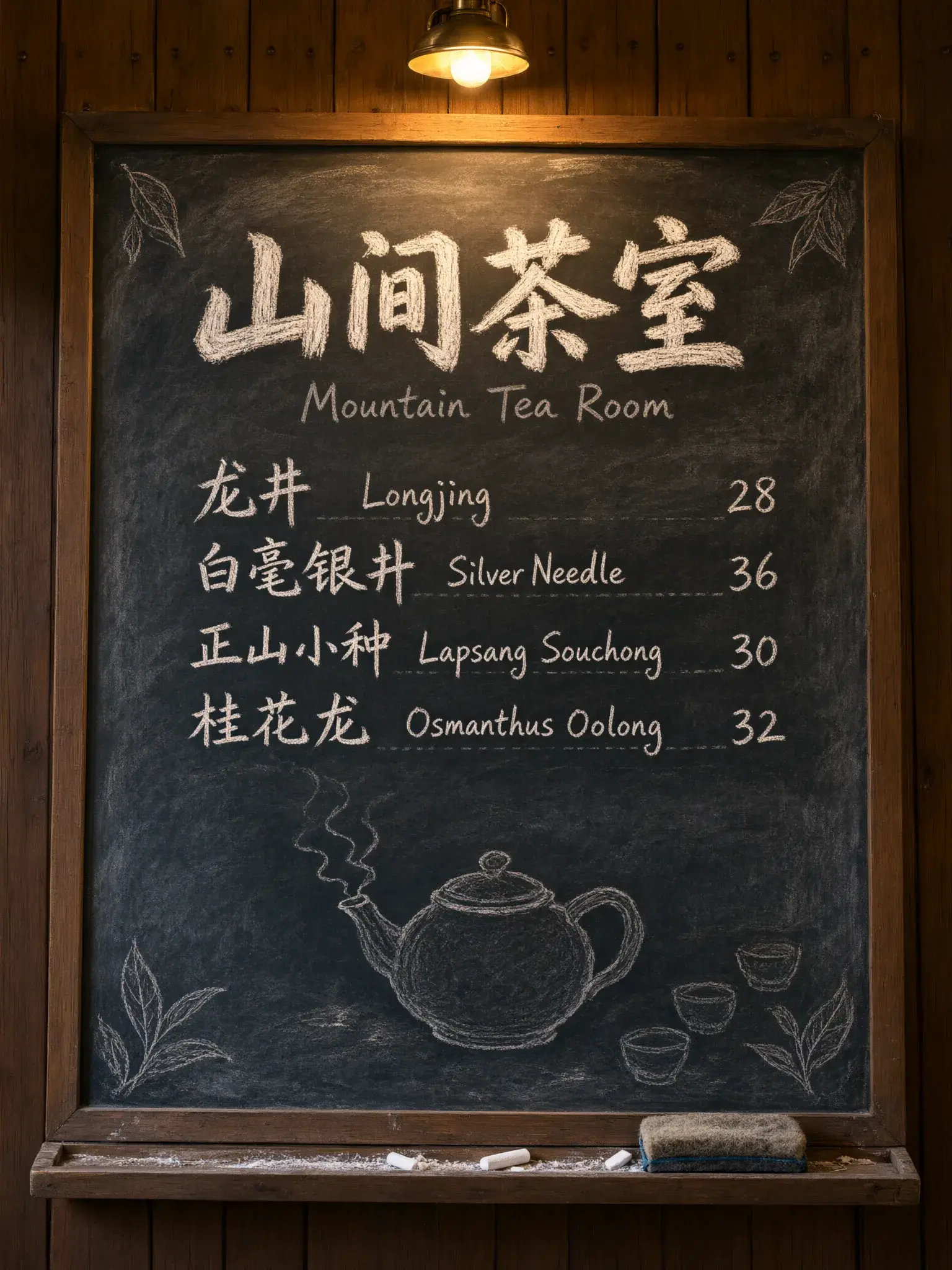
| Quoted line | Off | On |
|---|---|---|
| 山间茶室 | exact | exact |
| Mountain Tea Room | exact | exact |
| 龙井 Longjing 28 | exact | exact |
| 白毫银针 Silver Needle 36 | exact | error针 drawn as 井 |
| 正山小种 Lapsang Souchong 30 | exact | exact |
| 桂花乌龙 Osmanthus Oolong 32 | error乌 dropped | error乌 dropped |
English and prices were exact in both takes; errors were single Chinese characters. Expansion on also added a teapot and cups.
Read the menu prompt
A hand-painted chalkboard menu hanging on a wooden wall in a small tea house. At the top, the title "山间茶室" in large Chinese brush-style characters, with the English line "Mountain Tea Room" beneath it. Below, four rows, each with a Chinese name, an English name and a price: "龙井 Longjing 28", "白毫银针 Silver Needle 36", "正山小种 Lapsang Souchong 30", "桂花乌龙 Osmanthus Oolong 32". Chalk texture, small drawn tea leaves in the corners, warm lamp light, photographed straight on.
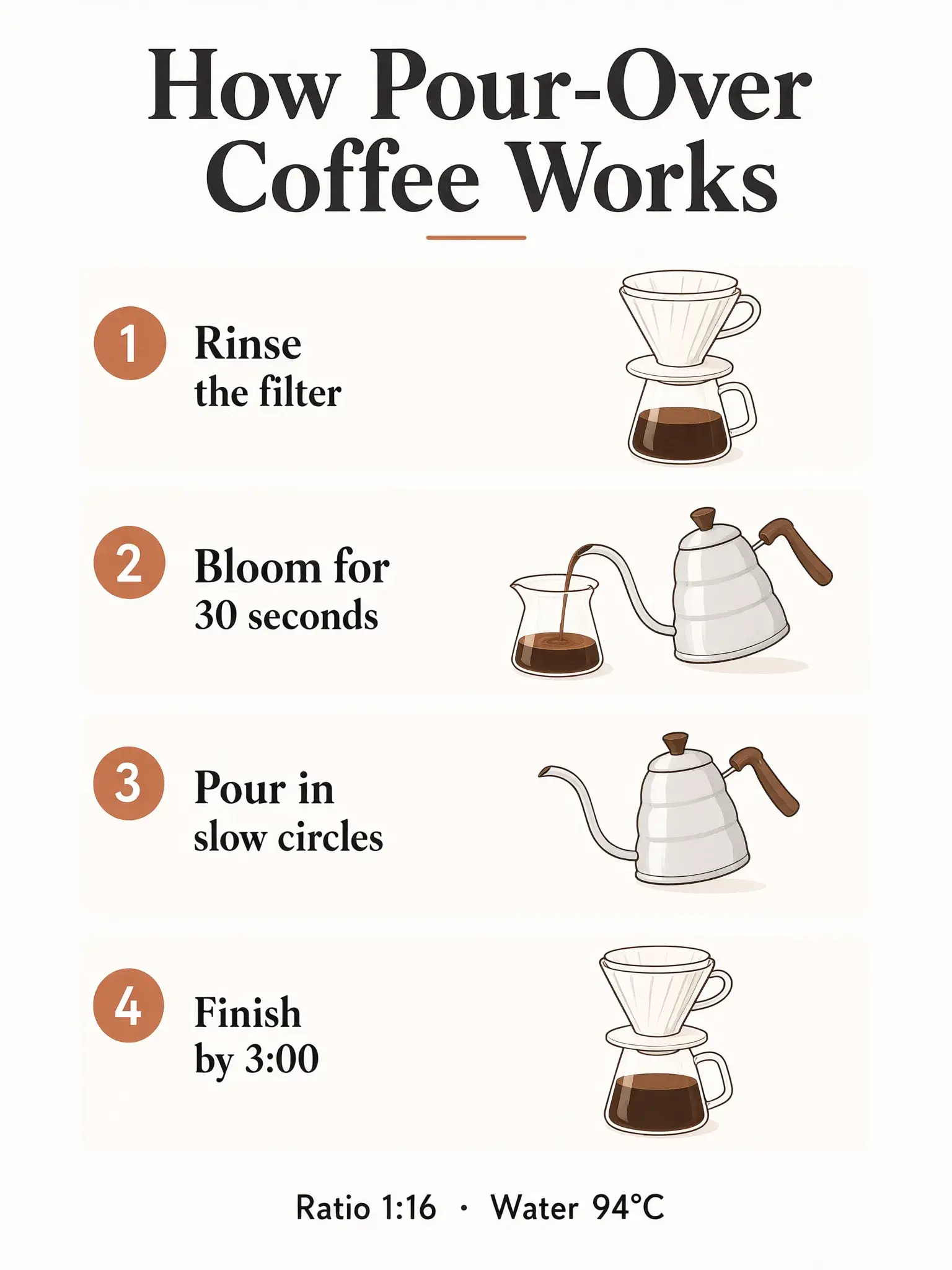
One switch, two infographics
What Qwen Image 3 prompt expansion writes for you
Expansion is on by default. It rewrites the prompt before rendering, and can write copy you never approved. Same prompt, same 1536 × 2048 size.
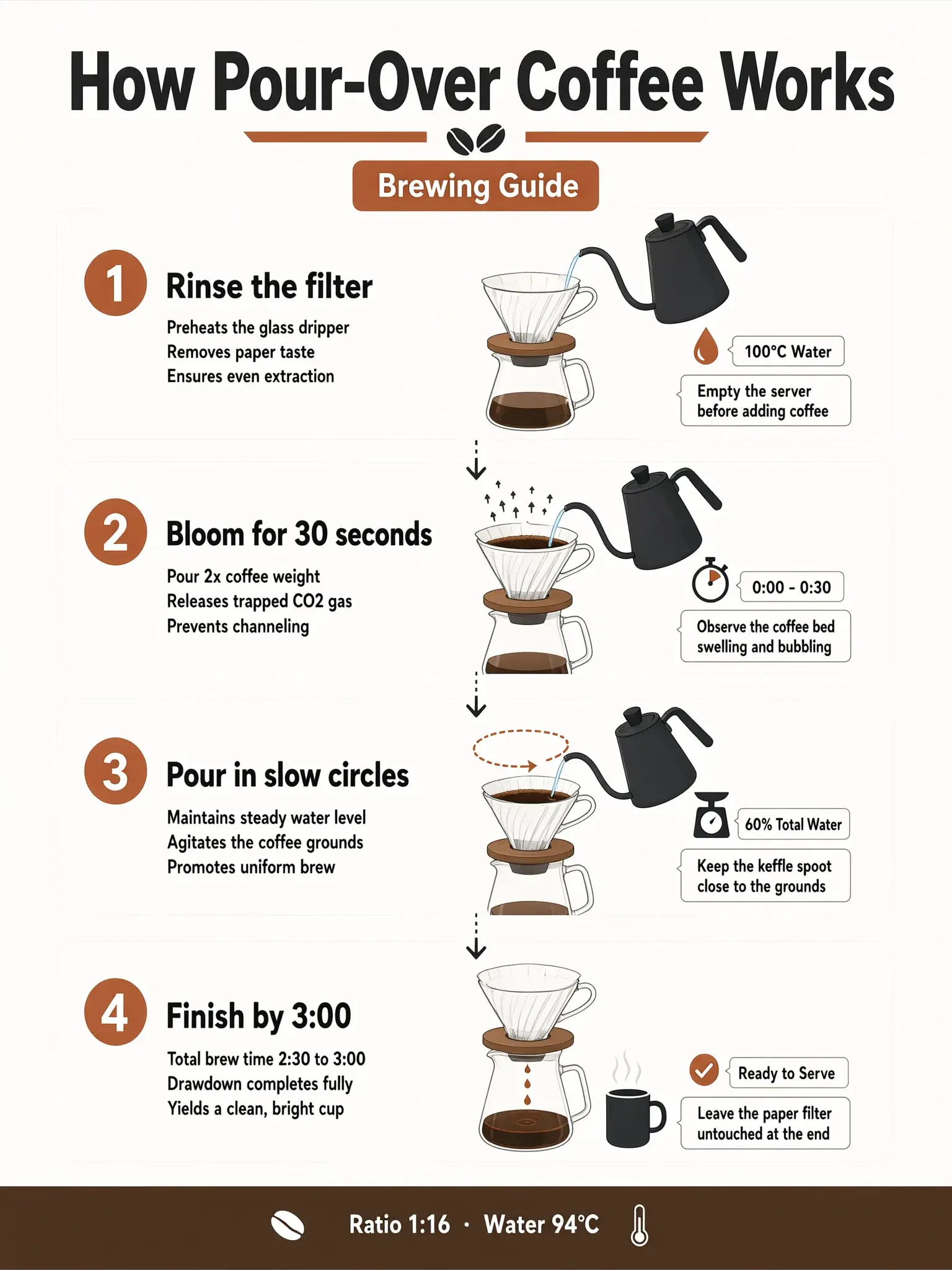
Lines the model added
Brewing Guide
a badge under the titleReleases trapped CO2 gas
one of twelve bullet lines added under the steps100°C Water
contradicts the 94°C footer it also keptKeep the keffle spoot close to the grounds
kettle spout, misspelled
Rule of thumb: exact copy, expansion off. Exploring a layout, expansion on, then proofread every line it added.
Read the infographic prompt
A clean educational infographic poster titled "How Pour-Over Coffee Works". Four numbered panels arranged from top to bottom: "1 Rinse the filter", "2 Bloom for 30 seconds", "3 Pour in slow circles", "4 Finish by 3:00". Each panel has a simple flat illustration of a glass dripper and a gooseneck kettle. Footer line: "Ratio 1:16 · Water 94°C". Off-white background, terracotta and charcoal palette, consistent line weight, generous spacing.
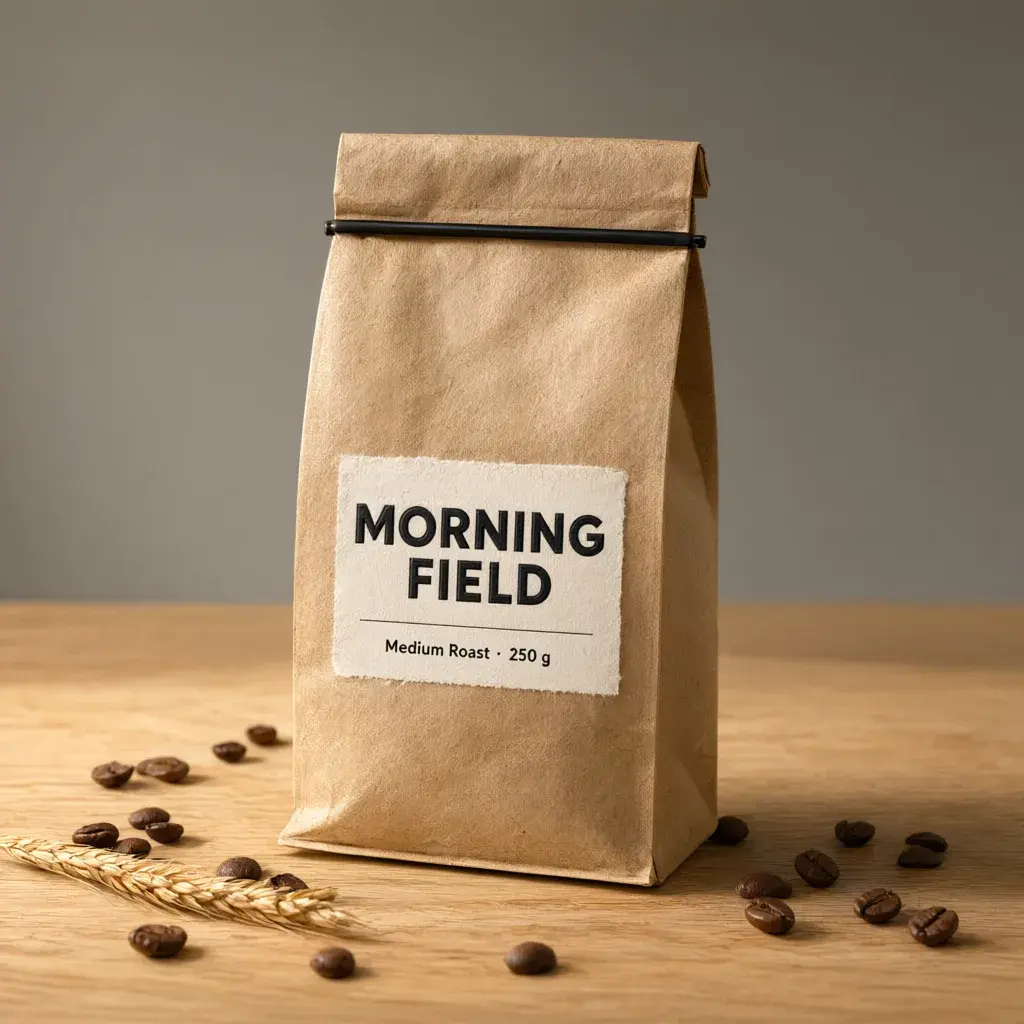
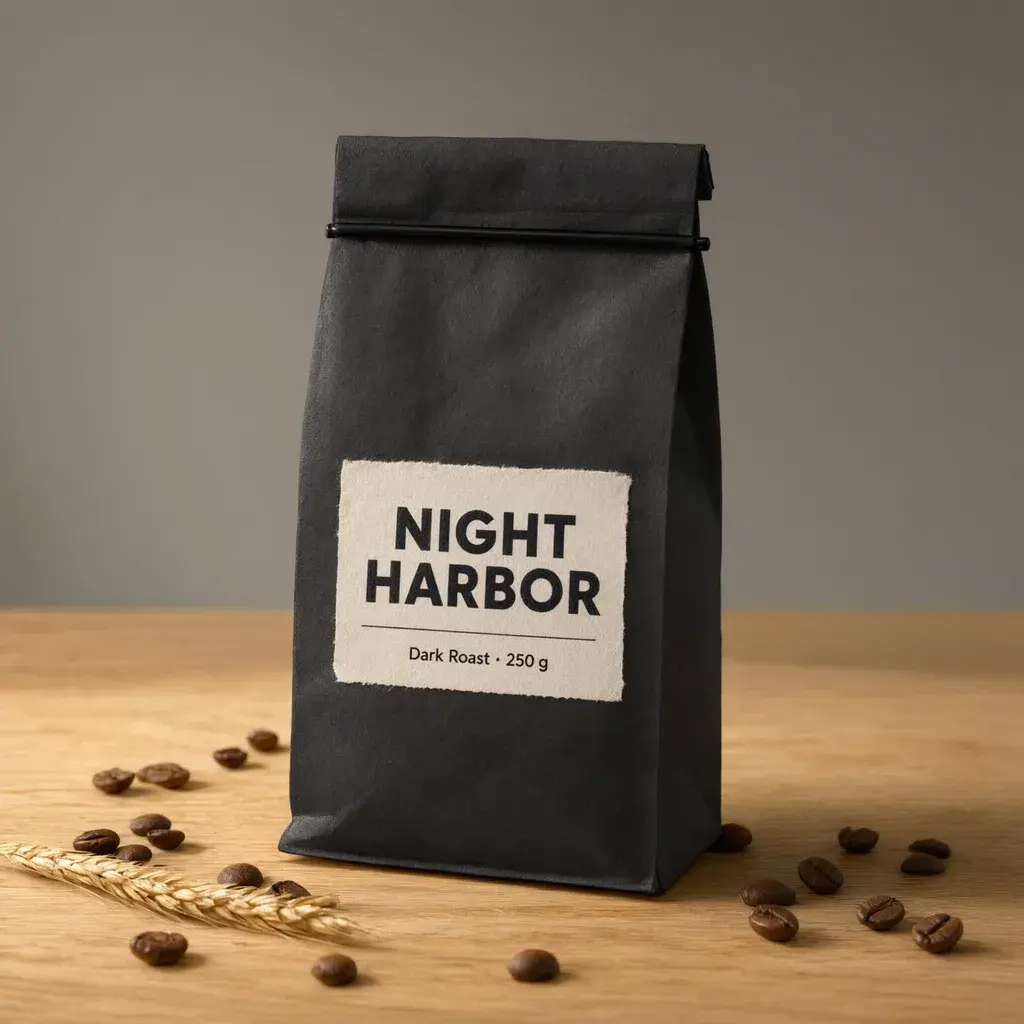 Before · MORNING FIELDAfter · NIGHT HARBOR
Text edit · drag the divider
Rewrite a label with Qwen Image 3 Edit
The source bag was made with Qwen Image 3 at 1K; one edit changed both lines of copy and the paper color.
- Changed
- “NIGHT HARBOR”, “Dark Roast · 250 g”, matte black paper
- Kept
- Fold and clip, label position, beans, wheat stalk, table, light
- Output
- 2048 × 2048 from a 1024 × 1024 source. The edit chooses its own size, so Voor prices every edit at the 2K rate.
Read the edit instruction
Change the label text to "NIGHT HARBOR" and "Dark Roast · 250 g". Make the bag matte black paper and the label off-white with black letters. Keep the bag shape, the fold at the top, the oak table, the coffee beans, the lighting and the camera angle unchanged.
Scene edit · toggle
Keep the face, change the season
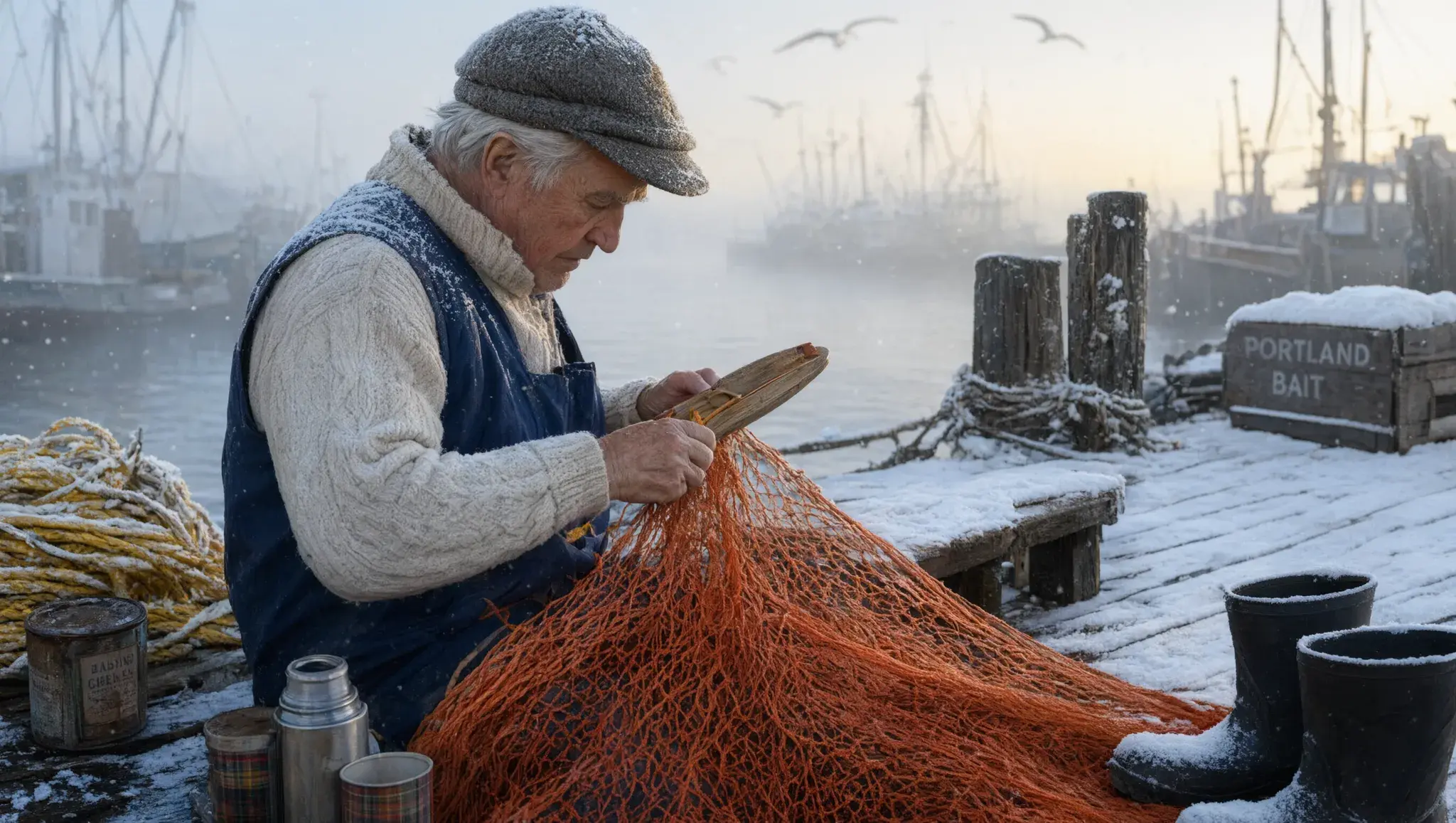
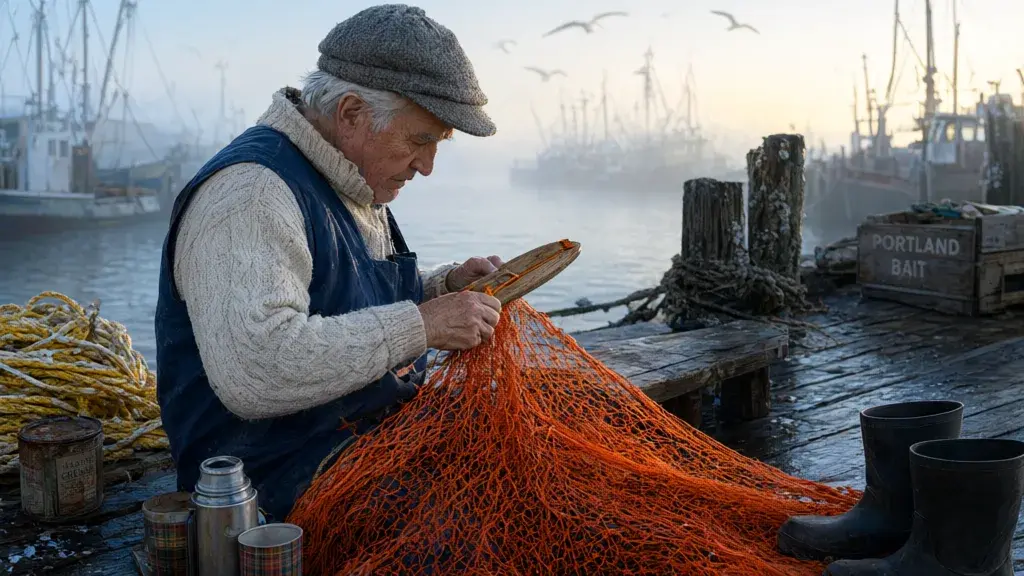
We asked Qwen Image 3 Edit for snow on a 1K harbour scene while keeping the man's face, pose, hands and net.
- Face, cap shape and grey hair held
- Hands still on the netting needle
- Orange net, crates, flask and boots in place
- Snow on boards, crates, boots and cap
- Output grew to 2720 × 1536 from 1024 × 576
Read the scene instruction
Turn the scene into a snowy winter morning: fresh snow on the pier boards, the crates and the boots, light snow falling, and a dusting of snow on the man's cap and shoulders. Keep the man's face, his pose, his hands, the orange net and the camera angle the same.
Pick a ratio
Qwen Image 3 sizes and credits
Text to image offers five aspect ratios at two tiers. The outer frame is 2K, the filled frame inside it is 1K, drawn to scale.
- 1K text to image
- 14 credits
- 2K text to image
- 27 credits
- Edit, any reference count
- 27 credits
Our runs took 21 seconds to 2.5 minutes; edits took 3 to 4.5 minutes.
Brief for text
Write a Qwen Image 3 brief for text-heavy images
- 1
Quote every visible string
Exact words in quotation marks, in their language. Prompts can be Chinese or English.
- 2
Give each string a job and a place
Title at the top, rows below, footer at the bottom.
- 3
Fill the space you create
A timetable sign with two quoted lines came back with ten rows of unreadable filler. Say how many lines a surface holds.
- 4
Turn expansion off for exact copy
Keep it on only to explore a layout.
- 5
Use 2K for small type
Dense characters need pixels. Draft at 1K, finish at 2K.
- 6
Keep live facts outside the pixels
Prices, schedules and legal lines belong in HTML, not pixels.
For a single quick change with a strict preserve list, the earlier Qwen Image Edit is still a good fit. To swap the language of text that is already in a photo, start with the AI image translator. To test the same brief on models from other labs, open the text to image workspace.
Qwen Image 3 FAQ
What is Qwen Image 3?
Qwen Image 3 is an image generation and editing model from Alibaba's Qwen team. It renders complex text at up to 2048 × 2048 pixels and edits with one to three references. Prompts can be Chinese or English.
How many credits does Qwen Image 3 cost on Voor?
Qwen Image 3 text to image costs 14 credits at 1K and 27 credits at 2K. Edits cost 27 credits. New accounts get free welcome credits.
Can Qwen Image 3 write Chinese and English text accurately?
Often, but not perfectly. In our Qwen Image 3 chalkboard test every English word and price was exact, while Chinese errors were single characters: five of six lines were exact with prompt expansion off and four of six with it on.
What does prompt expansion do in Qwen Image 3?
Prompt expansion lets the model rewrite your prompt before it renders. It is on by default. In our test it added unrequested labels, one contradicting the footer. Turn it off when every visible word must stay exactly as written.
Which sizes can Qwen Image 3 generate?
Voor offers Qwen Image 3 in 1:1, 4:3, 3:4, 16:9 and 9:16 at two tiers. 1K is up to 1024 px on the long side; 2K doubles it.
How do I change the text in an image with Qwen Image 3?
Choose Edit image, upload the picture, quote the new words exactly and list what must stay unchanged, such as shape, layout, lighting and camera angle. References: 384 to 2048 px per side, up to 10 MB.
Can Qwen Image 3 combine several reference images?
Yes. Qwen Image 3 Edit accepts up to three references. Refer to them in the prompt as image 1, image 2 and image 3.
Does Qwen Image 3 keep a person's face when editing?
In our snow edit, Qwen Image 3 kept the fisherman's face, cap, pose and hands, plus the net and props, while adding snow across the scene. Name the details you need kept.
How long does a Qwen Image 3 generation take?
Our Qwen Image 3 text-to-image runs took between 21 seconds and about two and a half minutes, at both 1K and 2K. The two edits took between three and four and a half minutes.
Quote the words, then let Qwen Image 3 set them
Draft at 1K with prompt expansion off, proofread every line, then render the approved brief at 2K.
Create with Qwen Image 3Your privacy, your choice
Optional cookies help us understand usage and measure ads. Essential cookies stay on so Voor works.