Transcribe
List every source string in reading order, mark unclear text, and identify names, codes, prices, or logos that must not change.
Translate visible copy inside posters, menus, signs, and product graphics while preserving the original layout and imagery.
English artwork → Chinese artwork
This pair has visible source copy, an exact approved translation, and a preservation boundary you can inspect without guessing.
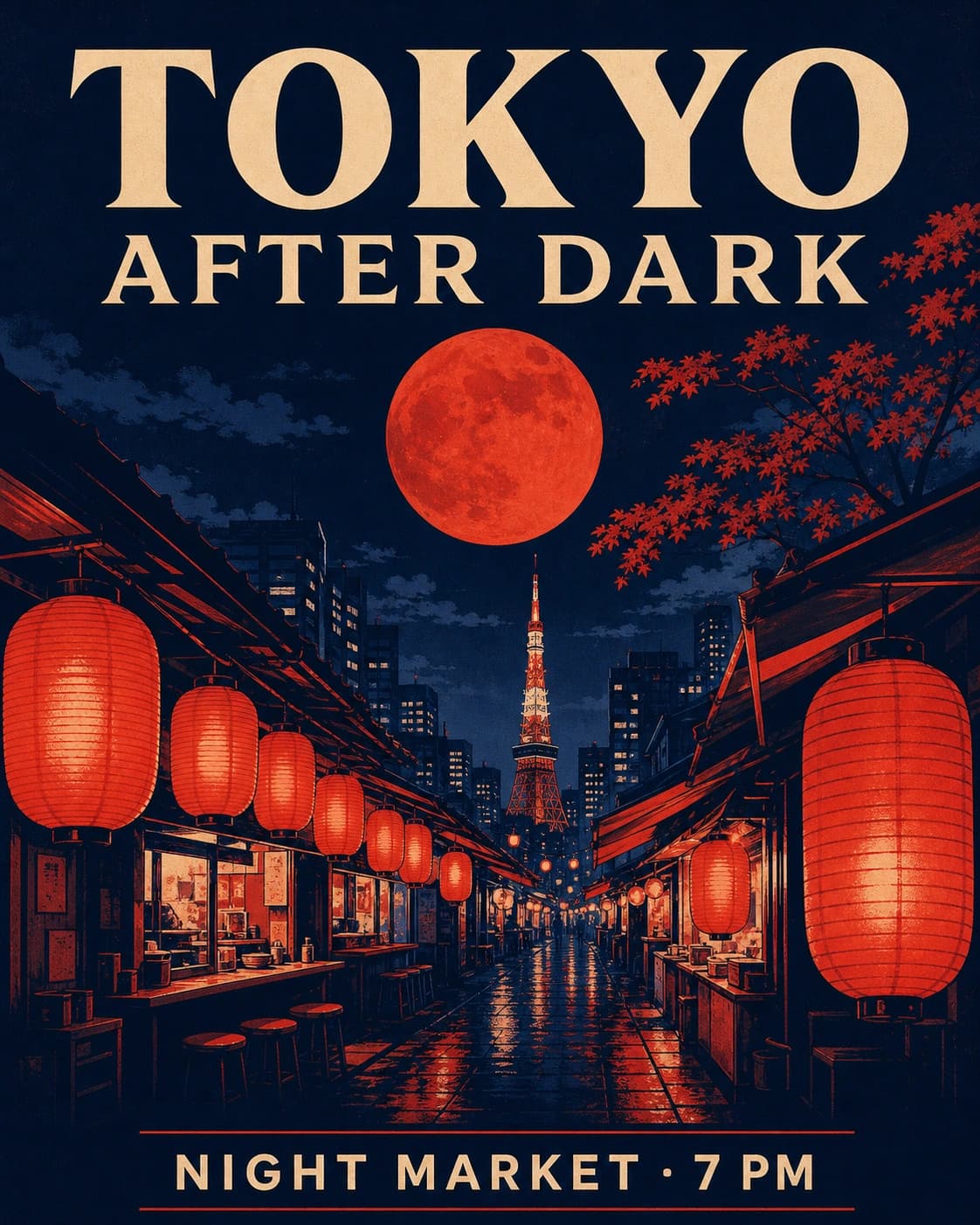
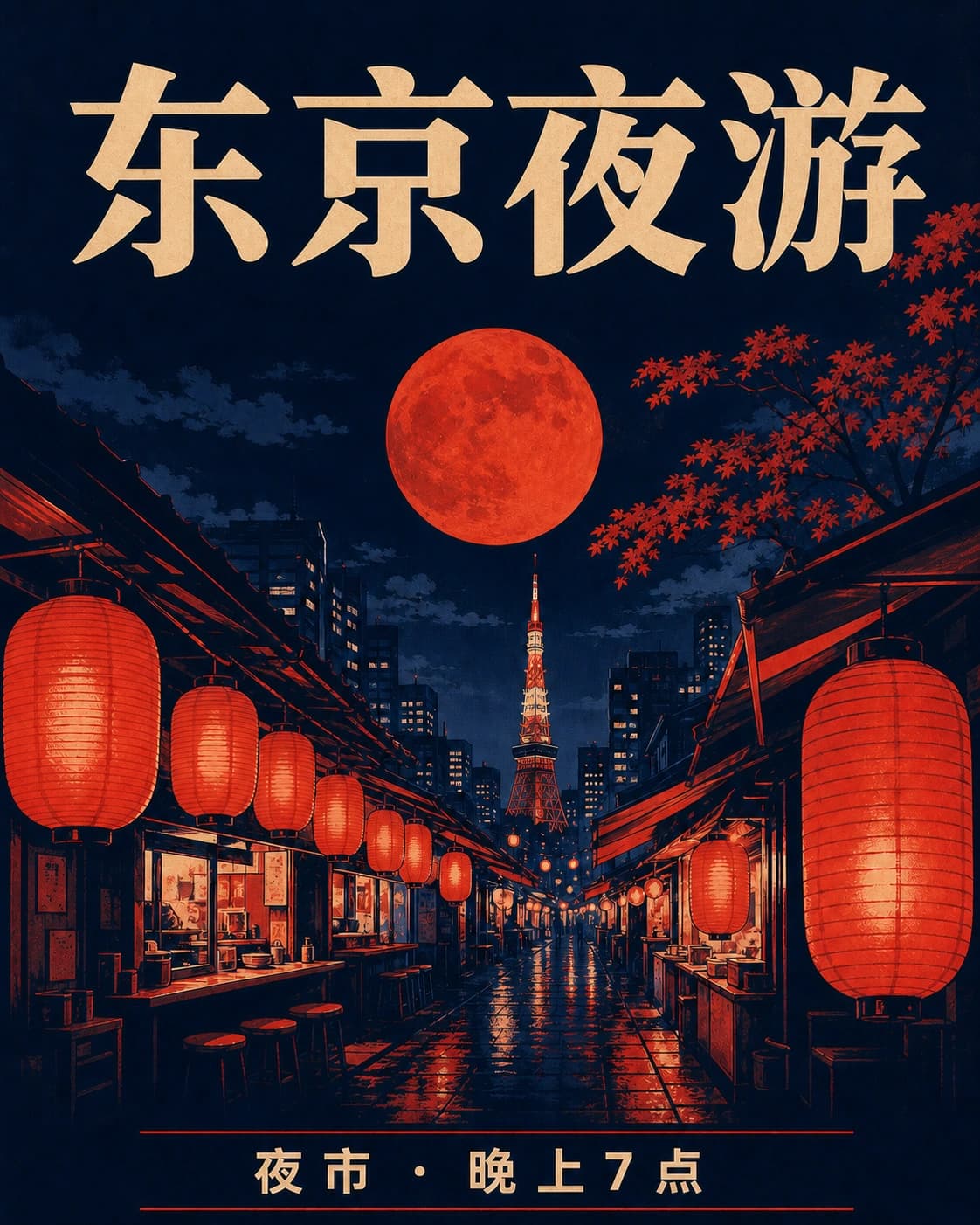
“TOKYO AFTER DARK” → “东京夜游”
Same hierarchy, crop, border, and spacing
Lanterns, moon, street, color, and texture locked
57-second walkthrough
Supply final target copy—do not ask the image to invent it.
Quote brand names, prices, and regions that must stay unchanged.
Proofread language first, then inspect the pixels at 100%.
Replace only “TOKYO AFTER DARK” with “东京夜游” and “NIGHT MARKET · 7 PM” with “夜市 · 晚上7点”. Preserve the illustration, moon, lanterns, buildings, palette, border, texture, crop, hierarchy, and aspect ratio. Add no other text.
Every character and digit matches the approved transcript
Reading order and line breaks work in the target language
Logos, artwork, prices, and non-target copy remain unchanged
Inspect the lettering at two scales
The full poster proves composition. These crops make the headline and event line large enough to compare without hiding text errors inside an attractive illustration.
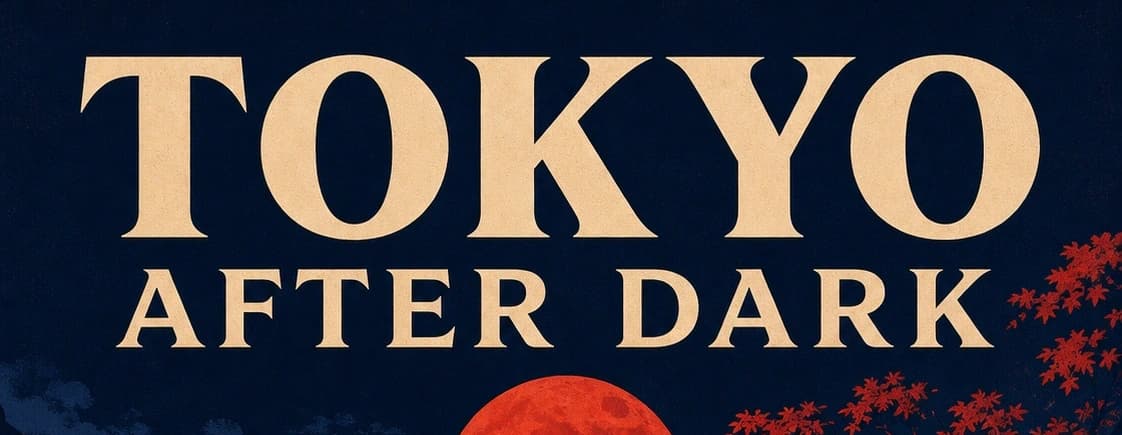
TOKYO AFTER DARK remains the dominant line and stays inside the original title area.
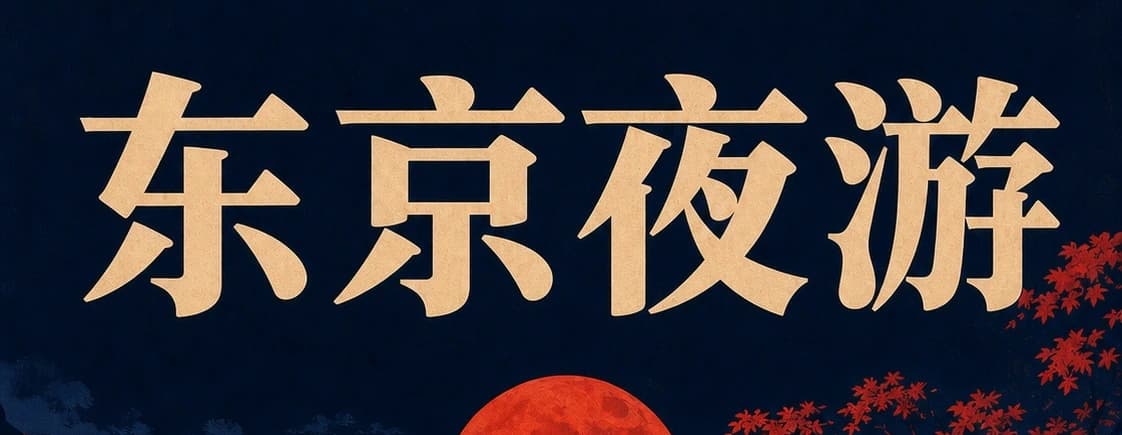
东京夜游 uses the same visual authority without redrawing the moon, foliage, skyline, or border.
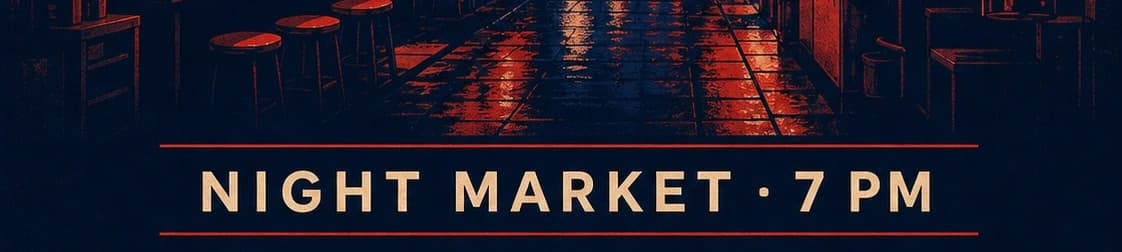
NIGHT MARKET · 7 PM is transcribed with its separator, numeral, and compact footer hierarchy.
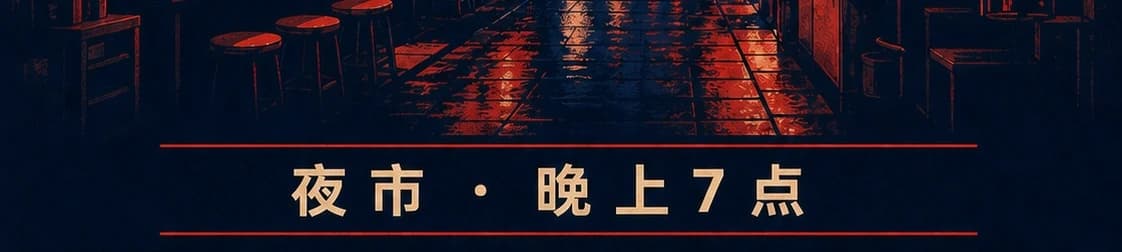
夜市 · 晚上7点 preserves the event meaning and footer placement while the illustration remains unchanged.
Translation and image editing happen together here, but copy approval, locale decisions, and the final release record remain human responsibilities.
Keep place names and sponsor marks on a do-not-translate list. Translate a call to action for tone and locale, not word for word. Check the card at phone size.
Transcribe every field first, then localise currency, units, and allergens deliberately. Warnings and regulated wording need professional review before anything is published.
Mark logo, model number, certification marks, and legal line as protected. Treat the output as a concept — real production needs verified typography and measurements.
Assign dialogue to bubbles in reading order and preserve panel borders. Expanded scripts need new line breaks, so check tails and speaker ownership afterwards.
List every source string in reading order, mark unclear text, and identify names, codes, prices, or logos that must not change.
Supply approved target copy with locale, tone, units, currency, punctuation, numeral style, and right-to-left requirements.
Compare hierarchy, boxes, crop, illustration, people, products, borders, and all untranslated regions at full and delivery size.
Use a fluent reviewer, rebuild regulated copy in a source file, and archive the bilingual transcript, prompt, output, and decision.
AI image translator FAQ
A convincing localized image still needs an approved transcript, locale decisions, visual comparison, and a reviewer who can own the final wording.
An AI image translator replaces visible words inside a poster, menu, sign, product graphic, screenshot, or other raster image while attempting to preserve the surrounding design — colours, layout, illustrations, logos, and photography. It combines transcription, translation, and generative image editing in one pass. It does not create an editable source file, does not guarantee the translated meaning is appropriate for the target audience, and does not exempt the publisher from review. The output is a visual draft that accelerates localization work, not a finished deliverable you can ship without reading.
The model can interpret visible text from the image, but important or regulated work should begin with a human transcription in reading order rather than relying on the model's interpretation. Supply the exact source strings and exact target strings, mark unclear or partially obscured regions, and list names, codes, product numbers, or legal lines that must stay unchanged. This reduces guessing from small, stylised, curved, low-contrast, or decorative lettering. The model's reading is probabilistic, not verified — it may confidently misread a numeral or confuse two similar characters, and that misread will propagate silently through the translation unless you caught it in the input step.
Preservation is the goal of the editing step, but languages expand, contract, and sometimes change direction entirely. German and Finnish compounds are longer than their English equivalents; Chinese and Japanese compress; Arabic and Hebrew reverse. State in the prompt which text boxes may wrap, resize, or change font size, and which grid relationships — column widths, header-to-body hierarchy, logo clear space — must remain fixed. Compare source and result for crop, visual hierarchy, imagery, borders, logos, and every piece of untouched copy rather than checking only whether the translation appears in roughly the right place.
The workflow can attempt many writing systems supported by the underlying editing model, but language availability is not the same as publication quality. A model that can render Arabic glyphs does not guarantee correct shaping, ligatures, or reading order; one that can output simplified Chinese does not guarantee correct traditional Chinese. Specify locale, script variant, punctuation conventions, numeral style, units, currency format, and register or tone. A fluent native reviewer should approve every customer-facing result, especially where nuance, regulatory phrasing, or cultural sensitivity matters. The model produces a draft; the reviewer produces the publication decision.
Yes, but transcribe dish names, descriptions, prices, currency symbols, units, allergen icons, and dietary labels as separate fields before translating. Supply the approved target copy for each field and verify every number individually — a misplaced decimal in a price or a dropped allergen warning is a business and safety risk, not a cosmetic error. Restaurants and food businesses should retain an editable source menu in a layout application because generated pixels are difficult to update reliably when a price changes or a seasonal dish rotates, and cannot serve as the business record for tax, compliance, or audit purposes.
Put them in an explicit do-not-translate list in the prompt and identify their positions by region — 'top-left corner', 'footer bar', 'product label centre'. Ask the editor to preserve shape, spelling, colour, spacing, registration marks, and surrounding clear space. Compare the output at full resolution; logos that look correct at social-media thumbnail size sometimes drift in colour, lose a thin stroke, or shift by a few pixels in ways that become obvious at print size. If a logo drifts despite the preservation instruction, use a tighter crop for the edit or composite the verified brand asset back into the final layout from the original file.
It can create a visual draft, but right-to-left localisation is more than mirroring the text: it requires deliberate decisions about reading order, text alignment, punctuation placement, numeral handling, mixed-direction inline segments, and whether the overall layout should mirror or stay fixed. State which elements should reverse and which should remain in their original position. A native reviewer working with an editable design file is essential before release — generated right-to-left rendering can produce visually plausible output that a fluent reader immediately recognises as wrong because the line breaks, justification, or punctuation marks are in the wrong place.
No. Proofread both the source transcription and the target translation for accuracy, tone, and locale appropriateness. Confirm that names, numbers, dates, claims, prices, and units are correct. Check line breaks, text hierarchy, and overall preservation — does the illustration, photography, border, and logo look the same as the source? Legal, medical, financial, safety, and regulatory content requires qualified professional review before any publication. Keep the source image, bilingual transcript, prompt text, generated output, reviewer name, and approval decision together in one archive so the asset can be updated, re-verified, or traced back to its origin when questions arise later.
Review the current Voor plan terms and the model's licence terms, plus rights in the original image, embedded fonts, artwork, photography of people, brand marks, and the translated copy itself. Obtain any required permissions — likeness, trademark, font licensing — and have a professional language reviewer approve the final version. Generated image editing can significantly accelerate localization timelines, but the publisher still owns accuracy, accessibility, regulatory compliance, and final asset management. That ownership does not transfer to the tool. Archive the source, prompt, output, and approval record as a package so you can answer rights inquiries, reproduce variants, or update the asset without starting from scratch.
Ready to make a version of your own?
Optional cookies help us understand usage and measure ads. Essential cookies stay on so Voor works.