
Quad topology off — the default
- File
- GLB, previews in the browser
- Faces
- 4,620 triangles
- Best for
- Unity, Unreal, Godot, three.js, AR viewers
Tripo P2 from Tripo AI: describe a character or prop, or upload one image, and get a light textured GLB — or a native quad mesh for editing.

Tripo AI · P2 · face budget
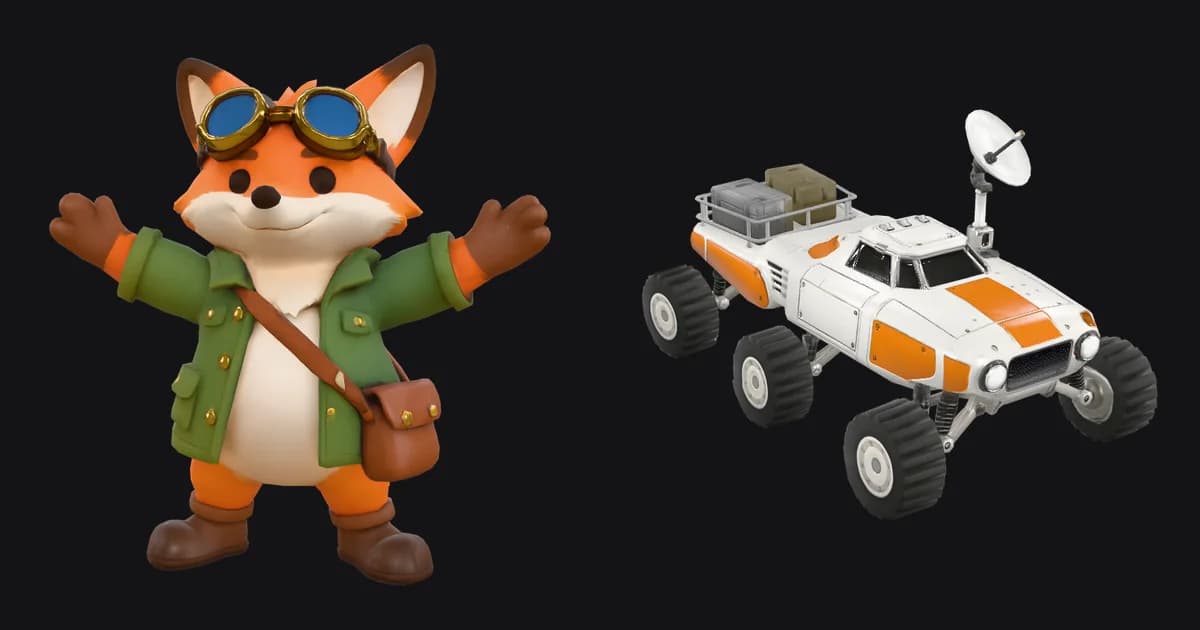
Tripo P2 is the newest 3D model from Tripo AI, released in September 2026. It turns one prompt or one image into a textured character or prop with a small face count, PBR materials and, when you ask, native quad topology. The fox beside this text is a real Tripo P2 text-to-3D result, generated with the defaults on this page.
A stylized explorer fox character for a game: chibi proportions, orange fur with a cream chest, a green canvas field jacket with brass buttons and rolled sleeves, a brown leather satchel on a cross-body strap, round brass goggles pushed up on the forehead, sturdy boots. Standing in a relaxed A-pose with the full body visible. Single isolated character, no pedestal, no environment, no text or logos.
One miss: we asked for a relaxed A-pose and Tripo P2 lifted the arms well above it. Everything else in the brief — goggles, satchel strap, rolled sleeves, boots — is in the mesh.
Skin and wire
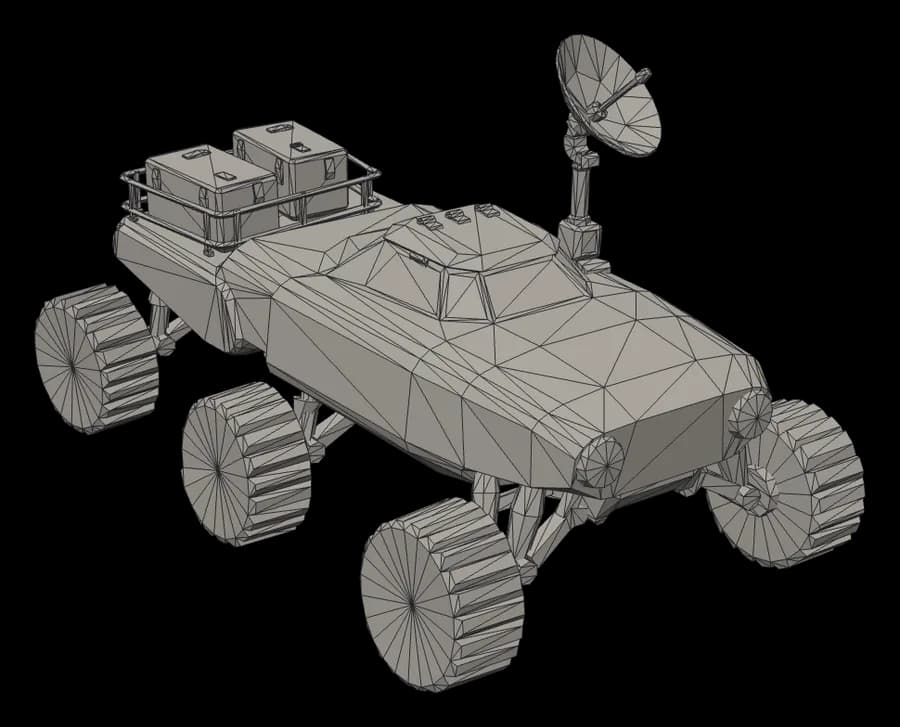
A small face count only helps if the triangles sit where the silhouette needs them. Drag the slider: Tripo P2 spends geometry on parts that stick out — goggles, tyre tread, the cargo rail — and leaves flat surfaces to the texture. That split is what a game engine wants, and it is why both models stay under 6,000 triangles without looking low-poly at normal distance.
The wireframes come from the downloaded GLB files themselves, rendered from the same camera as the textured stills.
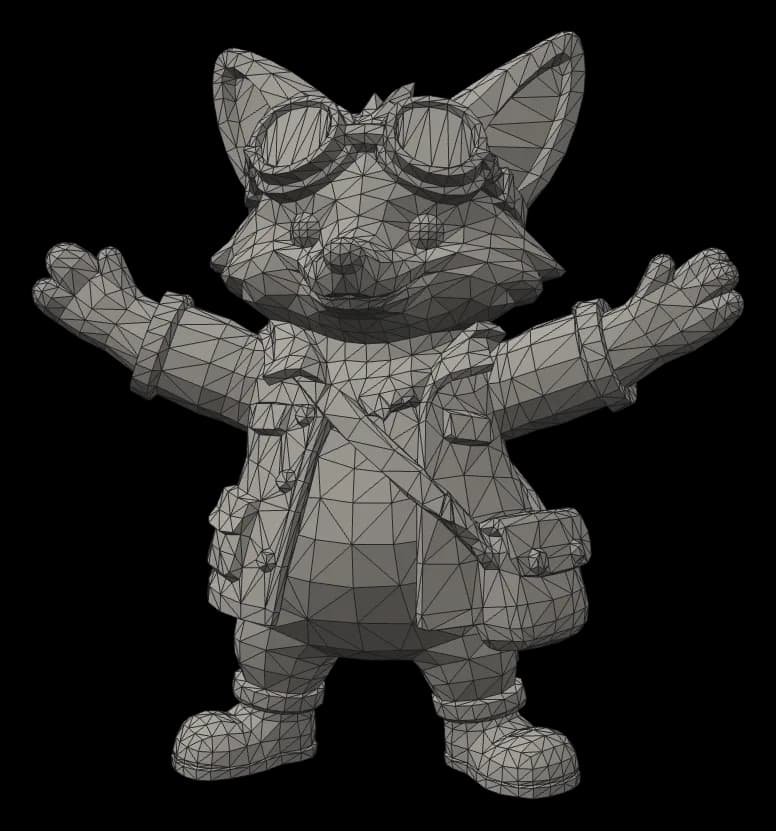

Image to 3D
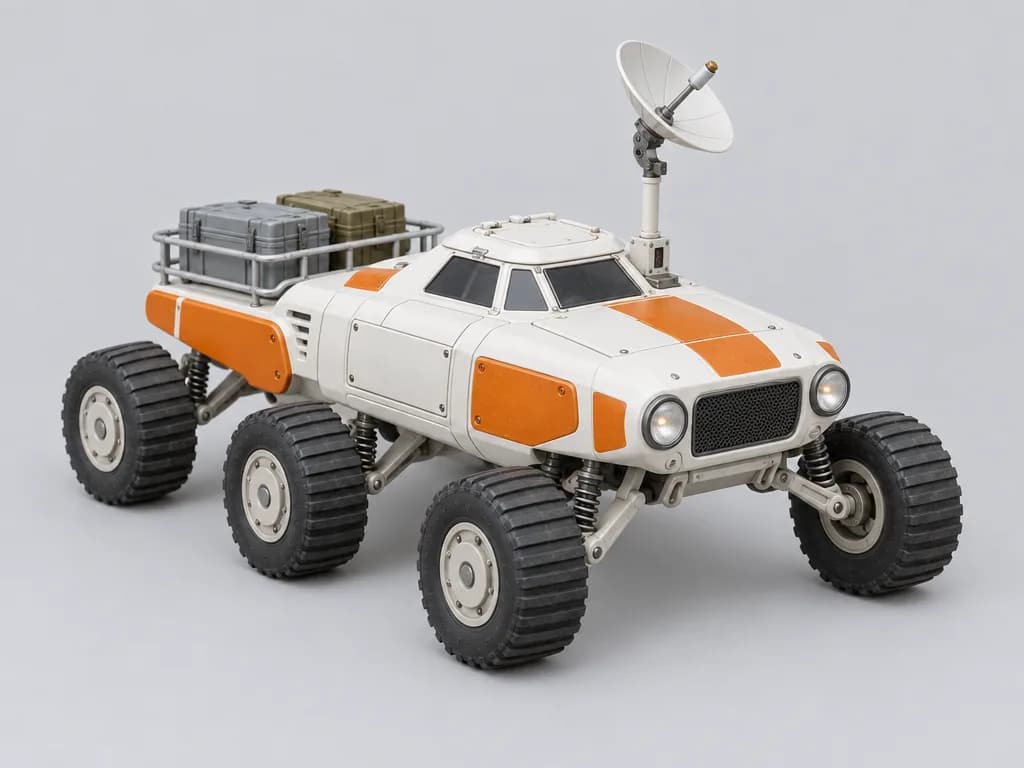
We generated a product-style image of a toy rover, uploaded it to Tripo P2 image mode with default settings, and got back a 4,620-triangle GLB in 127 seconds for 384 credits. Orbit it and compare it with the source image.

Same image, two topologies
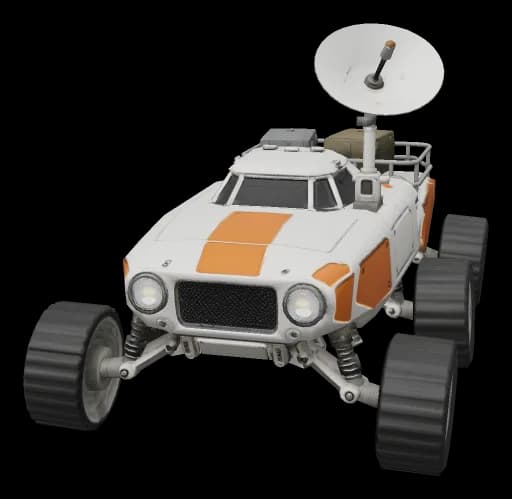
Quad mode is Tripo P2's headline feature and it is real: 63% of the rover's faces came back as quads, with triangles left where curves close. Because a GLB can only store triangles, quad results arrive as FBX, so the result card on Voor offers a download rather than an orbit view.
Credits
Tripo P2 — real-time assets: characters, props and vehicles under roughly 6,000 triangles, PBR maps, native quads when you plan to edit.
Meshy 7 — surface detail and multiple views: Ultra 4K geometry sculpts scales and engravings, and up to four views pin down the back of an object.
Image to 3D — photographs of a real object, up to ten references and a declared real-world size.
Text to 3D — whole staged scenes rather than one isolated asset.
Limits to plan around: one subject per run, prompts up to 1,024 characters, no rigging or animation in the Tripo P2 generator on Voor, and models export facing +X — turn them 90 degrees on import if your engine expects +Z forward.
Tripo P2 is the 3D generation model from Tripo AI, released in September 2026 after an August preview and billed as the first model to generate quad topology natively. It turns a text prompt or one reference image into a textured, game-ready mesh. Voor runs both modes and returns a GLB you can orbit before downloading.
Tripo AI is the company and its app; Tripo P2 (also written P2.0) is the model generation behind the latest results, succeeding the Smart Mesh P1 line. On Voor you use the Tripo P2 model directly from the generator on this page, with Voor credits instead of a Tripo subscription.
Tripo P2 costs 384 credits per model at standard texture quality, 419 at detailed and 453 at extreme, in both text and image mode. PBR maps, quad topology, the face limit and real-world scaling add nothing. New accounts get free welcome credits, and the generator shows the estimate first.
Left alone, our two Tripo P2 tests came back at 5,515 triangles for a character and 4,620 for a six-wheeled vehicle. Set the face limit to cap it anywhere from 48 to 50,000 faces; quad meshes stop at 25,000.
Yes, with Quad topology switched on. Our rover rebuilt in quad mode came back as 5,829 polygons: 3,670 quads and 2,159 triangles, so about 63% quads. Expect a mostly-quad mesh that is far easier to edit than a triangle soup, not a hand-retopologised one.
Tripo P2 delivers quad meshes as FBX, because GLB stores everything as triangles. Voor saves that FBX for download, but browsers have no FBX viewer, so the result card shows a download instead of a 3D preview. Open it in Blender, Maya or 3ds Max.
In both of our Tripo P2 GLBs the front of the model points along +X rather than +Z, so some viewers first show its side. Rotate it 90 degrees on import, or set the forward axis in your engine's import settings. The viewers on this page are already turned to face you.
Use image mode when a design already exists — concept art, a product shot, a toy — because Tripo P2 follows the silhouette closely. Use text mode to explore an idea; write one character or object per prompt and list clothing, materials and pose.
Tripo P2 for real-time games: light meshes, PBR maps and native quads. Meshy 7 for surface detail and multi-view input: its Ultra 4K geometry sculpts scales and engravings, at roughly 31,000 triangles by default against about 5,000 for Tripo P2.
One character or prop per run. Describe it or upload it, keep the defaults for a light textured GLB, and switch quads on when the mesh is headed for editing.
Generate with Tripo P2Optional cookies help us understand usage and measure ads. Essential cookies stay on so Voor works.