




Count
Objects, levels, openings, repeated forms

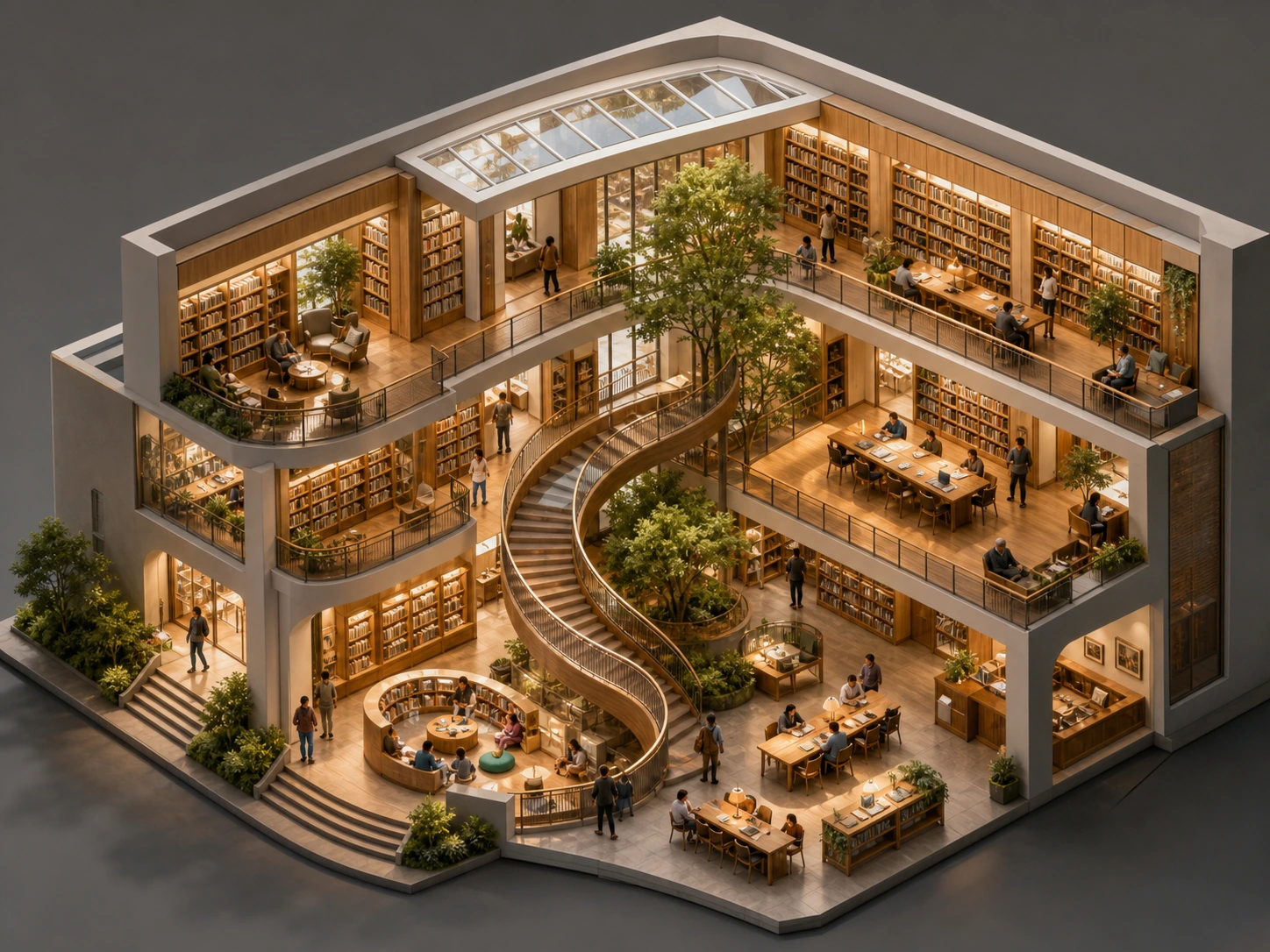
Two visual stress tests
Material response on the left. Spatial relationships on the right. Both are easier to judge than a vague “beautiful image” prompt.
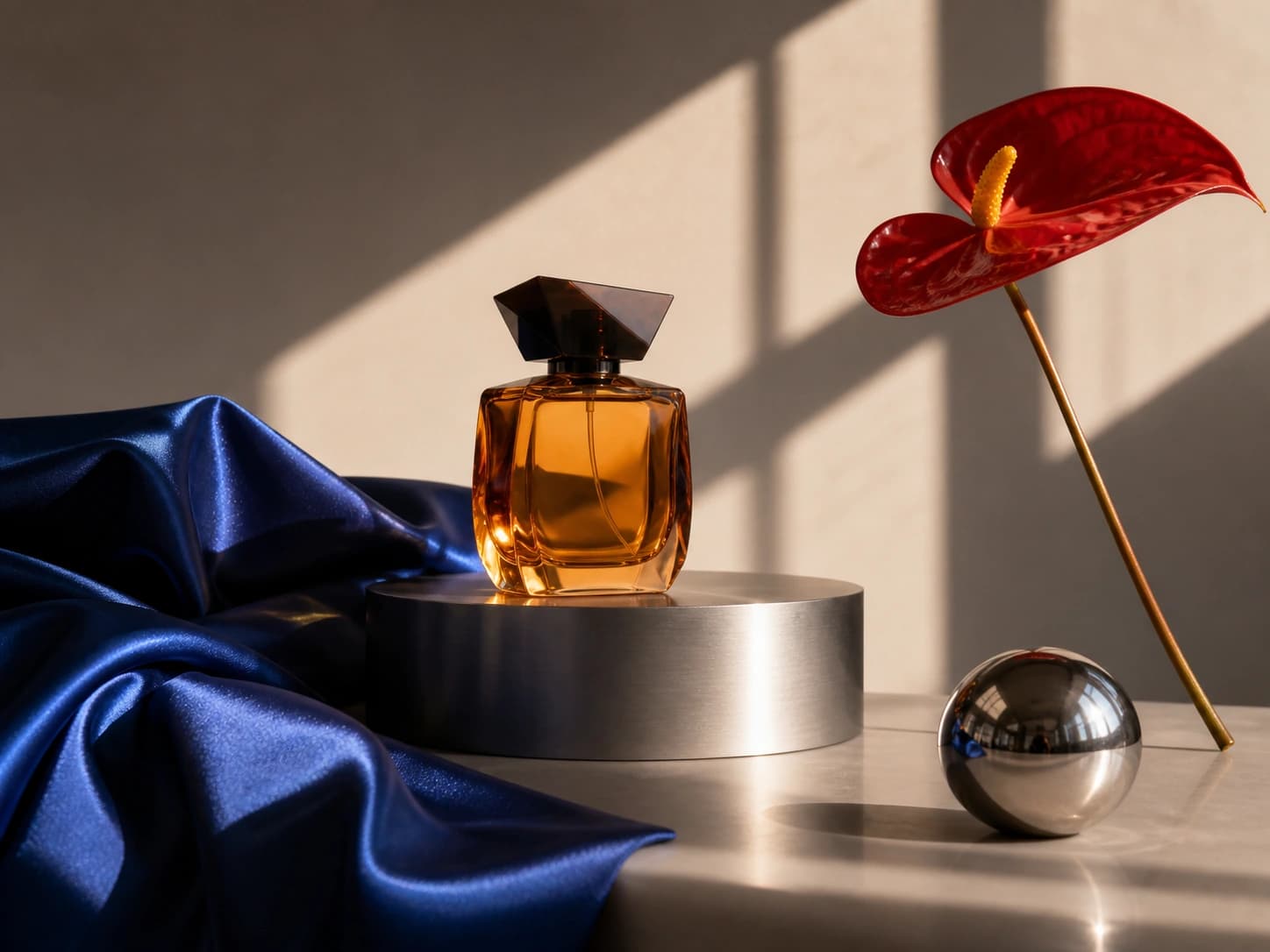
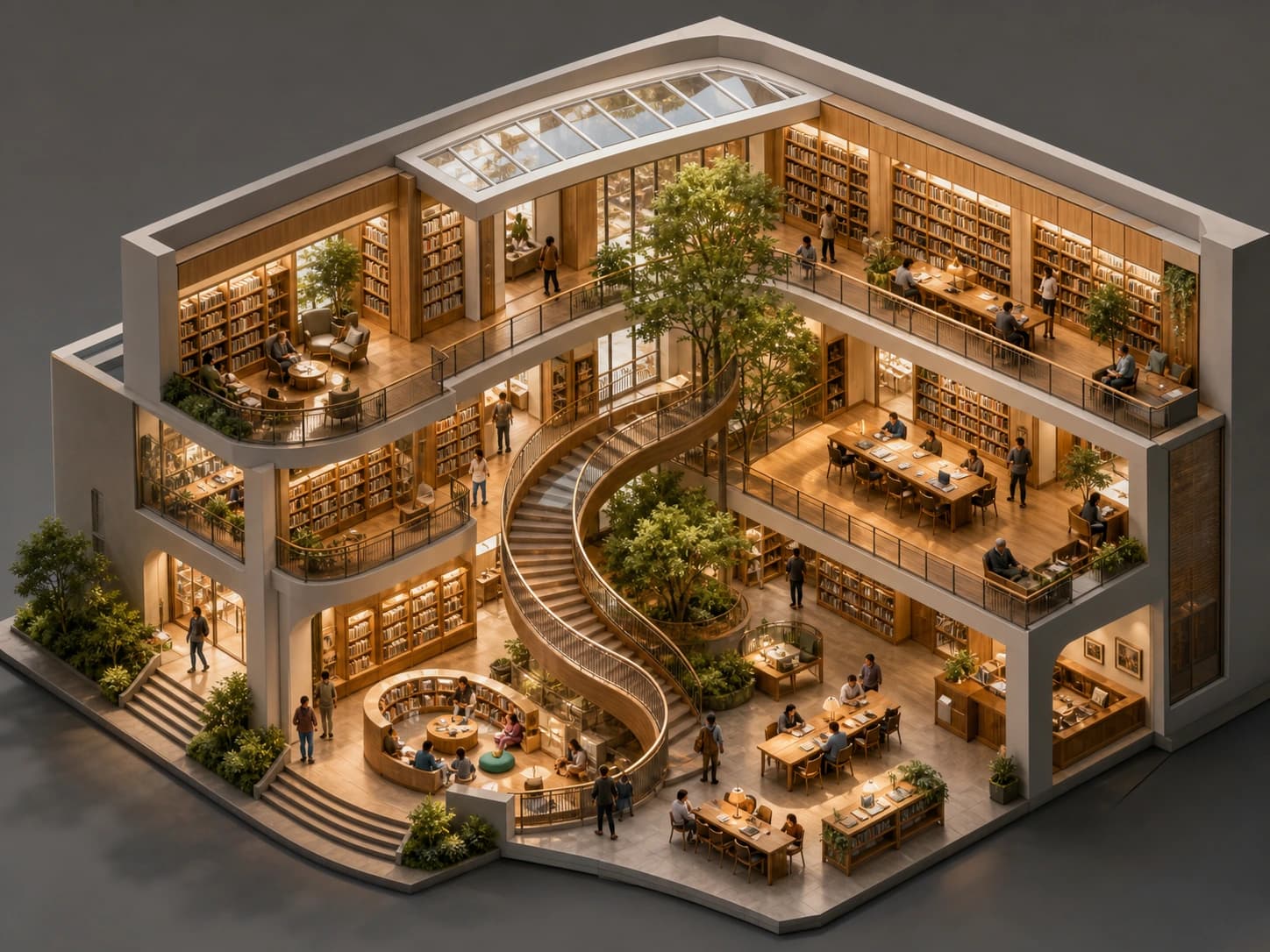
Controlled edit
The bottle color changes from amber to emerald. Camera, cap, silk, flower, pedestal, sphere, shadows, and crop remain locked.
A short measurable brief beats a wall of aesthetic adjectives.
One hero object or one connected space
What touches, reflects, contains, or leads
Glass, silk, metal, foliage, skin, paper
Direction, hardness, color, and shadow logic
Translucent amber perfume bottle on brushed aluminum; cobalt silk and chrome sphere; one red anthurium; hard window light from upper right; physically accurate reflections; no text.
Objects, levels, openings, repeated forms
Contact, reflection, shadow, circulation
Composition only after structure passes
Three preservation stresses
These review frames turn “looks similar” into three separate checks: subject identity, wardrobe structure, and background continuity.
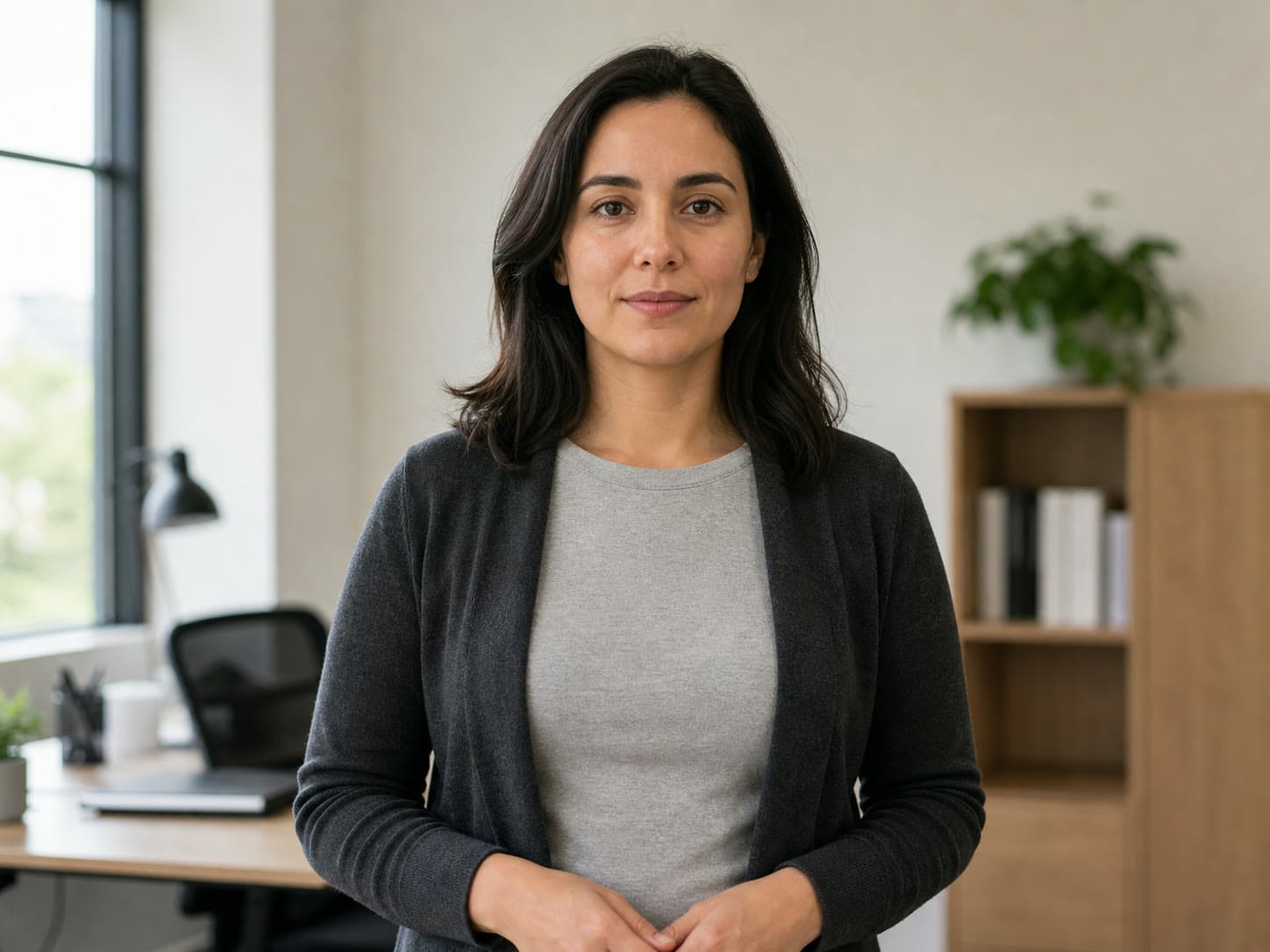
Record the face, pose, crop, light direction, and garment silhouette before changing anything.

Judge the requested garment change while checking that the person, pose, hands, and light still belong to the source.
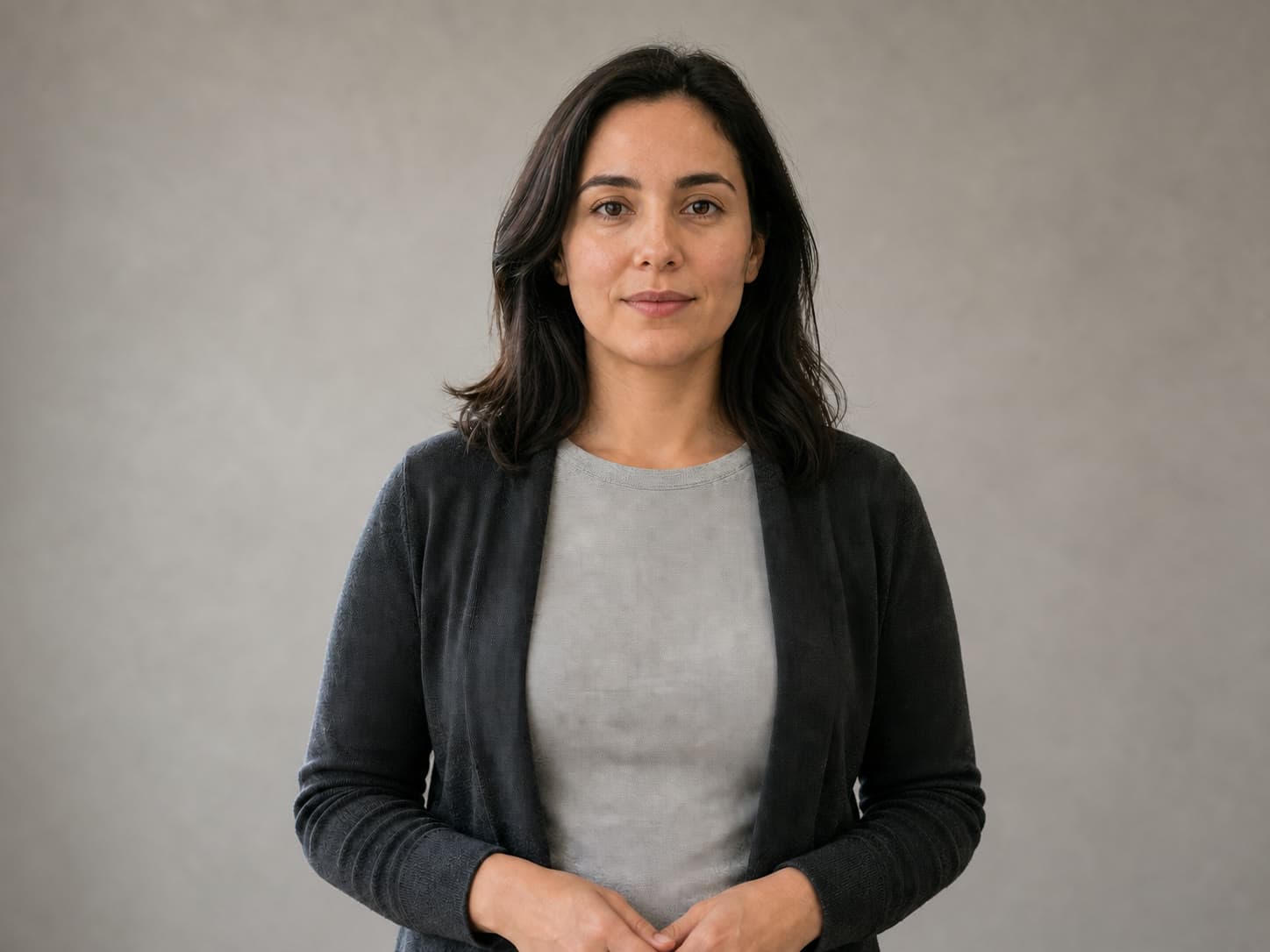
Check edge transitions around hair and clothing, then compare subject scale and shadow direction with the original.
Pick the job, copy its constraint pattern, then replace the subject and references with your own production material.
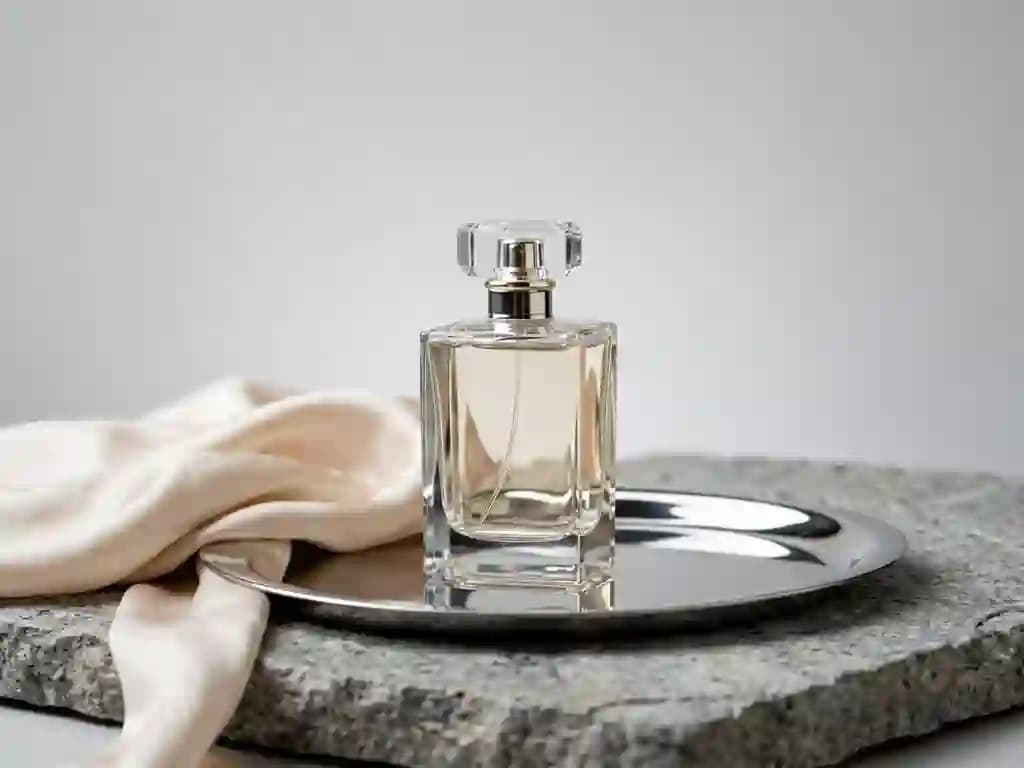
Material logic
Name every surface and the single light that must explain them: glass transmits, silk folds, chrome mirrors. Reserve clean space for designed copy instead of generated layout.
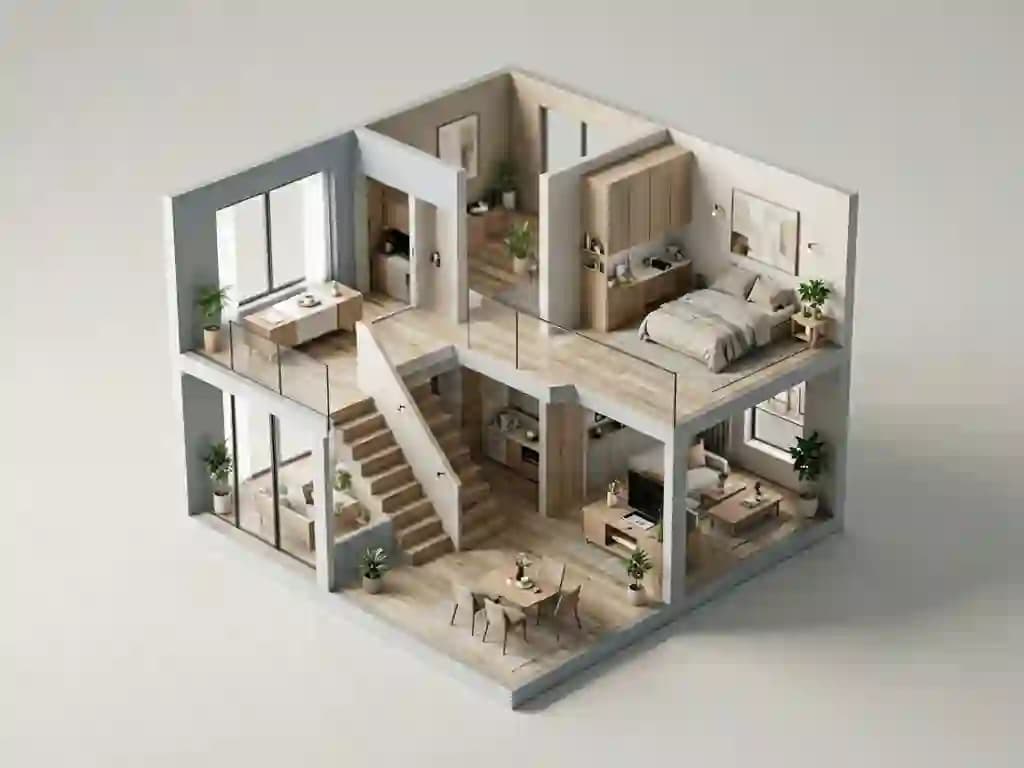
Spatial reasoning
Describe connected floors, stairs, and sightlines under one axonometric camera. Afterwards, trace a plausible path through the building and reject spaces that cannot physically connect.

Fact hierarchy
Write the approved facts and reading order before styling. Set exact text in a layout tool — visual confidence is not evidence that a relationship is factually correct.

Role assignment
Name the one property that changes and lock silhouette, camera, background, and crop. Give each reference a single job, and say which source wins in a conflict.
Count objects, trace connections, and compare the intended reading order before judging color or texture.
Check whether light, reflection, translucency, folds, and contact shadows agree across every surface.
Overlay the source and edit mentally: camera, crop, identity, geometry, and untouched regions should remain stable.
Verify facts and typography, inspect full resolution, confirm delivery ratio, and record the exact tier and prompt.
Seedream 5 FAQ
A reasoning-led image workflow still needs a source of truth. These answers keep generation, editing, verification, and release responsibilities separate.
Seedream 5 is most useful when an image must satisfy relationships, material behaviour, composition rules, references, or a controlled edit — not only a broad style request. Product concepts, structured environments, editorial illustrations, information-rich visuals, and campaign variations all benefit from briefs with visible success conditions. The distinction matters in practice: “a cosy kitchen” gives the model nothing to be judged against, while “morning light from a single window on the left, copper pan reflecting the sill, clean upper third for a headline” gives you three things to check. If you cannot name what would make a result wrong, the brief is not ready yet.
Start with Lite for exploration, simpler generations, social assets, and narrow edits where speed matters. Move to Pro when the brief combines more references, denser object relationships, small design details, or a high-value final candidate. Compare both on the same prompt rather than assuming the larger tier always wins — on a single-subject shot with one light source they often land in the same place, and the credit difference is wasted. The tier gap shows up when the image has to hold several things true at once: three references, readable small type, and correct spatial connection between rooms.
Identify the target object, the exact change, and a preservation list. State what stays fixed: identity, geometry, camera, crop, light, shadow, neighbouring objects, texture, and all untouched copy. Keep the first edit narrow, compare against the source at full size, and expand scope only after preservation works. A good preservation list reads like a contract rather than a wish — “keep the bottle” is too loose, while “keep bottle silhouette, cap ridges, label boundary, net weight line, and the shadow falling right” gives the model and your review the same checklist. Write it before the first run, not after the first failure.
It can create text-rich visual drafts, but factual and typographic accuracy still need human verification. Supply approved wording, keep labels short, and check every character, arrow, number, and relationship. Use HTML or a layout editor for legal, scientific, financial, or other copy where exactness is mandatory. The failure mode here is specific and dangerous: generated type often looks typographically convincing at thumbnail size and falls apart at full resolution, and a diagram can render a confident arrow between two things that have no real relationship. Treat any generated text as placeholder until a person has read it at 100 percent.
Use the minimum number that defines the decision. A subject reference, environment reference, and material reference may be enough if each role is explicit. Extra mood images can conflict with identity or layout. Archive the original references and role notes so another designer can reproduce the generation. Conflicts are the real cost of adding references: two images that both imply a camera height, or two that both suggest a palette, force the model to average them, and the averaged result is usually worse than either source. If you cannot say in one phrase what a reference is for, it is probably making the output less predictable.
The target may be ambiguous, the preservation list may be too weak, or the new property may affect reflections and shadows. Name the object by position and appearance, define the exact allowed change, and explicitly preserve connected details. If drift continues, mask or crop closer and make one smaller edit. Colour changes are the classic case — asking for a blue cap on a bottle also changes what the cap reflects onto the shoulder of the glass and what the shadow picks up, so the model reasonably touches pixels you did not mention. Naming those knock-on surfaces as preserved usually fixes it in one run.
Keep prompt, references, ratio, and output goal fixed. Score structural correctness, material response, reference fidelity, text accuracy, local edit preservation, and manual fixes. Record why each result passes or fails. A repeatable benchmark is more useful than choosing whichever image looks most dramatic at thumbnail size. The thumbnail trap is worth naming explicitly: high contrast and heavy atmosphere read as quality when the image is small, and those are exactly the qualities that hide bad hands, broken reflections, and unreadable labels. Judge at the size the image will actually ship at, and judge the same crop every time.
Review the applicable Voor plan and model terms, then clear rights in reference images, faces, brands, artwork, and locations. Generated media does not guarantee trademark clearance or factual accuracy. Keep a record of prompts, sources, approvals, and retouching for any campaign or client handoff. That record is worth keeping even when nothing goes wrong: it is what lets you regenerate a variant six months later, prove which reference a likeness came from, and answer a client asking whether a competitor's product design influenced the shot. Treat provenance as part of the deliverable rather than something you reconstruct under pressure.
Inspect the full-resolution file for hands, edges, reflections, repeated objects, small text, product geometry, and unintended background changes. Confirm crop-safe areas and final delivery dimensions. Save the approved source, exact prompt, model tier, references, and any human edits beside the exported master. Repeated objects deserve a deliberate pass of their own — models frequently duplicate a chair leg, a window mullion, or a pattern element in a way that survives casual viewing but becomes obvious once the image is printed large or someone counts. Scan structural repeats before you scan for beauty.
Ready to make a version of your own?
Related workspace
Use Voor for broad creative planning, then open the focused workspace when you want a model-specific starting point.
Open Seedream 5.0 Pro workspaceCreate reasoning-led images with the Seedream 5 family, including Lite and Pro modes for structured compositions, information-rich visuals, and controlled edits.