







GPT Image 2 – Free Online Text-to-Image and Image-to-Image
GPT Image 2 is an image generation model, released April 21, 2026. On Voor AI it is live in both the text-to-image and image-to-image tools, so you can write a prompt or drop in a reference photo and get sharp, on-brand visuals in seconds. The model fixes the biggest pain points of older generators — broken text, fragile layouts and weak world knowledge — so GPT Image 2 turns short briefs into posters, product shots, slides and infographics that look finished. Teams adopt GPT Image 2 when they need faster review-ready drafts.
Prefer instructions and examples in another language? Open the Arabic AI image generator or the Hungarian free AI image generator before choosing the same kind of text-to-image workflow.

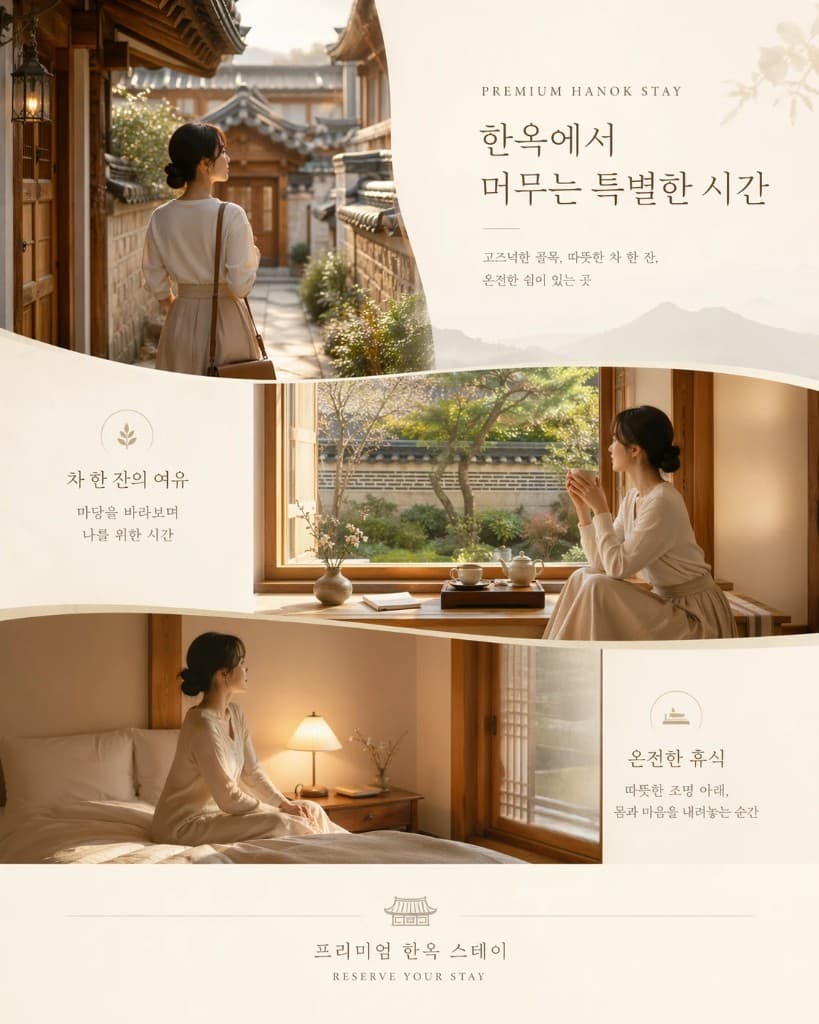
GPT Image 2 sample output — a new era of image generation for production teams using GPT Image 2 in daily content workflows.
Example Outputs
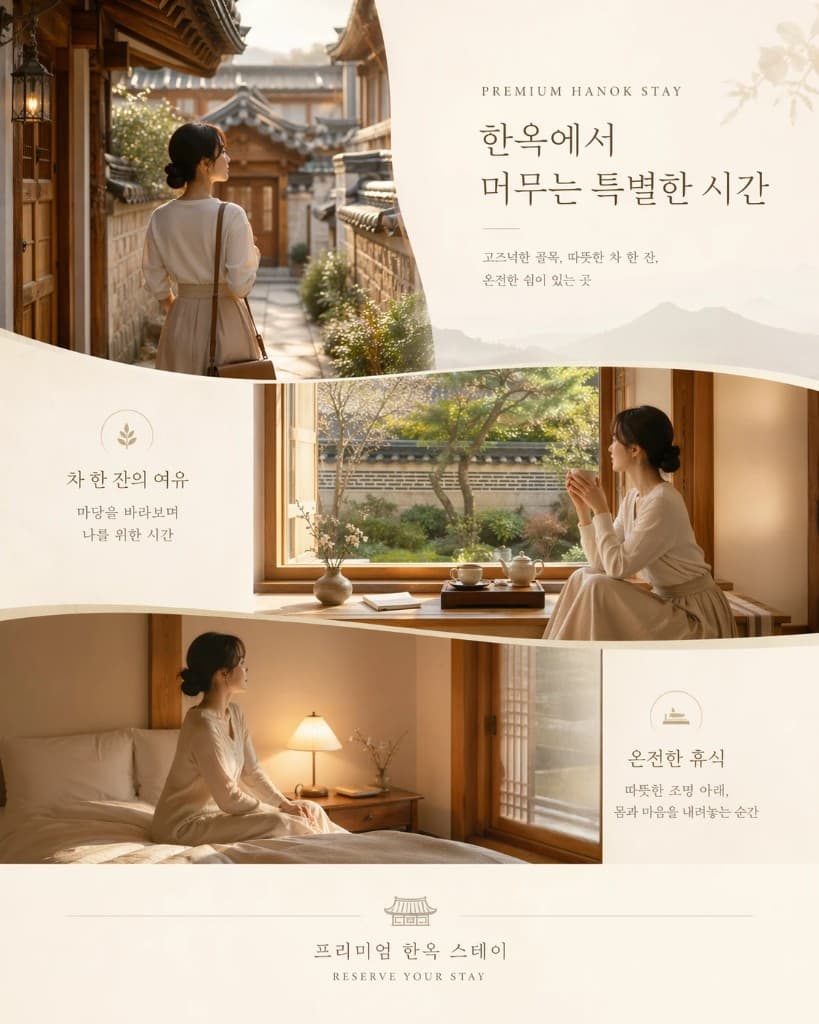
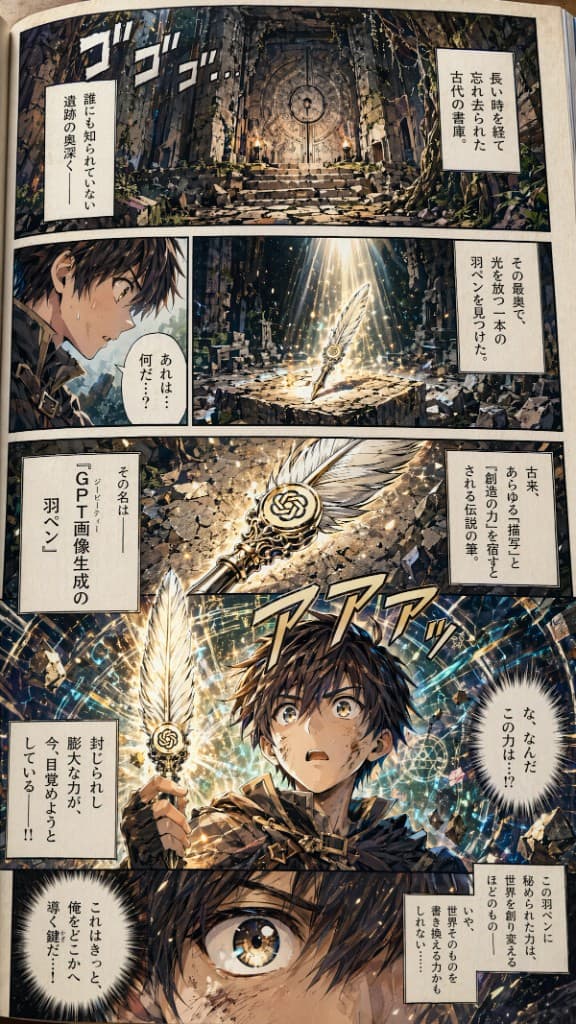
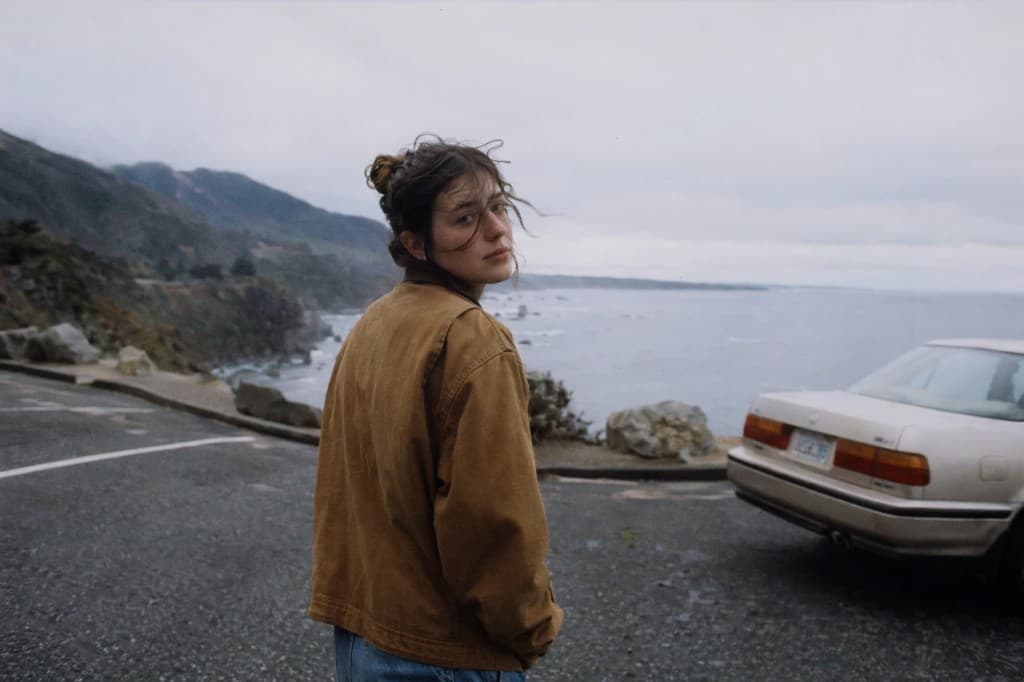
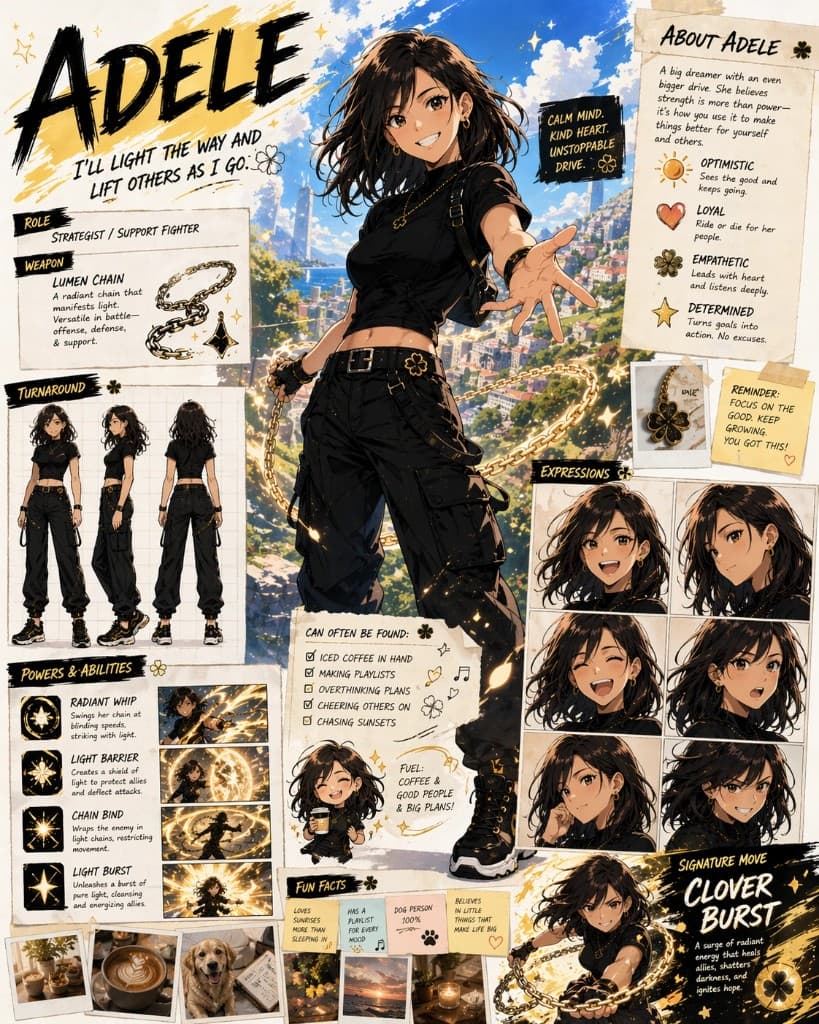
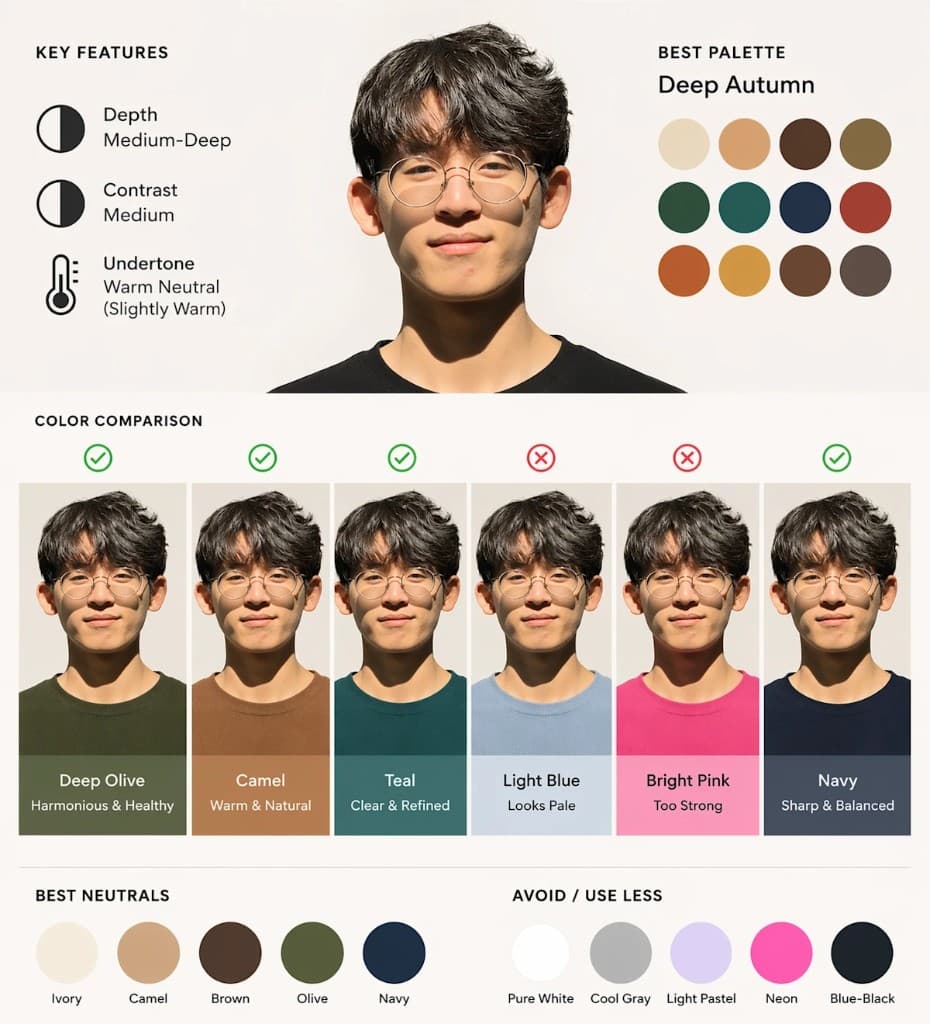
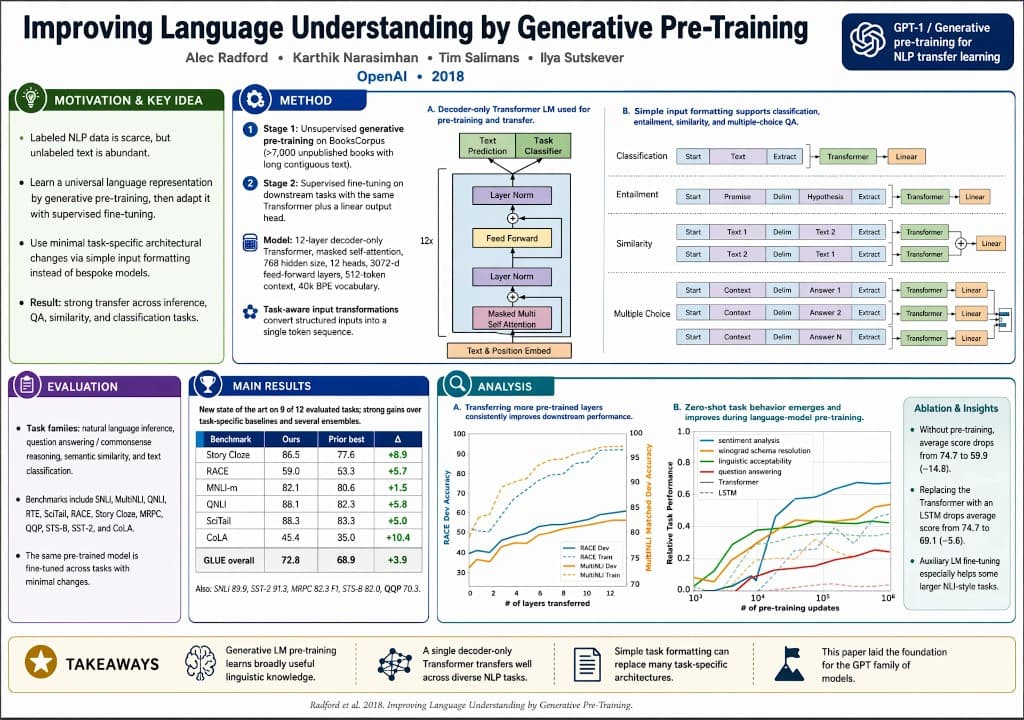
These are real renders from the GPT Image 2 launch showcase, produced from short prompts without manual retouching, so you can judge faces, lighting, product detail and long passages of text side by side. Each frame shows how GPT Image 2 handles practical creative requirements.
What Is GPT Image 2?
GPT Image 2 is the successor to gpt-image-1. Announced April 21, 2026, GPT Image 2 moves generation from a standalone tool into a reasoning-aware pipeline — it can search the web, read uploaded material and plan layout before it starts drawing. That is why GPT Image 2 can hold a long caption, a data label and a background scene in the same frame without breaking any of them.
GPT Image 2 is available across web app and API workflows. In image generation pipelines, it can generate up to eight coherent images from a single prompt while keeping characters and objects consistent across the set. That consistency makes GPT Image 2 useful for multi-asset campaigns.
GPT Image 2 prompt tips
GPT Image 2 prefers scene-style prompts over keyword lists. Lead with the subject, then add environment, lighting and any on-screen copy in quotes. Because layout is planned first, naming headlines, buttons and callouts explicitly pays off. The same trick works for non-English copy — Chinese, Hindi and Japanese rendering is built in.
Why GPT Image 2 Matters
GPT Image 2 nails text and typography
Long headlines, multi-word labels and non-Latin scripts all stay legible. The model was tuned to stop the "soup of letters" problem older generators shipped with, so posters and slides come out ready to review instead of ready to redo.
GPT Image 2 thinks before it draws
Reasoning and tool use are built in — it can parse a reference document, check the web for a product photo, and plan a grid before generating. The result is fewer surprises and more prompts that land on the first try.
GPT Image 2 keeps photoreal detail
Faces, hands, fabric and reflective surfaces hold up under close crops. It targets up to 2K in beta and covers aspect ratios from 3:1 to 1:3, so one prompt can output a hero banner, a square ad and a story reel.
GPT Image 2 unifies text-to-image and editing
One model powers both text-to-image and image-to-image. Start from a word, refine with a photo, relight with another instruction — identity, wardrobe and brand cues stay anchored across every edit.
How to Use GPT Image 2 on Voor AI
GPT Image 2 is already selected on this page. You can stay in text-to-image or switch to image-to-image at any time — the model carries over, and GPT Image 2 keeps your style direction stable.
Pick a GPT Image 2 workflow
Use text-to-image if you're starting from words, or image-to-image if you have a reference photo you want to restyle, relight or re-layout.
Write a scene-style prompt
Describe subject, setting, mood and any on-screen text in quotes. The model plans the layout, then renders. Pick your aspect ratio — horizontal, square or vertical — to match the format. This is where GPT Image 2 performs best on structured briefs.
Iterate and download
Review the output, tighten the prompt or drop in a new reference, and rerun. When a frame is right, download it as PNG, JPEG or WebP.
When to Choose GPT Image 2 Over Other Models
GPT Image 2 for copy-heavy creative
If your image has to carry a headline, a CTA and a legal line at once, this is the safest default — ads, event posters and pitch deck covers all benefit from its text rendering and layout planning in GPT Image 2.
GPT Image 2 for multilingual campaigns
Because the model understands non-Latin typography, you can localize a visual into Chinese, Hindi, Japanese or Arabic without switching to a specialist tool with GPT Image 2.
GPT Image 2 for controlled edits
The image-to-image flow preserves identity while you change background, lighting or wardrobe — the right choice when composition is locked and you only need variants.
GPT Image 2 for production pipelines
The model is stable enough for automated pipelines. With a familiar API contract, it wires into CMS publishing, A/B tests and creative automation without bespoke plumbing.
GPT Image 2 FAQ
What is GPT Image 2?
GPT Image 2 is a native image model that powers Voor AI's text-to-image and image-to-image tools, with readable typography and layout planning built in.
Is GPT Image 2 free on Voor AI?
Yes. New accounts receive 20 welcome credits to use toward GPT Image 2 generations. The generator shows the credit cost before you run it.
What makes GPT Image 2 better at text?
It plans layout before drawing, so headlines, labels and multilingual copy stay legible instead of melting into noise like older diffusion models.
Can GPT Image 2 edit photos?
Yes. Image-to-image accepts a reference photo plus a plain-language instruction while preserving identity, wardrobe and brand cues.
How is GPT Image 2 different from gpt-image-1?
GPT Image 2 adds reasoning-aware layout, stronger text rendering, multi-image consistency and a newer knowledge cutoff — the direct successor to gpt-image-1.
Which aspect ratios does GPT Image 2 support?
Horizontal, square and vertical frames from 3:1 to 1:3, with beta resolutions up to 2K — plan your composition around the target ratio before you write the prompt.
Can I use GPT Image 2 for client work?
Yes, under your Voor plan terms — you're still responsible for verifying likeness, trademark and third-party rights.
Where does GPT Image 2 fit in a pipeline?
Use them for copy-heavy creatives and controlled edits; pair with the logo-de-gpt-image-2 page for Portuguese logo briefs or the gpt-image-2-guide for deeper prompt recipes.