Voor.ai
Voor.ai
AI AvatarHistoryPricing
Voor.ai

The unified studio for the best AI image & video models. One prompt. Every modality. Production quality in seconds.

Tools
  • Text to Video AI
  • Image to Video AI
  • Text to Image AI
  • Image to Image AI
  • AI Creative Agent
More tools
AI Video Models
  • Seedance 2.5
  • Muse Video
  • HappyHorse 1.1
  • Seedance 2.0 Mini
  • Kling 3.0 Turbo workflow
  • Veo 3
  • Kling v2.1
  • Vidu Q3
More video models
AI Image Models
  • Seedream 5 Lite
  • Seedream 5 Pro
  • GPT Image 2
  • Nano Banana 2
  • Nano Banana
  • Ideogram v3 Quality
  • Seedream 4.5
  • Seedream 4
More image models
Company
  • Pricing
  • Blog
  • What's New
  • Contact Us
  • Terms and Conditions
  • Privacy Policy
  • Refund Policy
  • SeeWhatNewAI
  • Findly.tools
  • CurateClick
  • YouTube
  • Discord
Partners
  • Krea 2 AI workspace
  • Seedance 2.5 AI workspace
  • Seedream 5.0 Pro workspace
  • Toolsify AI directory
  • AI Website Directory listing
  • FutureTools AI directory
  • ShowMySites directory
  • make.rs maker directory
  • Featured on ToolDirs
  • Featured on Wavel
  • Stork Verified — stork.ai AI tools directory
  • Featured onAInexfinder — AI Tools Directory
  • AiTop10 Tools
  • Featured on AI Tool Zaar
  • LogoFeatured onTools Rollerss
  • Featured on Smol Launch
  • Featured on AIExtension.ai
  • Featured on Findly.tools
  • Featured on DeepLaunch.io
  • Featured on ShowMeBestAI
  • Featured on Twelve Tools
  • Launched on Fazier
  • Good AI Tools
  • Listed on Turbo0
  • Voor AI - Featured on Startup Fame
  • Featured on Aura++
  • Featured on toolfame.com
  • Featured on saasfame.com
  • Featured on aitoolfame.com
  • Featured on FoundrList
  • OpenHunts Club Member
  • Featured on PopWebTools
  • Feature On Launch Vault
  • Featured on AIBoom.Tools
  • Listed on SaaS Cubes
  • Featured on Web Review
  • Featured on Dofollow.Tools
  • Featured on SumoDir
  • Featured on Wired Business
  • Featured on FreeAI
  • Featured on Gets.Tools
  • Featured on AIBlog.Tools
  • Featured on doforai.tools
  • Listed on SwapLink
  • Featured on Best AI Tool
  • Featured on AiWebsite.run
  • Featured on LaunchBoosts
  • SeekTool.ai Tools Directory
  • Top AI Tools
  • AI Tool Trek
  • List on Similarlabs
  • YouWant.ai
  • What Is Ai Tools
  • Launched on Tiny Startups
  • Listed on uno directory
  • Powered by Startup Fast
  • Featured on submitdeck.com
  • Featured on TheAIToolsDir
  • Featured on Toolfio
  • Featured on NewTool.site
  • Find us on Indie.Deals
  • Verified on DANG!
  • Featured on Starter Best
  • Find us on Firsto
  • Tool Ignite
  • SaaS Avenue
  • Appsy Tools
  • LiftOff launch badge
  • ai tools code.market
  • Featured on Super Launch
  • Featured on Open-Launch
  • Listed on AI Tools Lister
  • MossAI Tools
  • AI Hustle
  • Featured on geoly.net
  • Submit AI Tools
  • RightAI Tools
© 2026 Voor.ai. All rights reserved.Crafted for creators

Nano banana lip sync tool — Nano Banana 2 still, then lip-sync models for dialogue.

Required

Sign in to upload

Required

Sign in to upload

Paid access required for this setup · 40 credits · failure refunded
Example Video
BeforeBefore — Try the summer collection before Friday. Free shipping on every order this week.
After

Generator examples

  • Try the summer collection before Friday. Free shipping on every order this week.Before — Try the summer collection before Friday. Free shipping on every order this week.
Nano Banana + Lip sync

Nano banana lip sync tool pipeline

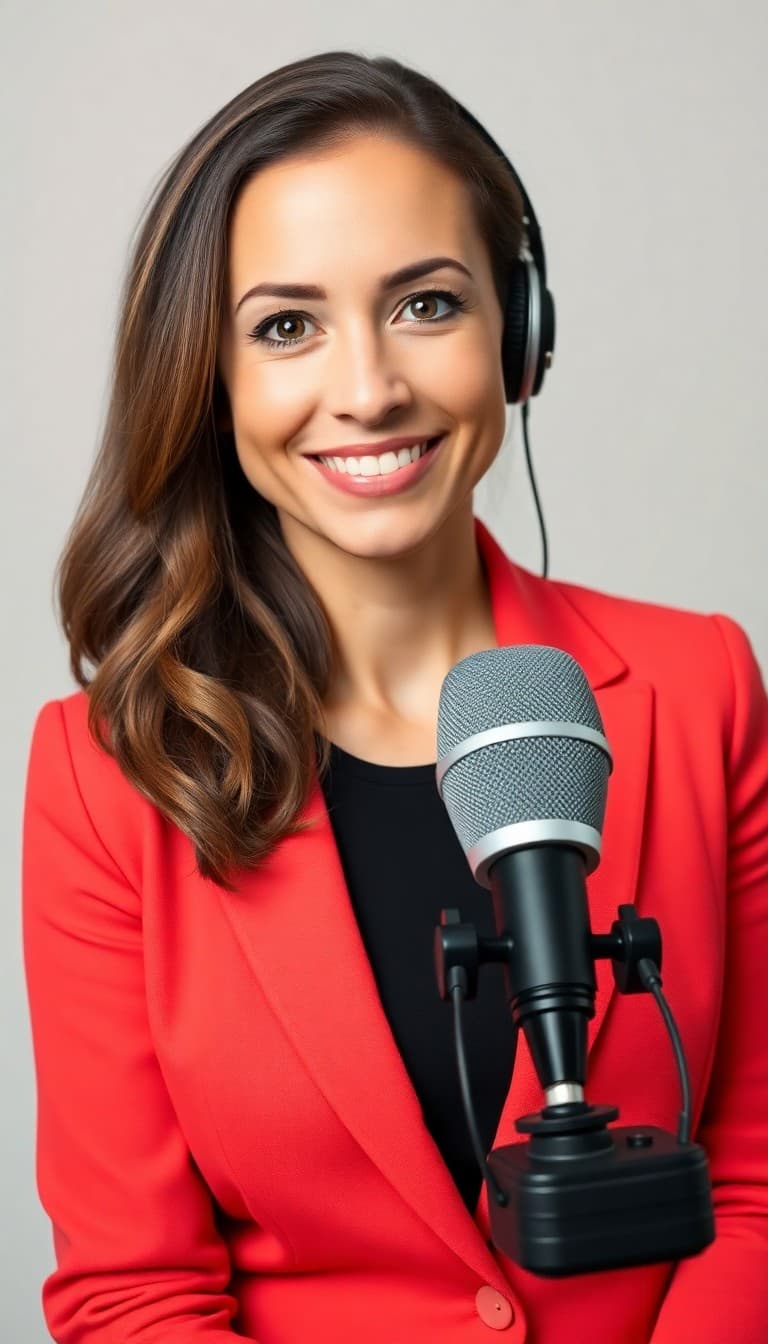
The nano banana lip sync tool is two steps: render a host still on Nano Banana 2, then upload here with dialogue in the prompt. Models in the lip-sync collection handle audio-visual alignment — Nano Banana does not speak natively.
Nano Banana 2 still
Nano Banana character portrait front-facing
Front-facing host — coral blazer, neutral studio, sharp eyes.
Lip sync render
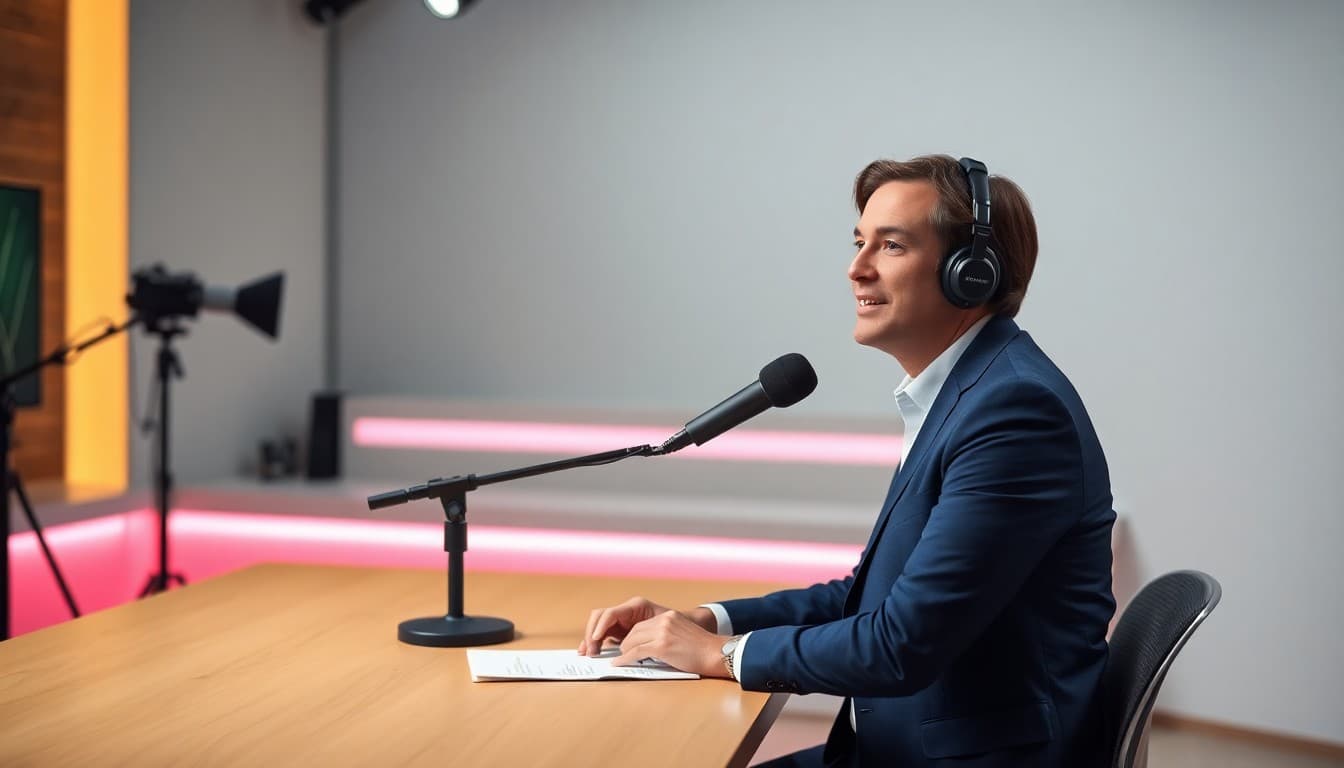
Talking-head studio setup for lip sync
Paste script in quotes. Nano banana lip sync tool shapes visemes from text.
Download talking MP4
Talking-head studio setup for lip sync
Ship to paid social or cut into longer edits — 1080p when supported.

The host portrait and talking studio frames in the pipeline are representative nano banana lip sync tool outputs — front-facing talent, quoted dialogue, steady camera. Your Nano Banana still may differ in wardrobe; the nano banana lip sync tool discipline stays the same.

Prompt template

"Woman in coral blazer, studio background, she says: 'Try the summer collection before Friday.' steady camera, natural lip sync." Keep nano banana lip sync tool lines under two sentences per render.

Where nano banana lip sync tool ships

Bilingual spots

One nano banana lip sync tool face, two language scripts — pick the best lipsync model per locale. Reuse the same Nano Banana still; swap only the quoted dialogue between renders.

Ecommerce explainers

Nano banana lip sync tool turns a stylized host into a 15-second product walkthrough. Keep scripts benefit-led: size, material, ship window — phoneme clarity beats clever copy.

Course intros

Educators nano banana lip sync tool a consistent avatar across modules. Export stills from one Nano Banana session; batch lipsync renders with chapter-specific lines.

Nano banana lip sync tool vs lip sync

Lip sync on Voor AI accepts any front-facing portrait. The nano banana lip sync tool page assumes you want Google Banana aesthetics upstream: coral blazer, studio gradients, on-brand wardrobe from Nano Banana 2. Both pages use the lip-sync collection; the difference is character creation discipline upstream.

Nano Banana does not speak natively — searching nano banana lip sync tool usually means you already tried a still and need matched mouth shapes. Honest positioning: step one is always a sharp character export; step two is always dialogue inside quotes on this generator.

Lip sync output sample

Representative Omni Human talking clip — your workflow is Nano Banana 2 still first, then lip-sync with dialogue on this page.

Input portrait for Talking host
Input portrait
→
Lip-sync output

Talking host

Representative lip-sync output — upload your Nano Banana still, add dialogue, pick Omni Human.

Nano banana lip sync tool FAQ

Can Nano Banana animate lips directly?+

No — nano banana lip sync tool routes speech to the lip-sync collection. Nano Banana 2 outputs stills; Voor adds synced audio-visual dialogue here.

Best portrait angle?+

Front-facing, eyes visible, minimal profile turn. Nano banana lip sync tool accuracy drops on 45° profiles or heavy shadow across the mouth.

How long per line?+

One to two sentences per nano banana lip sync tool render. Chain clips in an editor for longer scripts.

Related apps and tools

The most relevant Voor AI tools for this workflow. Explore the full catalog for more.

Lip Sync AI

Lip Sync AI

Matched mouth shapes and synced dialogue from the lipsync model collection.

Nano Banana Video

Nano Banana Video

Animate Nano Banana 2 stills with Veo 3 Fast — turn character stills into short clips.

Explore more AI tools→