Plan your c walk dance interpretation
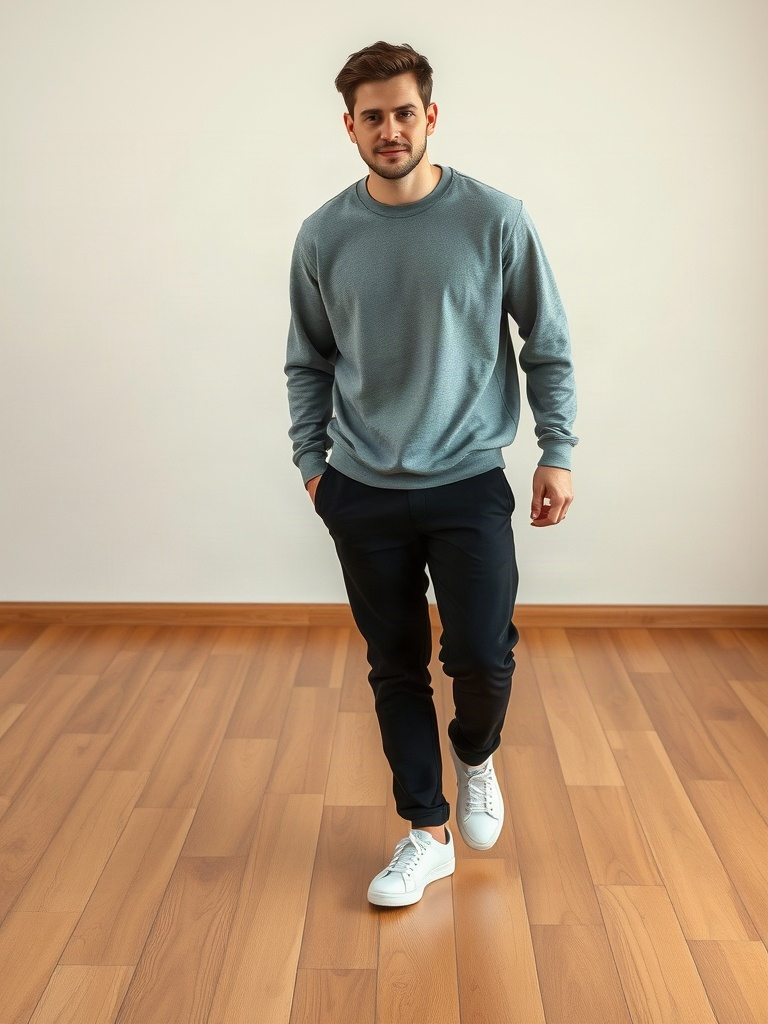
A C-Walk-inspired AI clip succeeds or fails at the feet. Keep the full body visible and ask for a compact heel-toe phrase before trying travel, spins or fast changes of direction. A portrait crop may preserve a face but cannot show whether the footwork makes sense.
Three original prompt directions
Choose a model in the generator above, upload your authorized starting frame and paste one original prompt below. Review the displayed credit estimate before generating. These prompts guide a new interpretation; they do not load an official template or guarantee exact choreography.
Studio Heel-Toe Phrase
The adult in the uploaded full-body photo performs a short C-Walk-inspired heel-toe footwork phrase on a clean studio floor. Preserve the person, outfit, shoes and body proportions. Keep the motion compact: small heel-toe changes and a gentle side shift, then return to a balanced stance. Both feet remain visible with believable floor contact, steady full-body camera, no crossing legs, no jumps, no text or logos.
Daylight Footwork Study
The adult in the uploaded full-body photo performs a short C-Walk-inspired heel-toe footwork phrase on a clean studio floor. Preserve the person, outfit, shoes and body proportions. Keep the motion compact: small heel-toe changes and a gentle side shift, then return to a balanced stance. Both feet remain visible with believable floor contact, steady full-body camera, no crossing legs, no jumps, no text or logos. Use a clean outdoor paved surface in soft daylight. Keep both shoes distinct from the ground and the camera completely steady.
High-Contrast Floor Study
The adult in the uploaded full-body photo performs a short C-Walk-inspired heel-toe footwork phrase on a clean studio floor. Preserve the person, outfit, shoes and body proportions. Keep the motion compact: small heel-toe changes and a gentle side shift, then return to a balanced stance. Both feet remain visible with believable floor contact, steady full-body camera, no crossing legs, no jumps, no text or logos. Use a simple studio floor that contrasts gently with the shoes, making heel and toe placement easy to inspect. Keep the frame wide enough for both feet.
Prepare the starting frame
Choose an authorized adult reference showing the whole body. Visible ankles and a clear floor give you a better way to spot sliding or changing proportions.
Keep the subject far enough from the lower edge of the frame that a small step does not crop the shoes. Side lighting can help separate the feet from the ground without hiding the face.
Prepare and direct your result
Choose a model in the generator above, upload your authorized starting frame and paste one original prompt below. Review the displayed credit estimate before generating. These prompts guide a new interpretation; they do not load an official template or guarantee exact choreography.
Set the weight
Begin with the dancer balanced and both shoes on the floor.
Direct a small phrase
Ask for a short heel-toe movement with a gentle side shift. Avoid crossing the legs in the first attempt.
Return to balance
End with a stable standing position that can be trimmed into a loop.
Review the take before adding music
Look for feet sliding without a weight shift, shoes changing shape and ankles bending implausibly. A good opening face is not enough: the shoes must remain coherent through the last frame.
The prompt is an original interpretation of the idea. It does not import a CapCut template or copy a reference performance. A text instruction can guide a gesture, but it cannot guarantee exact choreography or frame-perfect timing. Add only music or other audio you are permitted to use in your publishing app.
Questions about c walk dance
Can a text prompt reproduce exact C-Walk steps?
Not reliably. This workflow creates an inspired movement concept; it does not transfer a specific reference performance.
Why does the dance look like sliding?
Simplify the footwork, keep the floor visible and reduce camera motion. Review short takes before extending the idea.
Can I loop the clip?
Choose a take that begins and ends in a similar balanced stance, then set the loop point in an editor.