Discord

Animate a clear two-person photo into a consent-based bridal carry shot with controlled lift, camera, pacing, and a stable final pose.

Example Video
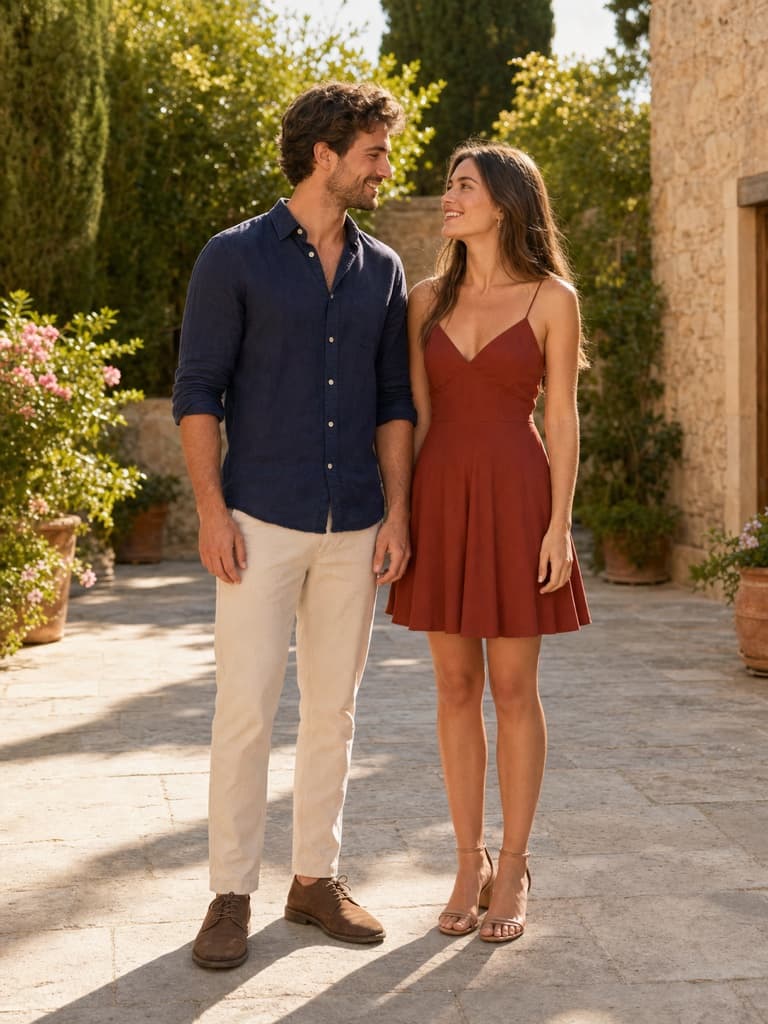
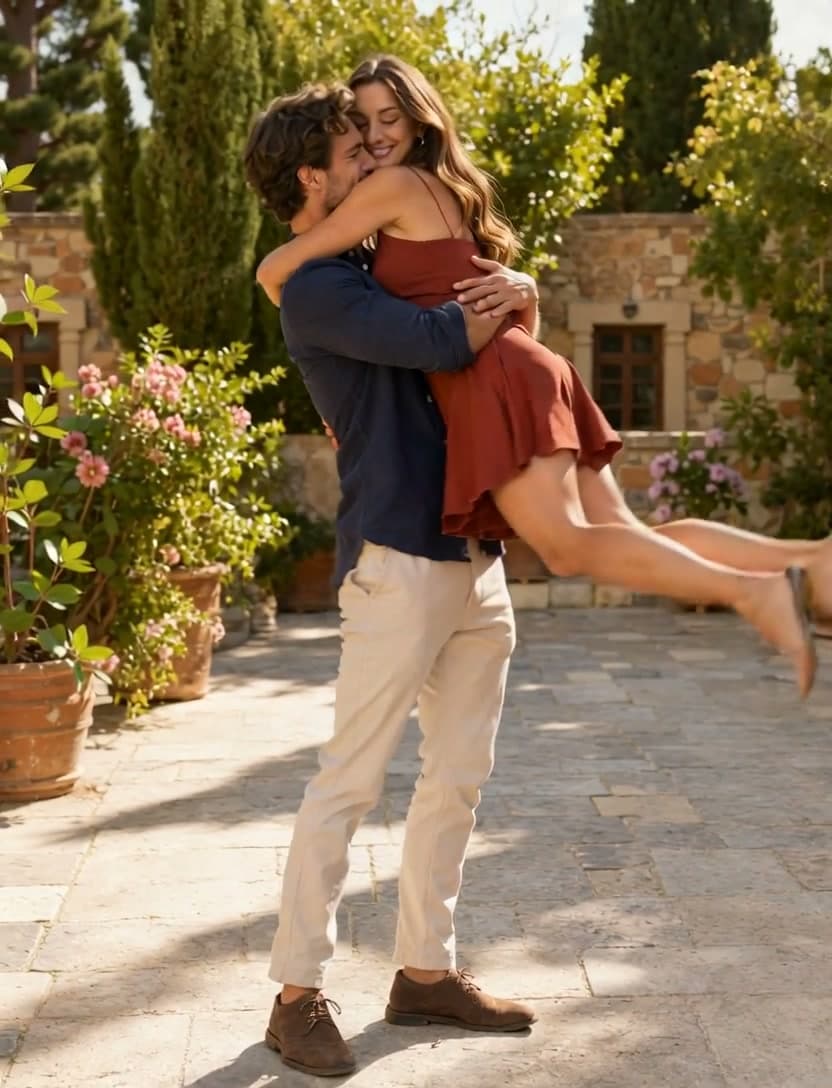
BeforeBefore — Playful bridal carry with restrained camera motion, stable contact, and recognizable faces and wardrobe.
After

Generator examples

AI bridal carry

AI bridal carry — direct the lift like a stunt, not a magic morph

An AI bridal carry clip succeeds when two people remain recognizable and the lift has believable weight, hand contact, balance, and a stable ending. Upload a clear photo of consenting adults, choose classic, playful, or romantic motion, then adjust the prompt when the pose needs tighter control.

Real video model · Stable-pose presets · Downloadable clip

Try AI bridal carry
Courtyard bridal carryVoor-owned five-second output generated with xai/grok-imagine-video from the new full-body adult-couple source shown above.
Full-body fictional young adult Western couple used for an AI bridal carry video
New source frame — both adults, hands, feet, and courtyard floor visible

Prepare a couple photo for a stable lift

The source image supplies much of the choreography, so its framing and body visibility matter before generation begins.

  1. Choose a full or three-quarter view

    Both people should be visible with minimal crossing limbs, similar focus, and enough floor or environment to establish scale.

  2. Pick the motion intensity

    Classic is the safest baseline; playful adds a controlled half-turn; romantic slows the motion and fabric response. Start simple before adding camera complexity.

  3. Name what stays locked

    List faces, outfits, relative height, background architecture, and any object that must remain in hand.

  4. Reject unsafe-looking frames

    A beautiful opening does not compensate for broken support mid-lift. Rerun with a simpler source or slower action when contact fails.

The four details that sell the motion

A dramatic background cannot rescue broken contact or an identity swap. Review the physical chain first.

Young adult couple in a classic AI bridal carry generated video
Grok Imagine Video — new courtyard carry output

Two readable bodies

Use a source where both heads, torsos, and supporting limbs are visible. Heavy occlusion forces the model to invent the very contact points the effect depends on.

The core flow is simple: upload a photo containing two people, choose a carry direction, and download a short clip. The quality difference comes from source framing and physical review, especially around hand contact, weight transfer, and the final hold.

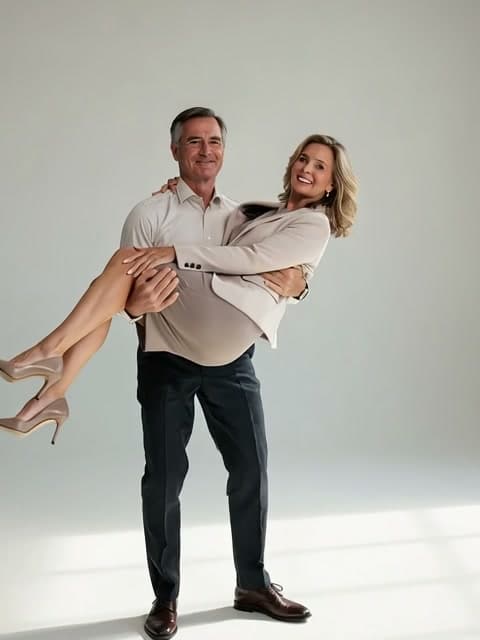
Frame from a playful AI bridal carry generated video
Grok Imagine Video — playful carry output

Ordered weight transfer

The prompt describes brace, lift, settle, and hold. That sequence reduces teleporting and gives the viewer time to read a plausible center of gravity.

Selecting a carry direction fills the editable prompt with motion order, contact, identity preservation, and an ending pose. Add context, mood, or camera direction directly in that field, then send the visible prompt and source to the image-to-video model. The output is generated, not a fixed face pasted on a stock dance.

Protected identity and wardrobe

Repeat that both faces, hairstyles, garments, and relative heights stay stable. Inspect frames around the lift, where identity drift is most likely.

A camera that supports safety

Use a gentle push or restrained half-turn instead of a complex orbit. A calmer camera makes hand contact and posture easier to judge.

What the bridal carry generator changes

Full-body fictional young adult Western couple used for an AI bridal carry video detail crop

Use images you have permission to animate. Do not create intimate or embarrassing depictions of someone without consent, and do not imply a generated scene records a real event. Wedding, anniversary, costume, and fictional-character use can work when everyone depicted agrees.

Review the clip once at normal speed and once frame by frame. Check supporting hand placement, extra limbs, face swaps, fabric continuity, foot contact before the lift, and whether the carried person remains supported throughout the settle.

Keep the preset and model visible, edit the prompt when needed, and review the complete physical event rather than only the final pose. Check the brace, lift, hand contact, balance, and settling frame.

The clip also fits a broader workflow. A stable ending can feed a continuation, transition, caption, or music pass, so the effect is not trapped inside a single template library.


Playful bridal carryA second real generation testing more camera motion and the same physical-contact review criteria.

Compare a second take before you spend another generation

The second clip is not decorative footage. Use it to compare framing, identity, contact, camera movement, and whether the final beat gives you a usable edit point.

AI bridal carry — practical questions

Does the photo need two people?

Yes for the intended effect. A clear two-person image with visible bodies and minimal occlusion gives the model the best physical starting point.

Is this a fixed template?

No. Selecting a carry direction fills an editable motion prompt. The image-to-video model then synthesizes the scene and movement from your source and the prompt you can see.

Can I use a celebrity photo?

Only when you have the rights and the depiction is permitted. Do not create deceptive or intimate synthetic media of real people without consent.

Which preset is safest?

Classic lift uses the simplest motion chain and restrained camera. Test it before the playful spin.

Why do faces change during the lift?

Motion, occlusion, and a weak source can cause drift. Use clearer faces, simplify the camera, and repeat the identity lock.

Put AI bridal carry to work

Start from a readable two-person source, choose the simplest motion that tells the story, and review contact before style. The result should feel staged and safe, not physically impossible.

Open AI bridal carry