1 · Subject lock
Name the person or product and the details that cannot change.
Fast Kling video workflow
The Turbo model is designed for faster text-to-video and image-to-video iteration. Strong briefs describe one subject, one action arc, one camera move, and a usable final frame instead of stacking unrelated cinematic adjectives.
Shot builder
Name the person or product and the details that cannot change.
Describe the physical beginning, movement, and settled ending in order.
Choose one move—push, track, orbit, crane, or locked frame—and its speed.
Set duration, aspect ratio, audio intention, and the frame an editor can cut on.
Prompt examples
Product reveal
Ten-second 16:9 product film. A black steel watch begins almost hidden in shadow. Camera slides slowly right as the watch rotates 25 degrees toward one narrow white reflection. Preserve dial text, crown, strap geometry, and contact with the pedestal. End centered and motionless for two seconds. Low mechanical room tone, no dialogue, no cut.
Character performance
Eight-second continuous studio shot. Keep the model’s face, ivory coat, silver earrings, and full silhouette consistent. Camera makes one slow clockwise half-orbit while a light fan moves only the coat hem. The model turns her eyes toward camera at second five. Finish on a stable three-quarter frame; no scene change.
Production fit
Fast generation is valuable when each test answers a production question. Does the camera reveal the label? Can the actor finish the turn without identity drift? Does the loop close? Define an approval condition before generating so speed produces evidence, not a folder of attractive but interchangeable clips.
Test one relationship between camera, object, and light. A bottle may rotate into a highlight, a shoe may land and compress, or a device may open to reveal its screen. Protect shape, controls, labels, and surface finish. Give the object a stable resting state at both ends when the shot will be used in an edit.
Image-to-video is the safer starting point when the exact product already exists. Use text-to-video for conceptual motion language before approved photography is available.
Keep the action simple enough that face, garments, accessories, and body mechanics remain visible. One walk, turn, glance, or fabric reveal is easier to direct than a chain of poses. Describe which parts may move and which silhouette details must stay fixed.
Choose a camera path that supports the performance. A controlled track reads a walk; a half-orbit reveals tailoring; a locked frame prioritizes expression. Review hands, feet, earrings, hems, and contact points, not only the face.
Build one beat around a visible change: a message arrives, a door opens, a character notices something, or an object is exchanged. State the setup, trigger, reaction, and final frame in temporal order. The prompt should describe what the audience sees rather than a backstory the camera cannot communicate.
Generate adjacent shots separately. A focused Kling 3.0 Turbo prompt gives an editor more control than asking one short clip to create a complete multi-location sequence with several cuts.
A useful loop needs compatible first and last states. Choose cyclical motion such as rotating light, drifting fabric, steam, or a repeated mechanical action. Keep the camera locked or return it to the original position. Avoid irreversible events such as an object breaking or leaving frame.
Leave quiet areas for interface text and buttons. Motion should remain readable behind foreground UI without pulling attention away from the action a visitor needs to take.
Storyboard timeline
Show enough of the subject to establish identity, scale, and environment. If starting from an image, repeat what must remain unchanged. Do not spend the first seconds on empty atmosphere when the clip is only five or ten seconds long.
Describe one physical change with ordered verbs. Specify direction and destination: the hand reaches from frame right, grips the cap, turns it once clockwise, and releases. Concrete mechanics help Kling 3.0 Turbo maintain contact and make the action reviewable.
Place the camera move where it reveals information. A push begins as the actor recognizes the object; a track follows a walk; an orbit exposes product depth. State whether the move accelerates, stays constant, or settles before the end.
Reserve the final second or two for a deliberate state. Name subject position, expression, object orientation, focus, and camera motion. A planned Kling 3.0 Turbo finish lets an editor cut, add copy, or create a loop instead of inheriting an accidental last frame.
Camera grammar
Best for dialogue, precise choreography, transformation comparisons, and seamless background loops. Because framing is stable, small facial or product changes are easier to detect. Add subject movement or lighting progression so the shot still has a visual event.
Use for recognition, tension, intimacy, or a product detail that becomes important. Define the starting and ending framing, such as medium shot to chest-up. Keep the subject’s action restrained so camera and performance do not compete.
Use when movement has direction: walking, cycling, a conveyor, or an object sliding across a surface. State whether the camera matches speed or lets the subject pass. Provide a clean background with enough parallax to make the move readable.
Use to reveal three-dimensional form, fashion silhouette, or spatial relationships. Specify direction and angle, such as one slow clockwise quarter-orbit. Avoid a full fast spin when logos, faces, or fine product geometry must remain stable.
Use to reveal scale or change the relationship between subject and environment. Name the end view and keep the path simple. A rise that also orbits, zooms, tilts, and changes focus creates too many simultaneous continuity demands.
Use subtle body-level movement for documentary energy. Describe gentle, human stabilization rather than random violent shake. Keep the focal subject centered enough that motion feels intentional and downstream stabilization does not require an extreme crop.
Generation settings
Use the shortest duration that allows the action to finish. A product light sweep may need five seconds; dialogue, a complex hand interaction, or a character entering frame needs more. Additional time should improve pacing, not invite a second unrelated scene.
Choose the final placement before composing. Vertical video needs a tall action path and safe space for captions; widescreen supports lateral camera movement; square favors a centered subject. Do not expect a critical hand, logo, or face near the edge to survive every later crop.
Supply a clean, high-resolution frame when identity, product geometry, wardrobe, or layout is already approved. Remove accidental overlays and compression artifacts. Describe motion from that exact state rather than restating a different opening composition in text.
Name dialogue, foley, ambience, or silence separately. Tie effects to visible events and keep spoken wording short enough for the clip. If the asset will receive a licensed soundtrack later, prioritize clean production sound that remains useful in an edit.
Correction guide
Choose one movement and remove contradictory lens language. State start frame, path, speed, and finish. If subject choreography is complex, lock the camera first. Once the performance works, test a restrained move without changing every other instruction.
Begin with a stronger image, repeat the protected identity or geometry, and reduce occlusion, fast rotation, or extreme perspective change. Shorten the shot if drift appears late. Review the entire clip at normal speed and frame by frame before choosing a candidate.
Write the interaction as mechanical steps and specify weight response: fingers close, fabric compresses, the object lifts, the supporting surface rebounds. Avoid several props changing hands. Let the camera hold long enough for contact to be visible.
Add stable handles at the beginning or end. Finish the gesture before the last frame, settle the camera, and hold the intended composition. If the next shot is known, match screen direction, subject position, eye line, and motion so the cut has continuity.
Kling 3.0 Turbo FAQ
It is best suited to rapid, purposeful iterations of text-to-video and image-to-video shots: product reveals, character actions, fashion movement, short narrative beats, and loops. The strongest workflow defines one subject, one action arc, one camera rule, and one finish condition, then uses variants to test a specific production decision.
Begin with text when you are exploring a concept and subject identity can be invented. Begin with an image when a product, face, wardrobe, composition, or campaign frame must remain recognizable. A strong starting image reduces ambiguity, but the motion prompt still needs to explain ordered action, camera behavior, and the final state.
Usually one. A slow push, lateral track, controlled orbit, crane, or locked shot gives the model and viewer a clear rule. Multiple moves can work in a longer planned shot, but stacking zooms, spins, focus changes, handheld shake, and cuts creates conflicting demands and makes failures difficult to diagnose.
Choose reversible or cyclical movement, keep the environment stable, and explicitly match the last state to the opening state. Locked cameras are easiest. Rotating light, drifting fabric, steam, ambient particles, or a repeated mechanism can loop naturally. Review the join for jumps in position, illumination, focus, and object shape.
Keep the approval question stable. To compare cameras, preserve subject, action, duration, framing target, and ending while changing only the camera path. To compare performance, preserve camera and environment while changing gesture intensity or timing. Controlled variants reveal which direction causes the improvement.
Watch once at normal speed for story and pacing, once without sound for visual continuity, and once while checking audio alignment. Then inspect frames around hands, faces, text, product edges, contact, camera stops, and the planned edit point. A beautiful thumbnail cannot prove that a moving asset is production-ready.
Frame-level review
Face, product geometry, logos, and clothing remain recognizable throughout.
Hands and feet maintain contact without sliding, merging, or duplicated parts.
The camera follows the requested path and reaches the planned final frame.
Dialogue, sound effects, signage, and packaging text survive playback review.
Real output gallery
Eight-second continuous orbit around model, fabric moves in fan breeze, face stable, clean studio, no cut
Camera slides from shadow into centered watch hero, one reflection sweep, physical contact stable, premium sound cue
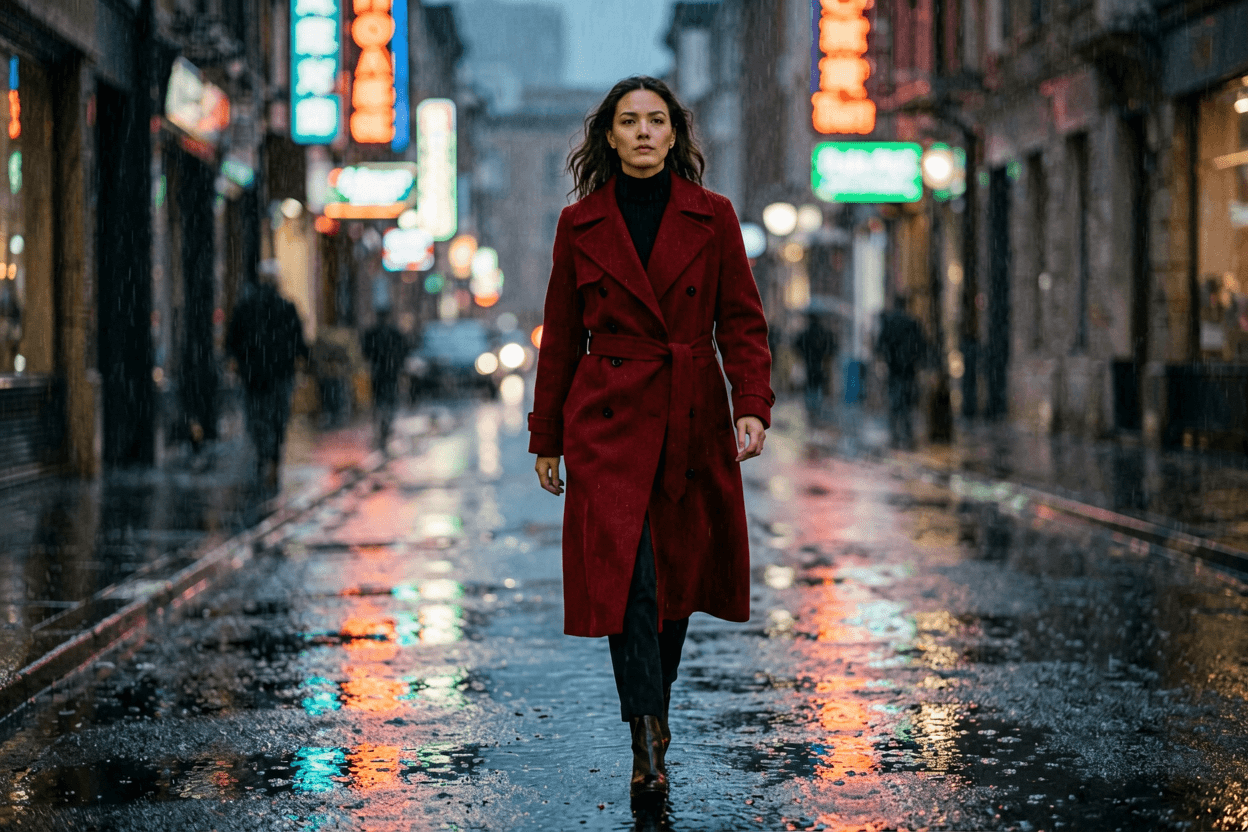 Example 3
Continuous walk through rainy neon street, coherent wardrobe, puddle reflections, one camera push, ambient rain bed
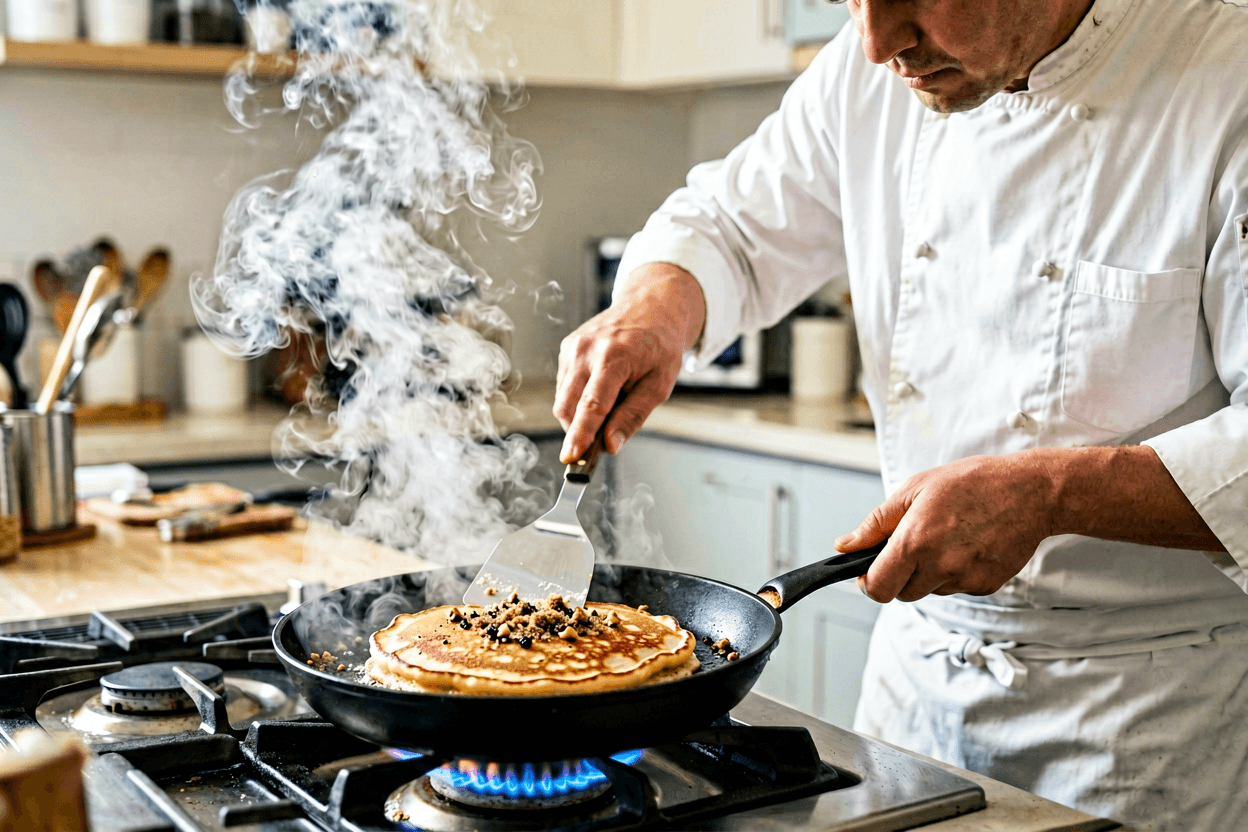 Example 4
Chef flips a pancake in a bright kitchen, steam rising, one continuous shot, crisp foley, no cut
 Example 5
Slow cinematic push over coastal cliff path at golden hour, static horizon, gentle cloud drift, no people faces