Use this gpt image 2 guide to create readable posters, clean infographics, menus, and faithful image edits. Start with a tested prompt, then verify every word.
Generate
No history yet
Your generated results will appear here after you create something.
Three GPT Image 2 jobs this guide is built around
Each example isolates a different strength: one exact headline, a small labeled sequence, and a short handwritten menu. Copy the prompt, change the content, and keep the layout simple.
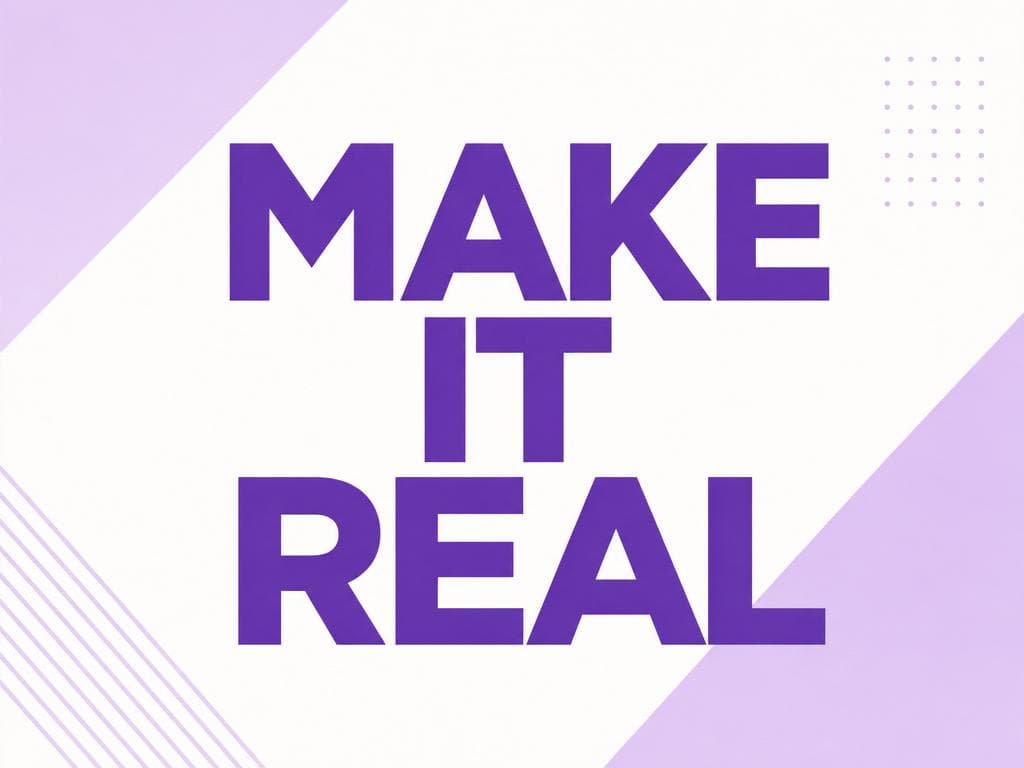
Exact poster headline
A clean modern motivational poster that reads "MAKE IT REAL" in bold geometric sans-serif type centered on a minimal lilac-and-white background. Spell the text exactly.
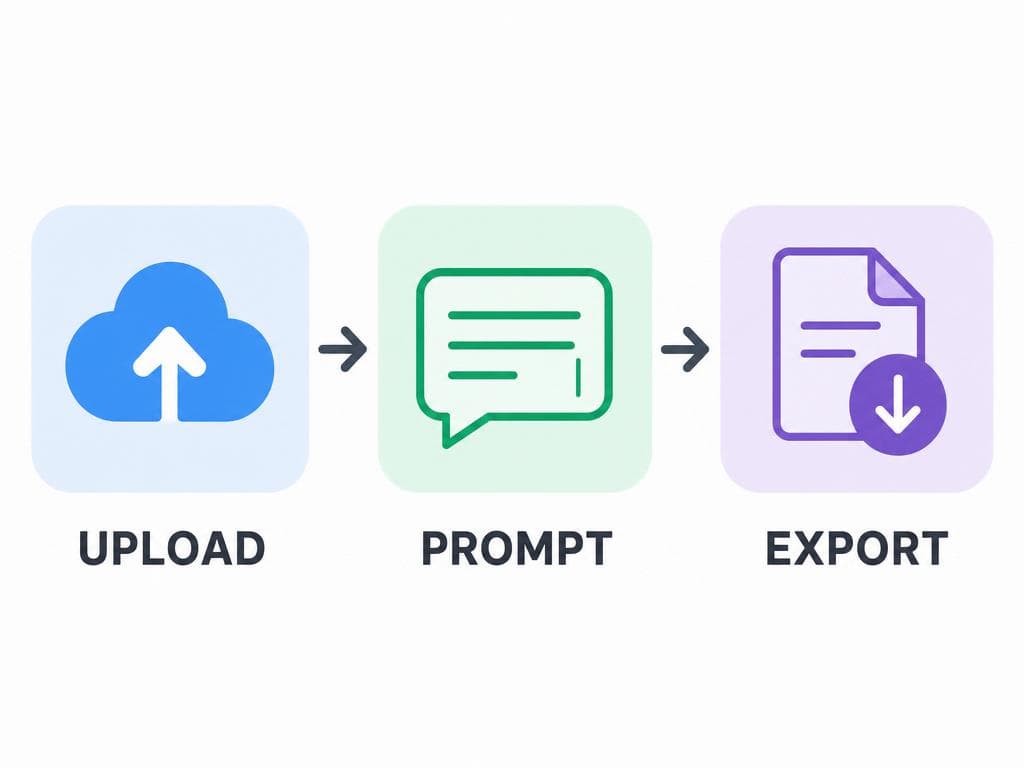
Three-step infographic
A simple flat 3-step infographic with rounded icon tiles reading "UPLOAD", then "PROMPT", then "EXPORT", with arrows between them. Spell every label exactly.
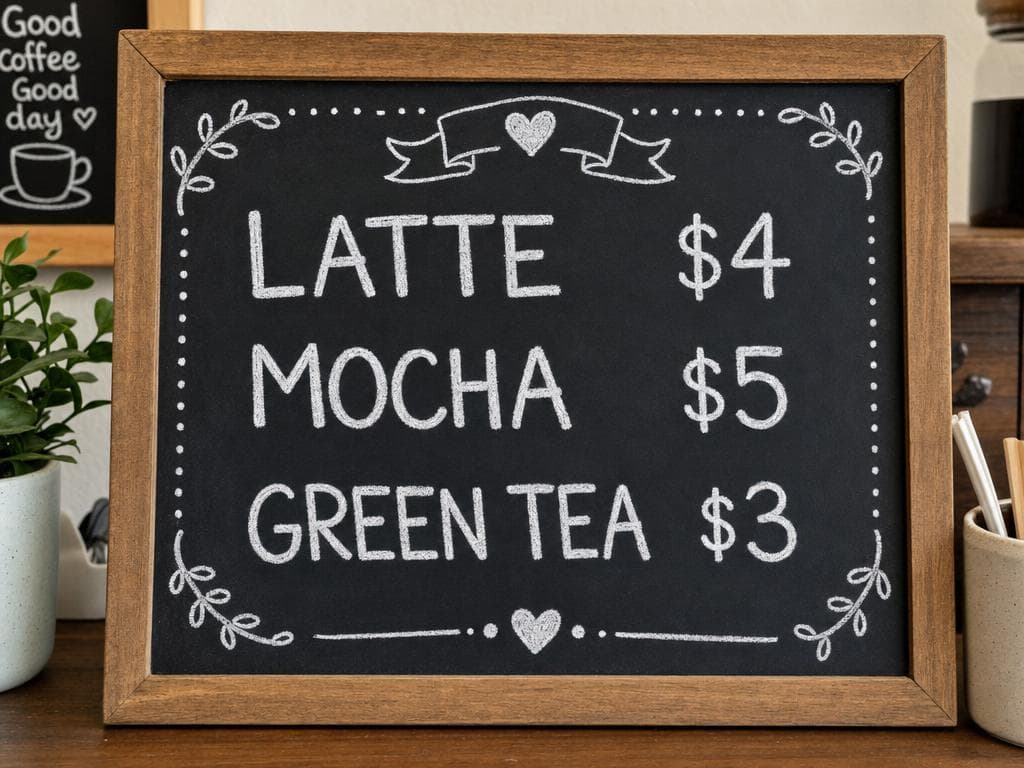
Short menu layout
A hand-lettered cafe chalkboard menu with exactly three lines: "LATTE $4", "MOCHA $5", and "GREEN TEA $3". Legible white chalk on a black board.
01 Quote exact wording and say 'spell exactly' when following the gpt image 2 guide.
02 Keep copy short; the gpt image 2 guide favors one headline or a few labels per image.
03 For edits, name the change and then list what must remain identical.
04 Review every letter, number, hand, logo, and product detail before publishing.
The gpt image 2 guide workflow
Reliable output comes from separating the brief, the visual system, and the review step. Do not try to solve all three with one vague sentence.
STEP 1
State the deliverable
Start the gpt image 2 guide prompt with the asset type: poster, menu, infographic, product edit, or study card.
STEP 2
Lock exact content
Put required wording in quotation marks, specify the order, and remove any copy that is not essential.
STEP 3
Describe the visual system
Name the layout, palette, type style, background, and lighting without adding contradictory art directions.
STEP 4
Generate, inspect, revise
Check spelling and structure at full size, then rerun with one targeted correction instead of rewriting the whole brief.
Build a cleaner prompt with the gpt image 2 guide
Start with the exact message, then choose only the constraints that matter. Fewer compatible instructions usually beat a long list of competing styles.
A clean poster that reads exactly "[YOUR TEXT]"
Weak prompts versus gpt image 2 guide prompts
The improved versions define both the requested change and the boundary around it.
| Goal | Weak request | Stronger request |
|---|---|---|
| Poster | Make a cool poster about action. | Create a minimal poster reading exactly "START NOW" in large red sans-serif letters; centered layout; no extra text. |
| Product edit | Make this product look premium. | Keep the product shape, label, logo, and camera angle identical; replace only the background with a dark stone studio set and soft rim light. |
| Infographic | Explain the workflow in an image. | Create three numbered tiles labeled exactly "UPLOAD", "EDIT", "EXPORT"; one icon per tile; arrows between tiles; no other text. |
| Menu | Make a cafe menu. | Write exactly three lines on a chalkboard: "LATTE $4", "MOCHA $5", "TEA $3"; large white chalk; no extra items. |
| Portrait edit | Make me look better. | Keep identity, expression, hair, clothing, framing, and background identical; soften only the harsh overhead shadow on the face. |
14 projects to try with this gpt image 2 guide
Each project keeps text short, layout explicit, and review manageable.
- Use the gpt image 2 guide to make a one-line event poster with an exact date and title.
- Use the gpt image 2 guide to create a three-step onboarding infographic with one label per tile.
- Follow the gpt image 2 guide for a product photo background swap that preserves the label.
- Use the gpt image 2 guide to create a cafe special board with three verified menu lines.
- Apply the gpt image 2 guide to a simple quote card with no extra decorative wording.
- Use the gpt image 2 guide to make a classroom vocabulary card with one term and one diagram.
- Follow the gpt image 2 guide for a before-and-after room concept that preserves architecture.
- Use the gpt image 2 guide to create a packaging concept with a short exact product name.
- Apply the gpt image 2 guide to a social thumbnail with one large readable hook.
- Use the gpt image 2 guide for an image edit that changes lighting but preserves identity.
- Follow the gpt image 2 guide to create a three-item price list with exact numbers.
- Use the gpt image 2 guide to make a directional sign with one arrow and one short label.
- Apply the gpt image 2 guide to a simple recipe card with three numbered steps.
- Use the gpt image 2 guide to draft a logo presentation scene while keeping the logo unchanged.
The review step is part of the gpt image 2 guide
Strong generation quality can make an image feel finished before it has been checked. Resist that impression. Zoom in and verify every required word, number, logo, label, and product detail. A poster with one wrong letter is still wrong, even if the composition and lighting are excellent. The gpt image 2 guide therefore treats inspection as a production step, not as optional polish.
When something fails, correct one dimension at a time. If the spelling is wrong, reduce the amount of text and repeat the exact wording. If an edit changes the product, strengthen the preserve list. If the layout is cluttered, remove decorative requests. Targeted revisions make it easier to understand what the model needs.
Generated graphics are excellent for concepts, drafts, campaigns, and fast visual exploration. They are not always the final production file. Long documents, accessible charts, legal copy, and brand assets may still need a design or document tool where every character and alignment is directly controlled.
To compare models, open Text to Image AI. For background-preserving edits, use Image to Image AI with the same preserve-list pattern from this gpt image 2 guide.
GPT Image 2 guide — FAQ
What is this gpt image 2 guide for?
This gpt image 2 guide is a practical reference for creating images that contain readable text, controlled layouts, and faithful edits. It explains prompt structure, when to upload a reference image, how to request exact wording, and how to review the result before publishing it.
Why does the gpt image 2 guide focus so much on exact text?
Readable text is one of GPT Image 2's strongest use cases, but the model still needs a precise brief. The gpt image 2 guide recommends quoting the exact words, limiting the amount of copy, naming the typography style, and checking every character after generation.
Can I use this gpt image 2 guide for image editing?
Yes. Upload a source image and describe only the intended change. The gpt image 2 guide recommends a preserve list such as 'keep the product, framing, shadows, and background unchanged' so the model understands the editing boundary.
What image types work best with the gpt image 2 guide?
Posters, simple infographics, menus, social graphics, product edits, educational cards, and layout concepts are strong fits. The gpt image 2 guide is less suitable when you need production-ready vector files, perfectly typeset long documents, or exact multi-page design systems.
How much text should I put in one GPT Image 2 generation?
Keep it short. One headline, a few labels, or three menu lines are easier to verify than a page of copy. This gpt image 2 guide suggests splitting long information into several images and adding large text in your design tool when exact typography is mission-critical.
Does following the gpt image 2 guide guarantee correct spelling?
No. Exact quoted wording and simple layouts improve results, but every generated image still needs review. The gpt image 2 guide treats spelling checks as a required final step, not an optional quality improvement.
How do I preserve a product or person's identity during an edit?
Upload the sharpest source available, state the single change first, then list what must remain identical. The gpt image 2 guide recommends avoiding vague requests like 'make it better' because they give the model permission to redesign too much.
Is the gpt image 2 guide useful for API developers?
The prompt and review principles apply to API workflows, but this page focuses on Voor's visual generator rather than code. Developers should also define output size, quality, format, retry behavior, moderation handling, and a human review step.
Can I try the gpt image 2 guide examples for free?
New Voor accounts include free daily credits. Copy one of the prompts from this gpt image 2 guide, replace the quoted text or subject, and generate a small set of variations before spending credits on a final high-quality output.
People also search for
- gpt image 2 guide prompts
- gpt image 2 guide text rendering
- gpt image 2 guide image editing
- gpt image 2 prompt examples
- how to write text in ai images
- gpt image 2 infographic prompt
- gpt image 2 product edit
- gpt image 2 typography tips
The shortest version of this gpt image 2 guide is: define the deliverable, quote exact text, protect anything that must not change, and inspect the result at full size.
Put the gpt image 2 guide into practice
Copy one tested prompt, replace the exact wording, generate a few variations, and verify every detail before publishing.
Generate with GPT Image 2