Type any word and the 3d text generator renders it as crisp, fully three-dimensional letters — balloon foil, liquid chrome, glossy gummy jelly, carved wood, neon tube, and more. Powered by GPT Image 2, the only mainstream image model that keeps every character legible. Pick a material, copy the prompt, export the still.
Generate
No history yet
Your generated results will appear here after you create something.
What the 3d text generator produces
Four materials, four moods — each 3d text generator image was generated with the prompt shown below it. Click Copy prompt to drop it into the generator above and swap the word for yours.
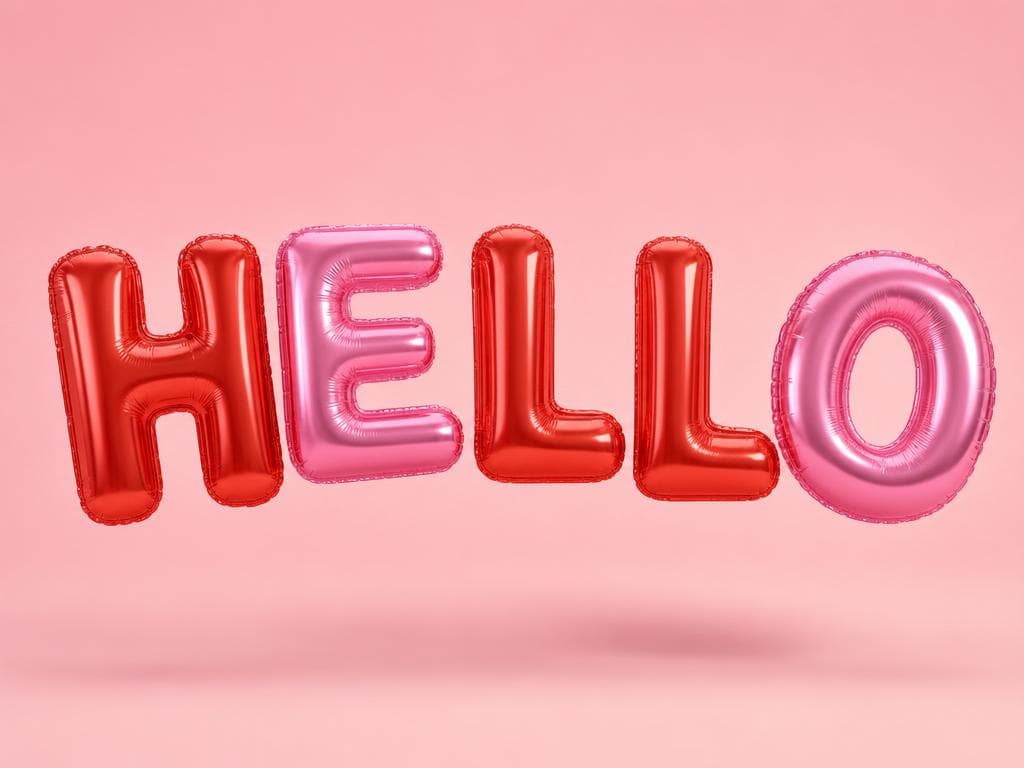
Balloon letters — HELLO
The word HELLO as shiny metallic foil balloon letters, 3D inflated glossy surface, specular highlights, pastel pink and lavender gradient, clean white studio background, product photography lighting
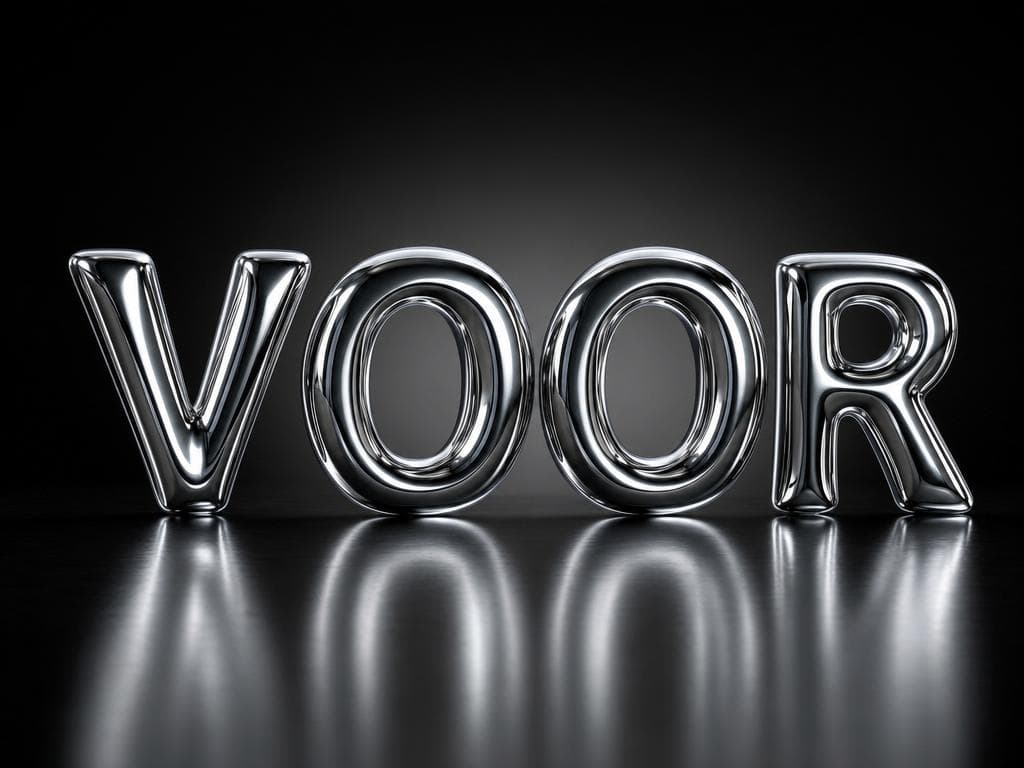
Chrome letters — VOOR
The word VOOR as liquid chrome 3D letters, mirror-polished metal surface, sharp reflections, dramatic studio lighting, dark gradient background, photorealistic render
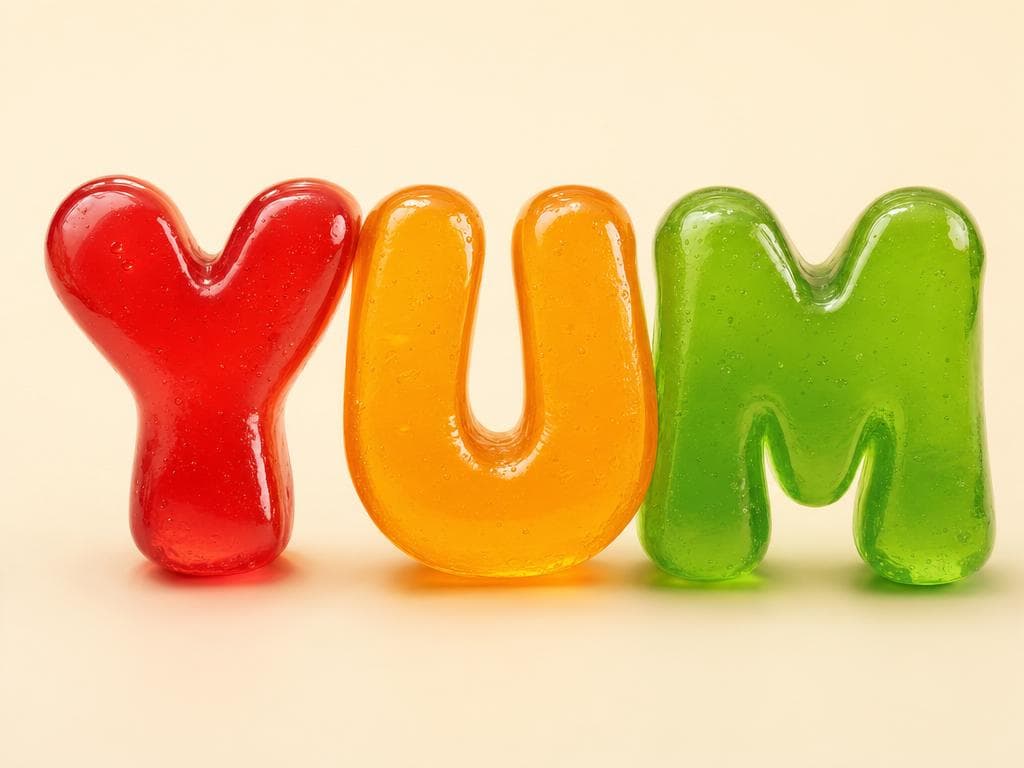
Gummy jelly letters — YUM
The word YUM as glossy gummy jelly 3D letters, translucent candy material, subsurface scattering, pastel green and yellow gradient, rim light, clean cream background, studio product photography
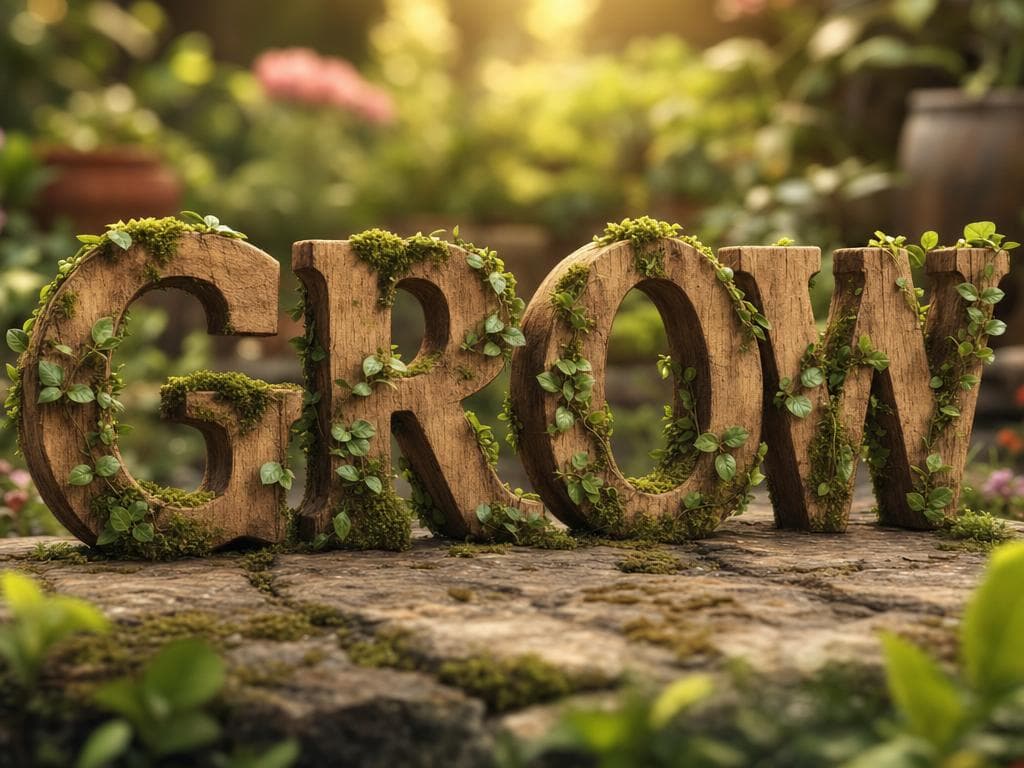
Carved wood letters — GROW
The word GROW as carved oak wood 3D letters, visible grain texture, warm golden hour lighting from the left, soft shadows, neutral linen background, artisan craft aesthetic
GPT Image 2
the only model that keeps every letter legible in a 3d text generator
9 materials
balloon, chrome, jelly, wood, neon, gold, ice, LEGO, clay — all in one tool
One word
type it, pick a material, and the 3d text generator renders crisp letters
Free credits
several renders a day on a free Voor account
Build your 3d text generator prompt
Tap chips to assemble a 3d text generator prompt, then copy it into the generator above. Replace [YOUR WORD] with your actual word before pasting — all-caps works best.
The word [YOUR WORD] in 3D
Choosing a material, lighting and background for the 3d text generator
Material, lighting, and background are the three levers that separate a forgettable 3d text generator result from a shareable one. Here is how each decision lands.
Material first
The material keyword is the most load-bearing part of a 3d text generator prompt. 'Foil balloon' inflates and reflects; 'liquid chrome' mirrors the scene; 'gummy jelly' lets light through; 'carved wood' reads as handmade. Name it first and the 3d text generator locks in the surface physics.
Lighting second
Studio softbox lighting keeps 3d text generator results clean and commercial. Rim light traces the letter edges and makes them pop against the background. Golden hour adds warmth and shadow depth. Name one lighting setup — layering two often confuses GPT Image 2 and flattens the letters.
Background last
A plain or gradient background lets the 3d text generator put all the detail budget into the letters themselves. 'Clean white studio', 'dark gradient', and 'soft cream' are all safe choices. Busy scenes pull focus from the 3d text generator letterforms and tend to introduce artifacts around the letters.
Word length matters
One to four characters is the sweet spot. A single word like VOOR or HELLO gives GPT Image 2 enough canvas to detail each letter fully in the 3d text generator. Longer phrases shrink the per-glyph resolution; if you need a full sentence, use the 3d text generator for the hero word and set the rest in a font.
13 ways people use the 3d text generator
The same loop every time — type the word, pick the material, copy the result. Here are the projects where the 3d text generator saves hours of design work.
- Logo concepts — the 3d text generator turns a brand name into a polished 3D logo visual in seconds, ready to drop into a pitch deck.
- YouTube thumbnails — a chrome or neon word from the 3d text generator cuts through the grid; pair it with a face photo for maximum CTR.
- Birthday banners — personalise the name with the 3d text generator in balloon-foil style for a printable party banner.
- Stream overlays — a neon or ice 3d text generator render makes a sharp, on-brand screen name for Twitch or YouTube Live.
- Social media headers — the 3d text generator produces wide-format imagery that scales to every platform cover size.
- Sticker designs — die-cut glossy stickers start as a balloon or jelly render before going to print; the 3d text generator handles the art.
- Podcast cover art — a carved wood or gold metallic word reads well at small sizes on Apple Podcasts; generate it with the 3d text generator.
- Merchandise mockups — drop a render onto a t-shirt or mug template to proof the concept; the 3d text generator takes seconds.
- Presentation title slides — a single chrome word on a dark background beats every built-in PowerPoint theme; run it through the 3d text generator.
- Event invites — gold metallic letters from the 3d text generator signal premium and print beautifully on dark card stock.
- App icons — the 3d text generator fits a single initial or short code into a square icon with studio-quality depth.
- Classroom materials — a soft clay render of a letter makes a friendly visual for early-learning worksheets; the 3d text generator does it in one prompt.
- NFT and digital art — the 3d text generator produces novel, export-ready stills that pair well with generative background layers.
How 3D type went from a Cinema 4D weekend to a 3d text generator
Crisp 3D letters used to be a specialist skill. Here is the condensed history of how the 3d text generator became one-click.
- Pre-2020 — Cinema 4D era
Designers spent a full weekend in Cinema 4D or Blender to extrude, texture, light and render a single word. A 3d text generator did not exist; without a 3d text generator, the skill barrier kept 3D type exclusive to studios and motion graphics freelancers.
- 2022 — Diffusion models arrive
Stable Diffusion and Midjourney could generate 3D-looking scenes, but text prompts reliably garbled letterforms. Any 3d text generator built on diffusion alone was too unreliable — characters came out scrambled.
- 2024 — GPT Image 2 changes the game
GPT Image 2 launched with a native understanding of written language, rendering individual glyphs accurately inside complex scenes. For the first time, a real 3d text generator that keeps every character legible became possible with a plain text prompt.
- Now — Voor's 3d text generator
Voor wraps GPT Image 2 in a prompt-chip UI and a copyable prompt gallery. Type a word, pick a material, hit generate. GPT Image 2 handles extrusion, lighting and the render in roughly fifteen seconds — that is the modern 3d text generator.
3d text generator — FAQ
What exactly does the 3d text generator on Voor do?
The 3d text generator takes any word or phrase you type, passes it to GPT Image 2 with a material and lighting prompt you choose, and returns a high-resolution still of your text rendered as crisp 3D letters. Other image models frequently garble or hallucinate letterforms; GPT Image 2 is the model that actually keeps every character legible, which is why this 3d text generator defaults to it.
Why does GPT Image 2 handle lettering better than other models?
Most diffusion models treat text as visual texture and distort it at the character level. GPT Image 2 was trained with a stronger understanding of written language, so it renders each glyph accurately rather than guessing. That is the single biggest reason the 3d text generator here uses it as the default — you get readable 3D letters, not scrambled shapes.
What materials can the 3d text generator produce?
The 3d text generator handles a wide range of surface treatments: foil balloon, liquid chrome, glossy gummy jelly, carved wood, neon tube, gold metallic, ice crystal, LEGO brick, and soft clay are all proven starting points. Lighting keywords like studio softbox, rim light, or golden hour shift the mood further without changing the material.
Is the 3d text generator free to use?
New Voor accounts receive free daily credits, which are enough for several 3d text generator runs and at least one full reroll per session. Each render deducts credits based on the model; GPT Image 2 is the premium model, so heavier use requires a paid plan. Free credits refresh daily.
How do I get the sharpest, most legible 3D letters?
Keep your word short — one to four characters almost always beats a full sentence in the 3d text generator. Use all-caps in the prompt (e.g., 'the word VOOR'), pick a high-contrast material like chrome or neon so the forms read clearly, and add a plain or gradient background so the letters are not competing with the scene. The prompt chip builder shows tested combinations.
Can I use the 3d text generator output commercially?
Images generated through Voor are subject to Voor's terms of service and OpenAI's usage policies for GPT Image 2. Commercial use is generally permitted for non-restricted content; check Voor's licensing page for the current policy. No watermark is added to the exported PNG from the 3d text generator.
How do I match a set of 3D text images in the same style?
Write one base prompt in the 3d text generator and change only the word between runs. Because GPT Image 2 interprets the material and lighting instructions consistently, five words generated from the same prompt come out as a visually matched set — useful for logo variants, thumbnail series, or stream overlay packs.
What is the difference between balloon text and jelly text in the 3d text generator?
Balloon text (foil balloon prompt) gives you a reflective, metallic-sheen surface that looks inflated and slightly puffy, with sharp specular highlights. Jelly text (glossy gummy jelly prompt) is translucent — light passes through the body, creating a candy-like interior glow. Both look three-dimensional, but balloon reads as solid while jelly reads as see-through. Try both in the 3d text generator and keep whichever matches your project tone.
Can the 3d text generator work for logo design?
Yes, with caveats. The 3d text generator produces a raster PNG, not a vector, so you cannot scale it infinitely without re-rendering. It is best used as a concept visual — drop it into a pitch deck, a social post, or a YouTube thumbnail. If you need a production logo file, use the output as a reference and hand it to a designer or a vector tracing tool.
People also search for
- 3d text generator free online
- 3d text generator no watermark
- ai 3d letter generator
- 3d text generator balloon letters
- chrome 3d letter effect online
- 3d letter generator from photo
- 3d text generator for youtube thumbnails
- 3d text copy and paste generator
Whichever 3d text generator search brought you here, the prompt gallery above shows the fastest path: name the word in all-caps, pick one material from the chip builder, and let GPT Image 2 do the render. Every result ships with the prompt that made it — copy it, swap the word, done.
Type a word into the 3d text generator
The 3d text generator is live above — pick a material, paste the prompt, and export the still. No design software, no 3D rendering skills required.
Generate 3D letters now