1. Upload the highest-quality master
PNG from Seedream 4.5 generation or photography. Seedream 4.5 image editor AI cannot recover detail that never existed.
Upload the left frame, describe one scoped change, download the right — no manual mask on Seedream 4.5 image editor AI.
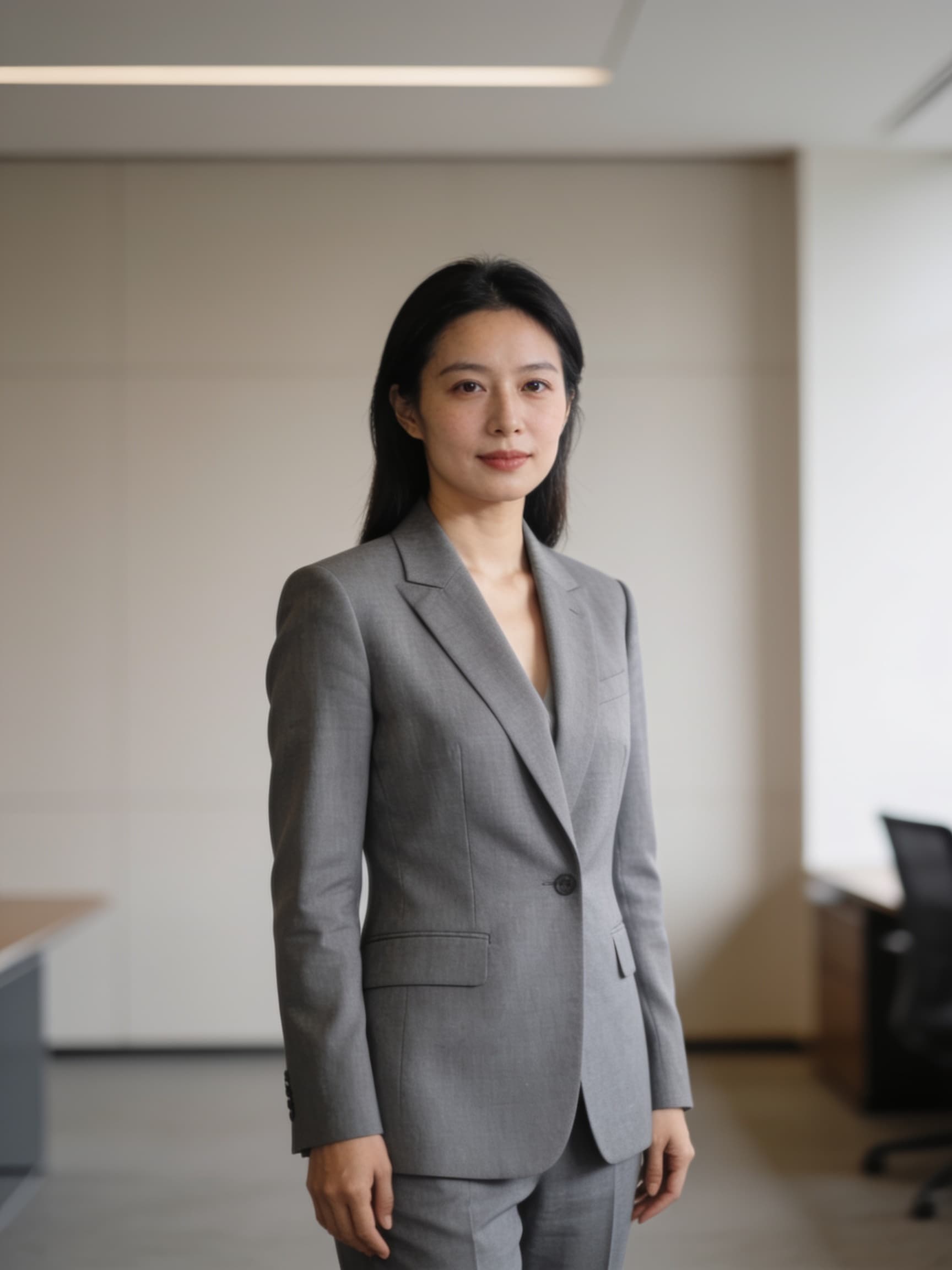
Before edit
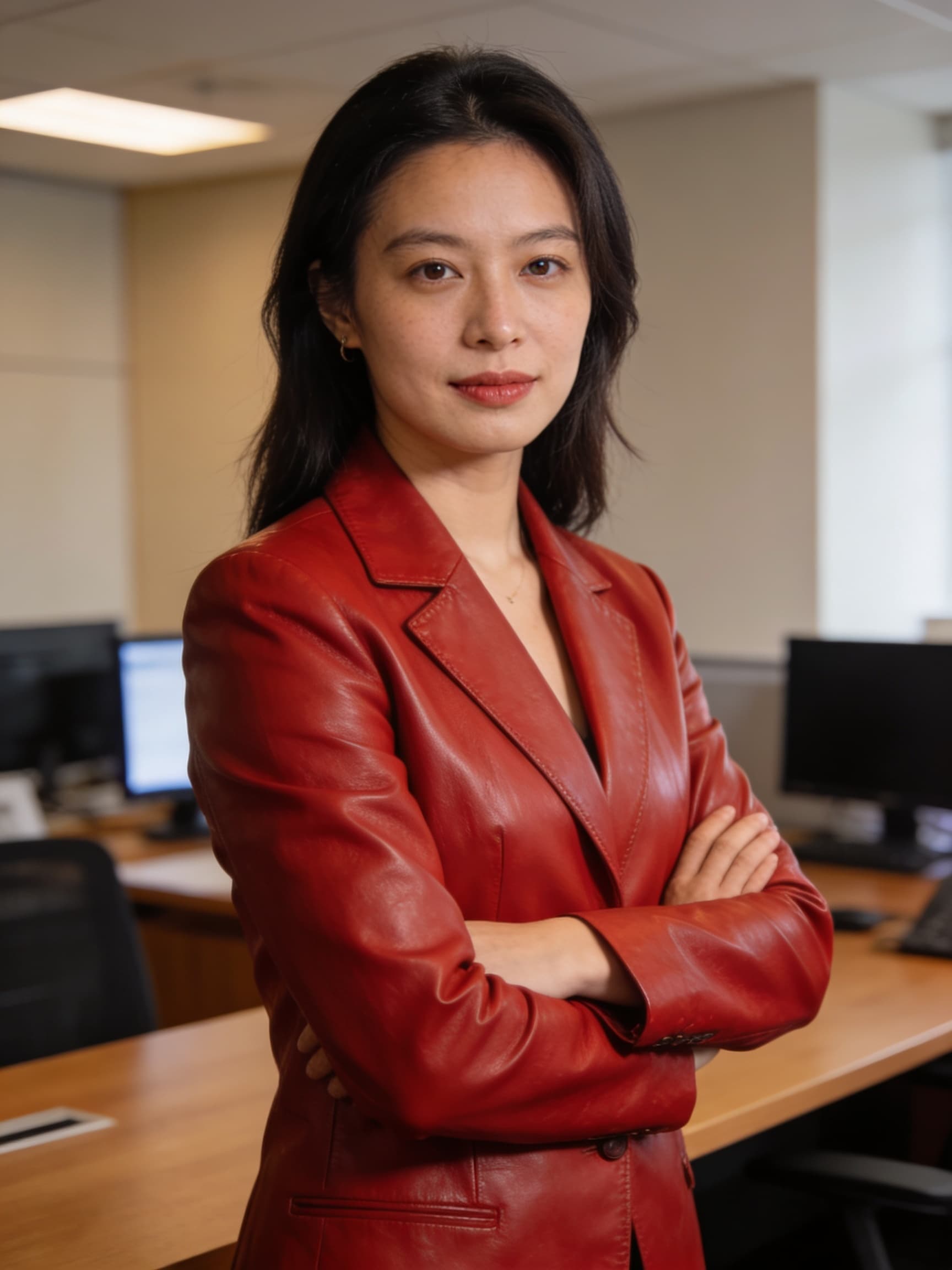
After edit
Seedream 4.5 image editor AI is the instruction-tuned mode of Bytedance's Seedream 4.5 checkpoint — you upload a reference, describe the change, and Seedream 4.5 image editor AI returns an edited still instead of a full redraw. Teams search Seedream 4.5 image editor AI when Photoshop masking is too slow for catalog scale: recolor a blazer, swap a background, localize on-image copy, or add a prop without losing the model's face. On Voor AI, Seedream 4.5 image editor AI lives in the image-editing collection with `bytedance/seedream-4.5` selected. The before/after gallery above shows a typical Seedream 4.5 image editor AI pass — grey jacket to red leather with pose and office plate intact. Seedream 4.5 image editor AI is not magic inpainting at pixel precision; it preserves perceived identity and composition, which is exactly what marketing retouching needs before a human finisher.
Image-to-image generator above. Seedream 4.5 image editor AI rewards scoped sentences.
PNG from Seedream 4.5 generation or photography. Seedream 4.5 image editor AI cannot recover detail that never existed.
Template: 'Change ONLY [element] to [target]. Keep face, hair, pose, background identical.' Seedream 4.5 image editor AI parses ONLY clauses reliably.
Seedream 4.5 image editor AI is stochastic. Save two winners; art directors choose the least edge-frayed result.
Four workflows where Seedream 4.5 image editor AI beats generic generators.
Seedream 4.5 image editor AI handles 'change only the jacket to navy suede' when you state what must remain. Vague Seedream 4.5 image editor AI instructions drift hair or background.
Seedream 4.5 image editor AI can drop a subject on a beach at golden hour while keeping silhouette edges believable — faster than manual cutouts for dozens of SKUs.
Pair with `/seedream-text` when edits must keep a readable headline intact. Seedream 4.5 image editor AI respects typography better than generic redraw models.
Run Seedream 4.5 image editor AI twice for stacked edits: color first, prop second. Single mega-prompts reduce Seedream 4.5 image editor AI success rates.
Seedream 4.5 image editor AI uses the same Replicate weights as generation but conditions on `image_input` plus a natural-language instruction. The model infers edit regions — no manual mask — similar to FLUX Kontext or GPT Image edit modes.
Seedream 4.5 image editor AI quality depends on reference sharpness. Compression artifacts force the model to invent skin texture, which reads as 'plastic face' after a Seedream 4.5 image editor AI pass.
Limits: Seedream 4.5 image editor AI cannot guarantee pixel-identical pupils or logo geometry. Composite logos in vector tools when legal requires exact brand shapes.
Seedream 4.5 image editor AI throughput beats offshore masking for seasonal colorways. A eight-SKU drop becomes an afternoon, not a week of PSD layers.
Agencies document Seedream 4.5 image editor AI instructions verbatim for client reruns — reproducible language beats undocumented brush strokes.
No for most edits. Seedream 4.5 image editor AI infers regions from language.
Yes — `bytedance/seedream-4.5` with image input enabled.
Yes when you specify placement: 'add a coffee mug on the desk, left side'.
Follow Bytedance/Replicate terms and your Voor AI plan — Seedream 4.5 image editor AI does not bypass trademark or likeness rules.