Seedream text workflows turn written prompts into stills on Voor AI — Seedream 4.5 text-to-image with strong short-headline rendering for posters, signage, and pack labels.

Text-to-imageReadable headlinesSeedream 4.5

Seedream text — write prompts, get stills with readable copy

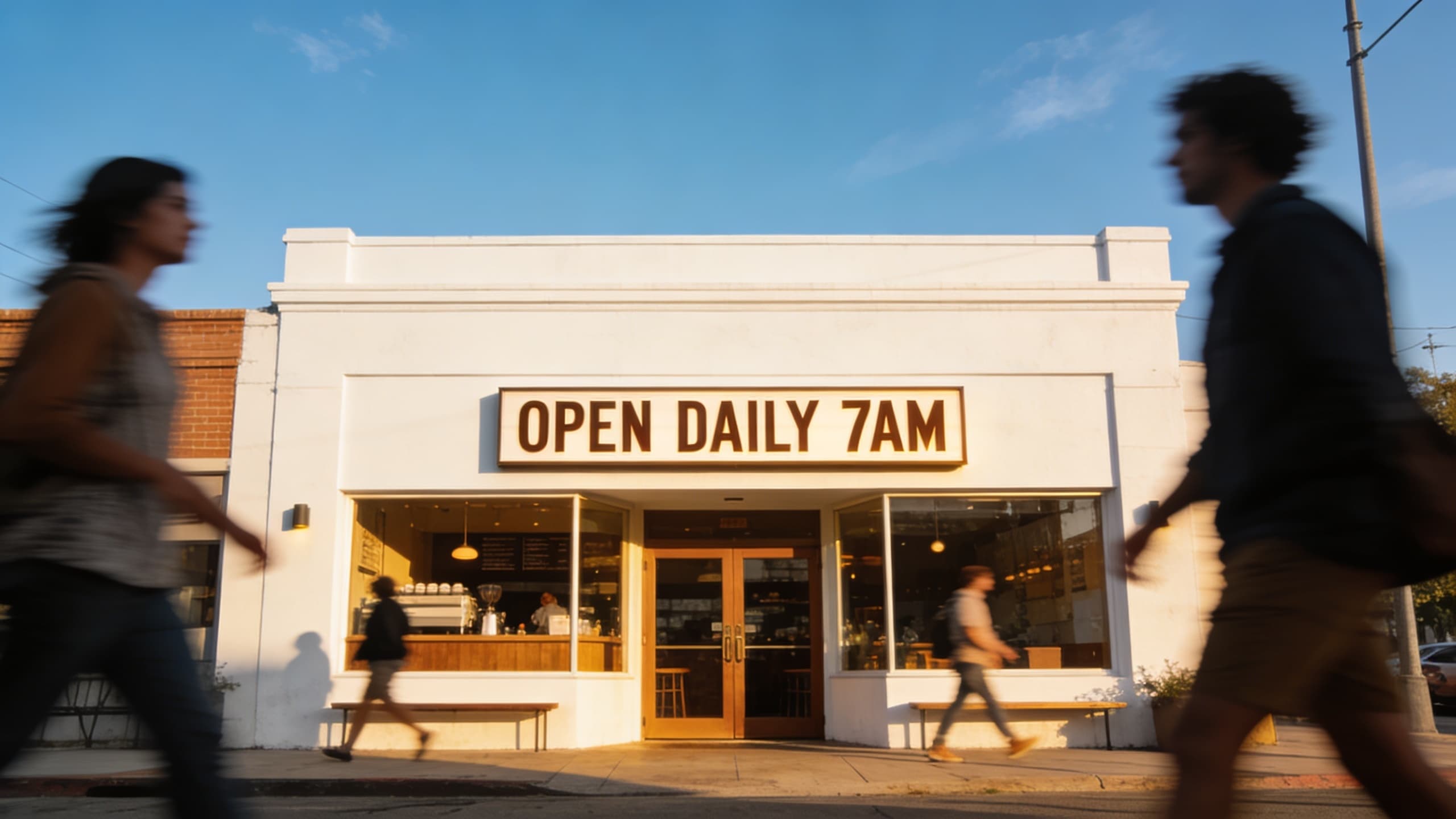
Seedream text is the text-to-image side of Bytedance's Seedream 4.5 checkpoint on Voor AI: you type a written brief, Seedream text turns it into a still — no reference upload required for the first pass. Searchers land on Seedream text when they want generation from language, not just pretty textures. That includes retail posters where SUMMER SALE must read correctly, storefront signs with OPEN DAILY, and pack shots where a short label matters. Seedream text is not a separate model ID — it is `bytedance/seedream-4.5` in the text-to-image collection with copy tuned to Seedream text intent. The samples above came from Seedream text prompts that put the headline in quotes at the top of the brief. Seedream text works best on short words and phrases; treat paragraphs on-image as out of scope and composite legal logos in vector tools after export.

Type a prompt 2K iteration Browser workflow
Retail poster with readable SUMMER SALE headline from Seedream text prompt
Headline-first Seedream text prompt
Storefront with readable OPEN DAILY sign from Seedream text to image
Short signage copy — Seedream text

How to run Seedream text on Voor AI

Generator above pre-selects Seedream 4.5. Three habits keep Seedream text outputs shippable.

1

Quote the words that must read

Example Seedream text prompt: 'Retail poster, large readable headline "SUMMER SALE 40 OFF", sunglasses product, minimal sans-serif, studio softbox'. Seedream text allocates attention to the first clause.

2

Pick aspect ratio before generating

Seedream text layouts lock early — choose 3:4 for posters or 16:9 for signage in the UI, not only in prose. Rerolling another ratio wastes credits.

3

Iterate at 2K, export winners

Run two Seedream text takes, pick the cleaner letters, then promote to 4K only for print-bound frames. Save the winning Seedream text prompt in your ticket.

What Seedream text is built to deliver

Four outcomes teams expect when they run a Seedream text session.

Prompt-in, image-out

Seedream text starts from language. Subject, setting, lighting, and any on-image words live in one prompt — the core Seedream text loop on Voor AI.

Headline-first posters

Seedream text handles short English headlines when you quote them early: large title "SUMMER SALE 40 OFF", then product and layout. The poster sample above is a typical Seedream text retail frame.

Signage and storefront comps

Seedream text is useful for OPEN, HOURS, and wayfinding mocks. Keep copy to a few words; Seedream text degrades on long sentences baked into the scene.

Hand-off to edit or video

Lock a Seedream text still, then branch to `/seedream-4-5-image-editor-ai` for scoped changes or `/seedream-video-generator` when motion is next — same assets, different step.

What Seedream text means (vs generic text-to-image)

Seedream text names a workflow, not a second Replicate slug. It is Seedream 4.5 used for text-conditioned generation — the same API shape as `/seedream-4-5` but this URL keeps H1 and examples aligned with Seedream text search intent (prompt writing, readable type, commercial layouts).

Compared with FLUX or GPT Image-2, Seedream text wins when your brief mixes scene logic with a few words that must survive compression — ecommerce promos, OOH comps, slide heroes. Compared with pure typography models, Seedream text still generates full scenes; you are not limited to flat type plates.

Honest limits: Seedream text will not guarantee trademark-perfect kerning or legal logo geometry. Export PNG from Seedream text, then set final type in Figma or Illustrator when brand police require vector precision.

Why marketers bookmark Seedream text

Seedream text collapses 'write copy → mock creative' into one browser step. Performance teams test three headline variants before lunch because Seedream text rerolls are cheaper than booking design for every A/B.

Agencies also like Seedream text for client reviews — the prompt is the spec. Stakeholders react to readable words in context, not lorem on a gray box.

Seedream text — FAQ

Is Seedream text different from Seedream 4.5?

Same checkpoint (`bytedance/seedream-4.5`). Seedream text is this route's focus on text prompts and short on-image copy.

Can Seedream text render long paragraphs?

No — keep on-image text to a few words. Body copy belongs in your layout tool after Seedream text exports the hero visual.

Does Seedream text need an uploaded image?

Not for first-pass generation. Seedream text is text-to-image; use the editor route when you already have a master to change.

How does Seedream text relate to video?

Seedream text outputs stills. Animate a winner with Seedance on `/seedream-video-generator`.

Run Seedream text now

Type the headline first, describe the scene second, generate twice. Seedream text is prompt-driven stills — not a magic typesetter.

Voor AI ToolKit