Vidu Q3 ai video generator: Online Text-to-Video and Image-to-Video
The Vidu Q3 ai video generator is built for people who need a real video fast. If you searched for the Vidu Q3 ai video generator, you likely want three things: clean motion, simple controls, and an output you can share today. On Voor AI, you can use the Vidu Q3 ai video generator online to turn a prompt or a reference image into a short clip that feels cinematic—plus optional audio that matches the scene. The Vidu Q3 ai video generator is ideal for ads, product demos, shorts, and storyboards where speed matters as much as quality.
| Input Image | Prompt | Output Video |
|---|---|---|
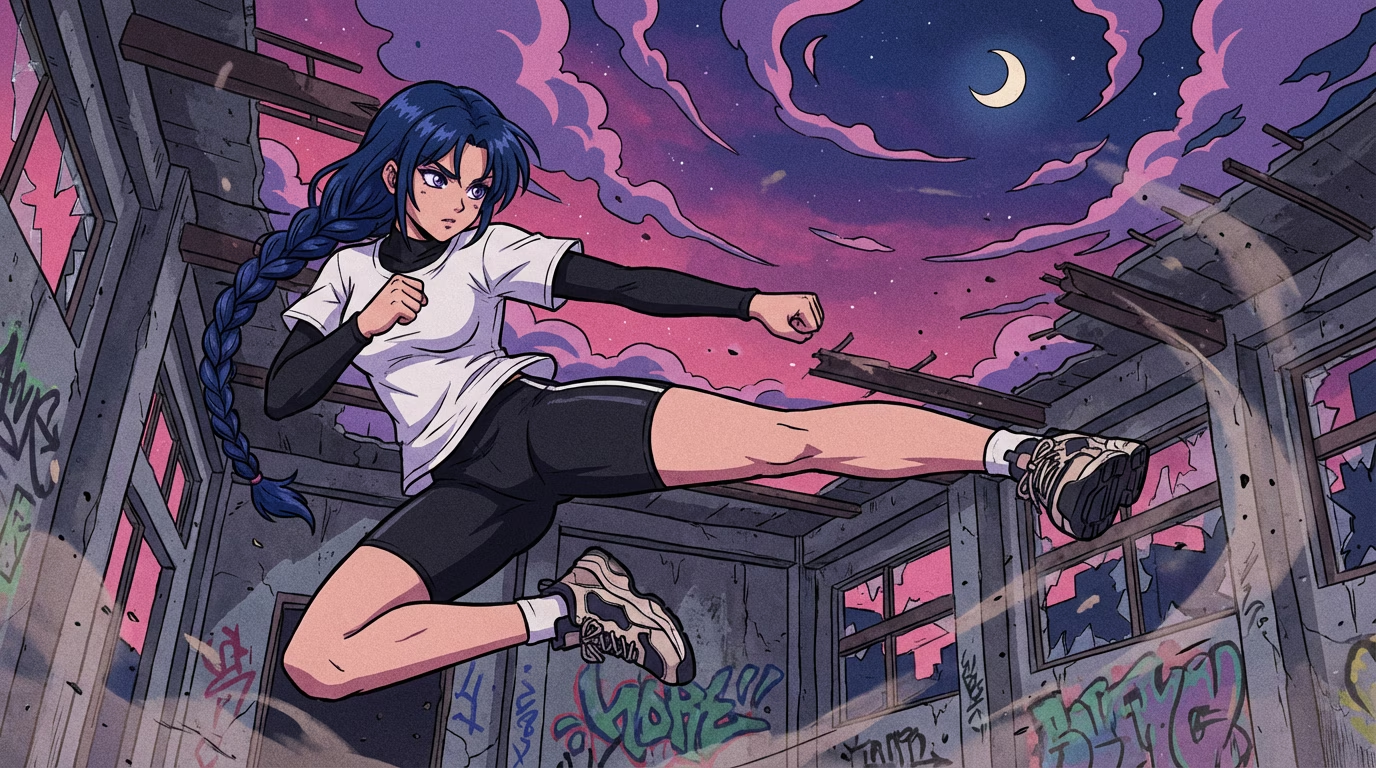 | The night scene of ruins, swirling purple-pink clouds, a waning moon hanging high, pebbles and dust floating in the air—the overall atmosphere is tense, suspenseful, and about to explode. The music is a Japanese anime opening theme style electronic rock/powerful drumbeats, with a lower tempo in the first half, reaching a climax in a strong chorus. |
Vidu Q3 ai video generator Features for Real Work
The Vidu Q3 ai video generator is strongest when you treat it like a shot maker: one subject, one action, one camera move. Below are the features that matter when you need content that is usable, not just impressive.
Vidu Q3 ai video generator text-to-video for fast drafts
Write a clear scene description and get a short clip you can edit or share. The Vidu Q3 ai video generator helps when you need to test hooks, pacing, and camera ideas before you shoot or animate. It is built for quick iteration, so you can try a few versions and keep the best take.
Vidu Q3 ai video generator image-to-video for stronger control
Upload one start image and describe the motion. With the Vidu Q3 ai video generator, an image anchor helps keep your product shape, outfit, or art style more stable. It is a practical way to make brand content that looks consistent across many shots.
Vidu Q3 ai video generator up to 16 seconds per clip
The Vidu Q3 ai video generator can create short clips from 1–16 seconds. That extra time lets actions breathe: a reveal, a reaction, a smooth push-in, or a simple transition. Many creators prefer 5–8 seconds for the highest success rate, then stitch shots together.
Vidu Q3 ai video generator 540p / 720p / 1080p output
The Vidu Q3 ai video generator lets you pick the resolution that matches your goal. Use 540p for quick testing, 720p for most social posts, and 1080p when you want crisp detail. It makes it easy to upgrade a winning idea.
Vidu Q3 ai video generator camera language in plain words
Ask for a slow dolly, a gentle orbit, a steady tracking shot, or a wide-to-close move. It does not need keyframes to get a cinematic feel. It responds well when camera and motion are simple and consistent.
Vidu Q3 ai video generator optional synced audio
The Vidu Q3 ai video generator can add ambient sound, simple dialogue, and sound effects inside the same generation. For best results, describe audio at a mood level: “soft room tone,” “wind,” “footsteps,” or “gentle synth bed.” The output can make drafts feel finished sooner.
What Is the Vidu Q3 ai video generator?
The Vidu Q3 ai video generator is an AI video model that turns text prompts or images into short videos with stable motion and strong camera behavior. The Vidu Q3 ai video generator can work in three common modes: text-to-video, image-to-video, and start-and-end frame transitions. You use it online to make a clean first draft, then publish it or refine it in an editor.
Vidu Q3 ai video generator is best as a “shot generator”
A good workflow is simple: generate several short shots, keep the style steady, then stitch them into a longer story. This matches how the Vidu Q3 ai video generator performs at its best: focused actions, readable motion, and fewer random changes. The Vidu Q3 ai video generator also reduces risk. If one shot fails, you only redo a few seconds, not a full scene.
Vidu Q3 ai video generator professional specs you can plan around
When you choose the Vidu Q3 ai video generator, you get practical limits and options: up to 1080p resolution, 1–16 seconds duration, and multiple aspect ratios such as 16:9 and 9:16. You can include a seed for repeatability, and describe camera motion and audio in the same prompt.
Online use cases for the Vidu Q3 ai video generator
Creators use the Vidu Q3 ai video generator for product reveals, short brand stories, app demos, concept trailers, storyboards, and social loops. Marketers use the Vidu Q3 ai video generator to test different angles quickly. Educators use it to visualize a scene in seconds. If you need speed and a clean draft, the Vidu Q3 ai video generator is a strong fit.
How to Use Vidu Q3 ai video generator (3 simple steps)
Keep it simple. The Vidu Q3 ai video generator works best when each clip has one clear goal. Use these steps to get a clean first result, then improve one detail at a time.
step 1: Choose text or image input
Use text for new ideas or one image for stronger control and stability.
step 2: Write motion + camera + audio
Describe one action, one camera move, and optional audio mood. This focuses the Vidu Q3 ai video generator.
step 3: Generate, then change one thing
Make 2–3 variants, pick the best, then refine one variable (motion, lighting, or framing).
Vidu Q3 ai video generator Prompt Tips (easy, readable, repeatable)
The fastest way to get good results from the Vidu Q3 ai video generator is not a longer prompt. It is a clearer prompt. Treat the Vidu Q3 ai video generator like a camera crew: tell it who is in the shot, what happens, how the camera moves, what the light looks like, and what the audio feels like.
A simple prompt formula for the Vidu Q3 ai video generator
Use this order: Subject + Setting + Action + Camera + Style + Audio. Keep it to two or three sentences. If your idea needs more detail, split it into two shots. The Vidu Q3 ai video generator rewards focus.
Template: product reveal
“Close-up of a matte black bottle on a clean stone surface. Slow dolly-in, softbox lighting, crisp reflections, stable background. Audio: soft whoosh and gentle room tone.” This style is perfect because it is one subject, one action, one camera move.
Template: character micro-action
“Portrait of a person in warm window light. They blink, then give a small smile. Subtle handheld, shallow depth of field. Audio: quiet ambience.” Micro-actions look more natural than complex multi-step choreography.
Template: start-to-end transition
“Start wide on a rainy street, end close on a neon sign. Slow push-in, stable camera, cinematic color, light film grain. Audio: rain + distant traffic.” Use this when you want to bridge two frames smoothly.
Common limits with the Vidu Q3 ai video generator
Every model has boundaries. The Vidu Q3 ai video generator can struggle with tiny on-screen text, very fast hand motion, or complex physics like liquids and tangled limbs. That does not make it “bad.” It means you should design shots that are easy to control. When the shot is simpler, you get more usable outputs and waste fewer generations.
Why Use Vidu Q3 ai video generator Online on Voor AI?
People do not search “Vidu Q3 ai video generator” because they want a research paper. They search because they want a usable clip. The value of the Vidu Q3 ai video generator is finishing: a video you can post, show, or test. The Vidu Q3 ai video generator helps you move from idea to draft in minutes, with motion, camera, and optional audio in one flow.
Test ideas without burning budget
With the Vidu Q3 ai video generator, you can test three hooks before lunch. That means fewer expensive shoots for ideas that do not work. You spend time and money only on the concepts that already proved they get attention.
Your brand looks consistent with less effort
When you reuse a reference image, a seed, and a short style note, the Vidu Q3 ai video generator produces a set of shots that feel like one campaign. Your audience recognizes your look faster, and you do not need a large design team to keep it tidy.
Audio makes drafts feel finished sooner
A silent clip feels incomplete. With the Vidu Q3 ai video generator and its optional synced audio, you can add ambience or simple sound cues in the same generation. You get pacing and mood right earlier, even if you replace the final mix later.
Faster iteration beats perfect first takes
Most creators win by iterating, not by guessing. The Vidu Q3 ai video generator is built for quick loops: generate, pick, refine one thing, and repeat. That is how you find a stronger message, a cleaner shot, and a more persuasive product angle.
Vidu Q3 ai video generator FAQ
Is the Vidu Q3 ai video generator easy for beginners?
Yes. The Vidu Q3 ai video generator works best with plain language. Write the subject, the action, and one camera move like “slow dolly-in.” Change only one detail per try for good results.
What is the best length for Vidu Q3 ai video generator clips?
Short clips are easier to control. Use 5–8 seconds for most drafts, or go up to 16 seconds when the action is simple. For a longer story, make a sequence of short shots and stitch them together.
How do I get better character consistency with the Vidu Q3 ai video generator?
Use image-to-video with a strong reference image. Keep one main subject, repeat outfit and lighting, and avoid switching styles mid-shot. Results are more stable when your instructions stay focused.
Can the Vidu Q3 ai video generator generate audio and dialogue?
Yes. The Vidu Q3 ai video generator can generate synced audio such as ambience and simple dialogue. For the cleanest results, describe audio at a mood level and keep dialogue short.
Is the Vidu Q3 ai video generator good for product videos?
Yes. The Vidu Q3 ai video generator works well for product videos. Use a clean product image as the start frame, ask for a slow push-in, and keep backgrounds simple. It is especially strong for short reveals, close-ups, and loopable hero shots.