Turn any photo or text prompt into the glossy, translucent jelly art look — the best ai jelly art generator handles pastel gradients, dewy highlights and the gummy sheen. Copy a prompt, swap the subject.
The best ai jelly art generator look — four renders, four prompts
Every tile below came out of this page's best ai jelly art generator. The best ai jelly art generator worth using is the one where you can read the prompt that made each result — so copy a recipe, swap the subject, and the glossy translucent jelly finish stays put.
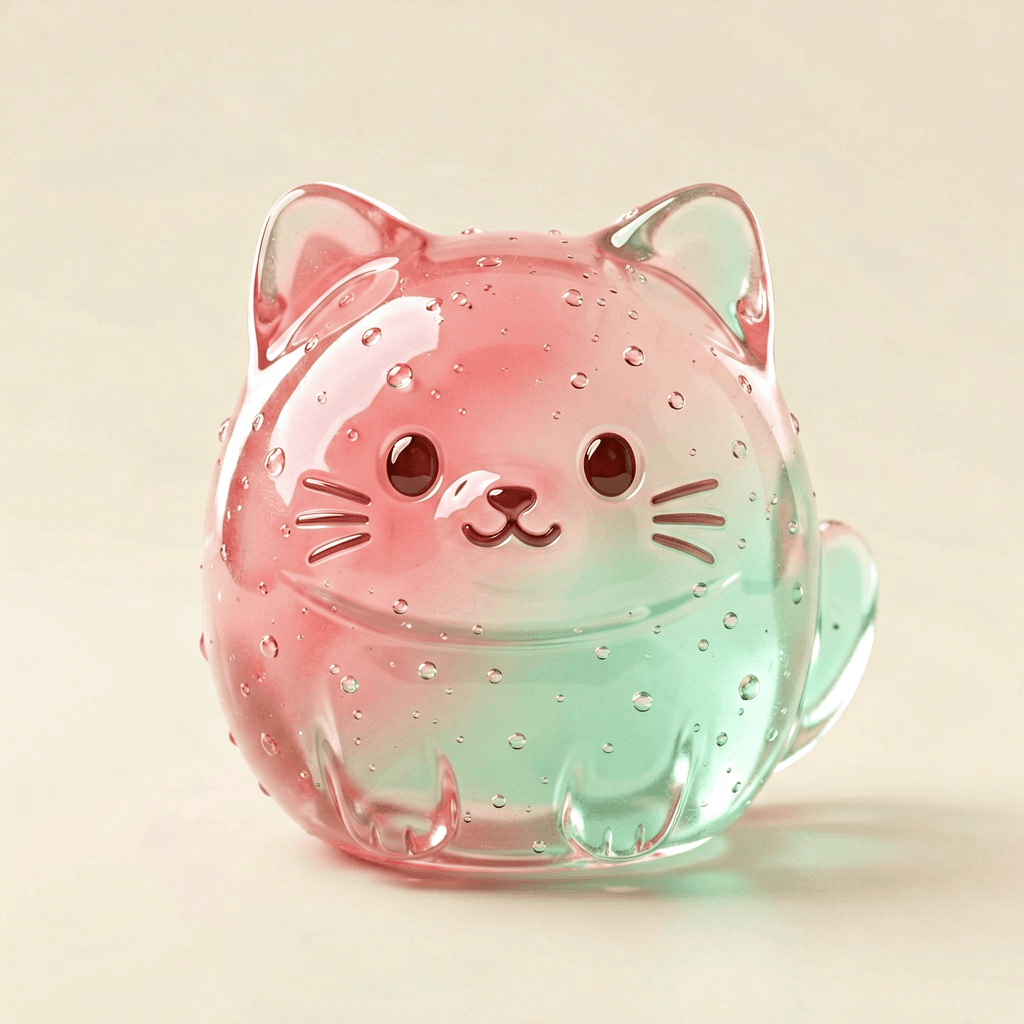
Translucent jelly cat
A round chibi cat sculpted from translucent pastel jelly, glossy wet surface, strawberry-and-mint gradient, dewy rim light, tiny bubbles inside, clean background
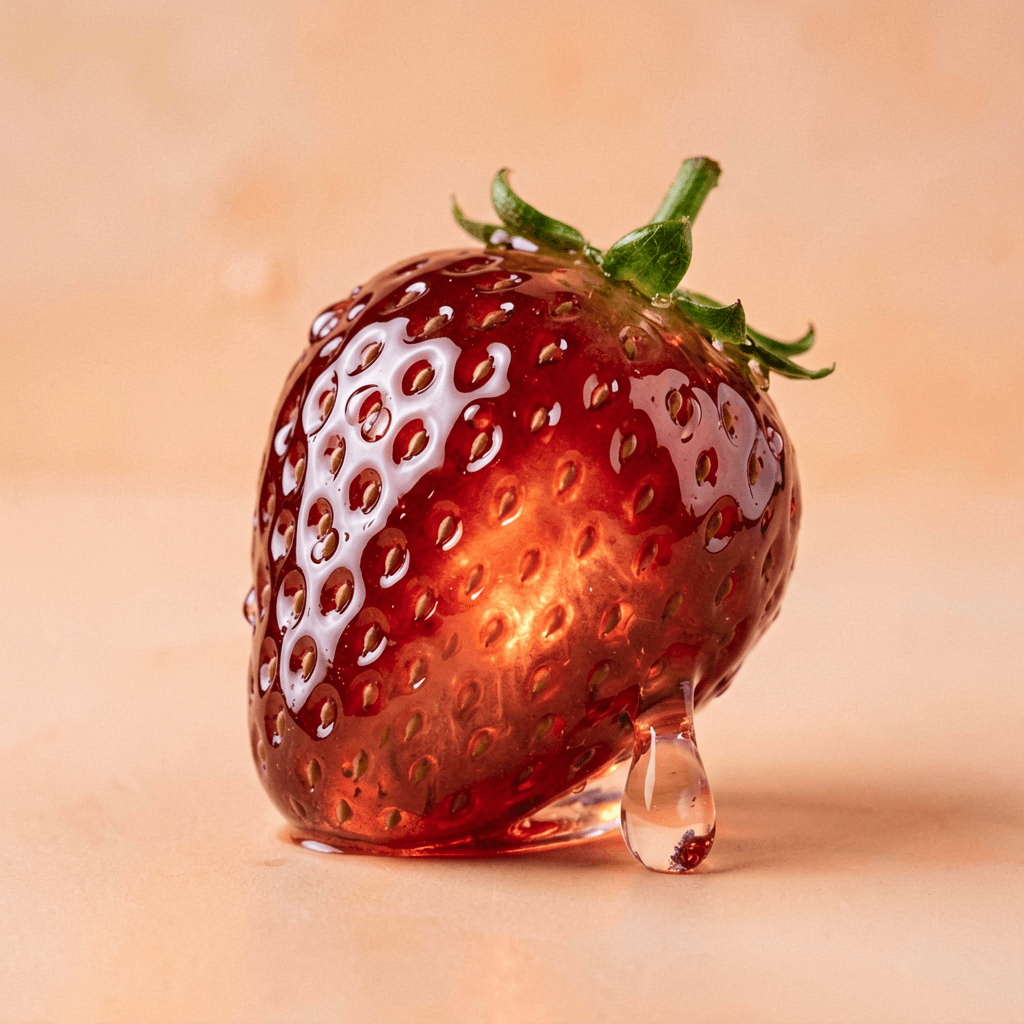
Glossy fruit study
A strawberry as shiny gummy jelly, see-through ruby body with seeds glowing inside, thick glossy highlight, pastel peach backdrop, studio lighting
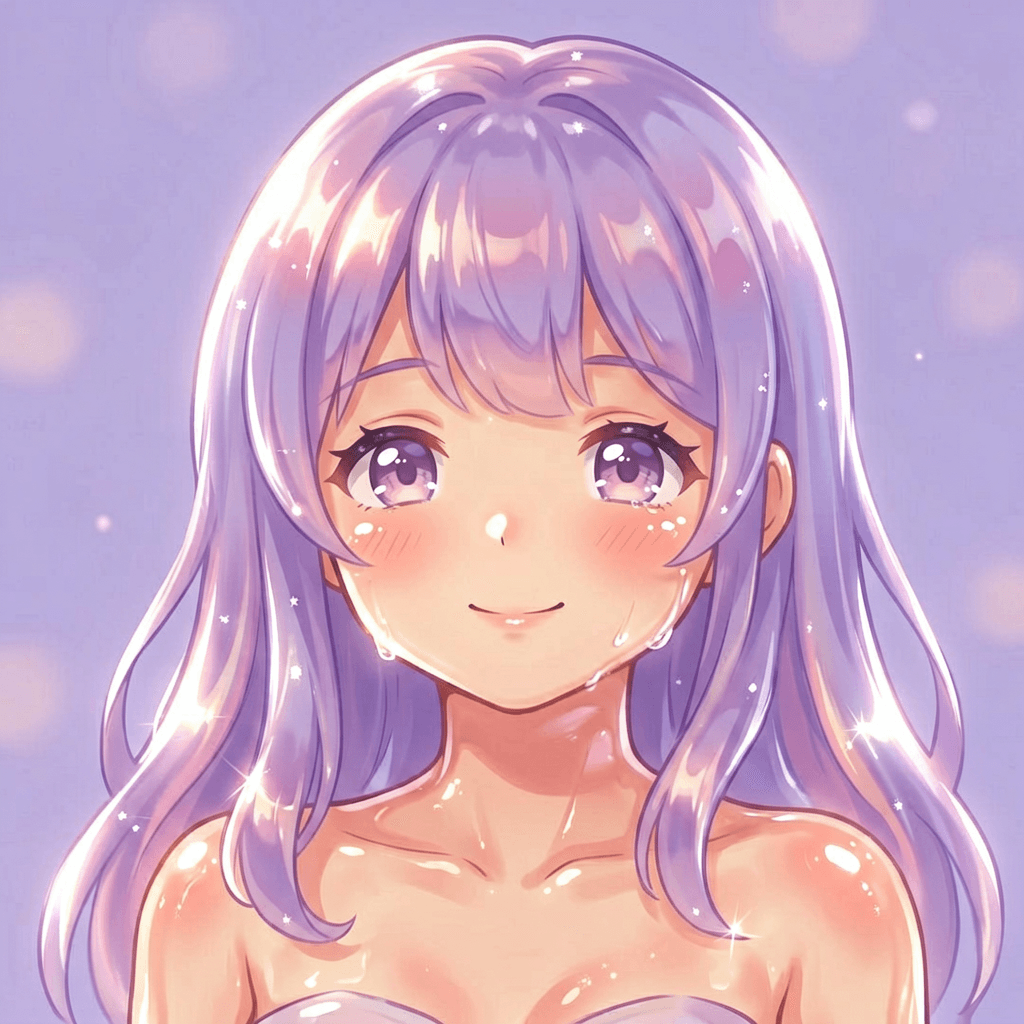
Jelly anime portrait
Bust of a soft anime girl in jelly art style, translucent peach-jelly skin, glossy dewy cheeks, lilac candy hair, pastel background, rim light, kawaii
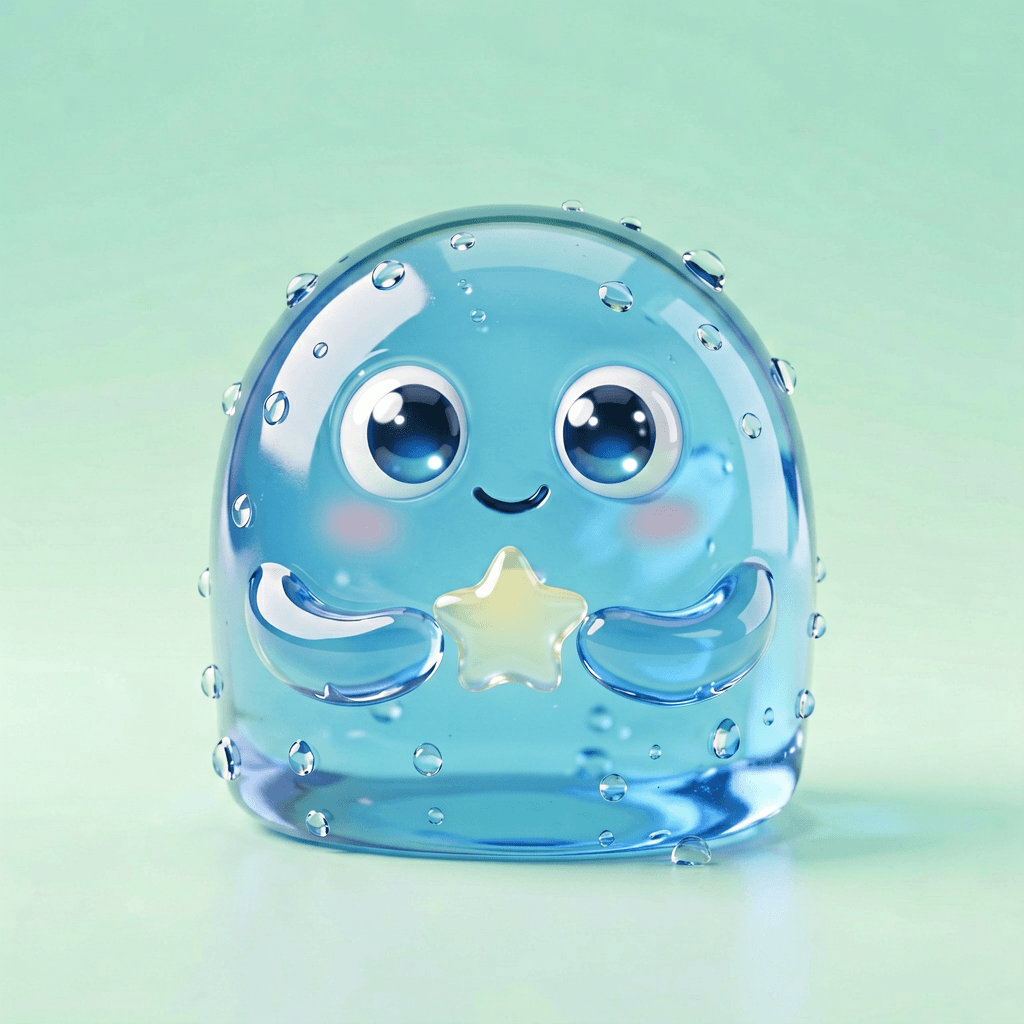
Brand mascot in jelly
A blob mascot of clear blue jelly, glossy bouncy body, big shiny eyes, holding a star, droplets on the surface, mint gradient background, playful
Drag it — a real photo turned to jelly art
Same pet, one instruction. On the left, an ordinary photo; on the right, the best ai jelly art generator's glossy translucent version. Drag the divider — the best ai jelly art generator keeps the silhouette and trades only the material.
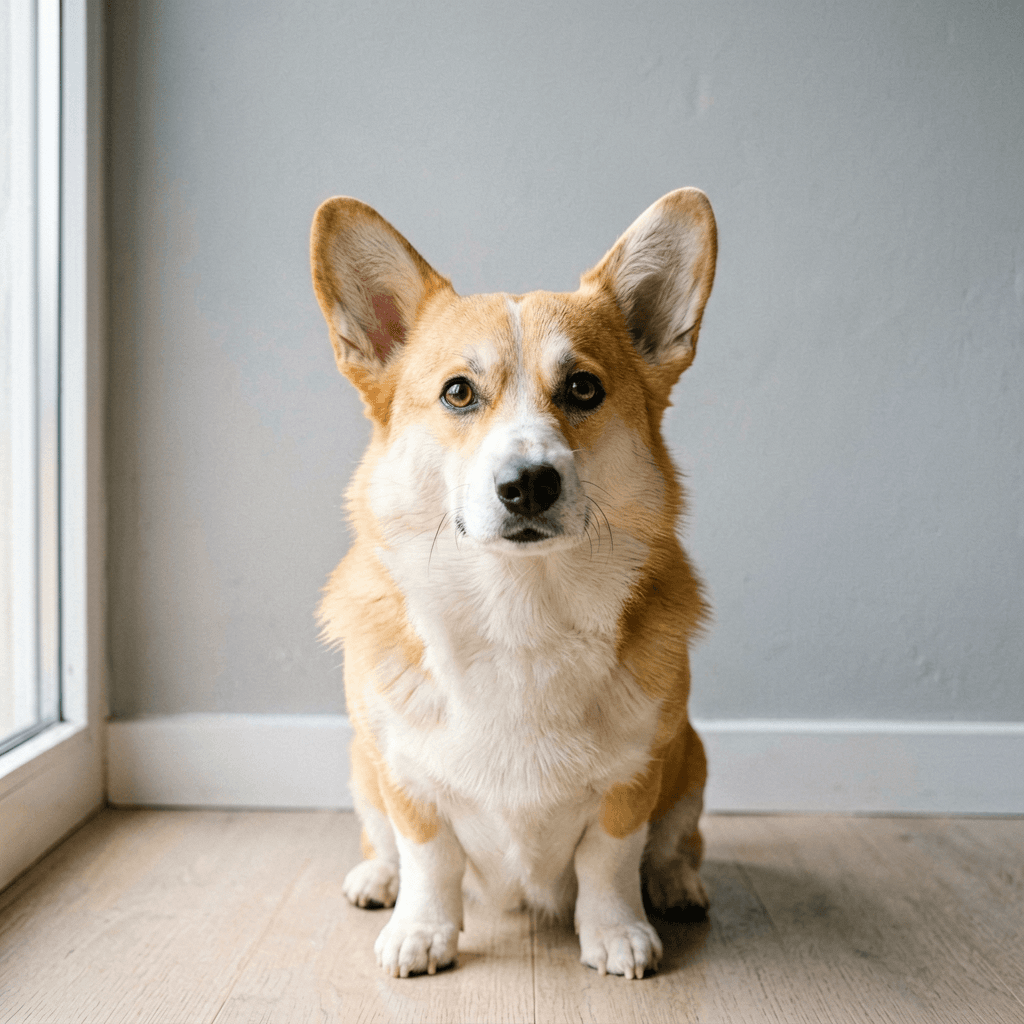
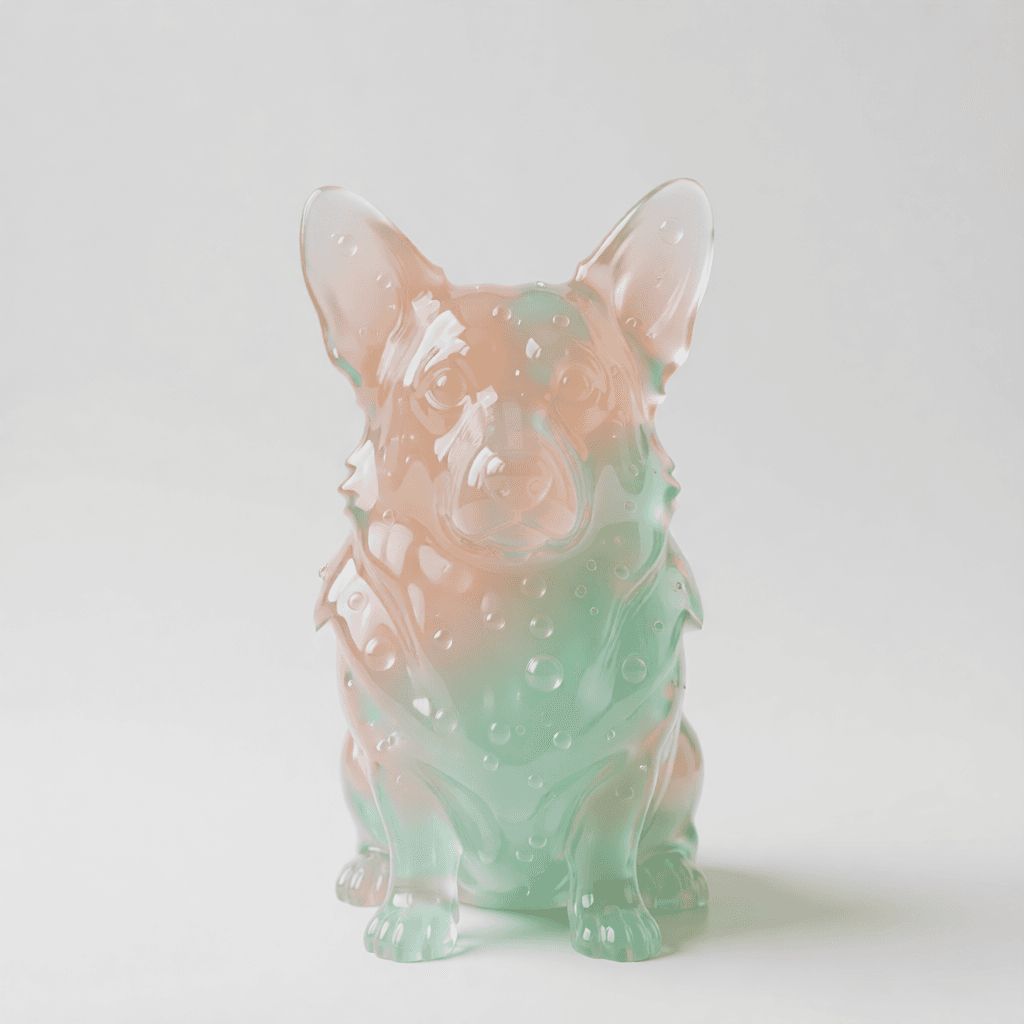
The instruction was simple: “restyle as glossy translucent jelly art, keep the pose and face, pastel gradient, dewy rim light.” That one sentence is the whole jelly art generator workflow — upload, name the look, compare.
Notice what survived: the silhouette, the tilt of the head, the direction of the light. Jelly art only replaces the surface material. If a render loses the likeness, it stylised too hard — ask for a lighter jelly glaze and rerun.
49M+
jelly art posts the look has spawned on TikTok
Photo or text
two ways into the best ai jelly art generator
Seedream 4.5
default model behind the best ai jelly art generator
Free credits
several best ai jelly art generator rerolls a day
Build a best ai jelly art generator prompt
Tap chips to assemble a prompt, then copy it into the best ai jelly art generator above. The four jelly words do the heavy lifting.
A [your subject] in jelly art style
The four words that make jelly look like jelly
Most failed jelly art is a prompt missing one of these. Give the best ai jelly art generator all four and even a quick subject comes out glossy.
Translucent
The load-bearing word. Without it the best ai jelly art generator paints an opaque toy; with it, light passes through and jelly reads as jelly.
Glossy / dewy
Drives the wet speculars and condensation droplets — the highlight that makes a best ai jelly art generator result look freshly unmoulded.
Pastel gradient
Saturated-but-soft candy colour. Name two and let the best ai jelly art generator blend them — strawberry, peach, mint, lilac.
Rim light
A bright edge tracing the silhouette; it separates the subject from the background and doubles the gummy sheen.
14 things people make with the best ai jelly art generator
Same loop each time — name the subject, keep the four jelly words, and let the best ai jelly art generator pour it into glossy jelly.
- Profile avatars — a matched set from the best ai jelly art generator, one prompt.
- Sticker packs — die-cut glossy mascots from the best ai jelly art generator.
- Food studies — the best ai jelly art generator turns a strawberry or boba into gummy art.
- Pet portraits — restyle the family dog with the best ai jelly art generator.
- Lettering — a name as wobbly see-through jelly type from the best ai jelly art generator.
- Brand mascots — a soft blob in your colours via the best ai jelly art generator.
- Anime busts — the best ai jelly art generator nails dewy skin and candy hair.
- Stream emotes — small glossy faces, all matched by the best ai jelly art generator.
- Product shots — the best ai jelly art generator reimagines a bottle as gummy concept art.
- Seasonal sets — pumpkins or hearts in matched jelly from the best ai jelly art generator.
- Phone wallpapers — one glossy subject on a soft pastel gradient.
- Enamel-pin concepts — design the jelly look first, then hand it to a maker.
- Group casts — five characters, one prompt, a uniform jelly collection.
- From a doodle — feed a rough sketch to the best ai jelly art generator and watch it pour.
Where the jelly art look came from
The best ai jelly art generator shortcuts a hand-painted trend with a real lineage:
- 2023
Digital artist @puririkaaa popularises the translucent jelly art portrait — anime features rendered like poured gelatin.
- Glass-skin era
The look borrows Korean glass-skin glossiness, pushing dewy highlights and candy pastels.
- Goes viral
Tens of millions of jelly art posts spread across TikTok, Pinterest and Instagram.
- Now
The best ai jelly art generator bakes the material in, so you choose subjects instead of blending highlights by hand.
Best ai jelly art generator — FAQ
What does the best ai jelly art generator do to my photo?
The best ai jelly art generator re-renders your subject in the glossy, translucent jelly art look — pastel gradients, dewy highlights, a soft gummy sheen — while keeping the pose. It is a full style pass, so the best ai jelly art generator bakes the finish into the geometry rather than smearing a filter on top.
Do I need a photo, or can the best ai jelly art generator work from text?
Both. Upload a portrait or pet photo and the best ai jelly art generator restyles it; or type a subject and it builds the jelly look from scratch. Photo-to-jelly keeps a likeness; text-to-jelly gives the best ai jelly art generator total freedom over the scene.
Why does my jelly art come out flat?
Flat results almost always mean the prompt is missing the three words the best ai jelly art generator leans on: translucent, glossy, and dewy. Add them, push saturated pastels, and ask for rim light — that is what turns a plain render into real jelly art.
Which model powers the best ai jelly art generator here?
Seedream 4.5 by default — it holds a clean likeness through a heavy style change, which is exactly what the best ai jelly art generator needs. Swap models freely if you want a different jelly feel.
Is the best ai jelly art generator free?
New accounts get free daily credits, enough for several best ai jelly art generator rerolls and an honest before/after. Each render spends credits by model, so the lighter models stretch your free pass further.
Can I make a whole jelly set in one style?
Yes — reuse one prompt and swap only the subject. Because the best ai jelly art generator reads the style words the same way each run, a five-character cast comes out as a matched jelly collection instead of five unrelated looks.
Does the best ai jelly art generator only work on anime?
No. The jelly look started in anime portraits, but the best ai jelly art generator lands the same translucent treatment on pets, food, logos, lettering and product shots. Anything you would call glossy and gummy is a candidate.
How do I keep my face recognizable?
Upload a sharp, front-lit photo and ask the best ai jelly art generator to keep the facial proportions while applying the jelly sheen. If a render drifts, lower the stylization — say a light jelly glaze rather than a full jelly sculpture.
What makes a tool the best ai jelly art generator?
Three things: clean translucent material, copyable prompts so every result is repeatable, and likeness that survives the restyle. The best ai jelly art generator on this page ships all three, with a real before/after you can drag.
People also search for
- best ai jelly art generator free
- best ai jelly art generator online
- best ai jelly art generator from photo
- best ai jelly art generator prompt
- best ai jelly art generator anime
- jelly art style ai
- translucent jelly art ai
- ai jelly art generator no watermark
Whichever best ai jelly art generator search brought you here, the loop the gallery shows is the answer: keep the four jelly words, name one clear subject, and reroll for the cleanest highlight. The best ai jelly art generator ships every result with the prompt that made it. Photo or prompt, your subject, free daily credits.
Pour your first jelly render
Upload a photo or type a subject, keep the four jelly words, and let the best ai jelly art generator do the glossy translucent part.
Make jelly art