Upload flat art — a drawing, logo or sprite — and 2d to 3d ai reconstructs real 3D geometry with models like Trellis and Hunyuan3D-2. Download the mesh, or take the render road for product-style shots.
Flat art in, dimensional form out
Both pairs below are real 2d to 3d ai conversions made for this page — the left image was the only input, the right is what came back. Depth, material and lighting are inferred from silhouette and color alone.
 2D input
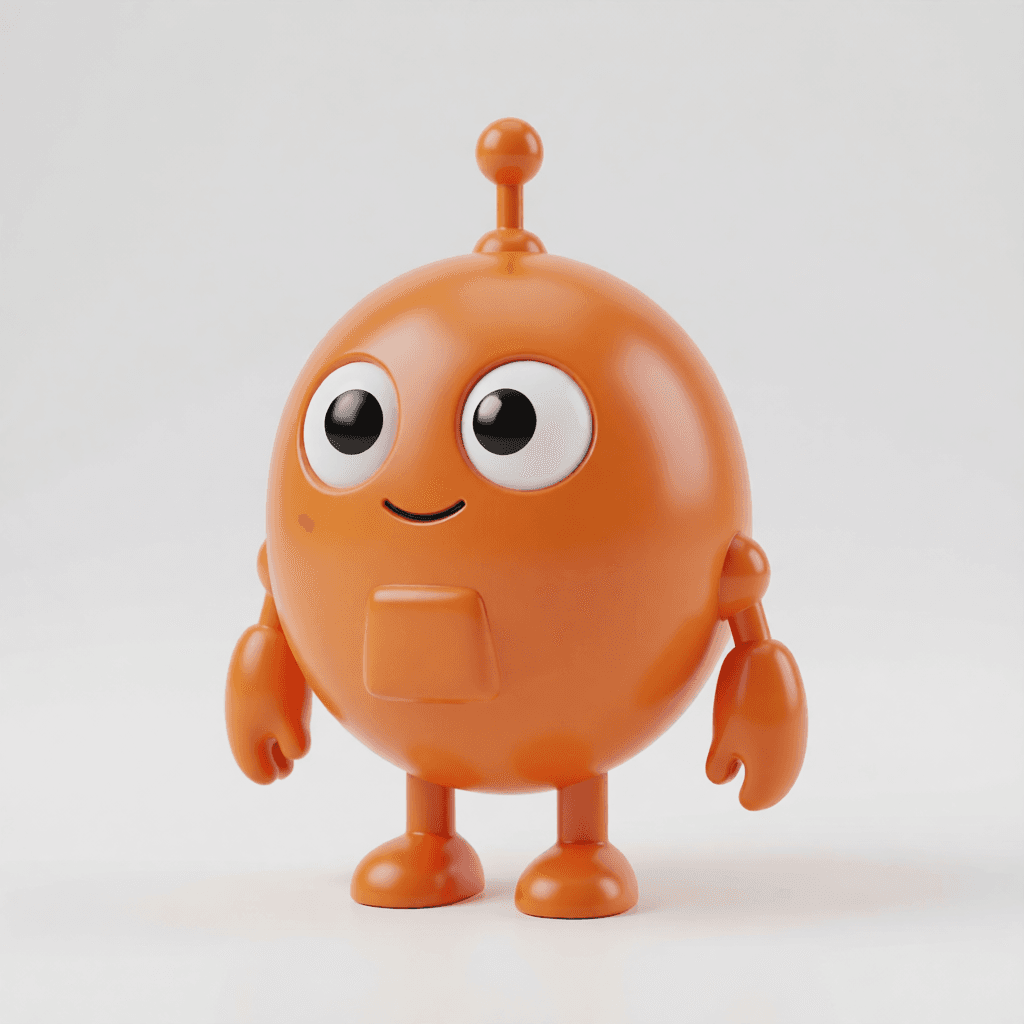 3D result
Character → collectible figurine
Flat vector mascot in, PVC-shaded figurine out — proportions, antenna and palette intact. This is the look that sells merch before tooling exists.
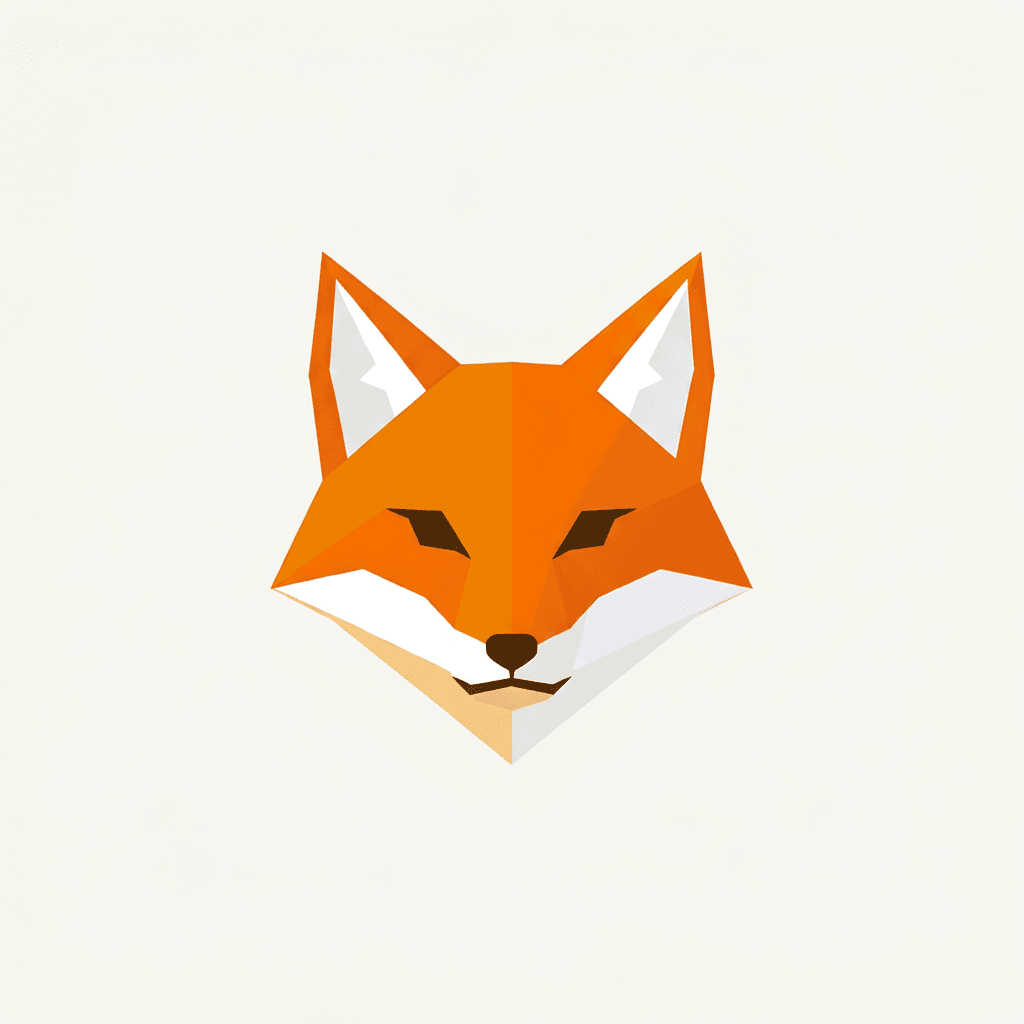 2D input
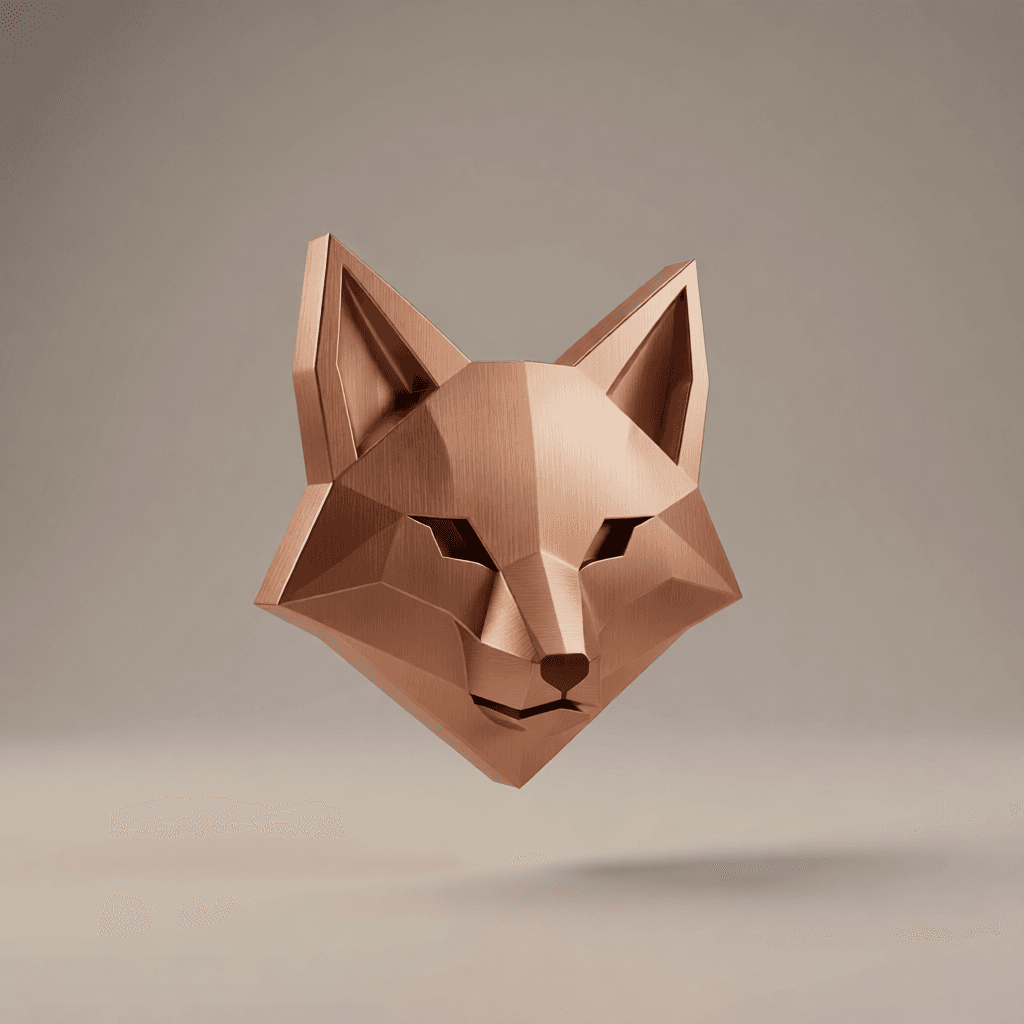 3D result
Logo → dimensional brand mark
The same geometry re-read as brushed copper with real reflections. Five material variants of a flat logo take five minutes, not a freelancer week.
01 Feed 2d to 3d ai one clean silhouette per run — crop before you convert.
02 Check the 2d to 3d ai turntable from behind; invented surfaces live there.
03 On the render road, tell 2d to 3d ai the material and the light, like a product photographer.
04 Keep the 2d to 3d ai source flat-lit — baked-in shadows confuse reconstruction.
2D to 3D AI means two different things — this page does both
Most pages ranking for 2d to 3d ai quietly sell you one or the other. Pick by deliverable:
The mesh road — real 3D files
The generator at the top of this page runs image-to-3D models — Trellis, Hunyuan3D-2, Pixal3D — that reconstruct actual geometry from one 2D image and hand back a mesh (GLB) you can orbit, import into Blender or Unity, rig, or slice for printing. Upload art with a clean silhouette, generate, inspect the turntable, download.
Pick this road when the deliverable is an asset: game props, printable figures, AR objects.
The render road — 3D-look images
The robot and fox above took this road: an image-editing model (Seedream 4.5 on Image to Image AI) re-renders flat art with dimensional shading. No mesh exists — but for listings, decks and social, the picture was the actual deliverable all along, and this road is minutes faster.
Pick it when you need the figurine shot, not the figurine.
12 things people run through 2D to 3D AI
Half take the mesh road, half take the render road — all start with one flat image in the generator above.
- 2D to 3D AI for mascots — flat brand character in, figurine-ready mesh out, merch validated before tooling.
- 2D to 3D AI for logos — the copper fox above took the render road; the mesh road makes it printable.
- 2D to 3D AI for game props — concept sketch to GLB, dropped straight into a Unity scene for scale checks.
- 2D to 3D AI for kids' drawings — the crayon monster becomes a real little statue file for the printer.
- 2D to 3D AI for product sketches — pencil mug design to studio-shot render while the meeting is still going.
- 2D to 3D AI for retro sprites — pixel characters re-read as dimensional key art that nods at the original.
- 2D to 3D AI for tabletop minis — one character sheet per hero, one mesh per slicer night.
- 2D to 3D AI for AR stickers — flat art to GLB to your camera app's face filter pipeline.
- 2D to 3D AI for pitch decks — render road only: five material variants of the logo by the next slide.
- 2D to 3D AI for figurine shops — render to gauge demand, mesh when the orders justify it.
- 2D to 3D AI for turntable reels — mesh preview orbits or Image to Video AI spins, both post-ready.
- 2D to 3D AI for photo subjects — your pet as a glossy collectible render is one upload away.
From drawing to downloadable mesh
- Step 1
Prep one clean subject
Crop to a single character, product or logo on a plain background. Silhouette clarity is the whole game for 2d to 3d ai reconstruction.
- Step 2
Generate and inspect the turntable
Run Trellis or Hunyuan3D-2 above, then orbit the preview. Front fidelity is usually strong; invented back surfaces are what you're checking.
- Step 3
Export GLB and finish downstream
Import into Blender for cleanup or rigging, Unity for game use, or a slicer for printing. The mesh is yours.
Why this beats the old detour: a modeled, UV-mapped, rendered commission takes weeks; 2d to 3d ai gets a reviewable asset the same afternoon, and the 2D artist keeps creative control the whole way. Validate demand with the render, ship the mesh when orders justify it.
2D to 3D AI — FAQ
Does 2d to 3d ai give me an actual file I can import or print?
Yes — the generator on this page runs image-to-3D models like Trellis and Hunyuan3D-2 that output real mesh files (GLB). Drop them into Blender, Unity or a slicer. For marketing shots, the render road is often the faster pick.
Which inputs convert best with 2d to 3d ai?
A single subject with a clear silhouette on a plain background. Busy scenes and overlapping characters confuse 2d to 3d ai reconstruction — crop to one subject per run.
Will my character stay on-model through 2d to 3d ai?
Front-facing source art with clean colors carries over well. The model invents unseen surfaces — the back of the head, the underside — so check the turntable before shipping.
Can 2d to 3d ai convert photos, not just drawings?
Yes — product photos and figures work. Logos and flat art are the classic 2d to 3d ai inputs, but anything with readable shape converts.
Mesh road or render road — how do I choose?
By deliverable. If it ships into an engine, a printer or AR, run the 2d to 3d ai mesh models above. If it ships into a deck, a listing or a feed, the render road gets the dimensional look in minutes.
Which 2d to 3d ai model should I start with?
Trellis (preloaded) is the balanced default for characters and props; Hunyuan3D-2 shines on harder geometry. Same upload, both in the selector — compare turntables.
Can I animate the 2d to 3d ai result?
Renders animate via Image to Video AI — a slow turntable prompt reads as a product spin. Meshes can be rigged downstream in Blender or Mixamo.
Why does text in my logo break during 2d to 3d ai conversion?
Type is the hardest detail to carry through reconstruction. Instruct 'preserve the lettering exactly' on the render road, or composite the wordmark back afterwards.
What does a 2d to 3d ai run cost?
Each generation consumes credits by model; new accounts get free daily credits — enough to compare both roads on one piece of art.
People also search for
- 2d to 3d ai free
- 2d to 3d ai online
- 2d to 3d ai converter
- 2d to 3d ai model generator
- 2d to 3d ai image
- 2d to 3d ai for printing
- 2d to 3d ai glb
- best 2d to 3d ai
- 2d to 3d ai from drawing
- 2d to 3d ai logo
- 2d to 3d ai figurine
- 2d to 3d ai blender
Whichever 2d to 3d ai search brought you here, the answer is the two roads above: Trellis and Hunyuan3D-2 for real GLB meshes you can print or import, the render road for dimensional shots in minutes — both from one flat image and free daily credits.
Make something flat feel heavy
Upload the drawing, pick the road — mesh for assets, render for shots. Either way, 2d to 3d ai turns art you already have into the dimensional thing you needed.
Convert my art